
NHTSA ID Number: 10120134
Manufacturer Communication Number: PDI - 2014 CC SA
TSB/Document Date: 2017-10-21
Summary
Volkswagen Perfect Delivery Process ? Sales Consultant Delivery Checklist: This document informs the seller of a vehicle with a checklist to cover the experience of a customer who is interested in purchasing a vehicle
Volkswagen Perfect Delivery Process – Sales Consultant Delivery Checklist
Vehicle Information:
VIN: ___ ___ ___ ___ ___ ___ ___ ___ ___ ___ ___ ___ ___ ___ ___ ___ ___
Model Year: ___________________
Model Type: _________________
Owner Information:
First Name: _______________________________________
MI: _________
Last Name: _______________________________________________________
Mailing Address: ______________________________________________________________________________________
Apartment Number: _____________
City: ______________________________ State/Province: ___________________
Zip/Postal Code _______________
Home Telephone: __________________
Email Address: _____________________________________________________.
Work Telephone: __________________
Model: 2014 CC
Ensure the following critical delivery items are completed:
1 - Questions for your customer
1.
2.
What are the 3 most important features to your customer?
a.
____________________________________________
b.
____________________________________________
c.
____________________________________________
How much time does your customer have available to take
delivery of their vehicle? _______________________________
2 - Vehicle Preparation (Pre-Delivery)
Verify vehicle equipped as specified and all accessories are installed
Ensure final detail was completed, including installation of front
license plate bracket (if required)
Technician and Detailer PDI completed
Verify completion of campaigns and required vehicle updates
Ensure all unnecessary stickers are removed
Verify air bag warning triangle is affixed
Vehicle Condition Check
Verify that the vehicle interior and exterior are clean and free of damage
Inspect the exterior for damage, dings, dents, and surface scratches
Check interior for cleanliness, grease marks and damage. Repair all defects
prior to customer delivery
Visually check tires for obvious damage or over/under inflation
Vehicle Function Check
Verify function of all remote keys; all keys start vehicle
Verify Satellite Radio is active
Verify green Car-Net LED is illuminated
Set clock to correct time
3 - Dealership Tour
Introduction to Service Department (hours and personnel)
DoubleCheck
Introduce DoubleCheck to customer
Set appointment (within 30 days) with Service Consultant
Effective 6-2-2014
Version 1.1
3 - Dealership Tour Continued
Explain the service is free and includes:
Check vehicle operation
Check fluid levels
Discuss any potential issues or questions about their vehicle
Introduction to Parts and Accessories Department
Introduction to Sales Manager/General Manager
4 - Owner’s Documents to Explain, Review and Provide
Sales invoice, finance paperwork
License, insurance, registration
Owner’s Manual with business card
Quick Reference Guide
Warranty and Maintenance booklet
California Emissions Warranty booklet
Applicable Tire Warranty brochure
Roadside Assistance Owner’s Guide
Lemon Law notice (based on state)
Carefree maintenance brochure
Car-Net brochure and disclaimer
Download iOwn, owner’s literature app, to the Customer’s iPad (if
available) or provide the Customer this link for download:
https://itunes.apple.com/us/app/vw-iown-ownerinformation/id848222108?mt=8
DoubleCheck introduction and explanation
Knowyourvw.com explanation and send introductory email
5 - Feature Demonstration
Exterior
Remote door lock/unlocking: explain unlock button must be pressed twice to
unlock all doors
Keyless access w/ push button start (if applicable)
Fuel door operation: how to unlock and close cap properly
Trunk lid operation
Rear seat fold-down operation
Bluetooth - Connect customer’s Bluetooth phone (review phone pairing
instructions in Quick Start Guide)
Pair the customer’s phone with the vehicle
Demonstrate making a call via voice and steering wheel controls
5 - Feature Demonstration Continued
5 - Feature Demonstration Continued
Bluetooth Continued
Demonstrate how to answer, ignore and end calls
Dialing from directories/phonebook - received, missed, and dialed
calls
www.vw.com/bluetooth (Resource)
Interior Vehicle Operation Continued
Climate control operation
Demonstrate how to activate heated seats
Sunroof: explain comfort feature (if applicable)
Electronic parking brake
Explain DSG and Tiptronic operation (if applicable)
TPMS system operation
How to reset/view
Multi-Function Steering Wheel
Homelink Remote Garage Door Opener (if applicable)
Explain the Multi-Function Display(MFD)/Trip Computer and the information
available
Warning/indicator lights: explain fuel cap loose indicator
Audio
Review the Radio/CD/MP3 player and satellite radio modes (Satellite if
applicable)
Pre-set preferred radio stations and walk the customer through setting their
favorite stations
Explain scanning/tuning functions
Show how to connect iPod/MP3. Demonstrate MDI, MP3/SD cards and
Aux-in jack (if applicable)
Demonstrate Bluetooth audio
6 - Customer Acceptance
Navigation System Operation
Show how to save a Home address into the Nav and demonstrate how to
modify it
Show how to store a Destination from an address
Demonstrate how to control the map with zoom
Demonstrate how to save your dealership as a POI
Demonstrate how to select route preferences
Demonstrate how to use the traffic button (RNS 510)
Two master keys/key tag
Complete Customer Delivery Checklist
7 - Orientation Drive
Car-Net (if applicable)
Car-Net: explain system operation and push “i-Button” to enroll
Explain functionality of overhead 3-button assembly
Cruise control
Hill Hold
Rear View Camera (if applicable)
Navigation operation (if applicable)
Interior Vehicle Operation
Seat positioning, safety belt, head restraint adjustment
Program memory seats and mirrors: manually and with key (if
applicable)
Active front seat ventilation & driver seat massage (if applicable)
Side view mirrors and defog operation
Power folding function (if applicable)
Headlight operation
Fog Lights (if applicable)
Cruise control location and function
Windshield wiper operation and service position
Windshield wash
Explain operation of Rain Sensing Wipers (Remind customer to turn off
rain sensing wipers when going through a carwash)
Follow-up call - Date/time: _______________________________________
DoubleCheck appointment - Date/time: _____________________________
Volkswagen Owner’s Signature: ________________________________________________________________
Date: __________________________
Sales Consultant’s Signature: ___________________________________________________________________
Date: __________________________
Sales Consultant’s Name: ______________________________________________________________________
Date: __________________________
Effective 6-2-2014
Version 1.1
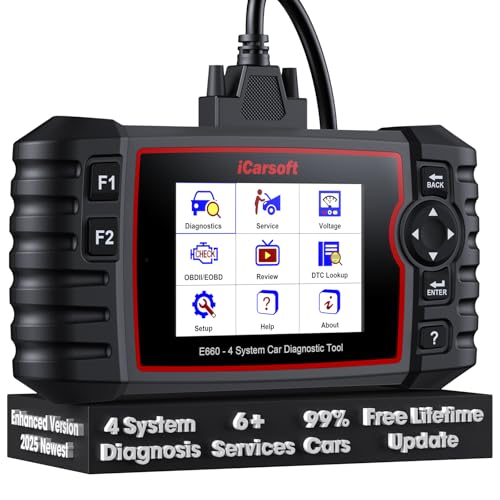
- 【Looking for More Professional Vehicle Scan...
- 【OE-Level 4 Systems OBD2 Scanner】iCarsoft E...
- 【4 Systems Diagnosis for 10000+ Vehicles】 iCarsoft E...
- 【6 Reset Services】iCarsoft E660 2026 Upgrade Version is...
- 【118+ Real Time Record & Live Graph View】iCarsoft E...
Last update on 2026-06-13 / Affiliate links / Images from Amazon Product Advertising API
If the PDF is very large, it may not load in the preview below.
Some older TSBs had multiple PDFs — visit the NHTSA Website to view all PDFs.
If the TSB PDF does not show, download or view it on the NHTSA Website.
Click on the (+) Plus Sign
Then Click on Associated Document(s)
Search NHTSA Database for Recalls
Search NHTSA Database for Vehicle Investigations
View Latest Vehicle Investigations
Search NHTSA Database for Vehicle Complaints
View Latest Vehicle Complaints
TSB/Document ID: PDI - 2014 CC SA
Replacement Service Bulletin Number:
MFR Communication Date: 2014-06-02
MFR Internal Campaign ID/Software Version:
Communication Type: Service Bulletin/Repair Instructions
NHTSA Components: EQUIPMENT:OTHER:OWNERS/SERVICE/OTHER MANUAL
MFR Component System:
MFR Component Subsystem:
Previous TSB | Next TSB |
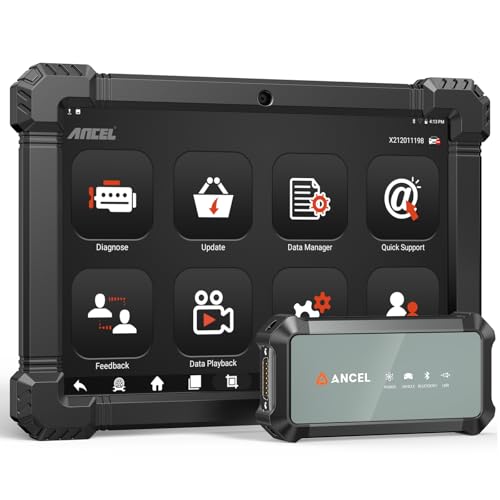
- 2026 ALL-IN-ONE HEAVY DUTY TRUCK SCANNER – BUILT FOR DIESEL DIAGNOSTICS:The ANCEL X7HD PRO combines full-system diagnostics, bi-directional control, ECU coding, HDOBD/OBD2 functions, and 42+ reset services in one powerful heavy duty truck scanner. This diesel scan tool helps technicians, fleet owners, and repair shops diagnose problems faster, reduce downtime, and complete more repairs without switching between multiple truck diagnostic tools. Features a 10.1" Android tablet, Bluetooth & Wi-Fi, live data graphing, and 2 years of f-ree updates
- 42+ RESET FUNCTIONS – MORE THAN A BASIC TRUCK CODE READER:Perform essential service functions including forced DPF regeneration, injector coding, speed limiter adjustment, idle adjustment, oil reset, ABS reset, SRS reset, EPB reset, throttle reset, and suspension calibration. Designed for real truck maintenance and fleet service, this commercial truck diagnostic scanner helps reduce dealer visits, avoid unnecessary downtime, and handle more repair jobs with one diesel diagnostic tool
- ACTIVE TEST & ECU CODING – ADVANCED BIDIRECTIONAL SCAN TOOL FOR TRUCKS:Quickly locate faults by activating components and sending commands directly to vehicle systems. Test injectors, ABS, throttle, cooling systems, and other modules in real time without unnecessary disassembly. ECU coding and module matching help adapt replacement parts, restore factory settings, and reduce repeat repairs, making this semi truck scan tool ideal for advanced troubleshooting and daily shop work
- FULL-SYSTEM HDOBD/OBD2 DIAGNOSTICS – WIDE TRUCK & ENGINE COVERAGE:Read and clear codes, monitor live data, freeze frame, and diagnose engine, transmission, ABS, body, and other major systems. Compatible with Freightliner
 , Kenworth, Peterbilt, Volvo, Mack, International, and other commercial truck brands, plus Cummins, Caterpillar, Detroit, Paccar, and Navistar diesel engines. Also supports full OBD2/EOBD diagnostics for standard vehicles, making it a versatile truck obd2 scanner for mixed fleets and repair shops
 - PROFESSIONAL HARDWARE + RELIABLE SUPPORT – BUILT FOR DAILY SHOP USE:This professional diesel diagnostic computer features a 10.1" touchscreen, Android 10.0 system, 6000mAh battery, Bluetooth/Wi-Fi connectivity, and built-in front & rear cameras for documenting repairs and remote troubleshooting. Includes 2 years of fr-ee updates, 1-year w-arranty, and responsive technical support. Contact [email protected] before purchase to confirm compatibility and supported functions for your truck or diesel engine

- 【Built for Heavy Duty Diesel Diagnostics】Designed for SAE J1939 and J1708 compliant trucks, buses, and diesel-powered commercial vehicles. HD601 truck scanner diagnostic tool helps owner-operators, small fleets, mobile technicians, and independent repair shops quickly identify fault codes, view live data, and make informed repair decisions—saving time, reducing downtime, and avoiding unnecessary shop visits
- 【Full System Diagnostics+All HD OBD Modes】The New HD601 heavy duty truck scanner delivers full-system diagnostics on SAE J1939 and J1708-compliant commercial vehicles—digging into engine, transmission, ABS, fuel, every system that keeps your rig rolling. It supports all HD OBD modes, giving you live data, freeze frame, ECU info, vehicle info, emissions data tracking, plus code reading and clearing. Not just what broke, but why—so you fix it right the first time. Pinpoint issues faster, cut repair costs, and spend less time on the shoulder
- 【Wide Heavy-Duty Vehicle Coverage】Supports a wide range of heavy-duty vehicle manufacturers and systems, including Freightliner, Kenworth, Peterbilt, Volvo, International, Detroit, Cummins, Paccar, Allison, Eaton, Bendix, Wabco, and more. Coverage varies by vehicle make, model, year, and system configuration. Contact our support team before purchase if compatibility verification is needed
- 【Speaks Major Truck Protocol】The New HD601 diesel truck scanner is built for American-made trucks—and supports the heavy‑duty protocols you' re most likely to run into on the road: SAE J1939, J1708/J1587, ISO 15765‑4, ISO 14230‑4, ISO 9141‑2, J1850 PWM/VPW, ISO 27145‑4, and EURO‑6. For most trucks, model years, and systems, it speaks the language your vehicle understands. Just plug it in and start diagnosing—no guesswork, no gatekeeping. Note: vehicle functions and module availability may vary by manufacturer and model year
- 【Save Hundreds on Diagnostic Fees】Why pay $150–300 for someone to read your codes? With the New ANCEL heavy duty truck scanner, you can pull fault codes yourself—in minutes, without leaving the truck. One or two uses pays for the tool. After that, every diagnostic is money back in your pocket. Smart investment for owner-operators, techs, and small fleets. Read and clear stored fault codes in minutes. Active fault codes may require repairs before they can be cleared
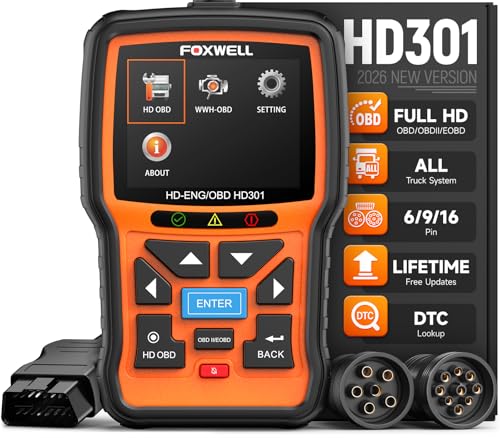
- 【One Tool, Total Fleet Coverage: 6/9/16 Pin Ready】Featuring an integrated 16-pin OBD2 connector and professional-grade 6-pin & 9-pin adapters, this heavy duty truck scanner provides extensive support for J1939, J1708, J1587, ISO 14230-4, ISO 15765-4 and ISO 9141-2, ISO 27145-4 protocols. It offers reliable diagnostic coverage for major American diesel brands—including Cummins, Paccar, Caterpillar, Detroit, and Freightliner—making it a versatile semi truck scanner for managing any diverse fleet.
- 【2 in 1 Diesel Code Reader & Advanced HD OBDII】Equipped with professional-grade diesel scanner capabilities, the HD301 features intuitive Read/Erase codes and turn off the "Check Engine" light. With the built-in DTC Lookup library, you can instantly access fault code definitions on-device without searching the internet. It also retrieves hundreds of essential live sensor data—such as coolant temperature, fuel pressure, and engine RPM—in a stable text format for precise and rapid troubleshooting. (Please note that the HD301 can not support DPF Regen.)
- 【Full System Truck Diagnostic】The FOXWELL HD301 heavy duty scan tool is engineered to deeply access and scan all available electronic control modules specifically for truck, including Engine, Transmission, ABS, SRS, Chassis, and Body Control. This professional truck scanner diagnostic tool allows you to identify issues across the entire vehicle, ensuring your rig stays in peak condition for the long haul.
- 【Versatile for most big Rigs: Commercial, Passenger & Beyond】Engineered for more than just trucks, this heavy duty scan tool offers extensive coverage for pickups, buses, trailers, and even marine vessels. From construction machinery (excavators, loaders) to agricultural equipment (tractors, harvesters), it provides a true all-in-one diagnostic solution.
- 【Plug-and-Play & No Subscription】Designed for the road! No WiFi, no batteries, and no complex App setup required. Simply plug it into your vehicle’s diagnostic port to start scanning immediately. Enjoy lifetime free software updates to keep your HD301 diesel truck scanner current with the latest vehicle models and features—without any hidden subscription fees—While overcoming language barriers with support for Spanish and English.
Last update on 2026-06-12 / Affiliate links / Images from Amazon Product Advertising API
This product presentation was made with AAWP plugin.