
NHTSA ID Number: 10118640
Manufacturer Communication Number: 08-06-04-006K
TSB/Document Date: 2017-10-12
Summary
This informational bulletin provides information for Identifying Non-GM ECM Calibration Use and Power-up Hardware Detection in Duramax Diesel Engines - Photograph Tech 2 Calibration IDs, Calibration Verification Numbers (CVNs) and Transmission Data Screen
Bulletin No.: 08-06-04-006K
Date: Oct-2012
Subject:
Information for Identifying Non-GM ECM Calibration Use and Power-Up Hardware Detection in Duramax™
Diesel Engines — Photograph Tech 2® Calibration IDs, Calibration Verification Numbers (CVNs) and
Transmission Data Screen
Models:
2006-2013 Chevrolet Express, Kodiak, Silverado
2006-2013 GMC Savana, Sierra, TopKick
Equipped With Duramax™ Turbocharged Diesel Engine RPO LB7, LBZ, LLY, LML, LMM, or LGH
Attention:
In order to process an engine/transmission/drivetrain hard part WARRANTY CLAIM, YOU MUST
photograph the required Tech 2® screen information BEFORE disassembly or removing the
engine/transmission/drivetrain components from the vehicle. Please, always refer to the GM Service Policy
and Procedures Manual — Article: 1.2.2.12 for the latest GM Policy and Procedures Information.
This bulletin is being revised to add additional text to the “Attention” statement and to advise the Service Department
Personnel that they must always refer to the GM Service Policy and Procedures Manual Article: 1.2.2.12 for the latest GM
Policy and Procedures Information. Please discard Corporate Bulletin Number 08-06-04-006J (Section 06 –
Engine/Propulsion System).
General Motors is identifying an increasing number of engine, transmission, diesel oxidation catalyst (DOC) and exhaust particulate filter failures that are the
result of non-GM (aftermarket Power-Up Kits) engine and transmission control calibrations being used. When alteration to the GM-released engine or
transmission control calibrations occurs, it subjects powertrain and driveline components, such as the engine, transmission, transfer case, driveshaft, universal
joints and the rear axle to stresses that were not tested by General Motors. It is because of these unknown stresses, and the potential to alter reliability,
durability and emissions performance, that GM has adopted a policy that prevents any UNAUTHORIZED dealer warranty claim submissions to any remaining
warranty coverage to the powertrain and driveline components whenever the presence of a non-GM calibration is confirmed, even if the non-GM control
module calibration is subsequently removed.
Warranty coverage is based on the equipment and calibrations that were released on the vehicle at the time of first sale, or subsequently updated by GM or its
dealers with approved calibrations. That’s because GM testing and validation matches the calibration to a host of criteria that is essential to assure reliability,
durability and emissions performance over the life of the warranty coverage and beyond. Stresses resulting from calibrations different than those tested and
released by GM can damage or weaken components, leading to poor performance and or shortened life. Additionally, non-GM issued engine control
modifications do not meet the same emissions performance standards as GM issued calibrations. Depending on state statutes, individuals who install engine
control module calibrations that put the vehicle outside the parameters of emissions certification standards may be subject to fines and/or penalties.
This bulletin outlines procedures to identify the presence of non-GM (aftermarket) calibrations. GM recommends performing this check whenever a hard part
failure is seen on internal engine, transmission, transfer case or rear axle components, and before disassembly, repair or replacement of an engine,
transmission, transfer case or rear axle assembly under warranty. It is also recommended that the engine calibration verification procedure be performed
whenever diagnostics indicate that an exhaust aftertreatment system component replacement is necessary.
Notice: BEFORE authorizing any Duramax™ diesel engine or transmission replacement, the Calibration Group will require digital photographs in
the .jpg file format of the following Tech 2® screens:
•
For RPOs LLY and LBZ: Retrieve the Calibration ID Numbers and Verification Numbers from the Vehicle Information screen.
•
For RPOs LGH, LML and LMM: Retrieve the Calibration ID Numbers and Verification Numbers from the Vehicle Information screen and also the
Programming History screen.
1
•
For RPOs LGH, LML and LMM: Retrieve the information from the Transmission Data screen containing the Max. Transmission Calc. Engine Torque
parameter.
Symptoms Caused by an Aftermarket Power-Up Kit
Some customers may have reprogrammed the engine control module (ECM) with a non-GM released calibration. The Power-Up Kit engine calibration changes
fueling and timing parameters and likely contributes to the following vehicle conditions:
•
Poor performance.
•
Driveability concerns.
•
Increased emissions.
•
Black smoke from the exhaust. This symptom is not valid for the Duramax™ diesel engine RPO LGH, LML or LMM equipped with the diesel particulate
filter (DPF). The DPF will trap black exhaust smoke unless it is cracked, melted or has been removed from the exhaust system.
•
Knocking noise.
•
Engine damage. Refer to the latest version of Corporate Bulletin Number #06-06-01-007F: Information on Identifying Duramax Diesel LB7, LLY, LMM, LBZ
Overpower Engine Breakdown/Non-Function Due to Aftermarket Power-Up Devices vs Non Overpower Engine Non-Function of Pistons, Cylinders for
additional information.
2005-2008 RPO LLY and LBZ Instructions for Confirming Calibration Verification Numbers (CVNs) — PowerUp Kit Detection
Notice: When sending an e-mail to the Calibration Group for engine RPO LBZ or LLY, the Tech 2® pictures, usually two pictures in the .jpg file
format when all calibrations have been recorded, MUST be attached in the BODY of the e-mail, along with the complete VIN, mileage, R.O. number
and the Dealer BAC in order to properly validate the calibration. E-mails that are sent without this information may be returned to the sender with
a request for the missing information. The Max. Trans Calc. Engine Torque parameter is not available on engine RPO LBZ or LLY. Please
remember to review your e-mail replies for further information.
Notice: In order to process an engine/transmission/drivetrain WARRANTY CLAIM, YOU MUST photograph in the .jpg file format the
required Tech 2® screen information BEFORE disassembly or removing the engine/transmission/drivetrain components from the vehicle.
1.
Go to TIS2WEB.
2.
Select: Calibration Information (SPS Info).
3.
Enter the VIN.
4.
Select: Get Cal ID.
5.
Select: ECM Engine Control Module.
6.
Select: Next.
7.
Select: Complete History.
8.
Print.
9.
Take the printout to the vehicle along with the Tech 2®.
10. Plug in the Tech 2®.
11. Go to diagnostics and build the vehicle.
12. Select: Powertrain.
13. Select: Engine.
14. *Select: Engine Control Module.
15. *Select: Module ID Information or I/M Information System if Module ID Information selection is not available.
16. *If: I/M Information System was selected in step 15, it may be necessary to select: Vehicle Information in order to display the calibration information.
*Steps may vary by engine controller.
17. Compare the Calibration ID and Calibration Verification Number (CVN) to the CVN shown on the TIS2WEB printout. Although the part numbers will be
the same for each, it is the CVN that will determine if the calibration is GM issued. The CVNs should be the same.
⇒
⇒
⇒
If the CVN information is displayed as “N/A” , it will be necessary to contact the TCSC to obtain the CVN information.
If the part numbers match and ANY CVNs DO NOT match the printout, it is likely that a non-GM certified calibration has been installed.
If ALL of the CVNs are EXACTLY the same the calibration is GM issued.
Vehicle Information Screen
2
18. Take clear digital picture(s) of the Tech 2® Vehicle Information screen(s) showing the complete VIN, the Calibration IDs and the Verification Numbers.
Retain the printout information and the Tech 2® screen photographs with the repair order.
18.1. E-mail copies of the digital pictures to [email protected]. In the subject line of the E-mail include the phrase ”Duramax™ diesel”, the
complete VIN and Dealer BAC. In the body of the E-mail include the complete VIN, mileage, R.O. number and Dealer BAC. Include a brief
description of the customer concern and cause of the concern.
Notice: The dealer will receive an e-mail reply from the Calibration Group after the calibrations have been validated. The e-mail reply will
advise the dealer if the calibrations are OEM. At this time the Calibration Group will also update the current TAC or PQC case with the
calibration information. Dealers located on the West Coast may experience a longer response time than two hours, if the calibrations were
sent after 05:00 Eastern Standard Time. The response may be delayed until the next business day.
18.2. Allow two hours for the Calibration Group to review and update the case details.
⇒
If the Calibration Group determines that the calibrations ARE aftermarket calibrations, DO NOT contact GM Technical Assistance to discuss
warranty concerns on the aftermarket calibrations. ALL questions and concerns about warranty should be directed to the dealer’s District
Manager Aftersales (DMA) in the United States and in Canada to the District Manager - Customer Care and Service Process (DM - CCSP).
18.3. You may call the PQC two hours after submitting the required information for authorization to replace the assembly. This will provide them time to
receive, review the information and set up a case on the request. Be prepared to provide all of the usual documentation that is normally required
when requesting an assembly authorization from the PQC.
2007-2013 RPO LGH, LML or LMM Instructions for Confirming Calibration Verification Numbers (CVNs) –
Power-up Kit Detection
Notice: When sending an e-mail to the Calibration Group for engine RPO LGH, LML or LMM, the Tech 2® pictures, usually four pictures in the
.jpg file format when all calibrations and the Max. Trans Calc. Engine Torque parameter have been recorded, MUST be attached in the BODY of the
e-mail, along with the complete VIN, mileage, R.O. number and the Dealer BAC in order to properly validate the calibration. E-mails that are sent
without this information may be returned to the sender with a request for the missing information. Please remember to review your e-mail replies
for further information.
For 2007-2013 applications, an engine control module (ECM) algorithm was implemented that records the engine calibration part number and calibration
verification number (CVN) for the last 10 flash programming events. The ECM records the engine calibration part number because it contains the parameters
for increasing torque and fueling rates.
If a vehicle comes in for service for a driveability/powertrain concern as a result of a Power-Up Kit installation, the dealership technician can read the last 10
engine calibration part numbers and CVN history using a Tech 2®.
The dealership technician will input each ECM calibration part number into the TIS2WEB/SPS CVN database to confirm the CVN history information. Refer to
the following Tech 2® path table to verify the ECM calibrations.
Notice: In order to process an engine/transmission/drivetrain WARRANTY CLAIM, YOU MUST photograph in the .jpg file format the
required Tech 2® screen information BEFORE disassembly or removing the engine/transmission/drivetrain components from the vehicle.
1.
Build the vehicle with the Tech 2®.
2.
Select F0: Engine Control Module.
3.
Select F5: Module Identification Information.
4.
Select F1: Programming History.
5.
Turn On the ignition, with the engine Off.
6.
Press the ENTER Key to Continue.
3
Notice: An original production engine operation part number programmed in the ECM from the supplier, which is the last part number
shown, would not be in the TIS2WEB/SPS database.
7.
Record the Calibration ID Numbers and Calibration Verification Numbers from the Tech 2® Programming History Screen. If the list of Calibration Part
Numbers is less than 10, the first Calibration ID Number (bottom of the list) will not be in TIS2WEB/SPS CVN database. In this case, the first Calibration
ID Number is programmed at the ECM production factory and is reprogrammed at the vehicle assembly plant.
8.
From TIS2WEB/SPS, record the Calibration Part Number into the CVN Database. Get the CVN.
⇒
⇒
If the CVN DOES NOT MATCH the CVN database, an unauthorized engine calibration part WAS PROGRAMMED into the ECM.
If the CVN MATCHES the CVN database, the calibration/s are GM issued and an unauthorized engine calibration part WAS NOT used.
Programming History Screen
9.
Take a clear digital picture of the Tech 2® Programming History screen showing the complete VIN, Calibration IDs and the CVNs. Retain the printout
information and the Tech 2® screen photograph with the repair order.
Vehicle Information Screen
9.1. Take a clear digital picture of the Tech 2® Vehicle Information screen. Retain the printout information and the Tech 2® screen photograph with
the repair order.
9.2. Take a clear digital picture of the Transmission Data screen that contains the Max Transmission Calc Engine Torque parameter. The path table
is outlined in the following Instructions for Tech 2 Transmission Data Path section. Retain the Tech 2® Transmission Data screen
photograph with the repair order.
9.3. E-mail copies of the digital pictures to [email protected]. In the subject line of the E-mail include the phrase ”Duramax™ diesel”, the
complete VIN and Dealer BAC. In the body of the E-mail include the complete VIN, mileage, R.O. number and Dealer BAC. Include a brief
description of the customer concern and cause of the concern.
Notice: The dealer will receive an e-mail reply from the Calibration Group after the calibrations have been validated. The e-mail reply will
advise the dealer if the calibrations are OEM. At this time the Calibration Group will also update the current TAC or PQC case with the
calibration information. Dealers located on the West Coast may experience a longer response time than two hours, if the calibrations
were sent after 05:00 Eastern Standard Time. The response may be delayed until the next business day.
9.4. Allow two hours for the Calibration Group to review and update the case details.
4
⇒
If the Calibration Group determines that the calibrations ARE aftermarket calibrations, DO NOT contact GM Technical Assistance to discuss
warranty concerns on the aftermarket calibrations. ALL questions and concerns about warranty should be directed to the dealer’s District
Manager Aftersales (DMA) in the United States and in Canada to the District Manager - Customer Care and Service Process (DM - CCSP).
9.5. You may call the PQC two hours after submitting the required information for authorization to replace the assembly. This will provide them time to
receive, review the information and set up a case on the request. Be prepared to provide all of the usual documentation that is normally required
when requesting an assembly authorization from the PQC.
2007-2013 RPO LGH, LML or LMM — Instructions for Tech 2 Transmission Data Path – Power-up Hardware
Detection
Transmission Data is ONLY Available With GMC Sierra, TopKick, Chevrolet Kodiak, Silverado
An example of this hardware is a propane injection system.
A transmission control module (TCM) algorithm has been implemented that records a maximum calculated input torque. This information is available via the
Tech 2®.
1.
Build the vehicle with the Tech 2®.
2.
Select F3: Transmission Control Module
3.
Select F1: Data Display
4.
Select F0: Transmission Data
5.
Highlight: Max Transmission Calc Engine Torque
Transmission Data Screen (Max. Transmission Calc. Engine Torque Parameter)
6.
Take a clear digital picture in the .jpg file format of the Tech 2® screen showing the Transmission Data and the Max. Transmission Calc. Engine Torque
parameter.
7.
Retain the Tech 2® Transmission Data screen photograph with the repair order.
Warranty Information
•
The Dealership Service Management must be involved in any situation that would justify the use of labor operation Z1111.
•
Notify the dealer’s District Manager Aftersales (DMA) in the United States and in Canada the District Manager - Customer Care and Service Process (DM
- CCSP).
•
All claims will have to be routed to the Warranty Support Center (WSC) for approval.
•
Please refer to Corporate Bulletin Number 09-00-89-016, Labor Operation Z1111 - Suspected Tampering or Vehicle Modifications for important
information.
For vehicles repaired under warranty, use:
Labor
Operation
Description
Labor Time
Z1111
Suspected Tampering or Vehicle
Modifications
0.2 hr
5
Duramax is a Trademark of General Motors LLC
Tech 2 is a Registered Trademark of General Motors LLC
GM bulletins are intended for use by professional technicians, NOT a "do-it-yourselfer". They are written to inform these technicians of conditions that may
occur on some vehicles, or to provide information that could assist in the proper service of a vehicle. Properly trained technicians have the equipment, tools,
safety instructions, and know-how to do a job properly and safely. If a condition is described, DO NOT assume that the bulletin applies to your vehicle, or that
your vehicle will have that condition. See your GM dealer for information on whether your vehicle may benefit from the information.
WE SUPPORT VOLUNTARY TECHNICIAN CERTIFICATION
6
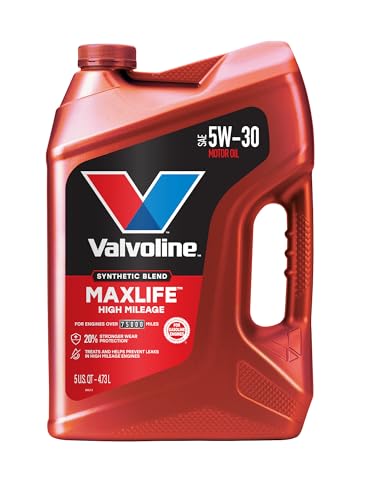
- Formulated for engines with 75,000 miles or more, Valvoline...
- Delivers 20% better wear protection and 15% better sludge...
- Extra detergents safeguard against friction, corrosion and...
- Advanced friction-fighting additives help maximize...
- Provides performance benefits for high mileage, new and...

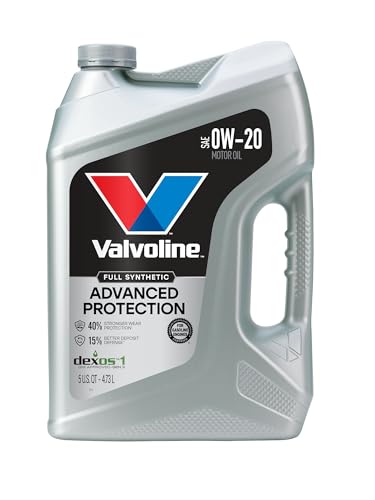
- Advanced protection against the four main causes of engine...
- Delivers 40% stronger wear protection than industry...
- Provides 15% better deposit defense vs. industry standards...
- Up to 2.5X better heat protection vs. industry standards to...
- Engineered for excellent low-temperature flow, reducing...
Last update on 2026-06-12 / Affiliate links / Images from Amazon Product Advertising API
If the PDF is very large, it may not load in the preview below.
Some older TSBs had multiple PDFs — visit the NHTSA Website to view all PDFs.
If the TSB PDF does not show, download or view it on the NHTSA Website.
Click on the (+) Plus Sign
Then Click on Associated Document(s)
Search NHTSA Database for Recalls
Search NHTSA Database for Vehicle Investigations
View Latest Vehicle Investigations
Search NHTSA Database for Vehicle Complaints
View Latest Vehicle Complaints
TSB/Document ID: 08-06-04-006K
Replacement Service Bulletin Number:
MFR Communication Date: 2012-10-15
MFR Internal Campaign ID/Software Version:
Communication Type: Service Bulletin/Repair Instructions
NHTSA Components: ENGINE AND ENGINE COOLING:ENGINE:DIESEL
MFR Component System:
MFR Component Subsystem:
Previous TSB | Next TSB |

- 💯【Conta.ct us for Support Directly】If you met any issues about: Received a registered device/ Language Changing/ Function not Support/ VCI150 Blueto-oth connector malfunction/ Subscription Renewal, please conta.ct us via 📞autelsupply @outlook. com🛣️, we will provide perfect solution for you. ⚠️Note: Autel MK900BT comes with 1-Year Free Software Update, most features will remain active after update subscription expires. 1. For questions regarding updates or need more useful accessories, please conta.ct us via 📞autelsupply @outlook.com🛣️. 2. If the device fails to charge or turn on, please conta.ct us via 📞autelsupply @outlook. com🛣️, we will handle it promptly.
- 🔥🔥🔥【2026 AUTEL FLAGSHIP MK900BT MK900-BT, NEW MODEL OF MK808S MK900 MX900 MK808BT MX808S】2026 newest Autel MK900BT retains all features of MK808S MX900 MX808S MK808Z MK808Z-BT MK808K-BT, while EXTRA added powerful functions (value 2000+ bucks). The Pro-level Autel MK900BT makes a big leaps: 28+➡40+, 50+➡3000+ Active Tests, 2026 NEW✅CAN FD & DOIP protocols ✅Pre&Post diagnostic report ✅WIFI Print ✅Auto VIN&Auto Scan 2.0 ✅Scan VIN/ License ✅Battery Test (Need purcha.se BT506). If found defect or us.ed, please conta-ct 📞autelsupply @outlook. com📞 get perf-ect solut.ion.
- 🚗【3000+ ACTIVE TESTS (50➡3000+), SAME AS MS906 PRO】Differ from MS906BT MS906 MP808 MK808 MX808 MK808BT only 50 tests, Autel scanner MK900BT escaner automotriz professional offers 3000+ active tests, it can send command to ECUs & monitor actuators operation, quickly locating faulty components. Bidirectional scanning takes your diagnostics to the next level with menu lists 3000+ active tests, such as windows, rear mirrors, sunroof, wipers, fuel injector, coolant fans, radiator fan, AC clutch, coolant pump and more. Note: Functions are not available for all vehicles, please send vehicle VIN to us check compatibility.
- 🚗【40+ HOT SERVICES FOR 150 MAKES (28+➡40+)】Full level-up of OBD2 code reader MaxiCOM MK808S MK808 MK808Z MX808 MK808Z-BT with 28 service, Autel scan tool MK900BT/ MK900-BT offers 40+ maintenance service on 150+ brands 10,000 vehicles from 1996-2025-2026. Hottest Services like: Oil Reset, ABS Bleed, SAS Calibration, Injector Coding, SRS, Throttle Reset, Gearbox Reset, Battery Registration etc. Added 12+ advanced resets: rain slash light sensor reset, HVA.C/ SUS calibration etc. Welcome to send Vehicle Make>Model>Year>VIN>Functions you required to 📞autelsupply @ outlook . com📞 check compatibility.
- 🚗【OE ALL SYSTEM DIAGNOSE, AUTO SCAN 2.0: SCAN LICENSE/ AUTO VIN】2026 new release Autel MaxiCOM MK900-BT scan tool embodies all system diagnostic with its 8in display for all vehicles. Like Sna.p-on tools, it can perform ✔Read/Clear Codes✔Displays 5-in-1 Live Data✔Record & Playback Data✔Retrieve Info on all available systems like ABS ECM BCM SRS TCM etc. In addition to Auto VIN technology, Autel MK900BT adds Scan License/ Auto Scan 2.0 to identify vehicle’s VIN/ license, make, year, model, no need manual input; One-click WiFi Printing of Pre&Post comparison diagnostic reports, highlight root causes of problems.

- 【TURN OFF CEL】 This AL319 car scanner diagnostic tool supports Reading and Clearing DTCs, DTC Look Up, displaying Live Data, Freeze Frame & I/M Readiness, view vehicle information, etc., to figure out the root cause of the Check Engine Light (CEL) and turn it off, helping you catch any potential issues early and avoid excessive costs from unnecessary repairs.
- 【EXTENSIVE APPLICATION】 Autel AL319 Compatible with 7 languages (English, French, Spanish, etc.) and various post-1996 OBD II protocol vehicles (Toyota
 , Nissan, Honda, Ford, etc.), this OBD II scanner provides accurate and fast diagnosis for worldwide car owners.
 - 【FOR END USER & DIYERS】 This error code reader AL319 is “plug and play” and comes with an easy interface. Even if you’re not familiar with vehicle repair, you can quickly take control of this obd2 scanner, and get the information you want.
- 【USER-FRIENDLY DESIGN】 This OBD2 scanner and check engine code reader features a patented One-Click I/M Readiness, TFT color display, built-in speaker, LED Indicator etc. The cable is long enough without being too long and getting in the way. No batteries are needed.
- 【HIGH-QUALITY SERVICES】 12 months war.ranty from the date of purchase and lifetime free update are offered by this Automobile OBDII scan tool. Welcome to contact us via Q&A, email, or hotline, and our after-sale-service team for technical support.
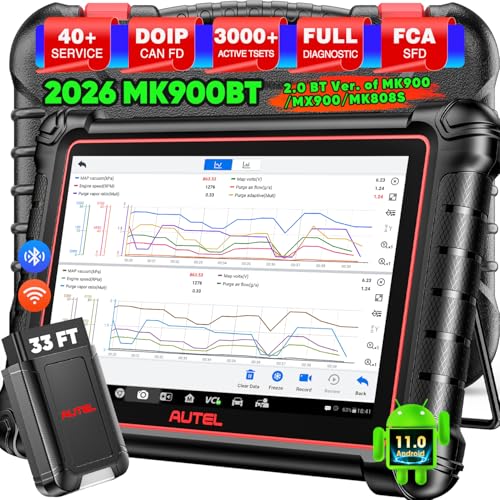
- 📞【Warm Tips】Dear friend, if you have any issues or need any tech support after receiving your MK900BT (received a registered item/ language changing/ functions compatibility/ renew subscription, etc.), please don't hesitate to tell us directly via 💌Autelonline @ outlook . com💌, we will do whatever we can to help you at first time. Besides, if you need other accessories, such as Autel endoscope MV108S, please don't hesitate to con-tact us.
- 🔥【Amazon Choice MK900BT, 2.0 Newer of MK900 MX900 MS906 MK808BT PRO MP808S MK808S MX808S】Big News! 2026 Autel most cost-effective 8in All System & Bidirectional Scan Tool MK900BT is born! 619 only, yet featuring 40+ Hot Services same as MaxiSys Ultra/ MS909/ Elite II Pro/ MK908P/ MS906 PRO/ MS906MAX, among lots of advanced & newer functions: ✅3000+ Active Tests ✅CAN FD/ DoIP new protocols ✅OE All System Diagnosis, Autel Scan 2.0 ✅5-in-1 Live Data ✅detailed Pre & Post Scan ✅Scan VIN/License ✅WiFi Print ✅FAC AutoAuth & Renault SGW ✅Endoscope with MV108/MV105 ✅160+ car brands coverage, etc.
- 😊【Why Choose Autel Scanner MK900-BT, Not MK808S MK900 MX900?】➊ MK900BT escaner automotriz designs with Autel MaxiVCI V150, adopting advanced German Wireless Technology with more stable&faster data transmission, allowing you to work in and around vehicles with a 10M/33FT remote diagnostics. Instead, at almost the same budget, MK900 MK808S outdated wired code reader only with 1m cable, so you must curl up on the steering wheel! ➋ MK900BT can work with Autel BT506 to perform professional cranking charging system tests and in-vehicle & out-of-vehicle battery tests, but MK900 MK808S CANNOT. Some sellers say MK900 can work with BT506, pls don't believe it, who are not Autel a.uthorized sellers.
- 🚀【Upgraded Hardware 2.0, 10X F.aster than Ever】Based on old Android 4.4.4 ver. of MX808 MK808 MK808BT MP808 MP808BT MS906 MS906BT, Autel scan tool MK900-BT takes a big leap to 🟢f.astest OS 11 🟢4-core, 1.8GHz RK3566 speed boosted + lower power consumption🔋doubled 7700mAh Battery 🟢larger & sharper 8" 1280*800 touchscreen with intuitive user interface 🟢expanded 4+64G enough to save more files/data 🟢8M Rear camera gives clearer snapshot, etc. MK900BT scanner for car, is the best bang for your b.uck in the category.
- 📢【New Released: CAN FD/DoIP + WIFI Print + Pre & Post Scan + Scan VIN/ License】MK900BT OBD2 scanner diagnostic tool updates lots of advanced features previously available only for scanners above 2000$ (MS906 Pro MS908S Pro, etc.) ✅New protocols CAN FD works for GM 2019+ ✅DOIP works for Volv.o 2018+, Jaguar&Land Rover 2017+, BM.W F&G chassis models ✅Same WIFI Print as MaxiSys Ultra ✅Detailed Pre/ Post scan reports to up repair efficiency ✅Scan VIN/License can identify your cars in seconds, more accurately! But Autel MK808S/ MK808BT PRO cannot.
Last update on 2026-06-12 / Affiliate links / Images from Amazon Product Advertising API
This product presentation was made with AAWP plugin.