
NHTSA ID Number: 10118638
Manufacturer Communication Number: 09-06-04-026E
TSB/Document Date: 2017-10-12
Summary
This informational bulletin provides information on Identifying Non-GM (Aftermarket) Engine Calibrations for Gasoline Engines Using Tech 2 or GDS 2
Bulletin No.: 09-06-04-026E
Date: Oct-2012
Subject:
Identifying Non-GM (Aftermarket) Engine and Transmission Calibrations for V8 Gasoline Engines Using
Tech 2® or Global Diagnostic System 2 (GDS 2)
Models:
2006-2013 GM Passenger Cars and Light Duty Trucks
Equipped with V8 Gasoline Powered Engines Only
Attention:
This bulletin applies to V8 gasoline powered engines ONLY. For Duramax™ diesel powered engines, refer
to the latest version of Corporate Bulletin Number 08-06-04-006. Please, always refer to the GM Service
Policy and Procedures Manual — Article: 1.2.2.12 for the latest GM Policy and Procedures Information.
This bulletin is being revised to add additional text to the “Attention” statement and to advise the Service Department
Personnel that they must always refer to the GM Service Policy and Procedures Manual Article: 1.2.2.12 for the latest GM
Policy and Procedures Information. Please discard Corporate Bulletin Number 09-06-04-026D (Section 06 –
Engine/Propulsion System).
Notice: The PQC has a process to confirm the ECM/PCM calibration is GM issued. BEFORE authorizing any V8 gasoline engine replacement, the
PQC requires the Calibrations Group to verify that the engine calibrations are OEM.
•
The Calibrations Group will require a digital picture (.jpg file only) from the Tech 2® of the Vehicle Information- (Engine) Calibration ID and
Verification No. (number) screen, according to the process that is outlined in this bulletin.
•
The Calibrations Group will require a screen shot (.jpg file only) of the GDS 2 Calibration History Events screen according to the process that
is outlined in this bulletin.
General Motors is identifying an increasing number of engine, transmission and catalytic converter part failures that are the result of non-GM (aftermarket)
engine and transmission control calibrations being used.
When alteration to the GM-released engine or transmission control calibrations occurs, it subjects powertrain and driveline components (engine , transmission,
transfer case, driveshaft and rear axle) to stresses that were not tested by General Motors. It is because of these unknown stresses, and the potential to alter
reliability, durability and emissions performance, that GM has adopted a policy that prevents any UNAUTHORIZED dealer warranty claim submissions to any
remaining warranty coverage, to the powertrain and driveline components whenever the presence of a non-GM (aftermarket) calibration is confirmed – even if
the non-GM control module calibration is subsequently removed.
Warranty coverage is based on the equipment and calibrations that were released on the vehicle at time of sale, or subsequently updated by GM. That’s
because GM testing and validation matches the calibration to a host of criteria that is essential to assure reliability, durability and emissions performance over
the life of the warranty coverage and beyond. Stresses resulting from calibrations different from those tested and released by GM can damage or weaken
components, leading to poor performance and or shortened life.
Additionally, non-GM (aftermarket) issued engine control modifications often do not meet the same emissions performance standards as GM issued
calibrations. Depending on state statutes, individuals who install engine control module calibrations that put the vehicle outside the parameters of emissions
certification standards may be subject to fines and/or penalties.
This bulletin outlines the procedure when using the Tech 2® or GDS 2 to identify the presence of non-GM (aftermarket) calibrations. GM recommends
performing this check whenever a hard part failure is seen on internal engine, transmission, transfer case or rear axle components, and before disassembly,
repair or replacement of an engine, transmission, transfer case or rear axle assembly under warranty. It is also recommended that the engine calibration
verification procedure be performed whenever diagnostics determine that catalytic converter replacement is necessary.
If a non-GM calibration is found and verification has taken place through GM, the remaining powertrain and driveline warranty may be blocked and notated in
1
Global Warranty Management (GWM) and the dealership will be notified. This block prevents any UNAUTHORIZED warranty claim submission.
1.
Connect the Tech 2® to the vehicle.
2.
Go to: Diagnostics and build the vehicle.
3.
Select: Powertrain.
4.
Select: Engine.
5.
Select: Engine Control Module or PCM.
6.
*Select: Module ID Information or I/M Information System if the Module ID Information selection is not available.
7.
*If "I/M information System" was selected, it may be necessary to select "Vehicle Information" in order to display the calibration information.
⇒
If the CVN information is displayed as “N/A”, it will be necessary to contact the TCSC at 1-800-828-6860 for English or 1-800-503-3222 for French
to obtain the CVN information.
Notice: The Tech 2® Vehicle Information - Calibration ID and Verification No. screen will differ slightly depending on vehicle and model
year.
8.
Take a CLEAR digital picture of the Tech 2® Vehicle Information screen showing the entire VIN, (Engine) Calibration ID and Verification No.
(Numbers). Two examples of the Tech 2® Vehicle Information - (Engine) Calibration ID and Verification No. screens are shown. Retain the printout
information and the Tech 2® screen photograph with the repair order.
Notice: All pictures MUST be sent as a .jpg file. Keep all photos in ONE e-mail.
9.
E-mail a copy of the picture to [email protected]. In the Subject line of the e-mail include the phrase “V8 Cal” as well as the complete VIN and
Dealer BAC.
In the Body of the e-mail, include the VIN, mileage, R.O. number and BAC. Include a brief description of the customer concern and cause of the
concern.
Notice: The dealer will receive an e-mail reply after the calibrations have been validated. The e-mail reply will advise the dealer if the
calibrations are OEM.
10. Allow two hours for the Calibrations Group to verify the calibrations and set up the case details.
⇒
If the Calibrations Group determines that the calibrations ARE aftermarket calibrations, DO NOT contact GM Technical Assistance to discuss
2
warranty concerns on the aftermarket calibrations. ALL questions and concerns about warranty should be directed to the District Manager
Aftersales (DMA), in Canada the DM-CCSP (District Manager-Customer Care and Service Process).
The Calibrations Group will update the appropriate PQC or TAC case with the results of the V8 Calibration Verification request.
Notice: Requests that are sent to the Calibrations Group are handled in the order in which they were received.
11. You may call the PQC two hours after submitting the e-mail to the Calibrations Group (or after the results have been received by e-mail) for
authorization to replace the assembly. This will provide the Calibrations Group time to receive, review and set up a case on the request. Please be
prepared to provide all the usual documentation that is normally required when requesting an assembly authorization from the PQC.
Tech 2® Displaying All Zeroes for the Verification Numbers on the Vehicle Information - Calibration ID and
Verification No. (Number) Screen
If the Tech 2® that you are using displays all zeroes for the Verification Numbers as shown, then perform the following steps:
1.
Update the Tech 2® with the latest software from TIS2WEB.
2.
Turn OFF the ignition for 90 seconds.
3.
Connect the Tech 2® to the vehicle.
4.
Turn ON the ignition, and build the vehicle. Observe the Tech 2® Vehicle Information - Calibration ID and Verification No. (Number) screen for proper
operation.
⇒
If the Tech 2® screen still does not display properly, then turn OFF the ignition for 90 seconds again. Turn ON the ignition and observe the same
screen for proper operation.
Retrieving Calibrations From a Global A Vehicle Using GDS 2
This information applies to Global A vehicles and is typical of the procedure that will be used.
1.
Turn OFF the ignition.
2.
Connect the MDI to the Data Link Connector (DLC) of the vehicle.
Notice: Use the USB port to make the following MDI connection:
3.
Connect the MDI to a PC or laptop that has been downloaded with the GDS 2 application from TIS2WEB.
Notice: At least one Diagnostic Package must be installed on the PC to perform diagnostics. If GDS 2 was just installed, select: Add New
Diagnostic Package and then select a: Diagnostic Package to download.
4.
Click: On the GDS 2 icon on the PC.
5.
Click: On the Diagnostics icon.
6.
Select: The serial number of the MDI being used.
7.
Select: The Enter icon.
8.
Select: Module Diagnostics.
9.
Select: Engine Control Module.
Notice: Due to the model selected, vehicle build, software and RPO variations, GDS 2 may ask for additional information in Step 10.
10. Select: Engine ID, if prompted.
11. Select: ID Information.
12. The Diagnostics page will appear.
3
Typical View of a GDS 2 Calibration History Events Screen
Notice: GDS 2 is capable of displaying up to 10 Calibration History Events.
13. Select: Calibration History from the drop down menu in order to display the following items on the screen:
•
•
•
•
Calibration History Buffer
Number of Calibration History Events Stored
Calibration Part Number History
Calibration Verification Number History
14. Select: Save Report.
15. Select : Print.
16. Retain a copy of the screen shot with the repair order.
Notice: All screen shots MUST be sent as a .jpg file. Keep all photos in ONE e-mail.
17. E-mail a copy of the screen shot to [email protected]. In the Subject line of the e-mail include the phrase “V8 Cal” as well as the complete VIN and
Dealer BAC.
In the Body of the e-mail, include the VIN, mileage, R.O. number and BAC. Include a brief description of the customer concern and cause of the
concern.
Notice: The dealer will receive an e-mail reply after the calibrations have been validated. The e-mail reply will advise the dealer if the
calibrations are OEM.
18. Allow two hours for the Calibrations Group to verify the calibrations and set up the case details.
⇒
If the Calibrations Group determines that the calibrations ARE aftermarket calibrations, DO NOT contact GM Technical Assistance to discuss
warranty concerns on the aftermarket calibrations. ALL questions and concerns about warranty should be directed to the District Manager
Aftersales (DMA), in Canada the DM-CCSP (District Manager-Customer Care and Service Process).
The Calibrations Group will update the appropriate PQC or TAC case with the results of the V8 Calibration Verification request.
Notice: Requests that are sent to the Calibrations Group are handled in the order in which they were received.
19. You may call the PQC two hours after submitting the e-mail to the Calibrations Group (or after the results have been received by e-mail) for
authorization to replace the assembly. This will provide the Calibrations Group time to receive, review and set up a case on the request. Please be
prepared to provide all the usual documentation that is normally required when requesting an assembly authorization from the PQC.
4
Creating a .jpg File From a GDS 2 Calibration History Events Screen Shot
1.
Click: On the Start icon.
2.
Click: On All Programs.
3.
Click: On Accessories.
4.
Click: On Paint.
5.
Navigate: To the Calibration History Events screen, using the instructions provided in the section titled — Retrieving Calibrations From a Global A
Vehicle Using GDS 2
6.
Press: The Print Scrn button on the keyboard.
7.
Go to: Paint.
8.
Select: Paste.
9.
Select: Save As.
10. Select: Desktop.
11. Select: File name. Name the file. As an example use the VIN.
12. Select: Save as type, using the drop down menu.
13. Select: JPEG.
Warranty Information
•
The Dealership Service Management must be involved in any situation that would justify the use of labor operation Z1111.
•
Notify the District Manager Aftersales (DMA), in Canada the DM-CCSP (District Manager-Customer Care and Service Process) of the situation.
•
All claims will have to be routed to the Warranty Support Center (WSC) for approval.
•
Please refer to Corporate Bulletin Number 09-00-89-016, Labor Operation Z1111 - Suspected Tampering or Vehicle Modifications for important
information.
For vehicles repaired under warranty, use:
Labor
Operation
Description
Labor Time
Z1111
Suspected Tampering or Vehicle
Modifications
0.2 hr
GM bulletins are intended for use by professional technicians, NOT a "do-it-yourselfer". They are written to inform these technicians of conditions that may
occur on some vehicles, or to provide information that could assist in the proper service of a vehicle. Properly trained technicians have the equipment, tools,
safety instructions, and know-how to do a job properly and safely. If a condition is described, DO NOT assume that the bulletin applies to your vehicle, or that
your vehicle will have that condition. See your GM dealer for information on whether your vehicle may benefit from the information.
WE SUPPORT VOLUNTARY TECHNICIAN CERTIFICATION
5
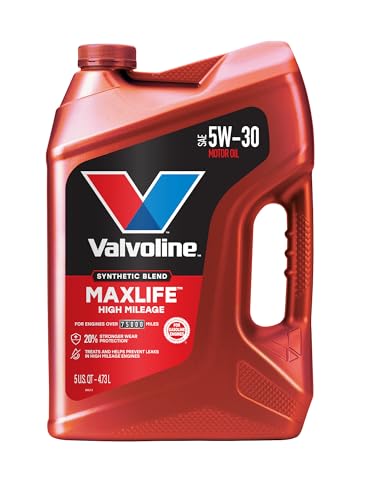
- Formulated for engines with 75,000 miles or more, Valvoline...
- Delivers 20% better wear protection and 15% better sludge...
- Extra detergents safeguard against friction, corrosion and...
- Advanced friction-fighting additives help maximize...
- Provides performance benefits for high mileage, new and...

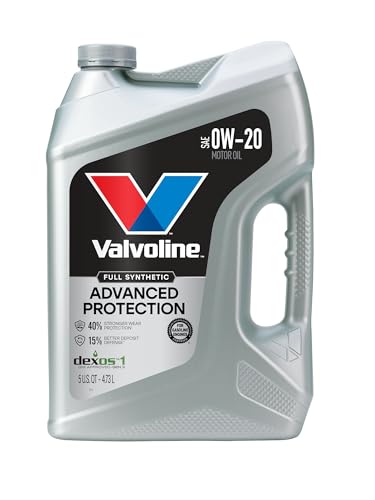
- Advanced protection against the four main causes of engine...
- Delivers 40% stronger wear protection than industry...
- Provides 15% better deposit defense vs. industry standards...
- Up to 2.5X better heat protection vs. industry standards to...
- Engineered for excellent low-temperature flow, reducing...
Last update on 2026-06-12 / Affiliate links / Images from Amazon Product Advertising API
If the PDF is very large, it may not load in the preview below.
Some older TSBs had multiple PDFs — visit the NHTSA Website to view all PDFs.
If the TSB PDF does not show, download or view it on the NHTSA Website.
Click on the (+) Plus Sign
Then Click on Associated Document(s)
Search NHTSA Database for Recalls
Search NHTSA Database for Vehicle Investigations
View Latest Vehicle Investigations
Search NHTSA Database for Vehicle Complaints
View Latest Vehicle Complaints
TSB/Document ID: 09-06-04-026E
Replacement Service Bulletin Number:
MFR Communication Date: 2012-10-15
MFR Internal Campaign ID/Software Version:
Communication Type: Service Bulletin/Repair Instructions
NHTSA Components: ENGINE AND ENGINE COOLING
MFR Component System:
MFR Component Subsystem:
Previous TSB | Next TSB |

- OBD2 Bluetooth Scanner Lifetime Update: Ediag Elite offers revolutionary Advantage Lifetime Updates with unlimited access to the superior 15+ reset service, bidirectional testing and full system diagnostics.The Ediag Elite is an excellent Bluetooth OBD2 scanner diagnostic tool ideal for DIY's and private car owners.
- Bidirectional Control for Quickly Locating Problems: The Bidirectional Scan tool allows you to send commands directly from your smartphone to your vehicle for active testing. This feature helps to quickly narrow down problems such as air conditioning clutches, windows, doors, sunroofs, etc., reducing diagnostic time for mechanics and helping DIY users locate faults more easily. In addition, Ediag Elite provides fault analysis and repair guidance to help you solve problems efficiently.
- 15+ Maintenance Resets: The current version introduces 15+ popular special features: Oil Reset, Headlight Matching, Bleeding Reset, TPMS Reset, BMS Reset, Gear Box Relearn, EGR Learning, Throttle Learning, Injector Coding, SAS Reset and more special functions in system diagnose menu. These functions make it easy for owners to carry out the necessary maintenance and servicing, ensuring that your vehicle stays in top condition, prolonging its service life and preventing common problems and breakdowns. Note: The Special function vary by model& year, Reach us check compatibility.
- Wide Compatibility CANFD & FCA
 Autoauth: Compatible with GM, Ford, Toyota, Chrysler, Honda, Mazda, Nissan, Mitsubishi, Hyundai, KIA with standard OBD2 port from 1996 to newer. More car brands and features will be released gradually. Newest Ediag Elite scanner supports CANFD Protocol and FCA cars. Note: Coverage may vary on different vehicle by model& year ,Please contact us to confirm compatibility before purchase.
 - Perfect for Monitoring The Health of Your Vehicle: Ediag Elite is designed to make vehicle maintenance simple and efficient. With intelligent AutoVIN quick recognition, it is easy to connect to your car without the need for manual input. Real-time data is visualized in a variety of formats, including graphs, numeric, meter displays and clear 4-in-1 data charts, allowing you to effortlessly monitor real-time performance. Data logging/reporting is available for playback and further analysis.
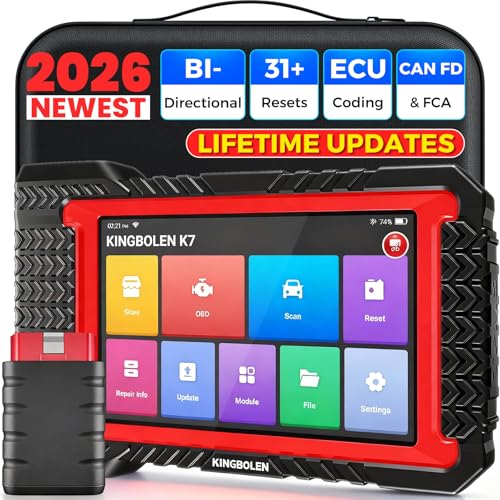
- No Annual Fees & 2026 Upgraded CAN FD: Why pay $199/year or more for updates? The 2026 newest Kingbolen K7 obd2 scanner features have been upgraded to Lifetime Updates without subscription fees, saving you significant costs in the long run. K7 scan tool also adds the CAN FD protocol for the latest GM models (2019+), enabling faster data transfer, reducing the risk of undetected errors
- 2026 Newest Top-tier Car Scanner: Kingbolen K7 diagnostic scan tool is equipped with most capabilities for daily repair/maintenance: Wireless diagnosis via Bluetooth, Bidirectional Test, ECU Online/Offline Code, 31+ Resets, PMI for Ford, Lincoln, Mazda, Global version for 100+ brand vehicles and 17 languages, no area limit, FCA AutoAuth
- OE-Level Full Systems Scan Tool: K7 professional diagnostic scanner with Auto Vin can do one-click to scan ECUs on most of vehicles, like pcm, ecm, eps, bcm, tpms, sas, a/c system... to read/clear code, view live data, freeze frame, read ecu info. 4-in-1 data stream graphics can make data viewing more intuitive. Detailed diagnostic reports will help you easily master the car situation as it can be shared by bluetooth or email! Adding workshop information can help your customers to know more
- Bidirectional Test/Active Test & ECU Code: Stop guessing and start fixing. Bidirectional scan tool Kingbolen K7 can perform real active test that can send commands to the vehicle's ECU to drive the actuators to work, like window, rear mirrors, sunroof, door, solenoids, wipers, headlamp, etc, helping you quickly find out bad parts and pinpoint faulty issues. K7 bidirectional scanner will be a good choice to save money and time on car repairs when performing complex maintenance and repair
- 31 Reset Functions: Avoid expensive dealership visits for simple services. Experience tells us that just a small repair service may cost a lot of money. Kingbolen K7 is a professional diagnostic scanner with 31 common maintenance services like Oil /SAS/EPB/TPMS Reset, Battery Matching, ABS Bleeding, Injector Code, etc. It effectively handles most of the car reset and relearning jobs, perfect for experienced DIYers and mechanics. Note: Functions in the menu vary across vehicles. Kindly check the compatibility before purchase
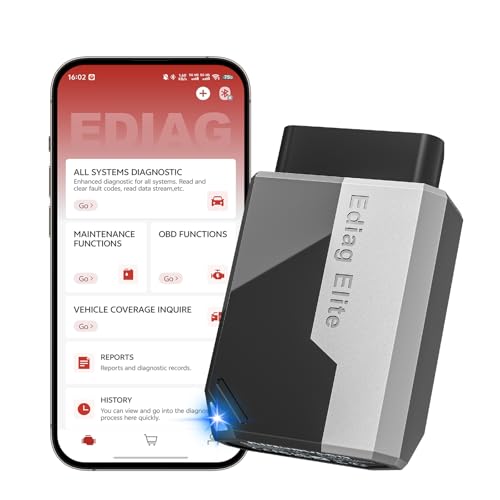
- 【Cost-effective Diagnostic Scan Tool】Lifetime updates without fee, No subscription fee required, No IP restrictions, Ediag Elite bluetooth scanner stands out. It can perform in-depth Full System diagnostics,15+ Reset Services, powerful Active Test, CANFD & FCA AutoAuth. Connect your phone via Bluetooth for diagnosis, providing a faster, smarter and smoother diagnostic experience. Easy to put in pocket, convenient to carry, keep track of the car's status anytime, anywhere. Best bang for your bucks.
- 【15+ Reset Service, Easy Problem Solving】 KINGBOLEN Ediag Elite obd2 scanner diagnostic scan tool comes with 15+ professional reset functions, including: Oil Reset, ABS Bleeding, Injector Code, SAS Reset, TPMS Reset, BMS Reset, AFS Reset, Sunroof Calibration, Brake Reset and more special functions in system diagnose menu. The ideal bluetooth scanner for mechanics and DIY enthusiasts, which can save unnecessary maintenance costs and significantly shorten repair time.
- 【Comprehensive Full Systems Diagnostic】 The Ediag Elite obd2 scanner bluetooth supports full system In-Depth diagnosis. It can read/clear fault codes, read real-time data/freeze frame, module information, and perform testing and reset functions for ECM, BCM, ABS, SRS, TPMS, TCM, BMS, SAS, A/C & RTM systems ect. It works with most car models after 1996, cover more than 150+ car brands. Supports 22 global languages for your convenience(EN, FR, ES, DE, IT, RU, PT, JP, TU...)
- 【Powerful Bidirectional Scan Tool & Active Test】 The obd2 code reader for Ediag Elite can perform real time active test that can send commands to the vehicle’s ECU to drive the actuators to work, such as turn on the radiator fan, modulate the throttle, open/close windows, etc. It can help you quickly find out the bad components and the cause of the fault, which can save you a lot of time. With BT 5.2 wireless connectivity, you can enjoy wireless diagnostics up to 33 feet.
- 【FCA AutoAuth & CANFD Compatibility】 Ediag Elite scan tool offers support with FCA Gateway Access, allowing you to perform protected functions on FCA vehicles, including Chrysler, Dodge, Jeep, Alfa Romeo, Fiat vehicles, etc.(Note:just allows you to access the FCA, but need to have your own FCA account) Supports the CAN-FD protocol, provide high-speed vehicle diagnostic communication and data transfer, working perfectly on GM vehicles produced after 2020, saving $100 to buy a CAN FD adapter.
Last update on 2026-06-12 / Affiliate links / Images from Amazon Product Advertising API
This product presentation was made with AAWP plugin.