
NHTSA ID Number: 10116584
Manufacturer Communication Number: 01-03-10-003O
TSB/Document Date: 2017-08-31
Summary
This bulletin contains information for the new tires that the vehicle is equipped with and that they are covered by General Motors against defects in material or workmanship under the New Vehicle Warranty (Base Warranty Coverage). For vehicles within this warranty period, defective tires will be replaced on a pro rata adjustment basis according to the published distance-based schedule.
inside may not always be accompanied by obvious exterior damage.
•
This example of common road damage is called a rim-pinch. The damage to the tire is caused by the tire folding and contacting the rim and the
pavement. Frequently this type of damage will cause a sidewall bulge/bubble when the tire is re-inflated, due to the air attempting to leak from the internal
sidewall breakage. It is common for the rim-pinch damage to be visible only from the inside of the tire. A typical tear to the sidewall from this type of
damage is shown.
Example of Normal Wear and Age Related Conditions
Some tire weathering and superficial cracking is normal. Tires should not be replaced under the New Vehicle Warranty for this condition.
Tire Rotation and Care
7
Please advise customers of the importance of regular tire rotations and maintaining the specified air pressure for their tires. The vehicle Owner Manual contains
tire rotation requirements. Placards located in the door jamb, glove box or under the trunk lids of GM vehicles state the recommended tire pressures for the
vehicle.
Processing Tire Warranty Transactions Using Global Warranty Management
Once a customer agrees to tire replacement and their responsible portion under the GM Tire Warranty Program, follow these steps to complete the
Transaction:
STEP ONE: Complete a Pre-Repair Authorization (PRA)
Complete a Pre-Repair Authorization (PRA) A PRA must be generated for all tire Warranty Transactions. To access New Pre-Repair Authorizations,
go to the main GWM sitemap, click on Prepare & Submit Transactions and select Search/Create a Pre-Repair Authorization Document. Click on the NEW
button at the bottom of the screen. At the New Pre-Repair Authorization Screen, enter the Business Unit from the dropdown (GM –Canada) then enter the
Transaction Type from the dropdown (such as ZREG – Regular Vehicle Transaction) then select the Pre-Repair Type from the dropdown (Tire Replacement).
Click on the GO button. A New Pre-Repair Authorization screen will appear, that has both a Pre-Repair Authorization tab and a Tire Authorization tab.
The prorated amount of the tire only will be submitted as "Customer Participation" on the Transaction submission screen of GWM.
Click on the Pre-Repair Authorization tab and fill in the appropriate information as shown in the following list. Those items that are required will have an asterisk
shown next to the heading.
•
BAC*
•
Service Agent
•
Contact Name
•
Phone Number
•
Fax Number
8
•
Contact E-mail Address
•
Job Card*
•
Job Card Date*
•
Reference Number (optional)
•
VIN*
•
Vehicle Make
•
Vehicle Model
•
Odometer*
•
Transaction Flag
•
Customer Complaint Category*
•
Complaint Code*
•
Description* (for Complaint Code)
•
Cause Code*
•
Description* (for Cause Code)
•
Correction Description*
•
Labour Operation*
•
Labour Time, including Supplemental Time and/or OLH Time
•
Labour Rate
•
Labour Total
•
Parts Total
•
Part Numbers
•
Net Item Type and Amount
•
Net Item Total
•
Tax
•
Deductible
•
Total Before Taxes
•
Auth Code
•
Comment*
Then click on the Tire Authorization tab and fill in the appropriate information as shown in the following list:
9
Those items that are required will have an asterisk shown next to the heading:
•
Tire Brand*
•
Tire Name*
•
Tire Position*
•
Sidewall Type*
•
Defect Location*
•
Removal Reason*
•
Tire Performance Criteria Number (TPC)*
•
Tire Size*
•
DOT Code*
Select a YES/NO radio button to answer the question: Was there visible cracking, blistering, tread separation or other structural condition that was not caused
by a road hazard on the tire?* (Do not select “YES” if the condition was caused by a road hazard, or suspension misalignment, or for noise, vibration or tread
wear conditions.)
Note: The purpose of this selection is to verify that in the servicing dealers judgement, the tire was replaced due to an inherent structural
problem in the tire (not road hazard, customer enthusiasm, etc.).
Select a YES/NO radio button to answer the question: Did the tire issue cause damage to any other parts of the vehicle?*
⇒
If there is more than one defective tire being replaced on the same vehicle, click on the NEXT TIRE SAME VEHICLE button and enter the appropriate
information for the next tire.
When completed, click on the SAVE button or SAVE AND ADD ATTACHMENTS button.
STEP TWO: Print the Tire Replacement Document
10
Print the Tire Replacement Document Print the Tire Replacement Document, attach it to the Job Card and retain with the Vehicle History File. The Tire
Replacement Document is generated in GWM at the time the PRA is completed.
Note: STEP TWO will only be necessary if the tires are required to be shipped back; please see STEP THREE below. However, as mentioned in the Service
Policies and Procedure (article 3.2.8), the service agent must keep all records relating to transactions for reimbursement for a minimum of twenty-four (24)
months after the date of the job card.
STEP THREE: Returning Replaced Tires (if requested):
Required Tire Return and Shipping Instructions Based on the information entered into GWM, you may be required to return the replaced tire as a condition
of the GM New Vehicle Warranty. You will be required to return the tire if either of the following occurs:
–
The vehicle has been damaged or the tire displays physical damage.
–
The vehicle odometer has less than 20,000 km.
11
Fold the GWM Tire Replacement Document at the “Fold Here” line and attach the document to the tire being returned using clear packing tape, with the
shipping label shown above facing outwards.
Important: When tires replaced under warranty are shipped back to the tire manufacturer, you must use the UPS shipping label(s) generated by Global
Warranty Management (example shown in the image above). You are required to use one (1) UPS shipping label per tire. You are NOT allowed to ship multiple
tires with a single UPS shipping label, even if the UPS Agent says it is OK to do so. If you ship multiple tires with a single UPS label, the Tire Pre-Repair
Authorization (PRA) will remain in “New” status and will NOT move to “Accept” status. Consequently, if a transaction is submitted while the Tire PRA is in
“New” status, the transaction will reject for Error 7 (Tire Warranty Pre-Authorization Not Found).
Note: When returning tires, follow these steps:
– Use a tire crayon to mark the tire indicating the reason for replacement or location of the defect.
– A printed copy of the completed PRA and a copy of the Dealership/Retailer GWM Tire replacement form must be placed in an envelope and securely taped
to each tire.
*IT IS THE DEALERSHIP/SERVICE AGENT RESPONSIBILITY TO CONTACT UPS AND INFORM THEM THAT THERE IS A TIRE(S) THAT NEED TO
BE PICKED UP. Call 1-800-PICK-UPS (1-800-742-5877)
STEP FOUR: Monitor Status of PRA
Once the Tire Pre-Repair Authorization (PRA) is successfully submitted, the return document and shipping label are printed and the tire(s) shipped, the Status
field shown on the PRA will move from “New” to “Accept” status the next business day.
If GWM does not require a tire return, the PRA will move from “New” to “Accept” the same business day the PRA is submitted.
Once a PRA is in “Accept” status, the service agent can submit the related transaction for payment. All normal transaction details are required. There is no way
to submit a transaction directly from a PRA, or to transfer PRA information to a transaction. All job card information must be re-entered.
STEP FIVE: Submit the Transaction
Important: The Tire Pre-Repair Authorization (PRA) must be in “Accept” status before the service agent submits the warranty transaction. Failure to do so will
result in the transaction being rejected for Error 007 (Tire Warranty Pre-Authorization Not Found.)
Transaction Field Details:
•
Job Card Number and Date – When submitting the transaction for payment, make sure these exactly match the job card number and date used in the Tire
PRA. These fields must match the Accepted PRA for GWM to process the transaction for payment.
•
Labour Operation – Labour operations applicable to the New Vehicle Tire Warranty Program are included at the end of this bulletin. As with the job card
number and date, the labour operation must match the one used in the Tire PRA.
12
•
Part(s) – Tires are to be submitted in the Parts Field for the FULL cost plus applicable warranty mark-up. Do not submit the prorated amount.
•
Labour – Submit the published labour time for mount and balance of the replacement tire(s).
•
Net / Admin Allowance - $25 may be claimed for submitting the Tire Pre-Repair Authorization (PRA) into the Global Warranty Management (GWM) system
and to return the tire(s) to the tire manufacturer.
•
Customer/Service Agent Participation – Submit in this field the customer’s portion of the tire expense (cost plus mark-up) using the proration chart. This
amount will then be deducted from the payment total.
Global Warranty Management — Sample Transaction Information
Transactions are submitted into GWM with the information as indicated below:
Repair
Performed
Transaction
Type
Labour
Operation
Base Labour
Time
Net Item/Admin
Allowance
Part Numbers
Net Item Types
Tire, Goodyear /
Dunlop --Replace
ZREG
8060440
As Appropriate
$25.00
All Detailed Parts
As Appropriate
Warranty Labour Codes and Time
Warranty Labour Codes and Time
OPERATION DESCRIPTION
*OE Tire
Warranty
Labour
Operation
Number
Labour Time
TIRE, GOODYEAR/DUNLOP— REPLACE
8060440
Use Published Labour
Operation Time
TIRE, CONTINENTAL/GENERAL — REPLACE
8060460
TIRE, MICHELIN, UNIROYAL, BF GOODRICH— REPLACE
8060480
TIRE, BRIDGESTONE, FIRESTONE — REPLACE
8060540
8060580
TIRE, HANKOOK — REPLACE
8060600
TIRE, PIRELLI — REPLACE
8060620
TIRE, MAXXIS — REPLACE
8060640
Transportation Claims
For any tire replaced because of transportation damage or incorrect parts, use labour code 0500110 and submit as a transportation Transaction (ZTPT
Transaction Type). Transportation transactions do not require the Pre-Repair Authorization (PRA) process prior to submission. DO NOT use the Warranty
Tire Replace Labour Codes for any tire that is replaced due to transportation damage or incorrect parts.
Inspection Station Locations for Tire Returns
Please use these addresses to send the tires back to the OE Tire Manufacturer. Be sure to include the PRA document from GWM and the copy of the GWM
13
Tire replacement form with the tire(s).
Inspection Station Locations for Tire Returns
Continental
12333 Airport Rd.
30 Resolution Dr.
Caledon, ON
Brampton, ON
L7C 2X3
L6W 0A5
North American Product
Service Centre
Kumho Tire Canada
450 Kipling Ave.
Mississauga, ON
Toronto, ON
L5T 2Z5
Unit B, 6430 Kennedy Rd.
M8Z 5E1
Michelin
MNA CI Return Centre
Att. Building 698
Pirelli Tire Inc.; c/o DB
Schenker
2863 Granton Rd.
6757 Northwest Dr.
New Glasgow, NS
Mississauga, ON
B2H 5C6
L4V 1L1
Maxxis
Bridgestone Canada Inc.
1300 Hymus Blvd.
Cheng Shin Rubber, Maxxis
International — Canada
Dorval Quebec
400–C Chrysler Dr.
H9P 1J6
Brampton, ON
Attn. Daniel
L6S 5Z5
Tire Companies & Contacts — Toll-Free Assistance
All replacement tires must be ordered through the GM National Account Tire Program.
Tire Companies & Contacts
Bridgestone Firestone Canada
Inc., Integrated Client Service
Dept., National Credit
Technical Service Manager
(Gérant Service Technique)
1300 Boul. Hymus Dorval,
H9P1J6, QC.
Bridgestone Canada Inc.
1-877-685-3878 Poste 250
1-514-685-3878
14
Continental General Tire
Company
www.generaltire.ca
Product Service Manager
Passenger & Light Truck
Tires
Continental Tire Canada, Inc.
Tel. Customer Relation: 1-855453-1962
1-905-568-1303 x.2225
6110 Cantay Road
Mississauga, ON
L5R 3W5
Goodyear Tire & Rubber
Company
Manager, Product Service
Center
Directeur du Centre de
service des produits
Toronto, Ontario
1-416 201-7850
Michelin Tire Company
(Includes Uniroyal and
Goodrich)
www.michelin.ca
Consumer Care Department
2500 Daniel Johnson, Suite
500
Laval, Québec
H7T 2P6
1-888-871-4444
Customer Service
Arlene 1-877-445-8646 x111
Chris Thomas 1-403-5061591
Hankook (Remington
Distributor)
Customer Service
1-800-361-9366 (French)
Pirelli Tire Inc.
1111 boul. Dr. FrederikPhilips, suite 506 St-Laurent,
Quebec
1-800-843-7709 (English)
H4M 2X6
Quebec/Maritimes: 1-514-3314330; 1-800-363-0583; (514)
337-4033
Ontario 1-800-828-2585 Fax:
1-800-519-8999
Western Canada/Région de
l’ouest: 1-800-663-0148 Fax:
1-800-519-8999
Maxxis
1-866-509-7067
15
GM bulletins are intended for use by professional technicians, NOT a "do-it-yourselfer". They are written to inform these technicians of conditions that may
occur on some vehicles, or to provide information that could assist in the proper service of a vehicle. Properly trained technicians have the equipment, tools,
safety instructions, and know-how to do a job properly and safely. If a condition is described, DO NOT assume that the bulletin applies to your vehicle, or that
your vehicle will have that condition. See your GM dealer for information on whether your vehicle may benefit from the information.
WE SUPPORT VOLUNTARY TECHNICIAN CERTIFICATION
16
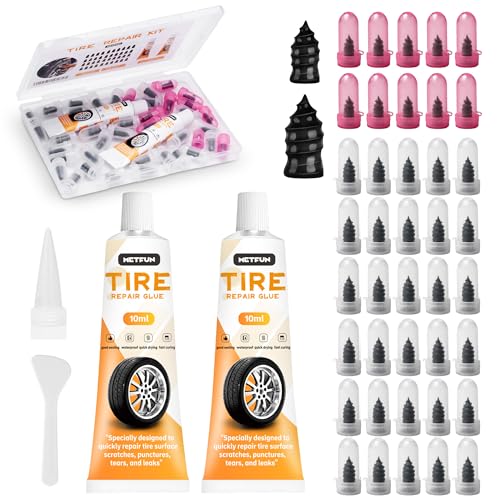
- 【Perfect Emergency Repair Solution】This kit includes...
- 【Premium Materials for Safe Repairs】Our tire screw plugs...
- 【2 Sizes for Every Puncture】Choose the right size for...
- 【5-Minute DIY Repair】Skip the auto shop and fix flats...
- 【Emergency-Ready Design】Compact & ready for...
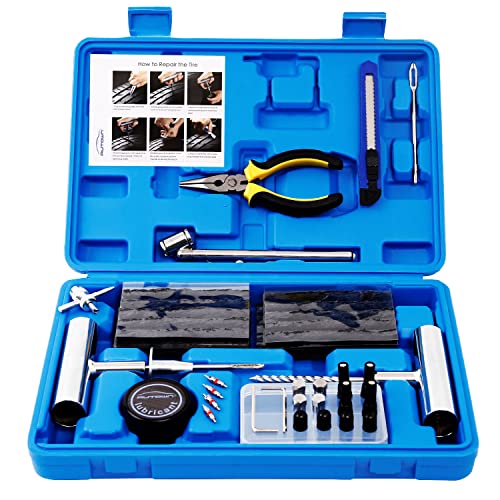
- [🔨PROFESSIONAL QUALITY ] - AUTOWN Tire Repair Kits are...
- [🔨DURABLE & SAFE ] - The tire puncture repair set own...
- [🔨MULTIPLE USES ] - The AUTOWN 68 pcs tire repair heavy...
- [🔨EASY TO USE ] - Our tire plug kits have everything you...
- [🔨QUICK ACTION] - We care about every customer's sense of...
If the PDF is very large, it may not load in the preview below.
Some older TSBs had multiple PDFs — visit the NHTSA Website to view all PDFs.
If the TSB PDF does not show, download or view it on the NHTSA Website.
Click on the (+) Plus Sign
Then Click on Associated Document(s)
Search NHTSA Database for Recalls
Search NHTSA Database for Vehicle Investigations
View Latest Vehicle Investigations
Search NHTSA Database for Vehicle Complaints
View Latest Vehicle Complaints
TSB/Document ID: 01-03-10-003O
Replacement Service Bulletin Number:
MFR Communication Date: 2017-02-13
MFR Internal Campaign ID/Software Version:
Communication Type: Service Bulletin/Repair Instructions
NHTSA Components: EQUIPMENT:OTHER:OWNERS/SERVICE/OTHER MANUAL
MFR Component System:
MFR Component Subsystem:
Previous TSB | Next TSB |

- [Notice] When you receive a used device, it may be a customer return resold by Amazon without inspection. You can exchange it for a new one through Amazon. As this situation is unavoidable, we sincerely apologize. For any issues, contacting us via Amazon's "Messages" is the best way. THINKSCAN 689BT Bidirectional Scan Tool Can Be Used Immediately After It is Turned On, Without Complicated Registration Process, Which is More Convenient & Quick.
- Full Bi-Directional Control & 3000+ Active Tests: Take control and test components like actuators, fuel injectors, relays, and cooling fans in real time. You’ll quickly see if the problem is in the part itself or the control module — saving you hours of guesswork and frustrating trial-and-error.
- Advanced ECU Coding Capabilities: Handle module matching and hidden feature activation with confidence. When you replace an ECU or want to customize settings, this obd2 scanner diagnostic bi directional tool gives you the professional-level capabilities you need without the dealership price tag.
- 34+ Useful Reset and Maintenance Functions: Complete everyday service tasks smoothly with a wide range of helpful reset and maintenance functions. Whether you’re keeping up with regular upkeep or tackling a specific job, this scanner makes maintenance simpler and less stressful for both DIYers and pros.
- Comprehensive Full System Diagnostics: Diagnose every major system — Engine, Transmission
 , ABS, SRS, TPMS, and more — all in one place. Finally stop wondering if you’re missing something important; get the full picture and clear codes with ease.

- Top Reasons to Choose the D7S OBD2 Scanner: XTOOL D7S car scan tool, an upgrade of XTOOL D7, offers comprehensive features for automotive technicians, workshops, and DIY enthusiasts 1. Upgraded Hardware: 2+64GB memory, rear camera, intuitive interface, foldable bracket 2. Complete Diagnostics: FCA Autoauth, OE-level all system scan, 39+ maintenance services, 4K+ bidirectional, CANFD/DoIP protocol 3. Advanced Capabilities: ECU coding, PMI functions 4. Wide Compatibility: Support 10,000+ models, covering 99% vehicle brands 5. Multi-language: Available in 22+ languages, No IP Restrictions 6. 3-Year Updates: Save 300 bucks on software updates for the latest features and optimizations
- 2026 Upgraded D7S Car Scanner Features: The newly 2026 D7S V2.0 scanner for car brings exciting features for advanced vehicle diagnostics and enhanced user experience 1. FCA AutoAuth: Now supports FCA SGW module for Chrysler, for Jeep, for Dodge (2018+), for Fiat (2017+), enabling faster vehicle communication without gateway restrictions 2. PMI (Offline ECU Programming): Allows for Ford, for Lincoln, and for Mazda ECU programming for new modules 3. Optimized Diagnostic Report 2.0: Personalized reports with logos and customer info for auto shops. Note: Compatibility varies by cars, please check before order
- Cost-effective ECU Coding Scan Tool for Specific Brands: Enhance your vehicle's performance with XTOOL D7S! This obd2 scanner all systems bidirectional offers advanced capabilities at an affordable price, supports online for BMW, for Benz and offline for BENZ, for MIT, along with PMI functions for Ford, for Mazda, and for Lincoln. Ideal for technicians and DIY enthusiasts, this automotive scanner diagnostic tool optimizes vehicle performance and enhances the driving experience. Note: Not for all cars and modules, please send car VIN to check the compatibility before purchase
- OE All System Diagnostic & 8 Pids Graphing: XTOOL D7S is a comprehensive all system bi directional obd2 scanner that delivers dealer-level diagnostics, completely controlling over your vehicle’s performance and health. This automotive scan tool can read and clear DTCs, view live data and ECU information, retrieve freeze frames, and perform active tests and full obd2 functions. This bi-directional scan tool can can identify your vehicle's make, model, and year information with just one click and show up to 8 PIDs live data with options for CSV viewing, playback, and recording for in-depth analysis. It is easy-to-use for both professionals and beginners, helping pinpoint issues efficiently
- 3 Years Software Update, Value for Money: With 3 years of software updates and 22+ languages(no IP restrictions), XTOOL D7S auto scanner code scanner ensures ongoing compatibility for the latest car models and improved diagnostic functions. This all system vehicle diagnostic scanner comes with a 30-day return policy and a 24-month repair for dependable performance. XTOOL are dedicated to your satisfaction, so enjoy seamless support and lifetime expert assistance. Should you encounter any issues or concerns, don’t hesitate to reach out XTOOL. D7S with newest update with 22 languages freely transfer without authorization, check details from setting-language or from XTOOL

- 【✅Compared to BOSSCOMM IF742, IF745 Offers Full-System Diagnostics】The BOSSCOMM IF745 car diagnostic scanner is an upgraded model of IF742. In addition to supporting all OBD2 Code Reader functions and 6 reset options (ABS/EPB/SAS/BMS/Oil/Throttle), it expands diagnostics from 4 systems (Check Engine/ABS/SRS/Transmission) to vehicle All systems, including Steering, Suspension, and Body Electronics. This provides deeper, more comprehensive diagnostic capabilities.
- 【✨6 Essential Resets: ABS Bleeding, Oil, EPB, SAS, Throttle, BMS】The BOSSCOMM IF745 obd2 scanner diagnostic tool swiftly purges air from brake lines to restore braking sensitivity, fine-tunes maintenance cycles to eliminate false alerts, resolves parking brake issues with one-click control, recalibrates steering sensors for stability, optimizes engine idling/acceleration for smoother performance, and deeply resets battery systems to extend lifespan and range via precise parameter adjustments.❗NOTE: Does NOT support bidirectional control, coding, or programming.
- 【✨Deep Diagnostics for All Vehicle System Modules】Beyond code reading/clearing and ECU information retrieval, our all-in-one data stream feature lets you inspect all current fault codes and their locations across the vehicle’s systems. This vehicle code reader helps you turn off dashboard warning lights and perform a comprehensive self-check of your car at home—no more back-and-forth trips to the repair shop or hefty inspection fees.
- 【✨10 OBD2 Functions】The BOSSCOMM IF745 scan tool’s DTC Lookup instantly translates fault codes into user-friendly explanations, its I/M Readiness feature streamlines emissions testing with a single tap, and Freeze Frame lets you pinpoint the exact moment of a fault for in-depth root-cause diagnosis. Combined with a live data dashboard and advanced diagnostics (O2S, OBMon, EVAP), it delivers comprehensive insights for confident troubleshooting.
- 【✨10,000+ Car Models, AutoVIN, 13 Languages】The BOSSCOMM IF745 vehicle scanner diagnostic tool covers 73+ global car brands and offers support in 13 languages, making it perfect for DIYers, auto mechanics, or as a thoughtful gift. With a single-click AutoVIN feature, it instantly retrieves vehicle serial numbers, streamlining diagnostics for users globally. This adaptable tool balances user-friendliness with precision, catering to both personal and professional requirements.✅Unsure about compatibility? Compatibility will vary on vehicles' model and year, pls reach us via 📧 [email protected] 📧 before purchase.
This product presentation was made with AAWP plugin.