
NHTSA ID Number: 10114039
Manufacturer Communication Number: 17-NA-138
TSB/Document Date: 2017-08-15
Summary
This New Model Feature Bulletin provides General Information and other Topics to help the Service and Sales Personnel become familiar with the features specific to the 2017 Cadillac CT6 Plug In.
If the PDF is very large, it may not load in the preview below.
Some older TSBs had multiple PDFs — visit the NHTSA Website to view all PDFs.
If the TSB PDF does not show, download or view it on the NHTSA Website.
Click on the (+) Plus Sign
Then Click on Associated Document(s)

- 💝【Questions? We’re Here Anytime】MK808S is a...
- 🔥🔥🔥【2026 NEWLY RELEASED BI-DIRECTIONAL...
- 【28+ MOST POPULAR RESET SERVICE FOR 150 MAKES】Autel...
- 【ALL SYSTEM DIAGNOSTICS, FACTORY-LEVEL SCANNER】The...
- 【AUT0 SCAN & AUT0V1N, 10X FASTER】How much have you spent...


- 💯【Conta.ct us for Support Directly】If you met any...
- 🔥🔥🔥【2026 AUTEL FLAGSHIP MK900BT MK900-BT, NEW...
- 🚗【3000+ ACTIVE TESTS (50➡3000+), SAME AS MS...
- 🚗【40+ HOT SERVICES FOR 150 MAKES (28+➡40+)】Full...
- 🚗【OE ALL SYSTEM DIAGNOSE, AUTO SCAN 2.0: SCAN LICENSE...
This product presentation was made with AAWP plugin.
Search NHTSA Database for Recalls
Search NHTSA Database for Vehicle Investigations
View Latest Vehicle Investigations
Search NHTSA Database for Vehicle Complaints
View Latest Vehicle Complaints
TSB/Document ID: 17-NA-138
Replacement Service Bulletin Number:
MFR Communication Date: 2017-04-24
MFR Internal Campaign ID/Software Version:
Communication Type: Service Bulletin/Repair Instructions
NHTSA Components: EQUIPMENT:ELECTRICAL
MFR Component System:
MFR Component Subsystem:
Previous TSB | Next TSB |
Bulletin No.: 17-NA-138
Date: Apr-2017
Subject:
2017 Cadillac CT6 Plug In — New Model Features
Brand:
Model:
CT6 Plug In
(RPO HP9)
Region — Countries
Model Year:
VIN:
From:
To:
From:
To:
2017
2017
All
All
United States and Canada
Overview
1
Engine:
Gasoline, 4 CYL,
L4, 2.0L, SIDI,
DOHC, VVT,
DCVCP,
T
— RPO LTG
4EL70, Automatic,
Rear Wheel Drive,
Electric Variable
Transmission —
RPO MRD
Bulletin Purpose
This is a special bulletin to introduce the 2017 Cadillac CT6 Plug In. The purpose of this bulletin is to help the Service Department Personnel become familiar
with some of the vehicle’s new features and to describe some of the action they will need to take to service this vehicle.
PHEV Specific Highlights
Some of the highlights are:
•
Revolutionary 4 Cyl, 2.0L — RPO LTG, turbocharged Plug In (Plug in charging capabilitiy) Hybrid with an all new hybrid electric variable transmission
(EVT).
•
All new powerful hybrid powertrain capable of 31 miles (50 km) of electric range and 0-60 mph (0-97 km/h) in 5.2 sec.
•
The Regen-on-Demand™ energy reclaiming system enables driver control of energy regeneration via convenient paddles on the back of the steering
wheel.
•
New braking system with improved capability and blended Regen-on-Demand™.
•
•
Distributed HV Power Electronics components.
•
Electric HVAC compressor and cabin heater.
•
New electro-hydraulic braking system.
•
New steel fuel tank system and refueling management system.
•
New Hold Mode for saving EV driving for later use.
•
New Hybrid IP and gauges and Cue displays/screens.
Instrument Panel
Instrument Panel Features and Controls
2
The following are some of the IP features and additional controls:
1.
Fuel Door Release Button
2.
Temporary Regen on Demand™ Tap Down Control
3.
Instrument Cluster/Driver Information Center
4.
Temporary Regen on Demand™ Tap Up Control
5.
Power Button
6.
Energy Screens
7.
Shift Lever/Permanent Regen on Demand™
8.
Driver Mode Control
Vehicle Ready Light
The vehicle ready light illuminates green whenever the vehicle is ready to be driven.
High Voltage Battery Charging
3
High Voltage Battery Charging
Notice: When using the Portable Charge Cord that is provided with the vehicle, it requires a standard household electrical plug that is a
“dedicated circuit” with minimum 15 amp power supply.
Keep the vehicle plugged in, even when fully charged, to keep the battery temperature ready for the next drive. The battery pack requires approximately 13–17
kWh to fully recharge depending on temperature and battery condition. Although the battery pack is 18.4 kWh in full capacity, only approximately 75% of the
battery is usable by the customer by design.
Important Information About Portable Electric Vehicle Charging
•
Charging an electric vehicle can stress a building’s electrical system more than a typical household appliance.
•
Before plugging into any electrical outlet, have a qualified electrician inspect and verify the electrical system for heavy-duty service with a “dedicated
circuit” with minimum 15 amp power supply.
•
Electrical outlets may wear out with normal usage or may be damaged over time, making them unsuitable for electric vehicle charging.
•
Check the electrical outlet/plug while charging and discontinue use if the electrical outlet/plug is hot, then have the electrical outlet serviced by a qualified
electrician.
•
When outdoors, plug into an electrical outlet that is weatherproof.
•
Mount the charging cord to reduce strain on the electrical outlet/plug.
Danger: Improper use of portable electric vehicle charge cords may cause a fire, electrical shock, or burns, and may result in damage to property,
serious injury, or death.
•
Do not use extension cords, multi-outlet power strips, splitters, grounding adaptors, surge protectors, or similar devices.
•
Do not use an electrical outlet that is worn or damaged, or will not hold the plug firmly in place.
•
Do not use an electrical outlet that is not properly grounded.
•
Do not use an electrical outlet that is on a circuit with other electrical loads.
Warning: When using electric products, basic precautions should always be followed, including the following:
•
Read all the safety warnings and instructions before using this product. Failure to follow the warnings and the instructions may result in electric shock, fire,
and/or serious injury.
•
Never leave children unattended near the vehicle while the vehicle is charging and never allow children to play with the charge cord.
•
If the plug provided does not fit the electrical outlet, do not modify the plug. Arrange for a qualified electrician to inspect the electrical outlet.
•
Do not put fingers into the electric vehicle connector.
Warning: To reduce the risk of fire, installations shall comply with the requirements of National Electric Code, ANSI/NFPA 70 (USA), Canadian
Electrical Code CSA 22.1 and IEC 60364 – Electrical installations in buildings, depending on the region in which the unit is being installed. The
installer shall comply with any additional local requirements mandated by the country and/or municipality.
•
Do not use this product if the flexible power cord or the electric vehicle cable is frayed, has broken insulation, or shows any other signs of damage.
•
For Canada only: Not for use in commercial garages.
•
Do not use this product if the enclosure or the vehicle plug is broken, cracked, open, or shows any other indication of damage.
•
The plug must be plugged into an appropriate electrical outlet that is properly installed in accordance with all local codes and ordinances. Do not modify the
plug provided with the product. If the plug does not fit the electrical outlet, have a proper electrical outlet installed by a qualified electrician. If the ground is
missing, the charge cord indicators will indicate an electrical system fault and the vehicle may not charge.
Minimum Requirements for Circuits Used for Charging
It is SUGGESTED to use a dedicated circuit so the maximum charge of 12A can be used with a minimum 15A power supply and no other electrical loads on the
circuit other than the charge cord. Refer to the preceding Danger and Warning statements.
The following are the minimum requirements for electrical circuits used to charge this vehicle:
•
120 volts/15 amps
•
240 volts/20 amps
Charging Times
4
Charging times will vary with ambient temperature due to battery conditioning.
•
Charge Station — 240 V, 16 A: Approximately 4.5 hours.
•
Portable Charge Cord — 120 V, 8 A: Approximately 20 hours. This is the “default” setting.
•
Portable Charge Cord — 120 V, 12 A: Approximately 12.5 hours.
Portable Charge Cord Storage
The portable charge cord used to charge the vehicle high voltage battery is stored in the rear cargo area. After charging the vehicle always return the portable
charge cord to its protective storage area.
Charge Port
The charge port door is located on the driver side of the vehicle. Open the door to access the charge port connector.
Charging Modes
The vehicle can be programmed for 3 charging modes. They are: Immediately, Delay Charge Based on Departure Time, and Delay (Electric Rate and
Departure Time).
1.
Touch the Green Leaf Energy icon on the infotainment screen and then touch the Charging icon to view the current Charge Limit and Charge Mode
status.
2.
Touch the Charge Limit text or Charge Mode text to change the setting.
Location-Based Charging
Charging settings can be saved for your home location. The vehicle will automatically use these settings when parked at its Home Location.
1.
On the infotainment system, select > Settings > Vehicle > Energy > Location-Based Charging.
2.
Select On.
3.
Select Update Home Location and select the desired settings for the Home Location.
Charging Status Indicator
The Charging Status Indicator (CSI) is located on the instrument panel near the windshield. When the vehicle is plugged in, the CSI indicates the following:
•
Short Flashing Green The vehicle is plugged in but the battery is not yet fully charged. The flash rate increases from one to four flashes as the battery
charges.
•
Long Flashing Green The vehicle is plugged in but battery is not yet fully charged. Battery charging is in Delay Mode.
5
•
Solid Green The vehicle is plugged in. The battery is fully charged.
Notice: If using AC charging, this vehicle will respond to remote requests through OnStar® to limit or completely block electrical power
grid usage for brief time periods. A utility interruption during charging may increase the high voltage battery charge times. A message will
display on the instrument cluster indicating that a utility interruption has occurred.
•
Solid Yellow The vehicle is plugged in. It is normal for the CSI to turn yellow for a few seconds after plugging in a compatible charge cord . The solid
yellow may be extended depending on the vehicle and if there is a total utility interruption via OnStar®. This may also indicate that the charging system
has detected a fault and will not charge the battery. Refer to > Charge Cord > Charge Cord Status Indicators in the Owner Manual.
•
No Light The vehicle is not plugged in or there is an issue with the Portable Charge Cord or the electrical outlet.
Sounds From the Vehicle When Charging
Notice: When the charge cord is plugged into the vehicle, the vehicle cannot be driven.
The charging system may run fans and pumps that result in sounds from the vehicle when it is turned OFF. Additional unexpected clicking sounds may be
caused by the electrical devices used while charging.
Instrument Panel Cluster
The CT6 Plug In provides the power and torque response needed based on accelerator pedal input, by efficiently combining the propulsion power of the high
voltage battery and the high-output 2.0L turbocharged engine, and sending it to the drive wheels through the electric variable transmission.
Maximum EV Operation — EV Operation Gauge
The system works automatically in real time to provide the most efficient use of both propulsion power sources. When fully charged, the high voltage battery is
the dominant propulsion power source and the engine will turn ON occasionally to provide supplemental power. The EV Operation Gauge indicates when the
engine will turn ON. The vehicle will operate in EV mode under light or moderate driving conditions for approximately 31 miles (50 km) and up to speeds of 78
mph (126 km/h). Under aggressive acceleration, the engine will turn ON to assist the high voltage battery. The engine will turn OFF and EV operation will
resume once the vehicle is driven under light or moderate driving conditions again.
Hybrid/EV Operation — Total Power Gauge
6
When the high voltage battery is depleted, the engine is the dominant propulsion power source and the high voltage battery will provide only supplemental
propulsion power. The Total Power Gauge shows the current source of power. The high voltage battery will store enough energy to provide some Hybrid/EV
driving or supplemental power. Full EV driving can only resume if the vehicle is plugged in to charge.
Power Gauge
The Power Gauge shows the vehicle’s current total power consumption from both the engine and high voltage battery. The Power Gauge also indicates when
energy is being recaptured during regenerative braking and coasting.
•
The yellow area indicates high power usage.
•
The white area indicates power is being provided by the engine and/or high voltage battery.
•
The green area indicates power is being regenerated.
The Battery Gauge shows the high voltage battery state of charge. When the gauge reads empty, the vehicle should be plugged in to charge the high voltage
battery and to allow maximum EV operation again.
7
Instrument Panel Cluster — Configurations
The instrument cluster can be configured in a Balanced or Enhanced display layout. Use the controls on the right side of the steering wheel to move between
the display zones and to scroll through the different displays in each layout.
Balanced Configuration
Enhanced Configuration with Night Vision
Head Up Display
8
Head Up Display
The Head Up Display (HUD) provides information at a glance. The full-color Head Up Display projects driving and entertainment updates onto the windshield so
you can stay informed without taking your eyes off the road. It is reconfigurable, so it can be customized to display the information that is most relevant to the
driver.
Information Displays
Several information displays are available on the infotainment system that provide an overview of hybrid operation. Touch the Green Leaf Energy icon on the
infotainment Home screen and then touch the Flow, Charging, or Info icon.
Power Flow — Engine and Battery Power
The Power Flow screen indicates the current system operating conditions, showing the power flow between the high voltage battery and engine through the
transmission. The active components are highlighted.
Charging
9
The Charging screens show the Charge Limit and Charge Mode status. The Charge Limit sets the vehicle’s charge limit to the capability of the charging
location. The Charge Limit settings are Maximum (12 amps) and Reduced (8 amps). The 3 programmable charge modes are: Immediately, Delay Charge
Based on Departure Time, and Delay (Electric Rate and Departure Time).
Energy Usage
The Energy Usage screen shows all energy use (electric and gasoline) since the last time the high voltage battery was fully charged.
Energy Details
The Energy Details screen displays how the energy was used since the last time the high voltage battery was fully charged.
Consumption History
The Consumption History screen features a graph of the average fuel economy over the last 50 miles or over the last 50 km (This distance value is not a
conversion). Touch Reset to clear the data.
Drive Motor Battery System Description
10
1.
S15 Manual Service Disconnect
2.
T18 Battery Charger
3.
K10 Coolant Heater Control Module
4.
K1 14V Power Module
5.
T6 Power Inverter Module
6.
G1 A/C Compressor
7.
C4B Hybrid/EV Battery Section 2
8.
C4C Hybrid/EV Battery Section 3
9.
A28 Hybrid/EV Battery Contactor Assembly
10. C4A Hybrid/EV Battery Section 1
11. K16 Battery Energy Control Module
Overview
The high voltage hybrid/EV battery contains 192 individual lithium-ion cells. Two cells are welded together in parallel and called a cell group. There are a total of
96 cell groups in the hybrid/EV battery assembly. These cell groups are electrically connected in series. Each individual cell group is rated at 3.7 V, for a nominal
system voltage of 355 V direct current. The battery cell groups are joined to form 3 distinct sections. The first 32 battery cell groups make up C4A hybrid/EV
battery section 1. This section is the forward-most section and contains battery cell groups 65 through 96. The next 32 battery cell groups make up C4B
hybrid/EV battery section 2. This section is located on top of section 3 and contains battery cell groups 33 through 64. Located beneath battery section 2 is C4C
hybrid/EV battery section 3 and it contains the remaining 32 battery cell groups 1 through 32. The battery sections also contain two temperature sensors, with
one sensor located at each end of the section for a Hybrid/EV battery pack total of six temperature sensors.
Located within the high voltage Hybrid/EV battery pack, the K16 battery energy control module monitors the temperature, current and voltage of the 96 battery
cell groups. The voltage sense lines are attached to each individual cell group, and these sense lines terminate at a connector located on the top surface of the
battery section. A voltage sense harness joins this connector to the K16 battery energy control module.
The K16 battery energy control module will determine when a fault condition is present. Diagnostics and system status are communicated from the K16 battery
energy control module to the K114B hybrid powertrain control module 2 through serial data. The K114B hybrid powertrain control module 2 is the host controller
for K16 battery energy control module diagnostic trouble code information.
11
The high voltage hybrid/EV battery is installed from beneath the vehicle, into the rear storage compartment. The K16 battery energy control module, a current
sensor, and the high voltage contactors are located within the hybrid battery assembly. The K114B hybrid powertrain control module 2 is mounted to the exterior
of the hybrid/EV battery assembly, accessible within the rear storage compartment.
High Voltage Control
The hybrid/EV battery contains 4 high voltage contactors and 1 solid state relay (transistor). The high voltage contactors and transistor allow the high voltage
DC batteries to be connected to the vehicle or contain the high voltage DC within the hybrid/EV battery assembly. The 4 high voltage contactors consist of a
main positive high voltage contactor, main negative high voltage contactor, charge positive high voltage contactor and a precharge negative high voltage
contactor. The transistor controls the battery heater high voltage negative circuit. The high voltage contactors and transistor are located within the A28
hybrid/EV battery contactor assembly. In order to prevent large in-rush current to capacitors located in the vehicles high voltage components, the contactors
close in a specific precharge sequence controlled by the K114B hybrid/EV powertrain control module 2.
Thermal Management
The hybrid/EV battery is cooled and heated with pre-mixed DEX-COOL®, which is a 50/50 mixture of DEX-COOL® and de-ionized water. A refrigerant/coolant
heat exchanger (chiller) and the G1 A/C compressor cools down the high voltage hybrid/EV battery. A high voltage heater inside the hybrid/EV battery can also
heat the coolant entering the hybrid/EV battery when needed.
Hybrid/EV Cooling System Description and Operation
Hybrid/EV Cooling System Description and Operation
This vehicle is equipped with three fully independent cooling systems.
•
The hybrid/EV electronics cooling system is dedicated to cooling the power electronics components. The hybrid/EV electronics cooling system is
dedicated to cooling the power electronics components. The primary purpose of the hybrid/EV electronics cooling loop is to cool the T6 power inverter
module, T18 battery charger, and the K1 14V power module. The hybrid/EV electronics cooling system uses the auxiliary radiator, engine control module
inputs, radiator fan(s) and 12 V G35 hybrid/EV electronics coolant pump to circulate coolant through the system. The K114B hybrid/EV powertrain
control module 2 activates the coolant pump and monitors the B202 hybrid/EV electronics coolant temperature sensor in the auxiliary radiator. The
coolant pump will activate when the vehicle is on and during charging. The hybrid/EV electronics cooling system circulates a pre-mixed DEX-COOL®
which is a 50/50 mixture of DEX-COOL® and de-ionized water. De-ionized water is required for high voltage isolation and to prevent corrosion from
effecting heat sink performance. Always use pre-mixed coolant and never use tap water in the hybrid/EV electronics coolant system.
•
Hybrid/EV Battery Pack Cooling System Description and Operation The hybrid/EV battery pack cooling system is dedicated to cooling and heating
the high voltage hybrid/EV battery pack. The energy storage system cooling system uses the 12 V G37 hybrid/EV battery pack coolant pump, a

- [Notice] When you receive a used device, it may be a customer return resold by Amazon without inspection. You can exchange it for a new one through Amazon. As this situation is unavoidable, we sincerely apologize. For any issues, contacting us via Amazon's "Messages" is the best way, and we’ll provide a solution within 24 hours. THINKSCAN 689BT Can Be Used Immediately After It is Turned On, Without Complicated Registration Process, Which is More Convenient & Quick.
- [Good News] THINKSCAN 689BT is the most competitive automotive scan tool to date, offering wireless updates with no subscription fees(valued 500Buc.ks) . With all the features of THINKTOOL PD8,PRO, built on Android 10 platform with 4-core CPU, 4GB RAM
 and 64GB ROM, serving up to 5X faster than older MAX/MINI/PLUS vehicle scanners, no more slow and delayed feedbacks, it's time to update your garage tool.
 - [Big Money Saver] Premium THINKSCAN 689BT Wireless Diagnostic Scanner, save up to 400USD per year, includes all useful features: Full bi-directional controls, ECU coding, 34+ services, OEM all system diagnostics, Worldwide vehicles coverage, CAN FD & DoIP, FCA AutoAuth(The 689BT only provides a login and purchase portal, and users are required to register for an FCA account and pay a membership fee in order to perform the relevant automotive diagnostics)
- [3000+ Active Tests]Active testing is one of the most useful features in automotive maintenance and greatly improves mechanic efficiency. THINKCAR 689BT bidirectional scanner can send action commends to vehicle sub-systems or components for active test without using vehicle controls. It can perform various tests such as: EVAP Test, Fuel Trim Reset, Injector Buzz Test, Window/ Mirror/ Door Lock Test, Pump and Value Tests, etc. Get functions from "Diagnose>Car Model>System>Active Test".
- [Hot Advanced Features] 689BT bidirectional tool newly adds ECU Coding, Power Balance, Flash Hidden Functions, Reset Adaptive Data, Match Replaced Components, Customize OE-Settings. Such as: 1. changing the color of interior lights 2. switching on/off the auto hold, 3. customizing dash kits 4. activating the auto side mirror folding function 5. disables auto start-stop. Note: Coding functions vary by model&year.
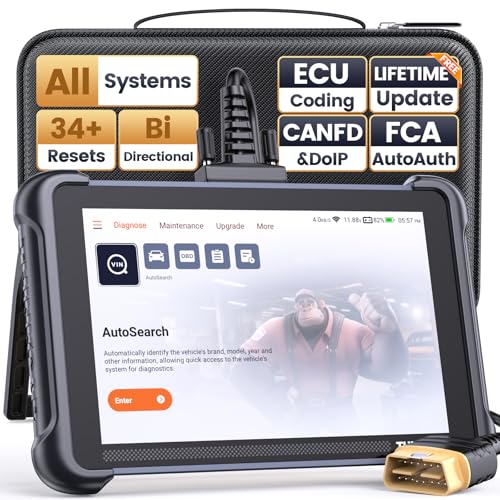
- 【Warm Tips】Wired THINKSCAN 689 is connected through a detachable OBDII cable, and we also have added OBD2 Extension Cable (about 60 cm/2 feet) as g ift, enabling customers handling vehicle repairs with ease. Just click "Bundles Item" above to get it.
- 【Professional Car Diagnostic Tool】Tired of renew fees? Thinkscan 689 scanner provides dealer-level advanced functions for lifetime f.r.e.e update for auto mechanics and repair shops. 34+ Services, 3000+ Active Test, ECU Coding, 140+ Brands Coverage, FCA AutoAuth, CANFD&DOIP Protocol, Component Matching, Power Balance, V.A.G Guided, Compatible with Google Chrome integration, etc. With strong hardware backing, 64G Memory, Android 10, 4-core processors, and 4150mAh battery. Thinkscan 689 brings you the best as your daily business helper and never lets you drop the ball!
- 【Over 34 Reset Service, Adaptation + Relearn + Calibration + Initialization + Matching】Made for workshops, Thinkscan 689 scanner provides 34+ services for worldwide vehicles: such as Gear/SAS/EPB/TPMS/D.P.F/I.M.M.O/BMS/ETS/Oil/Brake/AFS/GEARBOX/SUNROOF/SUS Reset, ABS Bleed, Injector coding, etc. Warm tips: Compatibility may vary on vehicles' model and year, please contact seller before purchase to make sure it works well on your cars.
- 【Real Active Test】Thinkscan 689 scan tool features over 3000+ full bi-directional control ability, to send commands to vehicle’s systems/components, to verify system input/output without using the vehicle's controls, e.g. turn on the radiator fan, modulate the throttle, open/close windows, operate mirrors, Injector Buz Test, turn on interior&exterior lights, sound horn, test door lock actuators, turn on/off front/rear side ACM Solenoid, Vehicle level position calibration, Wheel Speed Sensor Supply.
- 【Comprehensive Solutions with Advanced Features】Take your vehicle customization to the next level with the Thinkscan 689's advanced ECU coding capabilities. This scan tool provides power balance, PMI, unlock more new features and enhance performance by activating dormant functions, customizing OE settings, matching replaced components, and reprogramming adaptive data to elevate your driving experience. Note: Compatibility varies by car models, please check before order.
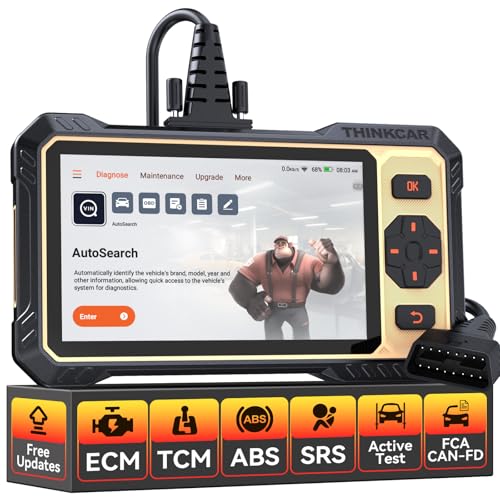
- 【Powerful Bidirectional Control -- Active Test】Good News! The THINKSCAN 662 obd2 scanner has bidirectional control function,which is the most popular feature among mechanics.This function is mainly used to test whether the executing components in the electronic control system can work normally,By requesting information from the vehicle's ECU or sending commands to the ECU module to execute commands and identify maintenance status,quickly locate the cause of the fault.Such as ABS,Fuel Injectors,Adjusting Throttle,Coolant Fans,Radiator Fans,Coolant Pumps,EV.AP Test, Fuel Trim Reset,Injector Buzz Test,Pump/ Value Test,etc. Effectively shorten diagnosis time and reduce diagnosis costs.
- 【Unlock Pro-Level Diagnostics With Half Costs】 THINKSCAN 662 obd2 scanner diagnostic tool Delivers Premium Scanning Power for Half the Price! The OBD2 scanner can handle common issues with ECM,TCM,ABS,SRS. It can easily read and clear fault codes, analyze data streams, and ensure quick identification of problems. THINKSCAN 662 bidirectional scan tool has 12 practical reset functions, including Airbag Reset,ABS Bleeding,BMS,Brake Reset, D.P.F,Throttle Adaptation,Injector Coding,OIL Reset,steering angle Reset,Gearbox,TPMS,and more. The car scanner diagnostic tool very suitable for DIY enthusiasts, car repair technicians, and small and medium-sized repair shops.
- 【Multi Functional Intelligent Car Scanner Diagnostic Tool】 Automatic VIN + Real-time Data + DTC Lookup + Historical Diagnostic Records: This OBD2 scanner features auto serch technology, allowing for car recognition without the need for manual input. The real-time data of the car ECU is read and displayed in the form of text or a 4-in-1 merged waveform chart. You can save, share, print or send the entire inspection report via email for analysis. Historical diagnostic reports help you quickly identify vehicle issues and understand the condition of the vehicle. The built-in 'feedback' module provides customized repair Operation recommendations from our certified professionals.
- 【Upgraded Hardware + Ergonomically Engineered】 THINKSCAN 662 OBD2 scanner has a friendly combination of touch screen and physical buttons with an ergonomic appearance for comfortable use.Experience 2x faster scans and 50% longer lifespan vs standard models.This scanner para autos boast a 4-core 1.8GHz CPU,6.2-inch HD touch screen,2GB RAM + 32GB ROM storage capacity,a long-lasting 4150mAh battery,Android 8 ensures lightning-fast bootup and processing.The scanner is robust with rubberized protection that you can store and use in the trunk or garage.Whether you are engaged in Home car maintenance or road rescue car repair,this car scanner can help you perfectly solve car problems.
- 【Effortless Setup & Scanning - Intuitive for All Skill Levels】No More Complicated Scanners! The User Interface is as User-Friendly as THINKCAR 689BT! Truly Plug-and-Play,The downward sliding setup shortcut portal and drawer function shortcut portal make you use this scan tool as easy as using your own cell phone.The car scanner supports setup screenshot,screen recording,volume adjustment,this scan tool includes product e-manuals,instructional videos,and fault code libraries,users can check the usage guide,perfect for DIY car owners,Maintenance technician.If your father,husband,brother,boyfriend enjoys car repairs,THINKSCAN 662 is a great gift choice, and it has amazing family value.
This product presentation was made with AAWP plugin.
Last update on 2026-05-12 / Affiliate links / Images from Amazon Product Advertising API