
NHTSA ID Number: 10080280
Manufacturer Communication Number: 01-2013TT
TSB/Document Date: 2016-09-16
Summary
JANUARY 2013 TEC TIPS NEWSLETTER
TechTIP
January 2013
Subaru Service and
Technical Support Line Newsletter
HELPING TO ACHIEVE THE PREMIUM SERVICE EXPERIENCE
ARTICLES CONTAINED
IN THIS ISSUE
•
lill
ADDITIONAL TIE-DOWN PLUG FOR 2012-13
IMPREZA AND XV CROSSTREK™ MODELS
CODE ARTICLE ...................... PAGE
(00) New STIS Releases from
12/01/2012 to 12/31/2012 ... 6
(01) Additional Tie-Down Plug for
2012-13 lmpreza Models .... 1
(09) Air Fuel Ratio Sensor and
Oxygen Sensor Removal .... 2
Beginning with the VIN numbers listed in the chart below, additional plugs
to be installed during POI into the tie-down holes will be included with the
plug set found in the glove box. These additional plugs will help prevent
dust intrusion into the vehicle. The illustration provides the location
ahead of the rear wheel arch on both sides of the vehicle. If needed, the
plugs are available separately by ordering part number 90371CA010.
(12) Windshield Cracks on the
Inside, a Reminder ........... 5
(14) SDI Interface Box and Self
Shut Timer ..................... 2
MODEL
(14) 2014 Forester Select Monitor
Operation ...................... 2
lmpreza and
XV Crosstrek
(15) 2013 Legacy/Outback
Navigation System Volume
Adjustment .................... 3
TYPE
STARTING VIN NUMBER
4-Door
010889
5-Door
802448
(15) WVX-34 Reminder ............ 4
(15) Wheel Locks .................. 5
(18) WQA-37 Information ......... 3
Tie-Down Hole
CAUTION: VEHICLE SERVICING PERFORMED BY UNTRAINED PERSONS
COULD RESULT IN SERIOUS INJURY TO THOSE PERSONS OR TO OTHERS.
SUBARU OF AMERICA, INC. IS
"ISO 14001 COMPLIANT"
The Subaru Tech Tl PS newsletter is intended for use by professional technicians ON LY. Articles
are written to inform those technicians of conditions that may occur in some vehicles, or to
provide information that could assist in the proper servicing of the vehicle. Properly trained
technicians have the equipment, tools, safety instructions, and know-how to do the job correctly
and safely. If a condition is described, DO NOT assume that your vehicle has or will have that
condition. lmpreza, Legacy, Justy, Loyale, Outback, Forester, Subaru SVX, WRX, WRX STI,
L.L. Bean, Baja, Tribeca, BRZ, XV Crosstrek and "Quality Driven" are Registered Trademarks.
The international standard for excellence
in Environmental Management Systems.
Please recycle or dispose of automotive
products in a manner that is friendly to our
environment and in accordance with all
local, state and federal laws and regulations.
January 2013 TechTIPS
SUBARU.
QUALITY DRIVEN" SERVICE
Page 1
m
AIR FUEL RATIO SENSOR AND OXYGEN SENSOR REMOVAL
When replacing a catalytic converter on any model, the A/F
sensor and/or Oxygen sensor can be reused in most cases.
After the converter has cooled down, spray the threaded portion
of the sensor with penetrating oil and allow it to soak for at least
one minute or more. Remove the sensor using appropriate
special tool or box wrench. When installing the new sensor
always apply a small amount of anti seize compound to the
threaded portion only prior to installation. Torque the sensor to
the proper specification (15.5 ft-lbs).
m
SDI INTERFACE BOX AND SELF SHUT TIMER
Should you have an SDI Interface Box that keeps powering down after 30 minutes or less, particularly
a loaner unit from Nuispire, you must change the self shut timer to "OFF". There is a very good chance
that an ECM will be damaged if this happens during a system reflash. To access the menu to change
your timer settings follow the procedure below.
•
There are 4 choices to choose from in the self shut timer menu, 2 minutes, 10 minutes,
30 minutes or off
•
Hold down the Menu and C keys to put the SDI box in standalone mode
•
From the main menu screen choose function set up
•
Scroll all the way down to the bottom using the up/down arrow keys
•
Select self shut timer
•
To change the time use the up/down arrow keys and make your selection. It is best
to set it to off so there is no chance of timing out during a test or a reflash
m
2014 FORESTER SELECT MONITOR OPERATION
If you plug either the SDI box or Subaru Select Monitor in to a 2014 Forester and your current version
is December 2012 or prior, it is possible to render the Rear Power Tailgate inoperative if you do not
properly cycle the ignition switch off and on. You may also set a code B2514 (Power Tailgate Ignition
Failure). To check your version of software, click on the Help button and "About Application" from
the main menu screen of the Select Monitor. The Power Tailgate does not have a warning light in
the combination meter. This code would appear in the Power Rear Gate Control Module. If this code
is stored in memory perform "Clear Memory Mode". Select Monitors that are updated to the current
January 2013 version should not encounter this condition.
January 2013 TechTIPS
Page 2
m
WQA-37 INFORMATION
; r
I
- -
-, :.a
,
-,
Please be advised of the following kit part numbers
64665SC040AP and 64665SC040AR both contain a
Tack for the rear seatbelt. If this tack is broken during
installation it is available separately under part number
64715SC060AP or 64715SC060AR. Please direct any parts
related questions to the Parts Information Coordinators.
m
2013 LEGACY/ OUTBACK, NAVIGATION SYSTEM VOLUME ADJUSTMENT
In the event you receive a customer inquiry or concern about adjusting the volume of the voice
guidance on their navigation system, the following steps and screen shots will make it easy to adjust.
This will help to clarify the procedure in the 2013 Legacy/ Outback Navigation System Owner Manual.
Feel free to copy and provide this information to your customers as needed. The initial volume setting
has been changed (lowered) during production starting in January, 2013.
Step 1 - Push the MAP button to display the map
screen .
Step 2 - Push the MENU button.
•
Step 3 - Press the MORE button (the vehicle must be
stopped for this button to be active).
Step 4 - Press the SETTINGS button.
Continued. ..
January 2013 TechTIPS
Page 3
m
2013 LEGACY/ OUTBACK, NAVIGATION SYSTEM VOLUME ADJUSTMENT (CONTINUED)
Step 5 - Press the SOUND and WARNINGS button.
Step 6 - Press the VOLUME button.
Step 7 - Press then move the cursor left then right to
Step 8 - After selecting the desired setting, push the
the desired volume setting.
MAP button again to complete the procedure.
•
m
WVX-34 REMINDER
As with any campaign, it is critical that all outlined procedures be followed exactly as written. In the
case of WVX-34 Front Lower Control Arm (Transverse Link) Corrosion, a step that should never be
skipped is the punch testing of the upper side of the control arms. Never assume that just because the
bottom of the control arm (s) passed the punch test that the upper portion does not require testing (IT
DOES.). Failure to test this area may result in not finding a weakness in this spot and lead to a failure
of the control arm. If testing of this area has been neglected in the past, those vehicles need to return
for additional inspection. Don't put yourself, your dealership, your customer, or other drivers on the
roadways at risk. Always follow all procedures in every campaign (or service bulletin) completely.
January 2013 TechTIPS
Page4
m
WHEEL LOCKS
Investigations performed by the vendor in to Subaru Wheel Locks B321 SFG000 have found that
improper application resulted in the failure. Wheel locks are not to be used on steel wheels or spare
wheels. The following information should be followed whenever wheel locks are installed.
•
Remove one lug nut from each wheel. If the studs are dirty, clean them with a wire
brush prior to wheel lock installation
•
By hand, install one lock on each wheel
•
Using the special key supplied in the wheel lock set and a torque wrench, tighten the
wheel lock to the proper specification listed in the Service Manual for the vehicle you are
working on
•
Retain the lug nuts that were removed in the lock package for use on the spare wheel
if necessary
Notes and Cautions
For ease of installation and removal, the wheel lock should
always be the last lug nut tightened on each wheel and should
always be the first one removed.
Use of an impact wrench may result in permanent damage to
the wheel lock and key.
m
Use of wheel locks are for alloy wheels only. Use of wheel locks
on steel wheels or temporary spare wheels may result in the
condition as shown.
WINDSHIELD CRACKS ON THE INSIDE, A REMINDER
The Techline is beginning to see Authorization Requests
submitted for windshield replacement where the glass is
cracked on the inside of the vehicle. When cracked on
the inside, it is often indicative of the wiper blade being
dropped or allowed to slap back down onto the glass after
clearing snow and ice or replacing a wiper blade / insert.
This can easily be duplicated using a windshield that is
already in need of replacement with damage in another
area of the glass. The energy from the tip of the blade is
transmitted into the glass through the outer layer of glass
then the vinyl in the center and cracks the inside glass
layer. These cracks will usually be found in the vicinity of
where the wiper blade rests on the windshield. These types of failures are not stress cracks as often
reported and not a matter for Warranty. The photo shows an example of this type of damage.
January 2013 TechTIPS
Page 5
am
2013 Calendar of
Subaru Holidays
NEW STIS RELEASES FROM 12/01/2012 TO 12/31/2012
11-125-12; Technical Service
Bulletin, DTCs P0365, P0366,
P0390 and P0391. Misfire DTCs
P0301, P0302, P0303 and P0304.
16-86-12; Technical Service
Bulletin, Reprogramming for
Illumination of AT Oil Temperature
Warning Lamp
E551SSG200; Accessory
Installation Guide, 2014 Forester
FrontBumperUnderGua~s
~6-80-11R; Technical Service
Bulletin, Oil Temperature Warning
Lamp Flashing (Legacy, Outback &
Tribeca) (revised)
Independence Day
Thursday, July 4, 2013
H7110SG100; Accessory
Installation Guide, 2014 Forester
AC Power Outlet
Thanksgiving Day
Thursday, November 28, 2013
SAJ; Troubleshooting Guide,
Remote Engine Start Systems
(2010-2013MY Legacy and
Outback)
President's Day
Monday, February 18, 2013
Memorial Day
Monday, May 27, 2013
Labor Day
Monday, September 3, 2013
* ** NOW YOU CAN E-MAIL YOUR TECHTIPS INPUT AND SUGGESTIONS TO: SERVICEINFO@SUBARU.COM * **
This is your chance to offer suggestions for use in future issues of TechTIPS! Make sure that if you
e-mail us, you place in the subject line of your e-mail "For TechTIPS Newsletter". Thank you!
MODEL:
YEAR: - - - - - - - - - - - - - - - - - - - - - - - - - - - VIN: - - - - - - - - - - - - - - - - - - - - - - - - - - - - - - - - Description of situation encountered:
Your suggestion for repair procedure, product improvements, etc.:
Please attach separate sheets, if necessary. You may also want to include Service Manual diagrams or references, or
your own drawings to assist in describing your suggestion. All information submitted becomes the property of Subaru of
America, Inc. Permission is granted to Subaru of America, Inc. to print your name and suggestions in TechTIPS and other
Subaru of America, Inc. publications. Mail items to: PO Box 6000, Cherry Hill, NJ 08034-6000.
Your Name: _ _ _ _ _ _ _ _ _ _ _ __
Signature: _ _ _ _ _ _ _ _ _ _ _ _ _ __
Dealer's Name: _ _ _ _ _ _ _ _ _ __
City: _ _ _ _ _ _ _ _ _ _ _ _ _ _ _ __
Date: _ _ _ _ _ _ _ _ _ _ _ _ _ __
Dealer Code: _ _ _ _ _ _ _ _ _ _ _ __
SUBARU TECH LINE
Hours of Operation
January 2013 TechTIPS
Monday-_Thursday 8:30am to 6:30pm
Fnciay 10:30am to 5pm
Page 6

- 💯【Conta.ct us for Support Directly】If you met any...
- 🔥🔥🔥【2026 AUTEL FLAGSHIP MK900BT MK900-BT, NEW...
- 🚗【3000+ ACTIVE TESTS (50➡3000+), SAME AS MS...
- 🚗【40+ HOT SERVICES FOR 150 MAKES (28+➡40+)】Full...
- 🚗【OE ALL SYSTEM DIAGNOSE, AUTO SCAN 2.0: SCAN LICENSE...


- 【TURN OFF CEL】 This AL319 car scanner diagnostic tool...
- 【EXTENSIVE APPLICATION】 Autel AL319 Compatible with...
- 【FOR END USER & DIYERS】 This error code reader AL319 is...
- 【USER-FRIENDLY DESIGN】 This OBD2 scanner and check...
- 【HIGH-QUALITY SERVICES】 12 months war.ranty from the...
Last update on 2026-06-12 / Affiliate links / Images from Amazon Product Advertising API
If the PDF is very large, it may not load in the preview below.
Some older TSBs had multiple PDFs — visit the NHTSA Website to view all PDFs.
If the TSB PDF does not show, download or view it on the NHTSA Website.
Click on the (+) Plus Sign
Then Click on Associated Document(s)
Search NHTSA Database for Recalls
Search NHTSA Database for Vehicle Investigations
View Latest Vehicle Investigations
Search NHTSA Database for Vehicle Complaints
View Latest Vehicle Complaints
TSB/Document ID: 01-2013TT
Replacement Service Bulletin Number:
MFR Communication Date: 2013-01-31
MFR Internal Campaign ID/Software Version:
Communication Type: Service Bulletin/Repair Instructions
NHTSA Components: EQUIPMENT:OTHER:OWNERS/SERVICE/OTHER MANUAL
MFR Component System:
MFR Component Subsystem:
Previous TSB | Next TSB |

- Obd2 Bluetooth Scanner Lifetime Update: Ediag Elite offers revolutionary Advantage Lifetime Updates with unlimited access to the superior 15 reset service, bidirectional testing and full system diagnostics.The Ediag Elite is an excellent Bluetooth obd2 scanner diagnostic tool ideal for diy's and private car owners
- Bidirectional Control for Quickly Locating Problems: The Bidirectional Scan tool allows you to send commands directly from your smartphone to your vehicle for active testing. This feature helps to quickly narrow down problems such as air conditioning clutches, windows, doors, sunroofs, etc., reducing diagnostic time for mechanics and helping Diy users locate faults more easily. In addition, Ediag Elite provides fault analysis and repair guidance to help you solve problems efficiently.
- 15 Maintenance Resets: The current version introduces 15 popular special features: Oil Reset, Headlight Matching, Bleeding Reset, TPMS Reset, BMS Reset, Gear Box Relearn, Throttle Learning, Injector Coding, SAS Reset and more special functions in system diagnose menu. These functions make it easy for owners to carry out the necessary maintenance and servicing, ensuring that your vehicle stays in top condition, prolonging its service life and preventing common problems and breakdowns. Note: The Special function vary by model& year, Reach us check compatibility.
- Wide Compatibility CANFD & FCA
 Autoauth: Compatible with GM, Ford, Toyota, Chrysler, Honda, Mazda, Nissan, Mitsubishi, Hyundai, KIA with standard OBD2 port from 1996 to newer. More car brands and features will be released gradually. Newest Ediag Elite scanner supports CANFD Protocol and FCA cars. Note: Coverage may vary on different vehicle by model& year ,Please contact us to confirm compatibility before purchase.
 - Perfect for Monitoring The Health of Your Vehicle: Ediag Elite is designed to make vehicle maintenance simple and efficient. With intelligent AutoVIN quick recognition, it is easy to connect to your car without the need for manual input. Real-time data is visualized in a variety of formats, including graphs, numeric, meter displays and clear 4-in-1 data charts, allowing you to effortlessly monitor real-time data. Data logging/reporting is available for playback and further analysis.
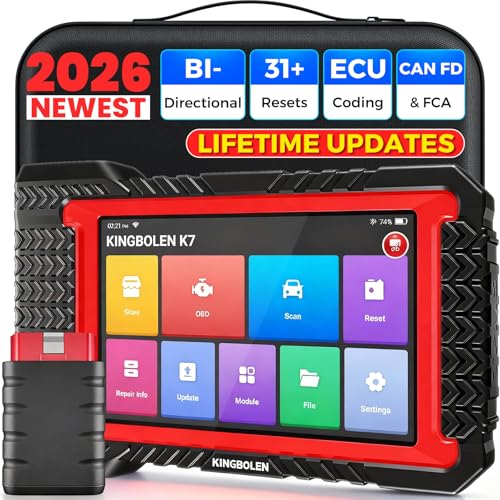
- No Annual Fees & 2026 Upgraded CAN FD: Why pay $199/year or more for updates? The 2026 newest Kingbolen K7 obd2 scanner features have been upgraded to Lifetime Updates without subscription fees, saving you significant costs in the long run. K7 scan tool also adds the CAN FD protocol for the latest GM models (2019+), enabling faster data transfer, reducing the risk of undetected errors
- 2026 Newest Top-tier Car Scanner: Kingbolen K7 diagnostic scan tool is equipped with most capabilities for daily repair/maintenance: Wireless diagnosis via Bluetooth, Bidirectional Test, ECU Online/Offline Code, 31+ Resets, PMI for Ford, Lincoln, Mazda, Global version for 100+ brand vehicles and 17 languages, no area limit, FCA AutoAuth
- OE-Level Full Systems Scan Tool: K7 professional diagnostic scanner with Auto Vin can do one-click to scan ECUs on most of vehicles, like pcm, ecm, eps, bcm, tpms, sas, a/c system... to read/clear code, view live data, freeze frame, read ecu info. 4-in-1 data stream graphics can make data viewing more intuitive. Detailed diagnostic reports will help you easily master the car situation as it can be shared by bluetooth or email! Adding workshop information can help your customers to know more
- Bidirectional Test/Active Test & ECU Code: Stop guessing and start fixing. Bidirectional scan tool Kingbolen K7 can perform real active test that can send commands to the vehicle's ECU to drive the actuators to work, like window, rear mirrors, sunroof, door, solenoids, wipers, headlamp, etc, helping you quickly find out bad parts and pinpoint faulty issues. K7 bidirectional scanner will be a good choice to save money and time on car repairs when performing complex maintenance and repair
- 31 Reset Functions: Avoid expensive dealership visits for simple services. Experience tells us that just a small repair service may cost a lot of money. Kingbolen K7 is a professional diagnostic scanner with 31 common maintenance services like Oil /SAS/EPB/TPMS Reset, Battery Matching, ABS Bleeding, Injector Code, etc. It effectively handles most of the car reset and relearning jobs, perfect for experienced DIYers and mechanics. Note: Functions in the menu vary across vehicles. Kindly check the compatibility before purchase
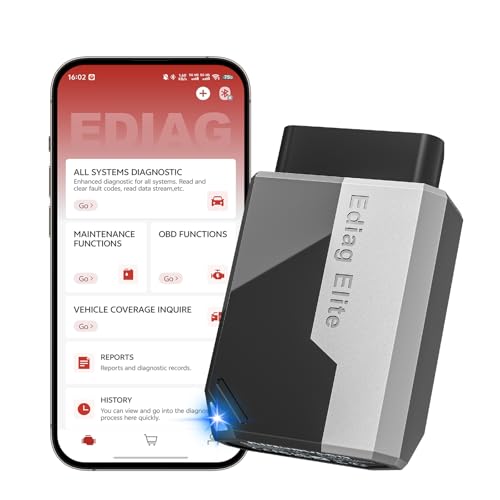
- 【Cost-effective Diagnostic Scan Tool】Lifetime updates without fee, No subscription fee required, No IP restrictions, Ediag Elite bluetooth scanner stands out. It can perform in-depth Full System diagnostics,15+ Reset Services, powerful Active Test, CANFD & FCA AutoAuth. Connect your phone via Bluetooth for diagnosis, providing a faster, smarter and smoother diagnostic experience. Easy to put in pocket, convenient to carry, keep track of the car's status anytime, anywhere. Best bang for your bucks.
- 【15+ Reset Service, Easy Problem Solving】 KINGBOLEN Ediag Elite obd2 scanner diagnostic scan tool comes with 15+ professional reset functions, including: Oil Reset, ABS Bleeding, Injector Code, SAS Reset, TPMS Reset, BMS Reset, AFS Reset, Sunroof Calibration, Brake Reset and more special functions in system diagnose menu. The ideal bluetooth scanner for mechanics and DIY enthusiasts, which can save unnecessary maintenance costs and significantly shorten repair time.
- 【Comprehensive Full Systems Diagnostic】 The Ediag Elite obd2 scanner bluetooth supports full system In-Depth diagnosis. It can read/clear fault codes, read real-time data/freeze frame, module information, and perform testing and reset functions for ECM, BCM, ABS, SRS, TPMS, TCM, BMS, SAS, A/C & RTM systems ect. It works with most car models after 1996, cover more than 150+ car brands. Supports 22 global languages for your convenience(EN, FR, ES, DE, IT, RU, PT, JP, TU...)
- 【Powerful Bidirectional Scan Tool & Active Test】 The obd2 code reader for Ediag Elite can perform real time active test that can send commands to the vehicle’s ECU to drive the actuators to work, such as turn on the radiator fan, modulate the throttle, open/close windows, etc. It can help you quickly find out the bad components and the cause of the fault, which can save you a lot of time. With BT 5.2 wireless connectivity, you can enjoy wireless diagnostics up to 33 feet.
- 【FCA AutoAuth & CANFD Compatibility】 Ediag Elite scan tool offers support with FCA Gateway Access, allowing you to perform protected functions on FCA vehicles, including Chrysler, Dodge, Jeep, Alfa Romeo, Fiat vehicles, etc.(Note:just allows you to access the FCA, but need to have your own FCA account) Supports the CAN-FD protocol, provide high-speed vehicle diagnostic communication and data transfer, working perfectly on GM vehicles produced after 2020, saving $100 to buy a CAN FD adapter.
Last update on 2026-06-12 / Affiliate links / Images from Amazon Product Advertising API
This product presentation was made with AAWP plugin.