
NHTSA ID Number: 10071579
Manufacturer Communication Number: PI0925A
TSB/Document Date: 2016-06-17
Summary
SUMMARY TO BE PROVIDED ON A FUTURE DATE.
If the PDF is very large, it may not load in the preview below.
Some older TSBs had multiple PDFs — visit the NHTSA Website to view all PDFs.
If the TSB PDF does not show, download or view it on the NHTSA Website.
Click on the (+) Plus Sign
Then Click on Associated Document(s)

- 💝【Questions? We’re Here Anytime】MK808S is a...
- 🔥🔥🔥【2026 NEWLY RELEASED BI-DIRECTIONAL...
- 【28+ MOST POPULAR RESET SERVICE FOR 150 MAKES】Autel...
- 【ALL SYSTEM DIAGNOSTICS, FACTORY-LEVEL SCANNER】The...
- 【AUT0 SCAN & AUT0V1N, 10X FASTER】How much have you spent...


- 💯【Conta.ct us for Support Directly】If you met any...
- 🔥🔥🔥【2026 AUTEL FLAGSHIP MK900BT MK900-BT, NEW...
- 🚗【3000+ ACTIVE TESTS (50➡3000+), SAME AS MS...
- 🚗【40+ HOT SERVICES FOR 150 MAKES (28+➡40+)】Full...
- 🚗【OE ALL SYSTEM DIAGNOSE, AUTO SCAN 2.0: SCAN LICENSE...
This product presentation was made with AAWP plugin.
Search NHTSA Database for Recalls
Search NHTSA Database for Vehicle Investigations
View Latest Vehicle Investigations
Search NHTSA Database for Vehicle Complaints
View Latest Vehicle Complaints
TSB/Document ID: PI0925A
Replacement Service Bulletin Number:
MFR Communication Date: 2013-07-01
MFR Internal Campaign ID/Software Version:
Communication Type: Service Bulletin/Repair Instructions
NHTSA Components: SEATS
MFR Component System:
MFR Component Subsystem:
Previous TSB | Next TSB |
File in Section:
Service Bulletin
Bulletin No.:
Date:
PI0925A
July, 2013
PRELIMINARY INFORMATION
Subject:
Ventilated Seat Fan Clicking or Ticking Noise When Operating
Models:
2013 Cadillac XTS with RPO KU1, KU3
This PI has been revised to update the Recommendation/Instructions section and update the
Labor Operation to the Global Labor Code (GLC). Please discard PI0925.
Condition/Concern
Some customers may comment that the left and/or right front lower seat cushion ventilation fan is making a clicking
or ticking type noise when operating. This condition is most noticeable when the seat is occupied.
This condition may be caused by seat foam, felt or wiring harness components coming in contact with the seat
ventilation fan blades. The ventilation fan changes position when the seat is occupied. The condition may not be
present on an unoccupied seat.
Recommendation/Instructions
Use the following steps to diagnose and repair the condition:
Note: The seat vent fan mat moves up and down in relation to the seat cushion and springs. The fan may appear to
be recessed into the seat cushion. It moves down in position when the seat is occupied.
1. Verify the customer concern. Activate the ventilation fan on the affected seat, with the seat occupied, and listen
for the condition.
• If the condition is not present, try varying weights (different occupants) and determine if the condition can be
duplicated.
• If the condition still cannot be duplicated, contact the customer and determine what type of loading is
creating the condition.
• If the condition can be duplicated, proceed to the next step.
2. Disable the SIR system. Refer to SIR Disabling and Enabling in SI.
3. Remove the front seat adjuster track finish cover. Refer to Front Seat Adjuster Track Finish Cover Replacement
in SI.
4. Adjust the seat to the forward position to gain access to the rear bolts.
5. Remove the two rear seat attachment bolts.
6. Using the power seat controls, raise the lower seat cushion to its highest position. Tilt the seat back to its
furthest forward position.
7. Tilt the seat assembly forward, and then lifting and pulling the seat rearwards, disengage the 4 front foot hooks.
8. With the seat assembly disengaged, tilt the seat assembly rearward in the vehicle to allow inspection of the
bottom of the seat cushion.
3561334
9. Inspect the tab on the bottom of the seat in the fan cavity area for evidence of contact with the fan blade.
3561330
• If the fan blade is contacting the tab, remove the tab with an appropriate cutting tool (side cutter).
3304443
10. Inspect the under seat harness for excessive length and interference with the fan blade.
3304704
• If the harness is contacting the fan blade, secure the harness with a wire tie as shown.
3305183
11. Inspect the foam seat cushion around the fan opening for excessive material (flashing).
3305178
• If flashing is present, use a appropriate tool to trim the foam as shown.
3305184
12. Inspect the felt attached to the foam seat cushion for excessive material that may contact the fan blades and
trim as required.
3305186
13. Inspect the fan assembly and ensure it is seated squarely in the housing.
3305188
• Reposition the fan to achieve the proper seating as shown. DO NOT PULL EXCESSIVELY ON THE FAN –
IT MAY BECOME UNSEATED.
3305191
14. If the fan cannot be reseated into the housing, the motor housing has dislodged from the vent mat assembly.
Use the following steps to remove the seat vent mat assembly and reinstall the fan motor housing:
14.1. Remove the front seat vent fan mat. Refer to Front Seat Vent Fan Mat Replacement (with Heat) in SI.
3305192
14.2. While returning the fan housing to its sheathing, rotate the motor to a position that minimizes the slack in
the wires. Tuck the wires along the outside of the housing, eliminating the potential for them to interfere
with the fan blades.
3305200
14.3. Begin tucking the fan housing into the sheathing at the edge.
3305203
14.4. Work along the perimeter of the sheathing until it is fully seated.
3305397
14.5. Add a wire tie around the perimeter of the assembly to ensure positive retention. Trim off the excess
wire tie.
14.6. Install the fan assembly into the vent fan mat.
14.7. Reinstall the front seat vent fan mat. Refer to Front Seat Vent Fan Mat Replacement (with Heat) in SI.
15. Activate the seat vent system when complete to ensure that no additional noise issues are present.
16. Tilt the seat assembly forward, and then lifting and pushing the seat forward, engage the 4 front foot hooks.
17. Reinstall the two rear seat attachment bolts.
Tighten
Tighten the bolts to 45 Y (33 lb ft).
18. Reinstall the front seat adjuster track finish cover. Refer to Front Seat Adjuster Track Finish Cover Replacement
in SI.
19. Enable the SIR system. Refer to SIR Disabling and Enabling in SI.
Parts Information
Part Number
Description
NPN
Warranty Information
For vehicles repaired under warranty, use:
Labor Operation
Description
Labor Time
7080008*
Reposition Wire Harness, Trim Material As Required To Correct Seat
Ventilation Fan Noise
0.4 hr
Add
Reseat Fan Into Housing (Includes Removing And Reinstalling Seat
Vent Fan Mat)
0.6 hr
*This is a unique labor operation for bulletin use only. It will not be published in the Labor Time Guide.
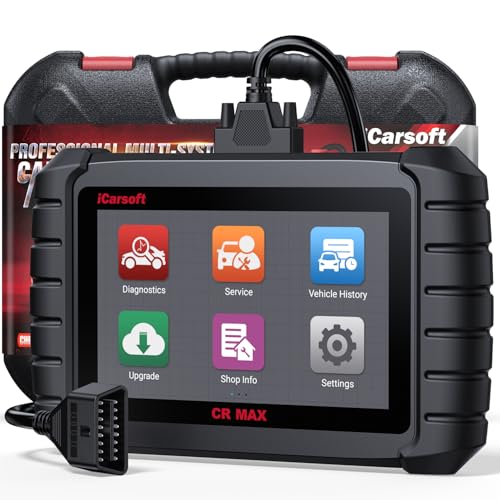
- WHY CHOOSE THE 2025 CR MAX -Upgrade the latest diagnostic capabilities for all vehicles after 1996: upgrade to 49+maintenance services; 46 extra specific functions; real all systems/all control modules diagnose; over 40K+ bidirectional actuation tests for diagnosing all control moduels of cars; Powerful full OBD2 Functions; built-in ECU Coding for BMW
 / Audi/ VW/ RollsRoyce; Fr ee V.A.G Guide Function; Battery retistration for new battery adaptation and more. It covers all vehicle diagnostic services and some special professional vehicle maintenance servces, assists you to do home DIY vehicle maintenance or car repair as a pro technician.
 - NEWEST IN INNOVATION FULL OBD2 SERVICES- iCarsoft auto car diagnostic scanner compatible with CAN-FD, CR MAX can do it all-reads and clears trouble codes, ALL SYSTEM DIAGNOSIS such as engine, transmission, ABS and airbag etc. CR MAX code reader for all cars can perform I/M Readiness, Live Data, Freeze Frame, Vehicle Information, Monitor Test, On-Board Monitor, E vap System Test,O2 Sensor Test,DTC Library Lookup,etc. (Warm Tips: If you car is after 2023,please contact us for compatibility; 3. It comes with 16PIN OBD2 diagnostic adapter, please check your car diagnostic socket if it is 16pin socket, if your car is 14pin diagnostic socket please contact us for the solution.)
- 49 RESET+ 46 SERVICES- Performs: Oil Reset, EPB,SAS,Throttle, D-P - F, Battery, ABS, Injector, TPMS, Suspension, AC, Head Lamp, Body Stablity, Engine, Tramsmission, Airbag, Seat, Door-Win-Roof, Fuel Pump, Door, E-G- R.+21 NEWEST SERVICES( Need update scanner)-AdBlue, Clutch, Crankshaft, High Voltage Battery, Cruise Control, NO xSensor, Rain Sensor, Stop And Start, Turbocharger, Head Up Display, Radar Camera, Vehicle Setup, Cyliner Misfire Check,Speedlimitassist, ControlUnitReset,OxygenSensor, Seatbelt. Extra 46+ extra services based on car brand.(Tips: Quantity of reset/ calibration fucitons are based on car system that your vehicle model has)
- REVOLUTIONARY 40000+BIDIRECTIONAL ACTIVE TESTS: Upgraded CR Max scanner equip with numberous of actuational test items for covering all available vehicle control modules, no longer only do simple light test or window test like other scanners, performs hardware modules test and software control modules test for checking car units or new updated control moduels work well or not after maintenance/ repair/ re-installation/ control system updated (Example for Benz- Roller Sun Blind test; Backup Camera test ;Self-test; EPB test; Transport Mode test;Boost Pressure Positioner test; Fuel Pump test; AND MORE!!).(Warm tip: The available test items are based on control modules your car has)
- ECU CODING+ BATTERY REGISTRATION- Powerful ECU Coding service for BMW/MINI/RollsRoyce / Audi/VW/Seat/Skoda/Bentley/Bugatti/Lamborghini, Improves Engine Power Performance and Optimizes Fuel Efficiency and Match New Hardware Unit to car and Customized a comfortable Driving Modes and Fixes & Updates Original Software Bug. The battery test function for checking car battery health, perform battery reset (BMS ) for replacing a damaged or aging car battery with a new one and register new battery to car ECU

- Scanner POR V2.0 with all obd2 services
- Do the scanning for engine
- Support OBDII/EOBD Ten Modes of Operation

- 【Designed for Most Mercedes-Benz, Sprinter and Smart from 1996-2023】As every car model of Benz has its-owned specific car system and ECUs, not all models are equipped with a complete vehicle ECU, which may cause the scanner to be unable to perform all listed reset services on some models, or even completely incompatible. Like For Sprinter's newer models, it support diagnostic functions only, lacking support for specialized service functions.. So please tell us the car's VIN and required service before purchase for compatibility check. You may also refer to the instructions in the eighth image of the main product photos to perform your inquiry.
- 【Up to 38 Reset Services】MB V3.0 2026 Version diagnostic tool performs Up to 38 maintenance services - Oil Rest , SAS, EPB, ETC, D-P-F, TPMS, ABS, Suspension, Air Conditioner, Head Lamp, Body Stability, Engine Control, Seat, Fuel Pump, Air-Filter, Engine Idle, Door, Im-mo-bilizer, Injector Coding, Transmission Control, Miscellaneous, Adblue, BMS, Cluth, Water Pump, NOxSensor, Rain/Light Sensor, Start/Stop, Radar/Camera, Cylinder Shutoff Test, Speed Limit Assist, Control Unit Reset, Oxygen Sensor, Seat Belt, Cruise Control System, Turbocharger, Crankshaft, Language Setting and etc. (Tips: Please update the software after receiving the product to obtain new service functions)
- 【OE-Level All System OBD2 Scanner】iCarsoft MB V3.0 (2026 Version) diagnostic scanner offers comprehensive OBDII services, allowing you to quickly scan all systems, including the Engine, ABS, SAS, SRS, TPMS, TCM, Fuel Pump System, ESP, EPB, EPS, Suspension, SCM, Adaptive Systems, and more. It supports functions such as reading and erasing codes, checking I/M readiness, viewing freeze frame data, performing O2 sensor tests, conducting on-board monitoring, testing the evap system, auto VIN retrieval, and reading both generic and specific codes, as well as DTCs and battery tests.
- 【Bidirectional Scan Tool】iCarsoft MB V3.0 (2026 Version) Bidirectional scanner supports activate or control a vehicle system or component, allows commanding cars’ modules and receiving info from the ECU to perform active tests on individual components, including EVAP/ABS Motor Pump/Windows/Sunroof and more, to pinpoint fault causes & resolve issues,and allows you to re-learn certain components after making repairs or replacement.
- 【Real Time Record & Graph View】iCarsoft MB V3.0 (2026 Version) can automatically record vehicle text history and identify vehicle information. Preserve real-time data information. View & Graph Live Data. Support Data Review and Print. Multi-language: English, German, Dutch, Spanish, French and so on. We promise to offer Lifetime updates (Lifetime free Update via PC), and confidence in products. We also provide 1 year warranty + extra lifetime hardware free repair if you need it in the future. We prioritize user experience & strive to meet your expectations. Please do feel free to reach out to us if you have any question or problem about the usage, our tech team will service you in time.
This product presentation was made with AAWP plugin.
Last update on 2026-05-12 / Affiliate links / Images from Amazon Product Advertising API