
NHTSA ID Number: 10071562
Manufacturer Communication Number: PI0915
TSB/Document Date: 2016-06-17
Summary
SUMMARY TO BE PROVIDED ON A FUTURE DATE.
3. With the vehicle in P (Park) or N (Neutral) press the brake pedal and press the ENGINE START/STOP button.
Cleaning High Gloss Surfaces and Vehicle Information and Radio Displays
The Impala has high gloss surfaces, vehicle information displays and radio displays. Use a microfiber cloth to wipe
these types of surfaces. Before wiping the surface with the microfiber cloth, use a soft bristle brush to remove dirt
that could scratch the surface. Then use the microfiber cloth by gently rubbing to clean. DO NOT use window
cleaners or solvents. Periodically hand wash the microfiber cloth separately from other items, using mild soap. DO
NOT use bleach or fabric softener. Rinse thoroughly and air dry before the next use.
Protecting Exterior Bright Metal Moldings
Caution: Failure to clean and protect the bright metal moldings can result in a hazy white finish or pitting.
This damage would not be covered by the vehicle warranty.
The bright metal moldings on the vehicle are aluminum. To prevent damage always follow these cleaning
instructions:
• Be sure the molding is cool to the touch before applying any cleaning solution.
• Use a cleaning solution approved for aluminum. Some cleaners are highly acidic or contain alkaline substances
and can damage the moldings.
•
•
•
•
Always dilute a concentrated cleaner according to the manufacturer’s instructions.
DO NOT use chrome cleaners.
DO NOT use cleaners that are not intended for automotive use.
Use a nonabrasive wax on the vehicle after washing to protect and extend the molding finish.
Manual Mode / Driver Shift Control (DSC)
Manual Mode / Driver Shift Control (DSC)
Notice: Driving with the engine at a high rpm without upshifting while using Driver Shift Control (DSC),
could damage the vehicle. Always upshift when necessary while using DSC.
If equipped with driver shift control (DSC) while using the feature, the vehicle will have firmer, quicker shifting.
Using the DSC Button on the Shift Lever:
3282874
Notice: While driving in Manual Mode, the transmission will remain in the driver selected gear. When
coming to a stop in Manual Mode, the vehicle will automatically shift into 1 (First) gear.
1. Move the shift lever from D (Drive) rearward to M (Manual Mode) (callout 3).
2. Press the + (Plus) (callout 1) end of the button to upshift.
3. Press the − (Minus ) (callout 2) end of the button to downshift.
4. To cancel DSC, move the shift lever back to D (Drive).
The Driver Information Center (DIC) in the instrument cluster will change from the currently displayed message to
the letter M indicating Manual Mode and a number indicating the requested gear.
StabiliTrak® / Traction Control System (TCS)
StabiliTrak® Electronic Stability Control With All-Speed Traction Control System (TCS)
Notice: StabiliTrak® and TCS turns ON automatically, every time the vehicle is started.
StabiliTrak® electronic stability control is standard on all models. It is an advanced computer controlled system that
assists with directional control of the vehicle in difficult driving conditions.
TCS is standard on all models. The system operates if it senses that one or both of the front wheels are spinning or
beginning to lose traction.
The indicator light for both systems is in the instrument cluster. This light will flash when TCS is limiting wheel spin
and flash when StabiliTrak® is activated. The light will turn ON and stay on when either system is not working.
• To turn OFF traction control, press and release the StabiliTrak® button on the center console. The Traction Off
Light illuminates.
• To turn OFF both traction control and StabiliTrak®, press and hold the StabiliTrak® button until the Traction Off
Light and the StabiliTrak® Off Light illuminate.
• Press and release the button again to turn ON both systems.
Brakes
The Impala has four-wheel disc brakes with four-channel antilock brake system (ABS) and electronic brake force
distribution which ensures optimal braking force at both axles for maximum stability under heavy braking.
Brake Preparation
Uplevel models equipped with 20-inch wheels have the Brake Preparation feature which is used to quicken
response time of the brakes and help shorten stopping distances.
When quickly approaching a vehicle ahead, Brake Preparation reduces brake response time by having the brake
system prepared for driver braking to occur more rapidly.
This feature loads the brake calipers in anticipation of hard braking by slightly increasing the hydraulic pressure in
the brake lines whenever the driver lifts off the accelerator pedal.
Hill Start Assist (HSA)
Some vehicles have a Hill Start Assist (HSA) feature, which may be useful when the vehicle is stopped on a grade.
This feature is designed to temporarily prevent the vehicle from rolling, either forward or rearward, during vehicle
drive off. After the driver completely stops and holds the vehicle in a complete standstill on a grade, HSA will be
automatically activated. During the transition period between when the driver releases the brake pedal and starts to
accelerate to drive off on a grade, HSA holds the braking pressure to ensure that there is no rolling. The brakes will
automatically release within a two-second window of releasing the brake pedal, and the vehicle may begin to roll. It
will not activate if the vehicle is in a drive gear and facing downhill or if the vehicle is facing uphill and in R (Reverse).
HSA will activate on eAssist vehicles while in gear and facing down hill to assist in allowing a smooth auto start.
Electric Parking Brake (EPB)
3283264
If equipped with an Electric Parking Brake (EPB), the switch is on the left side of the instrument panel. The EPB can
always be activated, even if the ignition is OFF. To prevent draining the battery, avoid repeated cycles of the EPB
when the engine is not running.
EPB Apply
To apply the EPB:
1. Be sure the vehicle is at a
complete stop.
2. Lift up the EPB switch
momentarily.
The red parking brake status light will flash and then stay ON once the EPB is fully applied. If the red parking brake
status light flashes continuously, then the EPB is only partially applied or there is a problem with the EPB.
EPB Release
To release the EPB:
1. Place the ignition in the ACC/ACCESSORY or ON/RUN position.
2. Apply and hold the brake pedal.
3. Push down momentarily on the EPB switch.
The EPB is released when the red parking brake status light is OFF. If the amber parking brake warning light is ON,
release the EPB by pushing down on the EPB switch and holding it down. Continue to hold the switch until the
red parking brake status light is OFF.
Steering
Electric Power Steering
The vehicle has electric power steering. It does not have power steering fluid. Regular maintenance is not required.
If power steering assist is lost due to a system malfunction, the vehicle can be steered, but may require increased
effort. The electric variable-assist rack-and-pinion has a steering ratio of 15.2:1 and 2.73 steering wheel turns, lock
to lock.
Suspension Front / Rear
Front Suspension
The front suspension consists of MacPherson strut coil-over-spring, twin-lube dampers with gas-charged valving;
coil springs and hollow 28.5 mm stabilizer bar.
Rear Suspension
The rear suspension is multilink with coil springs and stabilizer bar.
Tires / Wheels
Tires
Notice: It is recommended that the Sales Personnel discuss available wheel/tire protection plans with
customers.
• P235/50R18
• P245/45R19
• P245/40R20
Wheel Size / Type
• LS: 18-inch high vent with cover
• LS (with 2.4L engine)/LT : 18-inch painted alloy
• LS/LT: 19-inch painted alloy
• LTZ: 19-inch ultra bright machined aluminum
• 2LTZ: 20-inch aluminum
Electrical Architecture
Global Diagnostic System 2 (GDS 2)
The 2014 Impala is utilizing GM’s Global A electrical architecture, which is common with the Buick Encore,
LaCrosse, Regal and Verano, the Cadillac SRX, ATS and XTS, the Chevrolet Camaro, Cruze, Equinox, Malibu,
Orlando (Canada), Sonic, Spark, Trax, Volt and the GMC Terrain. This architecture requires the use of the Global
Diagnostic System 2 (GDS 2) software and the Multiple Diagnostic Interface (MDI) module.
Dealerships requiring assistance in the process of installing GDS 2 and the MDI should contact the Techline
Customer Support Center @1-800-828-6860 (English) or 1-800-503-3222 (French).
Driver Information Center (DIC)
Instrument Cluster / English Shown, Metric Similar
3283996
The DIC displays are shown in the center of the instrument cluster (arrow) in the Info App. The Info App is only
available when the vehicle is in ON/RUN. The displays show the status of many vehicle systems. The controls for
the DIC items and displays are on the right steering wheel control pad.
eAssist Instrument Cluster / English Shown, Metric Similar
3284015
The DIC displays are shown in the center of the instrument cluster (arrow) in the Info App. The Info App is only
available when the vehicle is in ON/RUN. The displays show the status of many vehicle systems. The controls for
the DIC items and displays are on the right steering wheel control pad.
Information Display — Power Flows (eAssist Only)
To view the Power Flow screens, press the Leaf button on the Home screen or on the Application Tray at the top of
the infotainment system touch-screen. Then press the Flow button at the bottom of the touch screen. These screens
indicate the current operating condition and the energy flow between the engine, generator, and high voltage battery.
Power Flow - Auto Stop
3284096
Auto Stop – Vehicle is stationary with battery active and no power is flowing to the wheels.
Power Flow - Engine Power
3284104
Engine Power – Engine is active with energy flowing to the wheels.
Power Flow - Engine Idle
3284120
Engine Idle – Vehicle is stationary with engine active and no power is flowing to the wheels.
Power Flow - Regen Recovery
3284127
Regen Recovery – Power from the wheels returns to the battery during regenerative braking or coasting.
Power Flow - Hybrid Power
3284136
Hybrid Power – Both the engine and battery are active with energy flowing to the wheels.
Head Restraints Front / Rear
Front Seat Two-Way Head Restraints
The vehicle's driver and front passenger seats have adjustable head restraints.
3282989
The height of the head restraint can be adjusted. Press the button located at the base on the side of the head
restraint and pull the head restraint up to raise it to the desired position. Try to move the head restraint to make sure
that it is locked in place.
To lower the head restraint, press the button and push the head restraint down to the desired position. Pull and push
on the head restraint after the button is released to make sure that it is locked in place.
Front Seat Four-Way Head Restraints
The vehicle's driver and front passenger seats have adjustable head restraints.
3282989
The height of the head restraint can be adjusted. Press the button located at the base on the side of the head
restraint and pull the head restraint up to raise it to the desired position. Try to move the head restraint to make sure
that it is locked in place.
To lower the head restraint, press the button and push the head restraint down to the desired position. Pull and push
on the head restraint after the button is released to make sure that it is locked in place.
3283515
The head restraints can be adjusted forward or rearward. To adjust the head restraint forward, grasp the head
restraint and pull it forward to the desired locking position. To adjust the head restraint rearward, press the button
located on the side of the head restraint and move the head restraint rearward until the desired locking position is
reached.
Rear Seat Head Restraints
The vehicle's rear seats have adjustable head restraints in the outboard seating positions.
The height of the head restraint can be adjusted. Pull the head restraint up to raise it. Try to move the head restraint
to make sure that it is locked in place.
3283566
To lower the head restraint, press the button, located on the top of the seatback, and push the head restraint down.
Try to move the head restraint after the button is released to make sure that it is locked in place.
Rear Seat Folding Head Restraints
3283580
On some models, the rear head restraints can be folded forward to allow for better visibility when the rear seat is
unoccupied. To fold the head restraint, grasp the top of the head restraint and pull the head restraint forward and
down until it locks in place.
Notice: When an occupant or child restraint is in the seat, always return the head restraint to the full upright
position.
Push down on the head restraint to release the locking mechanism. Then, pull the head restraint up and push it
rearward until it is in the full upright position. Always adjust the head restraint so that the top of the restraint is at the
same height as the top of the occupant's head.
Trunk Release
Notice: When using the touchpad on the rear of the trunk, it may be necessary to press and hold the
touchpad for approximately 2–3 seconds in order to open the trunk. This is a normal operating characteristic
of the vehicle.
To open the trunk, press the trunk release button on the driver door or the touchpad on the rear of the trunk slightly
above the license plate or use the trunk button on the Remote Keyless Entry (RKE) transmitter.
Rear Folding Seatbacks
Rear Folding Seatbacks / Lowering - Raising
If equipped, either side of the seatback can be folded forward for more cargo space. Fold a seatback only when the
vehicle is not moving.
To lower the seatback:
1. Lift the lever on top of the seatback to unlock it.
A tab near the seatback lever raises when the seatback is unlocked to indicate that it IS NOT in a secured
position.
2. Fold the seatback forward.
To raise the seatback:
1. Lift the seatback up and push it rearward to lock it in place.
A tab near the seatback lever retracts when the seatback is locked in place.
2. Push and pull the top of the seatback to be sure it is locked into position.
When the seat is not in use, it should be kept in the upright, locked position.
Aerodynamics
Mirrors / Taillamps / Decklid
The Impala’s sculpted mirrors, tail lamps and decklid control and direct airflow smoothly and efficiently away from the
vehicle resulting in a 12 percent lower coefficient of drag than the previous model it replaces.
Electronically Controlled Shutters
3285806
On models equipped with either four-cylinder engine, electronically controlled shutters in the lower grille manage the
airflow going into the underhood based on engine cooling needs. At typical highway driving speeds the shutters
close and push more air over and around the vehicle, helping to increase aerodynamic efficiency and enhancing fuel
economy.
Front Fascia Lower Air Dam and Deflectors
Front fascia lower air dam and deflectors in front of each of the tires, optimally deflect air that normally adds
unwanted drag to the vehicle away from the tires and suspension.
Underbody Aero Panels
On models equipped with either four-cylinder engine, underbody aero panels improve airflow beneath the vehicle.
Acoustic Treatments to Reduce Noise
Air Leakage
A primary source of noise for all vehicles, air leakage has been reduced to approximately 75 cubic feet per minute
and is expected to be best in the segment.
Acoustic Windshield and Front Glass
Notice: DO NOT hang key lock boxes on any acoustic side glass.
This vehicle is equipped with a 5 mm acoustic-laminated windshield and 5 mm acoustic front side glass.
Acoustic windshields are the same as a standard windshield, but they have been made with a thin, sound absorbing
technology between the glass that reduces the interior noise by 3dB overall, and even more in the frequency where
people "hear" the human voice.
This technology actually allows automakers to use thinner glass without sacrificing cabin comfort. A lighter
windshield also reduces the weight of the vehicle, which improves fuel economy and reduces the CO2 emissions
created by the engine.
Sculpted Exterior Mirrors / Triple Sealed Doors
Sculpted exterior mirrors reduce wind noise. Triple-sealed doors are used, which is an application that ensures
excellent wind/noise abatement into the passenger compartment.
Expanding Foam Acoustic Baffles
Strategically placed in cavities throughout the body structure, are 16 expanding-foam acoustic baffles, including
baffles between quarter outer and quarter inner to block noise from the trunk. The foam expands when the body
passes through the drying oven in the paint shop, filling the cavities to restrict or eliminate sound paths.
Acoustic-Perimeter Water Deflectors
Fully sealed, acoustic-perimeter water deflectors are in all four doors, a feature typically found only on luxury cars.
Floor Pan Sound Deadening Materials
Liquid-applied sound deadening and melt-on sound deadening materials are used on the floor pan and are key
enablers for reduced road noise and vibration underfoot.
Active Noise Cancellation
On models equipped with either four-cylinder engine, Active Noise Cancellation is used to combat engine noise. The
system uses interior mounted microphones to detect engine noise, the frequencies of which are processed by a
computer that directs counteracting sound waves through the audio system’s speakers and subwoofer to cancel the
noise.
Airbag System
Airbags are designed to supplement the protection provided by safety belts.
The vehicle has the following airbags:
• A frontal airbag for the driver.
• A frontal airbag for the front outboard passenger.
• A knee airbag for the driver.
• A knee airbag for the front outboard passenger.
• A seat-mounted side impact airbag for the driver.
• A seat-mounted side impact airbag for the front outboard passenger.
• Seat-mounted side impact airbags for the second row outboard passengers.
• A roof-rail airbag for the driver and the passenger seated directly behind the driver.
• A roof-rail airbag for the front outboard passenger and the passenger seated directly behind the front outboard
passenger.
Auto Defog
Auto Defog Operation
Only vehicles equipped with the dual automatic climate control system will have this option. When set to ON, the
front defog will automatically react to temperature and humidity conditions that may cause fogging.
When those conditions are detected, the climate control system may adjust to outside air supply and turn ON the air
conditioner. If the climate control system does not detect possible window fogging, it returns to normal operation.
Auto Defog may be turned ON or OFF in Vehicle Personalization.
Safety and Crash Avoidance
Depending on the model, the Impala has a network of cameras, radar and ultrasonic sensors to help the driver avoid
crashes by improving their vision and awareness of road hazards, even braking automatically if sensors predict the
vehicle is at risk of crashing.
The control and alert technologies are described in the following:
Adaptive Cruise Control (ACC) / Follow Distance Gap
If equipped, Adaptive Cruise Control (ACC) uses radar technology to enhance traditional cruise control by enabling
the vehicle to maintain a driver selected follow distance gap and assisting the driver in avoiding following other
vehicles too closely. It automatically maintains the follow distance gap by controlling vehicle acceleration and
applying limited braking when needed, even slowing to a full stop behind a vehicle stopping ahead.
Even when using ACC, the driver is warned of the collision risk with a series of six flashing red lights that reflect off
the windshield and a series of front speaker beeps.
3285296
Press the follow distance gap button to select a follow distance gap (or time) setting for ACC of Far, Medium,
or Near.
Forward Collision Alert (FCA) System
Notice: FCA is a warning system only and does not apply the brakes.
If equipped, the Forward Collision Alert (FCA) uses either radar mounted in the front grille or a high resolution digital
camera mounted on the windshield ahead of the rearview mirror to identify vehicles and crash risk. The system then
uses audible warnings and a series of red flashing windshield LED lights if a collision is imminent. Audio systems are
muted to make sure the alert is heard.
FCA detects vehicles within a distance of approximately 197 ft (60 m) and operates at speeds above 25 mph (40 km/
h). If the vehicle has Adaptive Cruise Control (ACC), it can detect vehicles to a distance of approximately 360 ft
(110 m) and operates at all speeds.
Collision Mitigation Braking
If equipped, this Chevrolet-first feature automatically applies the brakes to help avoid a front-end crash.
A radar mounted in the grille detects objects in front of the vehicle. If the driver does not react quickly enough to the
warnings from the Forward Collision Alert (FCA) system — or doesn’t react at all, the system automatically applies
the brakes to avoid the crash or reduce impact speed.
Lane Departure Warning (LDW)
The Lane Departure Warning (LDW) system is a camera-based lane detection system that uses a camera sensor
mounted on the windshield ahead of the rearview mirror to detect the lane markings. LDW warns the driver of
unintentional lane departures and may provide a warning if the vehicle is crossing a lane without using a turn signal.
Notice: LDW will not warn if the turn signal is ON or if a sharp maneuver is made.
If LDW is turned ON, the LDW indicator will appear green if the vehicle is traveling greater than 35 mph (56 km/h)
and the system detects a left or right lane marking. If the vehicle crosses a detected lane marking without using the
turn signal, this indicator will change to amber and flash. In addition, three beeps will be sounded from the left or right
side, depending on the lane departure direction.
Active Emergency Braking System
If the vehicle has Adaptive Cruise Control (ACC) it also has the Active Emergency Braking System, which includes
the Automatic Collision Preparation (ACP) System.
Automatic Collision Preparation (ACP) System
ACP may help reduce crash damage by applying the vehicle’s brake system and has a detection range of
approximately 197 ft (60 m). Braking can only occur if a vehicle is detected ahead. This is shown by the FCA
vehicle-ahead indicator being lit.
• Brake Preparation: When quickly approaching a vehicle ahead, Brake Preparation reduces brake response
time by having the brake system prepared for driver braking to occur more rapidly.
• Automatic Braking: Automatic Braking applies the brakes, even if the driver has not applied the brakes, in
many imminent front-end crash situations to help reduce crash damage. It may even help avoid some crashes
at very low speeds. Automatic Braking may slow the vehicle to a complete stop to try to avoid a potential crash.
A firm press of the accelerator pedal will release Automatic Braking.
Side Blind Zone Alert (SBZA)
Using radar sensors on both sides of the vehicle, the system looks for vehicles in the blind zone areas and indicates
their presence by illuminating symbols in the outside rear view mirrors.
2866901
The sensors cover a detection zone of approximately one lane over from both sides of the vehicle, approximately
11 ft (3.5 m) and extends rearward approximately 16 ft (5 m). The height of the zone is approximately between 1.5 ft
(0.5 m) and 6 ft (2 m) off the ground.
Assistance Systems for Parking or Backing / Rear Cross Traffic Alert (RCTA)
When the vehicle is in R (Reverse), the Rear Vision Camera (RVC), Rear Parking Assist, and Rear Cross Traffic
Alert (RCTA), if equipped, may help the driver to avoid a crash or to reduce crash damage. When the vehicle is
shifted into R (Reverse), the RVC displays an image of the area behind the vehicle in the center stack display.
2866870
Displayed images may be farther or closer than they appear. The area displayed is limited and objects that are close
to either corner of the bumper or under the bumper do not display. A warning triangle may display on the RVC screen
to show where the Ultrasonic Rear Parking Assist (URPA) has detected an object. This triangle changes from amber
to red and increases in size the closer the object.
2866857
On vehicles with the Rear Cross Traffic Alert (RCTA), a red warning triangle with an arrow may also display on the
RVC screen to warn of traffic coming from either direction. This system detects objects coming from up to 66 ft (20 m)
from the left or right side of the vehicle. When an object is detected, three beeps sound from the left or right side,
depending on the direction of the detected vehicle. With URPA, as the vehicle backs up at speeds of less than 5 mph
(8 km/h), the system detects objects up to 8 ft (2.5 m) behind the vehicle that are within a zone 10 in (25 cm) high off
the ground and below bumper level.
Rear Vision Camera With Dynamic Guidelines Assists in Parking Maneuvers
Using the display in the center stack, with dynamic guidelines laid over the video image, a natural view of objects
directly behind the vehicle are provided The video image can be used to assist in parking maneuvers.
Safety Locks
When activated, the rear door safety locks prevent passengers from opening the rear doors from inside the vehicle.
The rear door power windows are also disabled.
Press the safety locks button to activate the safety locks on the rear doors. The LED indicator light in the switch will
illuminate when activated.
Press the safety locks button again to deactivate the safety locks. The LED indicator light will turn OFF.
⇒ If the LED indicator light is flashing as a result of the rear door handle being partially engaged during
deactivation, press the safety locks button 2X to deactivate the flashing LED indicator light and the rear door
lockout.
Bluetooth® System
The in-vehicle Bluetooth® system allows users with a Bluetooth® enabled cellphone to make and receive
hands-free calls using the vehicle’s audio system, microphone and controls. The Bluetooth® enabled cellphone
MUST be paired with the vehicle Bluetooth® system BEFORE it can be used in the vehicle.
Not all Bluetooth® cellphones will work with the vehicle’s Bluetooth® system or support all functions. Bluetooth®
enabled cellphones will be tested for vehicle compatibility and a Feature Compatibility list will be published on the
Bluetooth® website.
Key Cylinder Access
To Access the Key Cylinder:
3285549
1.
2.
3.
4.
Pull the door handle (1) to the open position.
Insert the key (4) into the slot (3) on the bottom of the cap (2) and pry outward.
Move the cap (2) rearward and remove.
Use the key (4) in the cylinder.
To Replace the Key Cylinder Cap:
1. Pull the door handle to the open
position.
3285562
2. Insert the two tabs (7) at the back of the cap (8) between the seal (5) and the metal base (6).
3285574
3. Move the cap forward and press to snap the cap in place.
4. Release the door handle.
Rear Window / Defogger Grid - Antenna Grid / Multi-Band Antenna
Defogger Grid
When the rear window defogger switch is pressed and the engine is running, the rear defog control system will
remain active for 10 minutes. After the initial cycle has lapsed, pressing the switch again will continue rear window
defogger operation, but the cycle will only last 5 minutes. At higher speeds, the rear window defogger may stay on
continuously.
AM-FM Antenna Grid
The upper region of gridlines on the rear window are antenna lines and are not intended to heat when the defogger is
activated.
Multi-Band Antenna
The roof antenna is for OnStar, SiriusXM® Satellite Radio, and the Global Positioning System (GPS). Keep clear of
obstructions for clear reception. If the vehicle has a sunroof, and it is open, the reception can also be affected.
Towing A Disabled Vehicle
Notice: Please share this information with your towing providers.
Towing the Vehicle / Wheel Lift Tow Truck
Notice: Incorrectly towing a disabled vehicle may cause damage. The damage would not be covered by the
vehicle warranty.
Have the vehicle towed on a wheel lift tow truck. A flatbed car carrier could damage the vehicle. The wheel lift tow
truck must raise the rear of the vehicle and wheel dollies must be used to lift the front wheels off the ground.
Recreational Vehicle Towing
Dolly Towing From the Front
Tow the vehicle with the two rear wheels on the ground and the front wheels on a dolly.
To tow the vehicle:
1. Put the front wheels on a dolly.
2. Put the vehicle in P (Park) for an automatic transmission or in 1 (First) for a manual transmission.
3. Securely attach the vehicle being towed to the dolly following the manufacturer instructions.
Special Tool
The following new tool has been released for the 2014 Impala:
Tool #
Description
EN-50717-10
Valve Spring Compressor Adapter
Quality Pre-Delivery Inspection (PDI)
Please be sure to review the Pre-Delivery Inspection (PDI) and Completely Satisfied Delivery System (CSDS) forms
published for this vehicle. There are several Special Inspection Items highlighted for this vehicle. Additionally the
CSDS form has important customer education items that have been identified during the Captured Test Fleet
process.
– United States Dealers should report any product issues via a Field Product Report (FPR). Refer to the latest
version of Corporate Bulletin Number 02-00-89-002 Information for Dealers on How to Submit a Field Product
Report.
– Canadian Dealers should report any product issues via a Product Information Report (PIR). Refer to the latest
version of Corporate Bulletin Number 10-00-89-006 Information for Dealers on How to Submit a Product
Information Report.
Bose®, Studio Surround® Sound and Personal® Speakers are Registered Trademarks of the Bose
Corporation
dexos 1 is a Trademark of General Motors LLC
OnStar® is a Registered Trademark of OnStar LLC
OnStar® RemoteLink™ is a Trademark of OnStar LLC
Bluetooth® is a Registered Trademark of Bluetooth SIG, Inc.
Hydra-Matic™ is a Trademark of General Motors LLC
MIDTRONICS® is a registered trademark of MIDTRONICS, INC.
Pandora® is a Registered Trademark of Pandora Media, Inc.
"XM RADIO® is a Registered Trademark of Sirius XM Radio Inc.."
StabiliTrak® is a Registered Trademark of General Motors LLC
iPad® is a Registered Trademark of Apple, Inc.
iPod® is a Registered Trademark of Apple, Inc.

- 💯【Conta.ct us for Support Directly】If you met any...
- 🔥🔥🔥【2026 AUTEL FLAGSHIP MK900BT MK900-BT, NEW...
- 🚗【3000+ ACTIVE TESTS (50➡3000+), SAME AS MS...
- 🚗【40+ HOT SERVICES FOR 150 MAKES (28+➡40+)】Full...
- 🚗【OE ALL SYSTEM DIAGNOSE, AUTO SCAN 2.0: SCAN LICENSE...

- 📌【We are Here for You】Dear valued customer, please be...
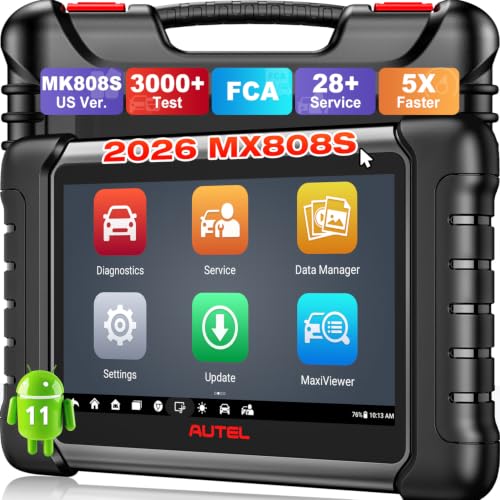
- 🚀【5X Faster Next-Level Hardware, Same as MK900/ MX...
- 🔥【3000+ Active Tests = MK900/MK900BT but...
- 📢【2026 U.S. Version, All-in-One as MK808S/ MK808Z...
- 🔥【28+ Hot Services for 150+ Brands】Same as MaxiCOM...
If the PDF is very large, it may not load in the preview below.
Some older TSBs had multiple PDFs — visit the NHTSA Website to view all PDFs.
If the TSB PDF does not show, download or view it on the NHTSA Website.
Click on the (+) Plus Sign
Then Click on Associated Document(s)
Search NHTSA Database for Recalls
Search NHTSA Database for Vehicle Investigations
View Latest Vehicle Investigations
Search NHTSA Database for Vehicle Complaints
View Latest Vehicle Complaints
TSB/Document ID: PI0915
Replacement Service Bulletin Number:
MFR Communication Date: 2013-02-01
MFR Internal Campaign ID/Software Version:
Communication Type: Service Bulletin/Repair Instructions
NHTSA Components: EQUIPMENT:OTHER:OWNERS/SERVICE/OTHER MANUAL
MFR Component System:
MFR Component Subsystem:
Previous TSB | Next TSB |

- [Notice] When you receive a used device, it may be a customer return resold by Amazon without inspection. You can exchange it for a new one through Amazon. As this situation is unavoidable, we sincerely apologize. For any issues, contacting us via Amazon's "Messages" is the best way. THINKSCAN 689BT Bidirectional Scan Tool Can Be Used Immediately After It is Turned On, Without Complicated Registration Process, Which is More Convenient & Quick.
- Full Bi-Directional Control & 3000+ Active Tests: Take control and test components like actuators, fuel injectors, relays, and cooling fans in real time. You’ll quickly see if the problem is in the part itself or the control module — saving you hours of guesswork and frustrating trial-and-error.
- Advanced ECU Coding Capabilities: Handle module matching and hidden feature activation with confidence. When you replace an ECU or want to customize settings, this obd2 scanner diagnostic bi directional tool gives you the professional-level capabilities you need without the dealership price tag.
- 34+ Useful Reset and Maintenance Functions: Complete everyday service tasks smoothly with a wide range of helpful reset and maintenance functions. Whether you’re keeping up with regular upkeep or tackling a specific job, this scanner makes maintenance simpler and less stressful for both DIYers and pros.
- Comprehensive Full System Diagnostics: Diagnose every major system — Engine, Transmission
 , ABS, SRS, TPMS, and more — all in one place. Finally stop wondering if you’re missing something important; get the full picture and clear codes with ease.

- Top Reasons to Choose the D7S OBD2 Scanner: XTOOL D7S car scan tool, an upgrade of XTOOL D7, offers comprehensive features for automotive technicians, workshops, and DIY enthusiasts 1. Upgraded Hardware: 2+64GB memory, rear camera, intuitive interface, foldable bracket 2. Complete Diagnostics: FCA Autoauth, OE-level all system scan, 39+ maintenance services, 4K+ bidirectional, CANFD/DoIP protocol 3. Advanced Capabilities: ECU coding, PMI functions 4. Wide Compatibility: Support 10,000+ models, covering 99% vehicle brands 5. Multi-language: Available in 22+ languages, No IP Restrictions 6. 3-Year Updates: Save 300 bucks on software updates for the latest features and optimizations
- 2026 Upgraded D7S Car Scanner Features: The newly 2026 D7S V2.0 scanner for car brings exciting features for advanced vehicle diagnostics and enhanced user experience 1. FCA AutoAuth: Now supports FCA SGW module for Chrysler, for Jeep, for Dodge (2018+), for Fiat (2017+), enabling faster vehicle communication without gateway restrictions 2. PMI (Offline ECU Programming): Allows for Ford, for Lincoln, and for Mazda ECU programming for new modules 3. Optimized Diagnostic Report 2.0: Personalized reports with logos and customer info for auto shops. Note: Compatibility varies by cars, please check before order
- Cost-effective ECU Coding Scan Tool for Specific Brands: Enhance your vehicle's performance with XTOOL D7S! This obd2 scanner all systems bidirectional offers advanced capabilities at an affordable price, supports online for BMW, for Benz and offline for BENZ, for MIT, along with PMI functions for Ford, for Mazda, and for Lincoln. Ideal for technicians and DIY enthusiasts, this automotive scanner diagnostic tool optimizes vehicle performance and enhances the driving experience. Note: Not for all cars and modules, please send car VIN to check the compatibility before purchase
- OE All System Diagnostic & 8 Pids Graphing: XTOOL D7S is a comprehensive all system bi directional obd2 scanner that delivers dealer-level diagnostics, completely controlling over your vehicle’s performance and health. This automotive scan tool can read and clear DTCs, view live data and ECU information, retrieve freeze frames, and perform active tests and full obd2 functions. This bi-directional scan tool can can identify your vehicle's make, model, and year information with just one click and show up to 8 PIDs live data with options for CSV viewing, playback, and recording for in-depth analysis. It is easy-to-use for both professionals and beginners, helping pinpoint issues efficiently
- 3 Years Software Update, Value for Money: With 3 years of software updates and 22+ languages(no IP restrictions), XTOOL D7S auto scanner code scanner ensures ongoing compatibility for the latest car models and improved diagnostic functions. This all system vehicle diagnostic scanner comes with a 30-day return policy and a 24-month repair for dependable performance. XTOOL are dedicated to your satisfaction, so enjoy seamless support and lifetime expert assistance. Should you encounter any issues or concerns, don’t hesitate to reach out XTOOL. D7S with newest update with 22 languages freely transfer without authorization, check details from setting-language or from XTOOL

- 【✅Compared to BOSSCOMM IF742, IF745 Offers Full-System Diagnostics】The BOSSCOMM IF745 car diagnostic scanner is an upgraded model of IF742. In addition to supporting all OBD2 Code Reader functions and 6 reset options (ABS/EPB/SAS/BMS/Oil/Throttle), it expands diagnostics from 4 systems (Check Engine/ABS/SRS/Transmission) to vehicle All systems, including Steering, Suspension, and Body Electronics. This provides deeper, more comprehensive diagnostic capabilities.
- 【✨6 Essential Resets: ABS Bleeding, Oil, EPB, SAS, Throttle, BMS】The BOSSCOMM IF745 obd2 scanner diagnostic tool swiftly purges air from brake lines to restore braking sensitivity, fine-tunes maintenance cycles to eliminate false alerts, resolves parking brake issues with one-click control, recalibrates steering sensors for stability, optimizes engine idling/acceleration for smoother performance, and deeply resets battery systems to extend lifespan and range via precise parameter adjustments.❗NOTE: Does NOT support bidirectional control, coding, or programming.
- 【✨Deep Diagnostics for All Vehicle System Modules】Beyond code reading/clearing and ECU information retrieval, our all-in-one data stream feature lets you inspect all current fault codes and their locations across the vehicle’s systems. This vehicle code reader helps you turn off dashboard warning lights and perform a comprehensive self-check of your car at home—no more back-and-forth trips to the repair shop or hefty inspection fees.
- 【✨10 OBD2 Functions】The BOSSCOMM IF745 scan tool’s DTC Lookup instantly translates fault codes into user-friendly explanations, its I/M Readiness feature streamlines emissions testing with a single tap, and Freeze Frame lets you pinpoint the exact moment of a fault for in-depth root-cause diagnosis. Combined with a live data dashboard and advanced diagnostics (O2S, OBMon, EVAP), it delivers comprehensive insights for confident troubleshooting.
- 【✨10,000+ Car Models, AutoVIN, 13 Languages】The BOSSCOMM IF745 vehicle scanner diagnostic tool covers 73+ global car brands and offers support in 13 languages, making it perfect for DIYers, auto mechanics, or as a thoughtful gift. With a single-click AutoVIN feature, it instantly retrieves vehicle serial numbers, streamlining diagnostics for users globally. This adaptable tool balances user-friendliness with precision, catering to both personal and professional requirements.✅Unsure about compatibility? Compatibility will vary on vehicles' model and year, pls reach us via 📧 [email protected] 📧 before purchase.
This product presentation was made with AAWP plugin.