
NHTSA ID Number: 10070552
Manufacturer Communication Number: FRS 2015
TSB/Document Date: 2016-06-13
Summary
SUMMARY TO BE PROVIDED ON A FUTURE DATE.
If the PDF is very large, it may not load in the preview below.
Some older TSBs had multiple PDFs — visit the NHTSA Website to view all PDFs.
If the TSB PDF does not show, download or view it on the NHTSA Website.
Click on the (+) Plus Sign
Then Click on Associated Document(s)

- 💝【Questions? We’re Here Anytime】MK808S is a...
- 🔥🔥🔥【2026 NEWLY RELEASED BI-DIRECTIONAL...
- 【28+ MOST POPULAR RESET SERVICE FOR 150 MAKES】Autel...
- 【ALL SYSTEM DIAGNOSTICS, FACTORY-LEVEL SCANNER】The...
- 【AUT0 SCAN & AUT0V1N, 10X FASTER】How much have you spent...


- 💯【Conta.ct us for Support Directly】If you met any...
- 🔥🔥🔥【2026 AUTEL FLAGSHIP MK900BT MK900-BT, NEW...
- 🚗【3000+ ACTIVE TESTS (50➡3000+), SAME AS MS...
- 🚗【40+ HOT SERVICES FOR 150 MAKES (28+➡40+)】Full...
- 🚗【OE ALL SYSTEM DIAGNOSE, AUTO SCAN 2.0: SCAN LICENSE...
This product presentation was made with AAWP plugin.
Search NHTSA Database for Recalls
Search NHTSA Database for Vehicle Investigations
View Latest Vehicle Investigations
Search NHTSA Database for Vehicle Complaints
View Latest Vehicle Complaints
TSB/Document ID: FRS 2015
Replacement Service Bulletin Number:
MFR Communication Date: 2014-04-01
MFR Internal Campaign ID/Software Version:
Communication Type: Service Bulletin/Repair Instructions
NHTSA Components: EQUIPMENT:OTHER:OWNERS/SERVICE/OTHER MANUAL
MFR Component System:
MFR Component Subsystem:
Previous TSB | Next TSB |
~ ~C:::IClrl
FR-S
2015 PRE-DELIVERY SERVICE CHECK SHEET
~
BEFORE INSPECTION
0
0 1 Instal l DCC Fuse (see page 2) .... . . . . .. . . . . . ..... ..... .... . .. ...
02 Connect Delivery Mode Wire Harness Connectors
(automatic tra nsmission on ly) (see page 2) ......... .. ......
IH
D
Apply parking brake and cycle ignition "IG-ON, · place gear selector in reverse;
tum on lights and rear defogger. Unlock all doors, release fuel door, release
trun k hatch.
05
06
07
08
Check dome, courtesy, map, and sun visor lights* .. .. .. ...
Check wa rn ing/indicator lights, gauges, and horn ... .. ....
Check wi ndshield wipers and washers .......... . . . . . . . . . . ... .
Check head lights, instru ment lights, turn signals,
dimmer switch , emergency flashers , and brake lights . .. .
Check inside/outside rear view mirror operation/
adjustm ent . ............... ........................ .... ........ . ..............
Check power outlet* and ciga rette lighter .. .......
Check audio/navigation* systems , set SSP * to FR-S ,
and set cl ock ... ...... ............. .... ... ..... .......... ....... . ............
Install shift-lock ove rrid e bu tton cover · ···· ·········· ··· ·······
0 0
DO
-
-
Check engine oil level . .. .. .... .. ..... .... ... ..... .... .. .. . . . . .. .. .. .
Check brake and clutch * flu id leve ls.... .... ................ .......
Check engine coolant level ......... ..... ...... .... .. ....... ..... ......
Check wi ndshield washer fluid level ...... ... .... .......... . .....
Check battery state-of-charge using Digital Battery
System Analyzer (SOC Reading :
%) .....
06 Inspect for fuel , oil , coolant, and othe r fluid leaks ......
01
02
03
04
05
DD
0
0 0
DD
DD
00
A complete road test helps assure customer satisfaction. Drive veh icle over a
variety of road surfaces and driving conditions. Check for unusual nois e and
driving performance.
Enter Odometer Reading
DO
Read ing After Test:
Reading Before Test:
DO
D
01
02
03
04
05
06
Start at driver's front door, check window and door lock operation (from master
power switch , if equipped) . Continue around vehicle in a counterclockwise
direction checking each door and win dow operation, child door locks, seat belts,
interior condition, all lights, luggage compartment contents. Finish by checking
headlight aim and continue into UNDER HOOD checks.
UNDER HOOD
D
ROAD TEST
DD
~:
0
00
WALKAROUND INSPECTION
01 Check Smart Key System* .... ..... ................. ........ ... .......
02 Check door and door lock operation , including each
wireless remote contro l/theft deterrent system* ... ..... ....
03 Check power window operation ....... . ... .. ... ...... . ....• • • • • • • • ..
04 Check that eng ine starts with all keys ..... .. ...... ····· ··········
05 Check seats and seat belt operation ........ ....... .. ... ...... ...
06 Check rea r defogger ........ .. ..... ... .. ······· ........... .............
07 Check side marker, tail , backup, and license plate lights.
08 Check rear cargo area trim appea rance ....... .... ....... .... ..
09 Adju st compact spare tire pressure and check jack and
tool installation ........ ..... . ........ ... ..... . ..... ... ... . ·············· ·
10 Check headl ight aim .... . ···· ·········· ····· ··· .... .... ... ..... . .........
0
01 Remove disc brake anti-rust covers/anti-corrosion
wheel film * ........... ................... ...... .. ........ ............ ......... ...
02 Activate the Tire Pressure Warn ing System (TPWS )
sensors (see page 2) ... ... ... .... .............. .... . ······· ········· ····
03 Inspect tires for defects/damage ........ .... . ···· ················· ·
04 Install rubber body plugs . ..... . .... ... ... . ... . ....................
05 Inspect for fue l, oil , coolant, and other fl uid leaks ........ ... .
06 Visua lly check bolts and nuts on cha ss is and powertrain
fo r looseness ..... . .... ......... ............ ..... .. ... ... ..... ...... . ......
07 Inspect under th e vehicle for damage, rust, etc. ......... ... .
0
FUNCTIONAL OPERATION
01
02
03
04
~ I ~~
UNDER VEHICLE (ON HOIST)
~~
Apnl 2014
07
08
09
10
11
OD
Check cold engine operation ················ . . . . . ... . . . .. ... .........
Check eng ine operation during warm -up .. .. .. ...... .. . ... . .. . . . .
Check engi ne at normal operating temperatu re ..............
Check cl utch or automatic transm ission operation ... .... ...
Check brake and parking brake operation ... .. ..... .... ..... .. .
Check steering operation and off-center/veh icle
pul l/flutter ... ..................... ... .... . . .. . . . . . . . . . . . . . . ......... .. . . . .. . .. . . . .
Inspect for abnormal noise and vibration . ..... ...... ... .. ..... ..
Inspect fo r squeaks and rattles .... . ...... ·············· ······· ·······
Check heater and A/C operation .... . ···· ····· ··· ····· ·· ·············
Check speedometer operation .... ............. .. ... ...... .. .. ... ... .
Check cru ise control operation .................. ... ...... ... ...........
OD
DD
DD
DD
00
DD
DO
DD
OD
DD
DO
FINAL INSPECTION AND CLEANING
DD
DD
DD
01 Remove interior protective covers, unnecessary labels,
tags , etc. (Remove protective covers just before delivery
to customer) ................... .. ...... ...... ....... .. ....... ··· ·· ·· ··········
02 Verify floor mat application and install using
retaining clips* .. ... ............ ........................................... ..
03 Visual ly inspect all interior parts for instal lation ,
damage, fit, dirt, etc ....... ....... ... ...... . .. . . . . . . . . . . . .... ............. .
04 Remove Rapgard TM and clear protective bumper film * .
05 Wash and clean vehicle .. ...... .... ... ...... . ...... .... .. ... .........
06 Inspect paint fin ish for scratches , chips, rust, de nts ,
damage, etc .......... .. ..... .... ...... ... .. .. ... .. .... .... ..... ... . ........ ..
07 Inspect exterior body parts for proper installation ,
damage, ru st, etc .......... ........... ..... ... .... ............ ..... .. ...... .
0 0
DD
DD
DD
OD
DD
- DD
vv
r
~ vov v
ov v v VVVI ICI ;:)
Cl l IU
111 ;:)l vov " "
tJV•
LIUllU
in glove box . .......................... ..... ........ .. ... ... ............. .... ...
09 Place oil change sticker on inside of windshield, top
left corn er . .. ................ .... ........ ..... .... ..... .. ...... . .. ......... ...
10 Perform Techstream Health Check ............. ...... . ..........
11 Insta ll fro nt license plate and mounti ng bracket*
(see page 2) ................. . ....................... .............. .........
DD
DD
OD
DD
DD
D
DO
DO
D
D
DD
,_DD
D
D
DD
0
* Inspect or install when equipped/re quired .
Co mpletion and retention of this form is required to co mply with Toyota 's Warranty Policy .
TECHNIC IAN 'S SIGNATURE
SERVICE MANAGER 'S SIGNATURE
NA ME (PLEASE PRINT)
NAME (PLEASE PRI NT)
Da te
I
Dea ler Name
I
Dealer Code
I
We hereby certify that all items
on this form have been checked
and corrected for proper
operation as required.
Vehicle Identification Number (Sticker)
-
DCC FUSE INSTALLATION
To minimize battery discharge the DCC fuse has been
removed and is stored in the engine compartment Relay
Block. Install the DCC fuse during PDS .
NOTE
Failure to install the DCC fuse may cause the Check
Engine Light (M IL) to flash with no engine misfires or
DTCs stored and may cause the radiator fans to
cycle on and off rapidly.
DELIVERY MODE WIRE HARNESS CONNECTORS
(Automatic Transmission ONLY)
the delivery mode connectors for key interlock have been
disconnected at the assembly plant to prevent damage to automatic
transmission during rail transport.
The disconnected delivery mode connectors must be connected
during PDS.
1.
2.
3.
4.
5.
1 Remove This DCC Fuse
2 Install DCC Fuse Here
From the driver side cowl trim ,
remove the 2 disconnected
connectors .
Connect the 2 connector ends .
Place connector inside cowl trim
area .
Confirm transmission will not
shift from P with ignition OFF.
Confirm the ignition switch
cannot be turned from ACC to
LOCK or that the key cannot be
removed from the key cylinder
when the shift lever is NOT in P.
TPWS ACTIVATION
Activation Procedure
1. Connect Techstream .
2. Cycle the IG switch to the "IG-ON" position and check that the Low Tire Pressure Warning Light blinks for 1 minute and then
remains illuminated .
3. Pre~s or remove the valve core to reduce the tire inflation pressure rapidly by 6 psi (0.4 kfg/cm 2 , 40 kPA), or more,
w1th1n 30 seconds .
4. Check that the Low Tire Pressure Warning Light goes OFF after all the TPWS sensors are activated .
NOTE
To adjust the tire pressure correctly when the outside temperature is significantly colder than shop temperature , perform a
Health Check using Techstream and select the "Compensation Tire Pressure" checkbox. Compensation pressures will be
displayed on the Health Check results screen . Adjust the tire pressure when the tires are cold.
5.
6.
Using Techstream, check for DTCs (C2111-C2114) . If DTCs C2111-C2114 are stored , repeat step 3.
System initialization is NOT available or required.
FRONT LICENSE PLATE AND MOUNTING BRACKET INSTALLATION*
For states that require a front license plate , please install per
this procedure . The mounting bracket, self-tapping screws,
flange bolts , J-nuts , and non-corroding bolts are stored in the
luggage compartment.
Installation Procedure
1. Align holes "A" of the mounting bracket and the dimples on
the front intake cover. Temporarily install the 2 self-tapping
screws .
2. Mark the location of holes "B" on the front bumper cover.
NOTE
Holes "A" and "B" are used for the installation of the mounting
bracket to the bumper cover.
3.
4.
5.
6.
2 Mark "B"
3 Dimples
A Holes " A"
B Holes " B"
Remove the license plate mounting bracket.
Mark the Mark "C" locations on the front bumper cover as
shown in the illustration .
Drill 2 relief holes with a diameter of 10 mm (0 .39 in.) at
Mark "B" on the front bumper cover.
Drill 6 relief holes with a diameter of 22 mm (0 .87 in.) at
Mark "C" on the front bumper cover as shown in the
illustration .
NOTE
Holes "C " are used to install J-nuts to the front bumper cover.
7.
1 Mark "C"
Install the 2 J-nuts to the front bumper cover through
holes "C".
8. Align holes "B" of the mounting bracket and the J-nuts on
the front bumper cover. Temporarily install the 2 flange
bolts .
9. Align holes "A" of the mounting bracket and the dimples on
the front intake cover. Temporarily install the 2 self-tapping
screws .
10. Tighten the 2 flange bolts and tapping screws equally so
that there is no clearance between the license plate
mounting bracket and the front bumper cover.
11. Install the front license plate to the mounting bracket using
the 2 non-corroding bolts .
1 Mark "B"
2 Dimples
3 License Plate
Mounting Bracket
4 Tapping Screw
1 Mark " C"
&~
__- L~f- it;~ :,.
Y
~--
2
3
'---"'-~~~~~~~~--'
2 Mark "B"
Pl•!• Mo"oUog
Bracket
3 Tapping Screw
4 Flange Bolt
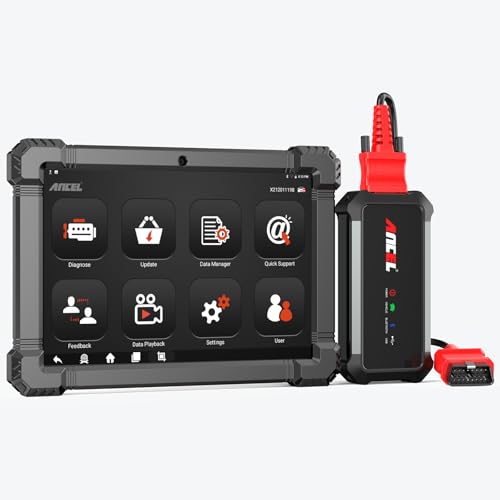
- 🔥🔥🔥2026 New Functions Making X7HD the Top Dog - Big Surprise!!! ANCEL X7HD truck scanner 10 major functional advantages .✅>Full HDOBD/OBD2 Function ✅>ALL System Diagnostic ✅>42+ Reset Function ✅>Active Test / Bi-Directional Control✅>ECU Coding✅>Graphing Live Data✅>Wide Compatibility ✅>2 Yrs Free Update✅>Remote Operation✅>Bluetooth 5.0 & Wifi In addition, 8 major hardware advantages: ✅>6000 mAh✅>10.1 inch Tablet✅>2G RAM
 ✅>32G ROM (Expandable to 128GB)✅>Data Record & Replay & Print✅>Android 10.0✅>Bluetooth 5.0 & Wifi✅>14 Languages
 - 🚛OEM DPF Forced Regen & Cylinder Cutout Test & more - ANCEL X7HD diesel scanner diagnostic tool not only supports DPF regeneration, DPF reset, DPF related information reset, DPR state reset, DPD forced regeneration etc, which helps you better solve the exhaust aftertreatment system problems, but also supports activate motor to do exhaust air in ABS Automatically. Moreover, it features TPMS activation, cylinder cut-off and learning functions
- 🚛Advanced ECU Coding & Programming - ANCEL X7HD 10.1inch truck scanner diagnostic tool is equipped with advanced ECU coding, supports Level calibration, Idle speed learning and Adjustment, Camshaft timing control learning, Control unit adaptations, Injector Codes, Read/Write VIN, Road speed limit optional vehicle speed set, etc... PLEASE NOTE that ECU codes are not compatible with all vehicles, please send us your VIN# to check vehicle compatibility
- 🚛42+ Reset Functions & Bidirectional Control - 2026 newest top heavy duty truck scan tool, comes with 42+ special services (ECU, Speed Limit and Idle Reset, Oil Reset, Injector Coding, EPB, ABS, SRS, Suspension, Throttle, etc. and always keep growing), which meet all your various needs for service and maintenance
- 🚛10 Inch All Systems Diesel Scanner & Full HDOBD/OBD2 Modes - ANCEL X7HD diesel truck scan tool supports all systems scan, such as Engine, Brake, Retarder, TECU Transmission, Tachograph, ABS, SRS, TPMS, EPB, SAS, ESP, and other vehicle systems, comes with 10 obd2 service modes: read/erase error codes, Data Stream, I/M Readiness, Vehicle Information, Actuations, DTC Lookup, EVAP, view freeze frame, etc
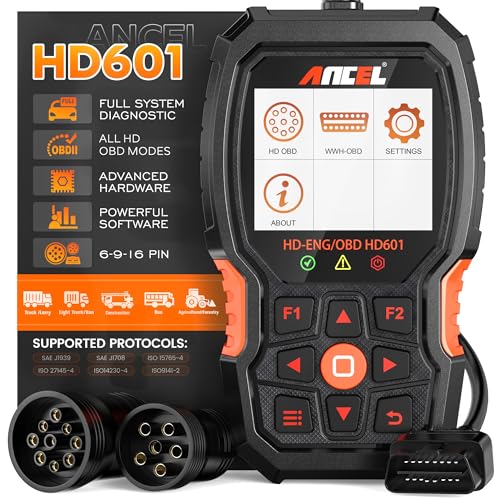
- 【Extensive Compatibility】HD601 heavy duty truck scanner supports 12V & 24V commercial vehicles and all major truck models that comply with standard protocols (SAE J1939, SAE J1708, ISO 14230-4, ISO 15765-4 and ISO 9141-2, ISO 27145-4 and Euro6). Fits for Cummins, Paccar, Detroit, Caterpillar, Freightliner, International, Peterbilt, Ford Heavy Truck, Class 4-Class 8 trucks, etc. It also supports engine diagnosis on most cars, minivans, light trucks and pickups
- 【 Full System Diagnostic】HD601 Diesel Scanner supports all system scans of heavy trucks compliant with standard protocols SAE J1939 & J1708, such as Engine, ABS, Transmission, Braking System, ESP, EPS, Fuel System, etc, It is a great scan tool for Cummins, Caterpillar, Detroit, Caterpillar, Maxxforce, Bendix,Wabash, Wabaco, Haldex, Allison, Eaton heavy trucks, With this truck tool, you can get deep analysis data about the system and do some repairs by yourself, saving much time and money. Note: Only heavy truck vehicles that comply with the above protocol can diagnose the entire system
- 【Enhanced Diesel OBD Scanner】The HD601 Diesel OBD Scanner offers unparalleled diagnostic capabilities for heavy-duty trucks. Beyond code reading, clearing, and live data display, it retrieves vehicle information, freeze frames, and DTCs. With 6, 9, and 16 pin cables, it ensures compatibility with various engines. This scanner's real-world testing prowess ensures comprehensive support for a wide array of heavy-duty truck engines, making it an indispensable tool for truck diagnostics
- 【DTC Library】+【Life Time Free Update】The built-in DTC library allows you to retrieve the codes directly without searching for the definition in the book. Whether you are a professional mechanic or a DIY car owner, HD601 diesel scanner explains the existing problem, makes it easier for you to understand code definitions and helps you locate vehicle faults. Note: This device cannot directly solve the fault. Plus, you get a lifetime free internet updates, so you always have the latest software for diagnostics in English and Spanish languages.
- 【Friendly Design, Easy of Use】This scanner is plug and play, simple and convenient, and very friendly for beginners. With improved buttons for easy menu navigation. The excellent 2.8 inch LCD color screen makes it easy to view the displayed results and gives you a better overview of your car's problem areas and the identified codes. In addition, the processor is super-fast and responds without lagging, providing maximum comfort and efficiency in diagnostic and service work
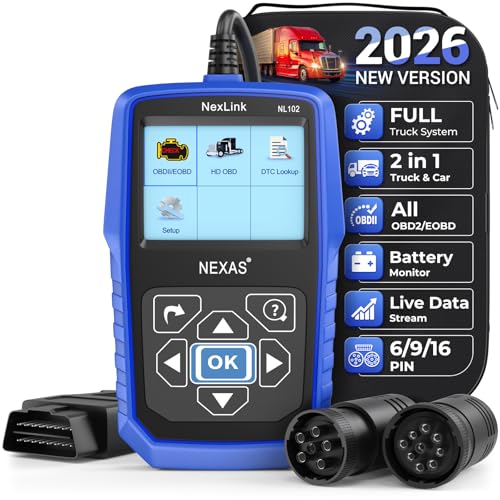
- Why NEXAS NL102 Truck Scan Tool? The NL102 outshines other truck scanner with its extensive diagnostic features. It offers full system diagnostics for major trucks meeting standard protocols, along with complete OBD2 functionality. Beyond read fault codes, clear codes and live data display, it enables vehicle info retrieval, freeze frame capture, and DTC lookup. Equipped with 6-pin, 9-pin, 16-pin connectors, it ensures broad truck compatibility. Plus, enjoy lifetime free updates in English, Spanish, and French, keeping your diagnostic scanner software current.
- Wide Compatibility - Friendly Reminder: To avoid compatibility issues, please confirm with us via Amazon Messages before purchasing. This heavy duty truck scanner is compatible with all heavy-duty trucks and semi that adhere to standard protocols (J1587, J1939, J1708). It covers a wide range of vehicle models, including Cummins, Detroit, Caterpillar, Freightliner, International, Kenworth, John Deere, Peterbilt, Sterling, Mack, Paccar, Western Star, Mercedes-Benz, Volvo, Scania, MAN, Renault, ERF, Foden, Seddon-Atkinson, Iveco, DAF, SISU, STEYR, ISUZU etc. Equipped with 6-pin, 9-pin, and 16-pin connectors for versatile device compatibility, ensuring stable plug-and-play connections.
- Save Hundreds of Money for All Heavy Duty Trucks – This diesel diagnostic scanner supports accurate full-system scans for all heavy-duty trucks that comply with standard protocols (J1587, J1939, and J1708). It can read and clear trouble codes across a range of vehicle systems, including the engine, transmission, instrument panel, drivetrain, brake system, suspension, ABS, ESP, EPS, fuel system, etc. The truck scanner communicates directly with your truck's computer to provide real-time data stream analysis, letting you pinpoint issues with precision. This cuts down on waste from unnecessary part replacements, saving you time and hundreds or even thousands of dollars.
- All OBD2 Functions + Battery Health Monitoring – Unlike many obd2 scanners on the market that only cover partial OBD2 features, ours gives you full OBD2 capability: read & clear codes, live data, freeze frame data, I/M readiness checks, EVAP tests, on-board monitor, O2 sensor tests, vehicle info, and DTC lookup. That means more detailed insights for pros and DIYers alike. The NL102 isn't just a code scanner – it's a battery saver. Regularly check your car's battery health, and catch issues before it dies completely. No more unexpected no-starts in the driveway or on the road. It diagnoses battery condition accurately, helping you avoid costly last-minute repairs.
- Plug and Play & One-click for DTC: NEXAS diesel scanner is user-friendly. It comes with an intuitive screen and easy-to-understand interface, making it accessible even for non-professionals to get started. And the built-in DTC library in the code reader allows you to directly retrieve codes without searching for definitions in books, making it easier to understand the code definitions and solve problems more quickly.
This product presentation was made with AAWP plugin.
Last update on 2026-05-12 / Affiliate links / Images from Amazon Product Advertising API