
NHTSA ID Number: 10068729
Manufacturer Communication Number: 2033782/2
TSB/Document Date: 2016-06-02
Summary
SUMMARY TO BE PROVIDED ON A FUTURE DATE.
Technical Service Bulletin
96 False warning by lane change assistant (Audi Side Assist)
96 13 75 2033782/2 September 23, 2013. Supersedes Technical Service Bulletin Group 96 number 13-62 dated
May 28, 2013 for reasons listed below.
Model(s)
Year
VIN Range
Vehicle-Specific Equipment
allroad
2013
All
Not Applicable
Condition
REVISION HISTORY
Revision
Date
Purpose
2
-
Revised header data (Added customer code)
Revised Service (Removed VAS-PC instructions; updated SVM update
instructions)
Revised Warranty (Added labor operations)
1
5/28/2013
Initial publication
• Customer complains that Audi Side Assist is providing false warnings (no vehicle is present in the blind spot).
The concern may or may not be duplicated.
• No DTCs are present in the Audi Side Assist system.
• The mounting brackets for the control units may be loose or broken.
Technical Background
• An incorrect hardware or software set created by the supplier.
• The mounting bracket for the control units becomes loose over time.
Production Solution
Improved hardware and software introduced into production.
© 2013 Audi of America, Inc.
Page 1 of 8
All rights reserved. Information contained in this document is based on the latest information available at the time of printing and is subject to the copyright and other intellectual property rights of
Audi of America, Inc., its affiliated companies and its licensors. All rights are reserved to make changes at any time without notice. No part of this document may be reproduced, stored in a retrieval
system, or transmitted in any form or by any means, electronic, mechanical, photocopying, recording, or otherwise, nor may these materials be modified or reposted to other sites, without the prior
expressed written permission of the publisher.
Technical Service Bulletin
Service
This TSB applies only to the A4 allroad. This information does not apply to A4/S4 sedans & A5/S5/RS 5 coupe
vehicles. Please reference TSB 2030583 for A4/S4 sedans & A5/S5/RS 5 coupe vehicles.
1. Use the Control Module ODB function within ODIS to determine the hardware version, the production date,
and the software part number of both the lane change assistance control module, J769, and the lane change
assistance control module 2, J770:
Using ODIS:
• Start Diagnosis -> Fill out Engine Information from
drop down menu -> Uncheck option for “Guided
Fault Finding” --> Select Tab “Control module list” -> Scroll down list to “3C Lane Change Assistant”
(ECU option will be greyed out) -> Right click on
“3C Lane Change Assistant” and select “Identify
control module” (Figure 1).
Wait for the information to populate. This usually takes
5-10 seconds.
Figure 1. 3C Lane Change Assistant is greyed out
until “Identify control module” is selected.
• Once the information has populated, right-click on
“3C Lane Change Assistant” and select “Control
Module ODB” (Figure 2).
Wait for the Control module OBD Results tab to
populate the ECU information.
Figure 2. Control module OBD option is available
after “Identify control module” completes.
© 2013 Audi of America, Inc.
Page 2 of 8
All rights reserved. Information contained in this document is based on the latest information available at the time of printing and is subject to the copyright and other intellectual property rights of
Audi of America, Inc., its affiliated companies and its licensors. All rights are reserved to make changes at any time without notice. No part of this document may be reproduced, stored in a retrieval
system, or transmitted in any form or by any means, electronic, mechanical, photocopying, recording, or otherwise, nor may these materials be modified or reposted to other sites, without the prior
expressed written permission of the publisher.
Technical Service Bulletin
• Under the Results tab, click on the button “Show Advanced Identification” (Figure 3), and then select the
“Update” button on the right.
Figure 3. Control Module OBD screen showing part information and production date.
The part number, hardware version, and software version information will automatically populate at the top of
the screen
• Click on the “SWA MasterH0X” at the top and then scroll down in the lower half of the screen until you get
to the “Production date” field (“X” can be any number, i.e. “SWA MasterH02” and will represent the
hardware version of the ECU).
2. Using the software part numbers first, then the hardware version, find the matching information on the left side
of the table below, and proceed with the corresponding instructions on the right side. Only one set of
instructions will apply.
© 2013 Audi of America, Inc.
Page 3 of 8
All rights reserved. Information contained in this document is based on the latest information available at the time of printing and is subject to the copyright and other intellectual property rights of
Audi of America, Inc., its affiliated companies and its licensors. All rights are reserved to make changes at any time without notice. No part of this document may be reproduced, stored in a retrieval
system, or transmitted in any form or by any means, electronic, mechanical, photocopying, recording, or otherwise, nor may these materials be modified or reposted to other sites, without the prior
expressed written permission of the publisher.
Technical Service Bulletin
• Software part numbers are 8T0 907 566 A (J769)
and 8T0 907 568 A (J770).
1. Replace only the control unit which has the early
build date.
• Both control units have hardware version H16.
2. Perform SVM code 3CA010 according to the table
below. Only a new parameterization will be given.
No major software update is performed.
• One or both control units have a build date before
03/02/2012.
• Software part numbers are 8T0 907 566 A (J769)
and 8T0 907 568 A (J770).
• Both control units have hardware version H16.
3. Proceed to step 3, below.
1. Perform SVM code 3CA010 according to the table
below. Only a new parameterization will be given.
No major software update is performed.
2. Proceed to step 3, below.
• Both control units have a build date after
03/02/2012.
• Software part numbers are 8T0 907 566 A (J769)
and 8T0 907 568 A (J770).
1. Perform SVM code 3CA010 according to the table
below. Only a new parameterization will be given.
No major software update is performed.
• Both control units have a hardware version H17 or
2. Proceed to step 3, below.
higher.
• Software part numbers are 8T0 907 566 B (J769)
and 8T0 907 568 B (J770) with SW version 0060.
1. Perform SVM code 3CA010 according to the table
at the end of this section.
2. Proceed to step 3, below.
3. Perform a visual inspection of the plastic mounting
brackets for the J769 and J770 control units. It is
possible the plastic weld has come loose or is broken
apart from the rear bumper cover (Figure 5).
Figure 5. Bumper bracket weld locations with broken
welds.
© 2013 Audi of America, Inc.
Page 4 of 8
All rights reserved. Information contained in this document is based on the latest information available at the time of printing and is subject to the copyright and other intellectual property rights of
Audi of America, Inc., its affiliated companies and its licensors. All rights are reserved to make changes at any time without notice. No part of this document may be reproduced, stored in a retrieval
system, or transmitted in any form or by any means, electronic, mechanical, photocopying, recording, or otherwise, nor may these materials be modified or reposted to other sites, without the prior
expressed written permission of the publisher.
Technical Service Bulletin
4. Replace the rear bumper cover assembly if the
bracket is loose (Figure 6).
Figure 6. Loose bracket.
5. Replace the rear bumper cover assembly if the
bracket is broken (Figure 7).
Figure 7. Broken bracket.
6. Recalibrate the Audi Side Assist system, regardless of whether or not the bumper cover is replaced.
© 2013 Audi of America, Inc.
Page 5 of 8
All rights reserved. Information contained in this document is based on the latest information available at the time of printing and is subject to the copyright and other intellectual property rights of
Audi of America, Inc., its affiliated companies and its licensors. All rights are reserved to make changes at any time without notice. No part of this document may be reproduced, stored in a retrieval
system, or transmitted in any form or by any means, electronic, mechanical, photocopying, recording, or otherwise, nor may these materials be modified or reposted to other sites, without the prior
expressed written permission of the publisher.
Technical Service Bulletin
SVM Update Instructions
1. Follow all instructions in the attached TSB, 2011732: 00 Software Version Management (SVM), operating
instructions.
2. Update the parameterization of the master lane change assistance control module, J769, using the SVM action
code as listed in the table below if necessary.
Old Software
Part Number
Old Software
Version
New Software Part
Number
New Software
Version
8T0 907 566 A
40
8T0 907 566 A
40
8T0 907 566 B
60
8T0 907 566 B
71
Model
A4 allroad
SVM Code
3CA010
Tip: The SVM code provided is specific to the A4 allroad, and it will not work for any other vehicles. Because
this SVM version only provides a new parameterization, the software version does not change.
Warranty
Claim Type:
Use applicable claim type. If vehicle is outside any warranty, this Technical
Service Bulletin is informational only.
Service Number:
9635
Damage Code:
0040
Labor Operations:
Inspect control unit mounting bracket
6369 9999
10 TU
Check ECU Identification Information
9635 9999
25 TU
Inspect control unit mounting bracket
6369 9999
10 TU
Rear bumper cover remove+reinstall
6369 1912
90 TU
Check ECU Identification Information
9635 9999
25 TU
Remove and install 1 control unit for lane
changing assistant
9635 1950
10 TU
Adjust control units for lane changing assistant
9635 1500
70 TU
Inspect control unit mounting bracket
6369 9999
10 TU
Rear bumper cover remove+reinstall
6369 1912
90 TU
OR
OR
© 2013 Audi of America, Inc.
Page 6 of 8
All rights reserved. Information contained in this document is based on the latest information available at the time of printing and is subject to the copyright and other intellectual property rights of
Audi of America, Inc., its affiliated companies and its licensors. All rights are reserved to make changes at any time without notice. No part of this document may be reproduced, stored in a retrieval
system, or transmitted in any form or by any means, electronic, mechanical, photocopying, recording, or otherwise, nor may these materials be modified or reposted to other sites, without the prior
expressed written permission of the publisher.
Technical Service Bulletin
Check ECU Identification Information
9635 9999
25 TU
Remove and install 2 control units for lane
changing assistant
9635 2050
20 TU
Adjust control units for lane changing assistant
9635 1500
70 TU
Inspect control unit mounting bracket
6369 9999
10 TU
Rear bumper cover remove+reinstall
6369 1912
90 TU
Rear bumper cover replace (allroad)
6369 5562
40 TU
Check ECU Identification Information
9635 9999
25 TU
Remove and install 1 control unit for lane
changing assistant
9635 1950
10 TU
Adjust control units for lane changing assistant
9635 1500
70 TU
Rear bumper cover remove+reinstall
6369 1912
90 TU
Check ECU Identification Information
9635 9999
25 TU
Rear bumper cover replace (allroad)
6369 5562
40 TU
Remove and install 2 control units for lane
changing assistant
9635 2050
20 TU
Adjust control units for lane changing assistant
9635 1500
70 TU
GFF
0150 0000
Time
stated on
diagnostic
protocol
(Max 150
TU)
Road test prior to service procedure
0121 0002
10 TU
Road test after service procedure
0121 0004
10 TU
OR
OR
Diagnostic Time:
Technical diagnosis at dealer’s discretion
(Refer to Section 2.2.1.2 and Audi Warranty Online for DADP allowance
details)
Claim Comment:
© 2013 Audi of America, Inc.
As per TSB #2033782/2
Page 7 of 8
All rights reserved. Information contained in this document is based on the latest information available at the time of printing and is subject to the copyright and other intellectual property rights of
Audi of America, Inc., its affiliated companies and its licensors. All rights are reserved to make changes at any time without notice. No part of this document may be reproduced, stored in a retrieval
system, or transmitted in any form or by any means, electronic, mechanical, photocopying, recording, or otherwise, nor may these materials be modified or reposted to other sites, without the prior
expressed written permission of the publisher.
Technical Service Bulletin
All warranty claims submitted for payment must be in accordance with the Audi Warranty Policies and Procedures
Manual. Claims are subject to review or audit by Audi Warranty.
Required Parts and Tools
Part Number
Part Description
Quantity
8T0907566A
Control unit for lane change assist (MASTER)
As needed
8T0907568A
Control unit for lane change assist (SLAVE)
As needed
8K9807434A XXX
Spoiler (rear bumper)
As needed
8K9807511F GRU
Cover for bumper (rear upper)
As needed
Additional Information
All parts and service references provided in this TSB (2033782) are subject to change and/or removal. Always
check with your Parts Department and service manuals for the latest information.
© 2013 Audi of America, Inc.
Page 8 of 8
All rights reserved. Information contained in this document is based on the latest information available at the time of printing and is subject to the copyright and other intellectual property rights of
Audi of America, Inc., its affiliated companies and its licensors. All rights are reserved to make changes at any time without notice. No part of this document may be reproduced, stored in a retrieval
system, or transmitted in any form or by any means, electronic, mechanical, photocopying, recording, or otherwise, nor may these materials be modified or reposted to other sites, without the prior
expressed written permission of the publisher.

- 💯【Conta.ct us for Support Directly】If you met any...
- 🔥🔥🔥【2026 AUTEL FLAGSHIP MK900BT MK900-BT, NEW...
- 🚗【3000+ ACTIVE TESTS (50➡3000+), SAME AS MS...
- 🚗【40+ HOT SERVICES FOR 150 MAKES (28+➡40+)】Full...
- 🚗【OE ALL SYSTEM DIAGNOSE, AUTO SCAN 2.0: SCAN LICENSE...


- 【TURN OFF CEL】 This AL319 car scanner diagnostic tool...
- 【EXTENSIVE APPLICATION】 Autel AL319 Compatible with...
- 【FOR END USER & DIYERS】 This error code reader AL319 is...
- 【USER-FRIENDLY DESIGN】 This OBD2 scanner and check...
- 【HIGH-QUALITY SERVICES】 12 months war.ranty from the...
This product presentation was made with AAWP plugin.
If the PDF is very large, it may not load in the preview below.
Some older TSBs had multiple PDFs — visit the NHTSA Website to view all PDFs.
If the TSB PDF does not show, download or view it on the NHTSA Website.
Click on the (+) Plus Sign
Then Click on Associated Document(s)
Search NHTSA Database for Recalls
Search NHTSA Database for Vehicle Investigations
View Latest Vehicle Investigations
Search NHTSA Database for Vehicle Complaints
View Latest Vehicle Complaints
TSB/Document ID: 2033782/2
Replacement Service Bulletin Number:
MFR Communication Date: 2013-09-23
MFR Internal Campaign ID/Software Version:
Communication Type: Service Bulletin/Repair Instructions
NHTSA Components: EQUIPMENT
MFR Component System:
MFR Component Subsystem:
Previous TSB | Next TSB |

- Scanner POR V2.0 with all obd2 services
- Do the scanning for engine
- Support OBDII/EOBD Ten Modes of Operation

- 【Designed for Most Mercedes-Benz
 , Sprinter and Smart from 1996-2023】As every car model of Benz has its-owned specific car system and ECUs, not all models are equipped with a complete vehicle ECU, which may cause the scanner to be unable to perform all listed reset services on some models, or even completely incompatible. Like For Sprinter's newer models, it support diagnostic functions only, lacking support for specialized service functions.. So please tell us the car's VIN and required service before purchase for compatibility check. You may also refer to the instructions in the eighth image of the main product photos to perform your inquiry.
 - 【Up to 38 Reset Services】MB V3.0 2026 Version diagnostic tool performs Up to 38 maintenance services - Oil Rest , SAS, EPB, ETC, D-P-F, TPMS, ABS, Suspension, Air Conditioner, Head Lamp, Body Stability, Engine Control, Seat, Fuel Pump, Air-Filter, Engine Idle, Door, Im-mo-bilizer, Injector Coding, Transmission Control, Miscellaneous, Adblue, BMS, Cluth, Water Pump, NOxSensor, Rain/Light Sensor, Start/Stop, Radar/Camera, Cylinder Shutoff Test, Speed Limit Assist, Control Unit Reset, Oxygen Sensor, Seat Belt, Cruise Control System, Turbocharger, Crankshaft, Language Setting and etc. (Tips: Please update the software after receiving the product to obtain new service functions)
- 【OE-Level All System OBD2 Scanner】iCarsoft MB V3.0 (2026 Version) diagnostic scanner offers comprehensive OBDII services, allowing you to quickly scan all systems, including the Engine, ABS, SAS, SRS, TPMS, TCM, Fuel Pump System, ESP, EPB, EPS, Suspension, SCM, Adaptive Systems, and more. It supports functions such as reading and erasing codes, checking I/M readiness, viewing freeze frame data, performing O2 sensor tests, conducting on-board monitoring, testing the evap system, auto VIN retrieval, and reading both generic and specific codes, as well as DTCs and battery tests.
- 【Bidirectional Scan Tool】iCarsoft MB V3.0 (2026 Version) Bidirectional scanner supports activate or control a vehicle system or component, allows commanding cars’ modules and receiving info from the ECU to perform active tests on individual components, including EVAP/ABS Motor Pump/Windows/Sunroof and more, to pinpoint fault causes & resolve issues,and allows you to re-learn certain components after making repairs or replacement.
- 【Real Time Record & Graph View】iCarsoft MB V3.0 (2026 Version) can automatically record vehicle text history and identify vehicle information. Preserve real-time data information. View & Graph Live Data. Support Data Review and Print. Multi-language: English, German, Dutch, Spanish, French and so on. We promise to offer Lifetime updates (Lifetime free Update via PC), and confidence in products. We also provide 1 year warranty + extra lifetime hardware free repair if you need it in the future. We prioritize user experience & strive to meet your expectations. Please do feel free to reach out to us if you have any question or problem about the usage, our tech team will service you in time.
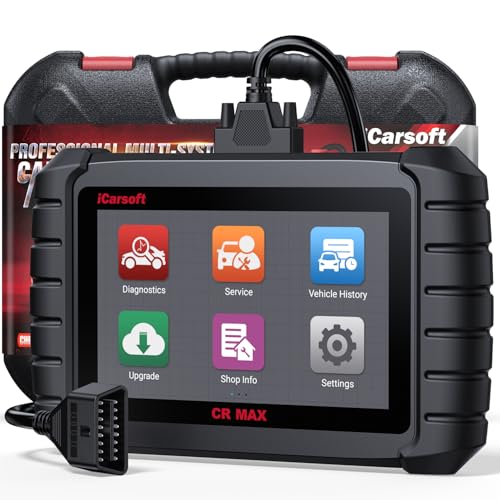
- WHY CHOOSE THE 2025 CR MAX -Upgrade the latest diagnostic capabilities for all vehicles after 1996: upgrade to 49+maintenance services; 46 extra specific functions; real all systems/all control modules diagnose; over 40K+ bidirectional actuation tests for diagnosing all control moduels of cars; Powerful full OBD2 Functions; built-in ECU Coding for BMW/ Audi/ VW/ RollsRoyce; Fr ee V.A.G Guide Function; Battery retistration for new battery adaptation and more. It covers all vehicle diagnostic services and some special professional vehicle maintenance servces, assists you to do home DIY vehicle maintenance or car repair as a pro technician.
- NEWEST IN INNOVATION FULL OBD2 SERVICES- iCarsoft auto car diagnostic scanner compatible with CAN-FD, CR MAX can do it all-reads and clears trouble codes, ALL SYSTEM DIAGNOSIS such as engine, transmission, ABS and airbag etc. CR MAX code reader for all cars can perform I/M Readiness, Live Data, Freeze Frame, Vehicle Information, Monitor Test, On-Board Monitor, E vap System Test,O2 Sensor Test,DTC Library Lookup,etc. (Warm Tips: If you car is after 2023,please contact us for compatibility; 3. It comes with 16PIN OBD2 diagnostic adapter, please check your car diagnostic socket if it is 16pin socket, if your car is 14pin diagnostic socket please contact us for the solution.)
- 49 RESET+ 46 SERVICES- Performs: Oil Reset, EPB,SAS,Throttle, D-P - F, Battery, ABS, Injector, TPMS, Suspension, AC, Head Lamp, Body Stablity, Engine, Tramsmission, Airbag, Seat, Door-Win-Roof, Fuel Pump, Door, E-G- R.+21 NEWEST SERVICES( Need update scanner)-AdBlue, Clutch, Crankshaft, High Voltage Battery, Cruise Control, NO xSensor, Rain Sensor, Stop And Start, Turbocharger, Head Up Display, Radar Camera, Vehicle Setup, Cyliner Misfire Check,Speedlimitassist, ControlUnitReset,OxygenSensor, Seatbelt. Extra 46+ extra services based on car brand.(Tips: Quantity of reset/ calibration fucitons are based on car system that your vehicle model has)
- REVOLUTIONARY 40000+BIDIRECTIONAL ACTIVE TESTS: Upgraded CR Max scanner equip with numberous of actuational test items for covering all available vehicle control modules, no longer only do simple light test or window test like other scanners, performs hardware modules test and software control modules test for checking car units or new updated control moduels work well or not after maintenance/ repair/ re-installation/ control system updated (Example for Benz- Roller Sun Blind test; Backup Camera test ;Self-test; EPB test; Transport Mode test;Boost Pressure Positioner test; Fuel Pump test; AND MORE!!).(Warm tip: The available test items are based on control modules your car has)
- ECU CODING+ BATTERY REGISTRATION- Powerful ECU Coding service for BMW/MINI/RollsRoyce / Audi/VW/Seat/Skoda/Bentley/Bugatti/Lamborghini, Improves Engine Power Performance and Optimizes Fuel Efficiency and Match New Hardware Unit to car and Customized a comfortable Driving Modes and Fixes & Updates Original Software Bug. The battery test function for checking car battery health, perform battery reset (BMS ) for replacing a damaged or aging car battery with a new one and register new battery to car ECU
This product presentation was made with AAWP plugin.
Last update on 2026-06-08 / Affiliate links / Images from Amazon Product Advertising API