
NHTSA ID Number: 10068727
Manufacturer Communication Number: 2029384/3
TSB/Document Date: 2016-06-02
Summary
SUMMARY TO BE PROVIDED ON A FUTURE DATE.
Technical Service Bulletin
96 Garage door opener intermittently loses programming
96 13 68 2029384/3 July 12, 2013. Supersedes Technical Service Bulletin Group 96 number 13-64 dated June
20, 2013 for reasons listed below.
Model(s)
Year
A4
2009-2013
A5 / A5 Cab
2008-2013
A6 (C6)
2009-2011
A6/A7 (C6)
2011-2013
A8 (D4)
2011-2013
TT
2007-2013
R8
2007-2013
Audi Q5
Q5
2009-2013
Audi Q7
2009-2013
VIN Range
Vehicle-Specific Equipment
All
Not Applicable
Condition
REVISION HISTORY
Revision
Date
Purpose
3
-
Revised Service (added service steps)
2
6/20/2013
Revised Condition (clarified complaint)
Revised Production Solution (updated to reflect current solution)
Revised Service (added service steps; added images)
Revised Warranty (added warranty table)
Revised Required Parts and Tools (added parts table)
1
4/27/2012
Initial publication
Page 1 of 7 plus attachment
© 2013 Audi of America, Inc.
All rights reserved. Information contained in this document is based on the latest information available at the time of printing and is subject to the copyright and other intellectual property rights of Audi of
America, Inc., its affiliated companies and its licensors. All rights are reserved to make changes at any time without notice. No part of this document may be reproduced, stored in a retrieval system, or
transmitted in any form or by any means, electronic, mechanical, photocopying, recording, or otherwise, nor may these materials be modified or reposted to other sites, without the prior expressed written
permission of the publisher.
Technical Service Bulletin
The customer is able to program one or more of the Homelink buttons using their garage door remote, but
after a few days or weeks, one or more of the programmed Homelink buttons no longer functions.
The LED on the Homelink button that is no longer functioning now flashes slowly, indicating that no
programming is stored.
The customer’s transmitter operates at 295Mhz.
No DTCs are stored in any control units.
At the workshop, the Homelink system can be programmed to the workshop garage door successfully. No
trouble is found.
Technical Background
The garage door opener control module, J530, was designed with an operational frequency range in which the
295Mhz frequency works correctly during the initial programming of the system. Over time, the transmitting
frequency can drift out of range (especially in warmer climates), causing the system to lose its programming.
Production Solution
Optimized design and introduced into series production.
Service
Ensure that this TSB is applicable
1. Read and follow the attached TSB, 2019260: 96 Garage door opener cannot be programmed to HomeLink
system.
2. Confirm that there are no issues with the programming steps, and verify that the transmitter is being
programmed correctly.
3. Ensure that there are no additional TSBs related to Homelink that apply to the vehicle (for example, TSB
2026599: 96 Garage door opener cannot be programmed to Homelink, which applies to 2011 - 2012 C7 and
D4 vehicles).
Identify the operating frequency of the remote
1. Identify the operating frequency of the original remote that the customer used to program the Homelink
system. The operating frequency can be identified in a number of ways:
Page 2 of 7 plus attachment
© 2013 Audi of America, Inc.
All rights reserved. Information contained in this document is based on the latest information available at the time of printing and is subject to the copyright and other intellectual property rights of Audi of
America, Inc., its affiliated companies and its licensors. All rights are reserved to make changes at any time without notice. No part of this document may be reproduced, stored in a retrieval system, or
transmitted in any form or by any means, electronic, mechanical, photocopying, recording, or otherwise, nor may these materials be modified or reposted to other sites, without the prior expressed written
permission of the publisher.
Technical Service Bulletin
Model number (Figure 1 and Figure 2)
Figure 1. Sentex Transmitter (back view) with model
number KR295, where “295” denotes the operational
frequency.
Figure 2. Stingray Transmitter (back view) with model
number 295SEPC1K, where “295” denotes the
operational frequency.
Page 3 of 7 plus attachment
© 2013 Audi of America, Inc.
All rights reserved. Information contained in this document is based on the latest information available at the time of printing and is subject to the copyright and other intellectual property rights of Audi of
America, Inc., its affiliated companies and its licensors. All rights are reserved to make changes at any time without notice. No part of this document may be reproduced, stored in a retrieval system, or
transmitted in any form or by any means, electronic, mechanical, photocopying, recording, or otherwise, nor may these materials be modified or reposted to other sites, without the prior expressed written
permission of the publisher.
Technical Service Bulletin
FCC ID (Figure 3)
Figure 3. FCC ID is listed as “SU7295SEPC1K”, where
“295” indicates the transmitting frequency.
Circuit board component identification (Figure 4)
Figure 4. Circuit board component with stamped
frequency of “315”, indicating the transmitting
frequency. This unit is not affected by this condition
because it operates at 315Mhz.
2. If the transmitting frequency is found to be 295Mhz, the garage door opener control module needs to be
replaced. Follow the steps below.
If the transmitting frequency is not found to be 295Mhz, this TSB does not apply. Continue analysis on the
issue.
Page 4 of 7 plus attachment
© 2013 Audi of America, Inc.
All rights reserved. Information contained in this document is based on the latest information available at the time of printing and is subject to the copyright and other intellectual property rights of Audi of
America, Inc., its affiliated companies and its licensors. All rights are reserved to make changes at any time without notice. No part of this document may be reproduced, stored in a retrieval system, or
transmitted in any form or by any means, electronic, mechanical, photocopying, recording, or otherwise, nor may these materials be modified or reposted to other sites, without the prior expressed written
permission of the publisher.
Technical Service Bulletin
Verify original control module TGS level; replace the control module if needed
1. Check the TGS level of the currently installed
part (Figure 5):
For part number 8K0907410C: if the TGS
level is 06S or higher, do not replace the
part. This TSB does not apply.
For part number 4G0907410A: if the TGS
level is 03S or higher, do not replace the
part. This TSB does not apply.
If the TGS level is lower than the values
stated above, proceed to step 2, below.
Figure 5. Locating the TGS level on the part label. This
example shows part number 8K0907410C, with TGS level
06S.
2. Ensure that the Parts Manager uses the ETKA FI Search to find the correct part number, as there are multiple
service part numbers available. The required service part number may vary based on vehicle build date, and
it may be different than the original part number taken from the vehicle.
3. Confirm that the new service part has the appropriate TGS level:
If the vehicle requires part number 8K0907410C, the improved part will have a TGS level of 06S or higher.
If the vehicle requires part number 4G0907410A, the improved part will have a TGS level of 03S or higher.
If the TGS level is lower than expected, reorder the part. If an older part is sent again, contact the Technical
Assistance Center to obtain an updated part.
4. Replace the garage door opener control module, J530, using the instructions in ElsaWeb: Repair
Manual>>Electrical System>>Electrical Equipment>>96 Interior Lights, Switches>>Removal and
Installation>>Roof Trim Lamps and Switches>>Garage Door Opener Control Module –J530-.
5. Program the customer’s remote to the Homelink system by using the instructions in the owner’s manual.
Page 5 of 7 plus attachment
© 2013 Audi of America, Inc.
All rights reserved. Information contained in this document is based on the latest information available at the time of printing and is subject to the copyright and other intellectual property rights of Audi of
America, Inc., its affiliated companies and its licensors. All rights are reserved to make changes at any time without notice. No part of this document may be reproduced, stored in a retrieval system, or
transmitted in any form or by any means, electronic, mechanical, photocopying, recording, or otherwise, nor may these materials be modified or reposted to other sites, without the prior expressed written
permission of the publisher.
Technical Service Bulletin
Warranty
Claim Type:
Use applicable claim type. If vehicle is outside any warranty, this Technical
Service Bulletin is informational only.
Service Number:
9679
Damage Code:
0040
Labor Operation:
For All Models:
ECM Homelink garage
opener remove+reinstall
9679 1950
XX TU (See Elsa)
6329 1900
XX TU (See Elsa)
Program Homelink
system
9679 9999
10 TU
GFF
0150 0000
Time stated on diagnostic
protocol (Max 30 TU)
Road test prior to service
procedure
No allowance
0 TU
Road test after service
procedure
No allowance
0 TU
And, only if applicable:
Front bumper cover
remove+reinstall
And:
Diagnostic Time:
Technical diagnosis at dealer’s discretion
(Refer to Section 2.2.1.2 and Audi Warranty Online for DADP allowance details)
Claim Comment:
As per TSB #2029384/3
All warranty claims submitted for payment must be in accordance with the Audi Warranty Policies and Procedures
Manual. Claims are subject to review or audit by Audi Warranty.
Page 6 of 7 plus attachment
© 2013 Audi of America, Inc.
All rights reserved. Information contained in this document is based on the latest information available at the time of printing and is subject to the copyright and other intellectual property rights of Audi of
America, Inc., its affiliated companies and its licensors. All rights are reserved to make changes at any time without notice. No part of this document may be reproduced, stored in a retrieval system, or
transmitted in any form or by any means, electronic, mechanical, photocopying, recording, or otherwise, nor may these materials be modified or reposted to other sites, without the prior expressed written
permission of the publisher.
Technical Service Bulletin
Required Parts and Tools
Part Number
Part Description
Quantity
4G0907410A
Control unit for radio controlled garage door opener
As needed (See ETKA)
8K0907410C
Control unit for radio controlled garage door opener
As needed (See ETKA)
Additional Information
All parts and service references provided in this TSB (2029384) are subject to change and/or removal. Always
check with your Parts Department and service manuals for the latest information.
Page 7 of 7 plus attachment
© 2013 Audi of America, Inc.
All rights reserved. Information contained in this document is based on the latest information available at the time of printing and is subject to the copyright and other intellectual property rights of Audi of
America, Inc., its affiliated companies and its licensors. All rights are reserved to make changes at any time without notice. No part of this document may be reproduced, stored in a retrieval system, or
transmitted in any form or by any means, electronic, mechanical, photocopying, recording, or otherwise, nor may these materials be modified or reposted to other sites, without the prior expressed written
permission of the publisher.
Technical Service Bulletin
96 Garage door opener cannot be programmed to HomeLink system
Transaction No.: 2019260/7
Release date: Jun 11, 2012
Condition
REVISION HISTORY
Revision
Date
Purpose
7
-
Revised title, Technical Background, Service, and Additional Information
Revised header data (Added model year 2012 and 2013)
6
8/25/2010
Revised header data (Added model years)
5
8/14/2009
Revised header data (New customer codes)
4
6/8/2009
Revised header data (Added Q5)
3
3/31/2009
Revised header data
2
3/27/2009
Revised Technical Background
Revised Service
1
11/11/2008
Original publication
The customer may report that the handheld transmitter cannot be programmed to the Garage Door Opener Control Module J530.
Technical Background
The following issues have been identified as root causes of unsuccessful HomeLink® programming:
•
The customer’s HomeLink® system may not be compatible with J530.
•
The battery in the handheld transmitter may be too weak for a good signal.
The battery charge may be sufficient to operate the garage door opener, but not enough to program the remote transmitter to the vehicle
system.
•
A4 Model Years 2005 – 2006 and A3 Model Year 2009: The actual location of the garage door opener control module differs from the location
shown in the owner's manual (opposite side of front bumper).
•
The customer may misunderstand the programming procedure. In particular, if the customer’s HomeLink® system is using an alternate code.
•
The handheld transmitter’s programming function may become inoperative.
•
Interference prevents the communication between handheld transmitter and J530.
Tip: If the vehicle flashes during the programming of a handheld transmitter this does not necessarily indicate that the programming was
successful, only that the vehicle has recognized and saved a signal.
Production Solution
Not applicable.
Service
1. Ask the customer to visit www.homelink.com.
‒
The customer can verify that the HomeLink® system is compatible with the vehicle’s garage door opener by contacting Johnson
Controls’ Customer Service at www.homelink.com.
‒
Further information about HomeLink® programming issues can be found at www.homelink.com.
2. Ask the customer replace the battery in their handheld transmitter or to use another handheld transmitter.
3. If the HomeLink® system is using an alternate code, ask the customer to reset and resynchronize the HomeLink® system. This will allow the
receiver transmitter’s limited memory, which may be full, to be deleted. Information can be found in the owner’s manual of the customer’s
HomeLink® system.
4. Ask the customer to hold the button down or press the button frequently during the programming procedure. Some handheld transmitters
stop transmitting a signal after 10 seconds.
5. If the vehicle is an A4 Model Year 2005 – 2006 or A3 Model Year 2009: J530 is installed on the left front side and not on the right front side as
described in the owner’s manual. Inform the customer of the correct location of the garage door opener control module.
Warranty
This TSB is informational only and not applicable to any Audi warranty.
Additional Information
The following Technical Service Bulletin(s) offer additional information:
•
2029384 96 Garage door opener intermittently loses programming
•
2026599 96 Garage door opener cannot be programmed to Homelink - A8 (D4), A7, A6
All parts and service references provided in this TSB are subject to change and/or removal. Always check with your Parts Department and service
manuals for the latest information.
©2012 Audi of America, Inc. All rights reserved. Information contained in this document is based on the latest information available at the time of
printing and is subject to the copyright and other intellectual property rights of Audi of America, Inc., its affiliated companies and its licensors. All rights
are reserved to make changes at any time without notice. No part of this document may be reproduced, stored in a retrieval system, or transmitted
in any form or by any means, electronic, mechanical, photocopying, recording, or otherwise, nor may these materials be modified or reposted to
other sites without the prior expressed written permission of the publisher.

- 💯【Conta.ct us for Support Directly】If you met any...
- 🔥🔥🔥【2026 AUTEL FLAGSHIP MK900BT MK900-BT, NEW...
- 🚗【3000+ ACTIVE TESTS (50➡3000+), SAME AS MS...
- 🚗【40+ HOT SERVICES FOR 150 MAKES (28+➡40+)】Full...
- 🚗【OE ALL SYSTEM DIAGNOSE, AUTO SCAN 2.0: SCAN LICENSE...


- 【TURN OFF CEL】 This AL319 car scanner diagnostic tool...
- 【EXTENSIVE APPLICATION】 Autel AL319 Compatible with...
- 【FOR END USER & DIYERS】 This error code reader AL319 is...
- 【USER-FRIENDLY DESIGN】 This OBD2 scanner and check...
- 【HIGH-QUALITY SERVICES】 12 months war.ranty from the...
This product presentation was made with AAWP plugin.
If the PDF is very large, it may not load in the preview below.
Some older TSBs had multiple PDFs — visit the NHTSA Website to view all PDFs.
If the TSB PDF does not show, download or view it on the NHTSA Website.
Click on the (+) Plus Sign
Then Click on Associated Document(s)
Search NHTSA Database for Recalls
Search NHTSA Database for Vehicle Investigations
View Latest Vehicle Investigations
Search NHTSA Database for Vehicle Complaints
View Latest Vehicle Complaints
TSB/Document ID: 2029384/3
Replacement Service Bulletin Number:
MFR Communication Date: 2013-07-12
MFR Internal Campaign ID/Software Version:
Communication Type: Service Bulletin/Repair Instructions
NHTSA Components: EQUIPMENT
MFR Component System:
MFR Component Subsystem:
Previous TSB | Next TSB |
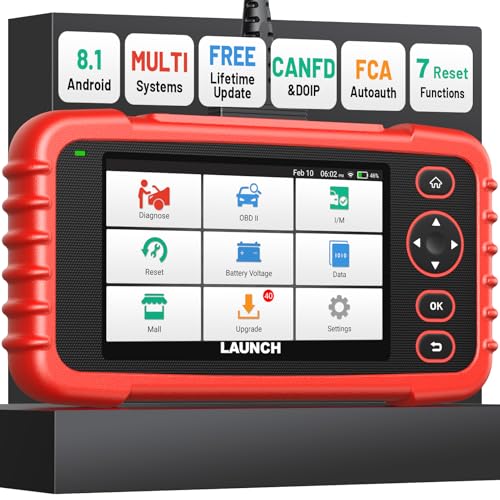
- [Newly Added in 2026: 7 Reset Functions] The 2026 new version of the OBD2 scanner diagnostic tool CRP123X V3.0 Elite has new special functions for F.REE: Throttle Ad.aptation, Oil/SAS/BMS/Brake Reset, D-P.F Re.generation and ABS Service. Before you visit a mechanic, launch obd2 Scanner CRP123X Elite can perform a more in-depth diagnosis of the car system and provide accurate data within minutes. What's more, the list of compatible models has been expanded. Upgrading frequency is regular, occurring monthly even weekly.
- 🔥[FCA AutoAuth + CAN FD & DoIP] As an upgraded version of the LAUNCH CRP123X/CRP129X, FOXWELL NT614, and ANCEL FX2000, The Newest LAUNCH CRP123X V3.0 auto diagnostic scanner supports the following new protocols: CAN-FD for 2020 and newer G.M and Chrysler
 models, as well as DoIP for V.olvo, Land Rover/Jaguar, and B.MW F/G chassis. With integrated AutoAuth, you can diagnose 2018 and newer FCA cars equipped with S.GW. Note: CAN-FD and DoIP protocols require an additional obd2 cable. *Menus vary by make, model, and year of gasoline or diesel engine vehicle. Email us your VIN data.
 - 🔥[No extra software fee. Works on 90 vehicle brands.] Most OBD2 scanners work with vehicles manufactured after 2001. However, the LUNCH OBD2 scanner is compatible with OBDII-equipped vehicles built after 1996 and works with more than 90 vehicle brands. One-click lifetime updates over WIFI 2.4&5.0Ghz keep the car software current and ensure constant coverage additions, diagnose vehicles from 1996 to 2026 with a massive global database. Android 8.1 ensures lightning-fast boot-up and processing.
- [Accurate & Intuitive Multi System Diagnosis] Will you be confused about what happens when the warning light of transmission, ABS, and SRS Airbag check engine flashes? Launch obd2 scanner diagnostic tool CRP123X V3.0 to pinpoint the problem components for a faster diagnosis for your car instead of taking your car to the dealership. Generate vehicle health reports with one click and share them via email over Wi-Fi to help avoid blind maintenance. And will turn off the warning light for you after fixing the problem, make to know more about your cars and do your own repair.
- [Multiple Display of Live Data + DTC Code Definition Explanation] Launch car tools show real-time data of oil temp, pressure, transmission temp, engine speed, coolant temperature, you will know which car part is abnormal. Data can be shown in a single, multi- graph, and merge two graphs for analysis(or 4-in-1 merged waveform graph),you can save, share, print, or email the overall inspection report for easier analysis.🔥Code Search,DTC Library provide massive information. Inbuilt “Feedback” module provides customized repair suggestions from our certified professionals.
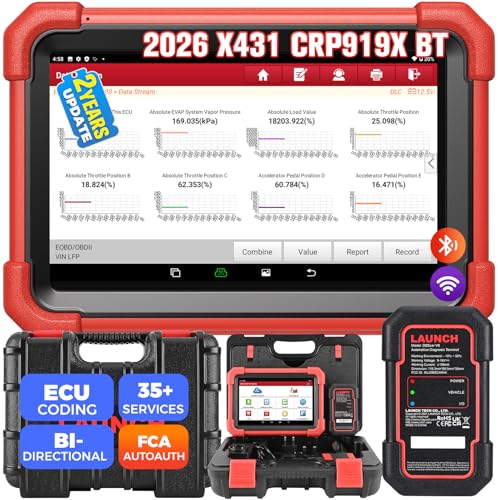
- 【2026 Most-cost-effective LAUNCH Scanner】 LAUNCH X431 CRP919XBT, upgraded from CRP919X, includes a VCI for wireless data transmission (3Mbps max). ✅HARDWARE: MTK's chip + doubled memory & battery capacity ensure 5X faster & smoother navigation than OBD2 scanner diagnostic tools in the same category. ✅SOFTWARE: Its productive features (same as LAUNCH X431 scanners), 99% car coverage, more-frequent software renewals, field-tested accurate database, are superior to most competitors on market.
- 【FCA AutoAuth + CANFD&DOIP】 LAUNCH X431 CRP919XBT uses a newly-developed wireless connector “DBSCar VII VCI” instead of a connection cable. You can be at workbench or any location around vehicle while running diagnostics. ✅With this VCI, this OBD2 scanner supports new protocols of tomorrow: CANFD for 2020-now GM&Chrysler Models; DoIP for Volvo, Land Rover/Jaguar, BMW F/G Chassis. ✅And with integrated AutoAuth, you can diagnose 2018+ FCA SGW-equipped cars without separate adapters.
- 【ECU Coding & 35+ Reset Services】 For just 500 bucks you’ll get fully-featured ECU coding & resets/relearns from LAUNCH X431 CRP919XBT. 👍Online Code for VW/Audi/Skoda/Ford/Lincoln/Mazda; 👍Open/close hidden functions; 👍Personalized modifications/changeover; 👍Shortcut to 35+ special functions like “Oil Reset/Brake Reset/Throttle Adaptation” etc., to quickly meet your daily repair needs. 🚩100+ more resets/relearns are under “car brand – system” waiting to explore.
- 【All Brands All System Scan】 With a market focus, LAUNCH X431 CRP919XBT boasts a complete filed-tested database for your deeper dive into car's health to handle more complex repairs. Back up by leading LAUNCH technology, you can do all system coding/scans/read&clear codes/bidirectional control/resets covering 99% cars, unlike many scanners for cars on market (x-tool) with fake advertisement claiming to “do it all” but in reality, they ONLY work for certain cars with limited services.
- 【Bi-directional Control】This LAUNCH bidirectional scan tool CRP919XBT allows technicians to command specific vehicle components (like solenoids, relays) to monitor real-time working status, without using the vehicle controls. Achieve fast, accurate diagnostics and take control like never before. Turn on the radiator fan, modulate the throttle, open or close windows, operate mirrors, Injector Buz Test, turn on interior and exterior lights, sound horn, etc.
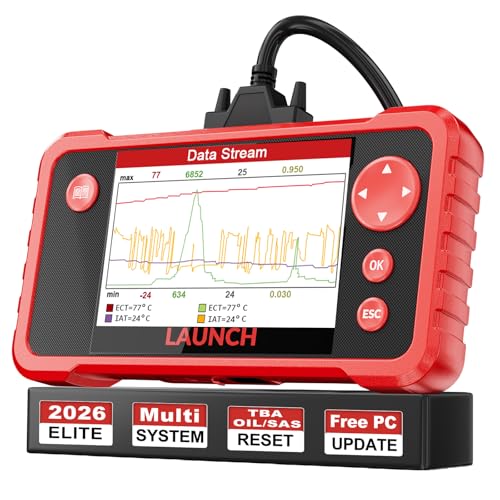
- 【Great Ideal For Every Car Owner】Prefect choice for your father, husband, brother or boyfriend. EVERY CAR OWNER WILL NEED IT! Also, the lifetime update is provided for more vehicle coverage, bug fixes. SAVE AT LEAST $1000+ PER YEAR!Get LAUNCH CRP123 V2.0 car diagnostic scanner and give your lover a surprise!*R each us to Get the Extra Gifts :Protective Case Storage Bag.
- 【Newly Added 3 Reset Functions】CRP123 V2.0 obd2 scanner with upgrades it offers Throttle Adaptation,Oil Reset and SAS Reset functions for FREE now!! Optimize your engine performance with Throttle Adaptation, reset your oil life system with ease to save time and money on maintenance, and enhance your vehicle's handling and safety with SAS Reset.Covering more daily repairs,become the most cost-effective product in its price range,save your time and money!
- 【 Read & Clear/Reset Engine/ABS/SRS/Transmission Diagnostic Scan Tool 】LAUNCH CRP123 V2.0 OBD2 Scanner can test Engine, Transmission, ABS and Airbag four systems, also reads and resets code, displays data stream graphic, stores and playbacks dynamic data stream,helps to quick analysis and diagnosis.
- 【 Error Fault Code Reader】Except the full 10 modes OBD2 diagnostic functions like, retrieving I/M readiness, Freeze Frame Data, Read Dynamic Data stream and Vehicle Information, O2 Sensor Test, EVAP Test of Fuel Tank System (Mode 8) and Advanced On-board Monitoring (Mode 6), launch crp123 v2.0 obd2 scanner can not only reveal what error codes your car is producing, but also erase your vehicle’s check engine light after problem fixed, the DTC help and explanation also tell you the exact problem.
- 【 Live Data Graphing + Read/Record/Playback Data stream + Print diagnostic data 】Live Data Graphing,more intuitive to know your vehicle’s problem.4 inches Screen Screen ;Print Function:Print the diagnose result easily; with user manual and register & update tutorial video uploaded in the link by us,you can Look up it anytime by ONE-CLICK.
This product presentation was made with AAWP plugin.
Last update on 2026-06-07 / Affiliate links / Images from Amazon Product Advertising API