
NHTSA ID Number: 10065771
Manufacturer Communication Number: MSA5P0135C
TSB/Document Date: 2016-05-19
Summary
SUMMARY TO BE PROVIDED ON A FUTURE DATE.
Technician
Reference
Booklet
ELECTRICAL SYSTEMS
OPERATION & DIAGNOSIS
Module 602
MSA5P0135C
June 2013
This Technical Reference Booklet (TRB) is designed to be used in a
classroom environment or as a guide for self study.
The TRB is not intended to be used as a supplement or substitute for the
Subaru Service Manual. Always consult the appropriate Service Manual when
performing any diagnostics, maintenance or repair to any Subaru vehicle.
© Copyright 2013
Subaru of America, Inc.
All rights reserved. This book may not be
reproduced in whole or in part without the
express permission of Subaru of America,
Inc. Specifications in this Guide are based
on the latest product information available at
the time of publication. Some images shown
are for illustration purposes only.
Subaru of America, Inc. reserves the right at
any time to make changes or modifications
to systems, procedures, descriptions, and
illustrations contained in this book without
necessarily updating this document.
Information contained herein is considered
current as of June 2013.
Product Material Disclosure
© 2013 Subaru of America, Inc. Printed in USA. All rights reserved. Contents may not be reproduced in whole or in part without prior
written permission of publisher. Specifications in this Guide are based on the latest product information available at the time of publication.
Some images shown are for illustration purposes only. Some equipment shown in photography within this Guide is optional at extra cost.
Specific options may be available only in combination with other options. Specific combinations of equipment or features may vary from
time to time, and by geographic area. Subaru of America, Inc. reserves the right to change or discontinue at any time, without notice:
Prices, colors, materials, equipment, accessories, specifications, models and packages, without incurring any obligation to make the same
or similar changes on vehicles previously sold. Colors shown may vary due to reproduction and printing processes. Subaru of America,
Inc. is not responsible for typographical errors. Alcantara® is a registered trademark of Alcantara S.p.A., and Alcantara is produced by
the Toray Group. Audyssey MultEQ® is a registered trademark of Audyssey Laboratories, Inc. BBS® is a registered trademark of BBS
Kraftahrzeugtechnik AG. Bilstein® is a registered trademark of August-Bilstein GmbH & Co. Bluetooth® is a registered trademark of
Bluetooth SIG, Inc. Brembo® is a registered trademark of Freni Brembo S.p.A. CS Auto, Circle Surround Automotive and WOW are
trademarks of SRS Labs, Inc. Ecsaine® is a registered trademark of Toray Industries, Inc. harman/kardon® is a registered trademark of
Harman International Industries, Inc. HD RadioTM is a trademark of iBiquity Digital Corporation. HomeLink® is a registered trademark of
Johnson Controls. iPod® is a registered trademark of Apple Inc. iTunes® is a registered trademark of Apple Inc. Metal-Matrix Diaphragm
(MMD®) is a registered trademark of Harman International Industries, Inc. MOMO® is a registered trademark of Momo S.p.A. Corporation.
SIRIUS® satellite radio is a registered trademark of SIRIUS Satellite Radio, Inc. Smart Way® is a registered trademark of the U.S.
Environmental Protection Agency. SRS(•)® Circle Surround Automotive and WOW are registered trademarks of SRS Labs, Inc. TomTom®
is a registered trademark of TomTom international. TORSEN LSD® is a registered trademark of JTEKT TORSEN North America, Inc. XM®
is a registered trademark of XM Satellite Radio, Inc. / XM NavTraffic® is a registered trademark of XM Satellite Radio, Inc. Added Security,
BRZ, EyeSight, Impreza, Forester, Lineartronic, Legacy, Outback, Subaru, SUBARU BOXER, Tribeca, and WRX, STI, and XV Crosstrek are
registered trademarks.
© Subaru of America, Inc. 2013
913-924
Electrical Systems Operation & Diagnosis Module
(602)
Table of Contents
Introduction................................................................................................... 8
LAN/CAN Introduction.................................................................................. 8
High Speed CAN Signal Construction................................................. 12
Outline of Data Frame................................................................................. 13
High Speed CAN Communication Circuit.................................................... 15
Can High Wire................................................................................... 16
Can Low Wire.................................................................................... 16
Open Circuit in Main Bus............................................................................ 17
Open Circuit in Branch Bus........................................................................ 18
Ground Short of CAN High Wire................................................................. 19
Ground Short of CAN low Wire................................................................... 20
Diagnostic Procedure using HS-CAN DTCs............................................... 21
CAN Bus B or KAC.......................................................................................... 22
Low Speed CAN............................................................................................... 23
Local Interconnect Network (LIN)...................................................... 24
Monitoring of Trouble in the System............................................................ 25
CAN Trouble Codes........................................................................... 25
Combination Meter...................................................................................... 27
Select Monitor............................................................................................. 28
BIU Customizing............................................................................................ 29
Body Integrated Unit Customizing .................................................... 30
(New Items)....................................................................................... 30
Keyless Access with Push Button Start System........................... 31
Normal Operation....................................................................................... 31
Vehicle Entry and Locking.......................................................................... 31
Ignition and Engine Start............................................................................ 37
Key Warning................................................................................................ 41
Wireless Communications.......................................................................... 42
Collation and Immobilizer........................................................................... 42
Headlights..................................................................................................... 43
Lighting Switch.................................................................................. 43
Headlight Operation.......................................................................... 43
4
June 2013
Electrical Systems Operation & Diagnosis Module
(602)
Immobilizer Type A....................................................................................... 45
System Construction................................................................................... 45
Key.............................................................................................................. 47
BIU.............................................................................................................. 47
Combination Meter or Engine Control Module.................................. 48
Registration Process......................................................................... 48
ECM Replacement...................................................................................... 50
2012 Impreza Immobilizer Type B............................................................. 52
Immobilizer System Registration................................................................. 56
Engine ECU Registration............................................................................ 58
Meter/SCU Registration.............................................................................. 59
The Registration Number Read.................................................................. 60
Immobilizer Key ID Deletion........................................................................ 60
Remote Control Engine Starter Registration............................................... 61
Keyless Entry............................................................................................... 64
How To Register the Transmitter................................................................. 65
Using the Subaru Select Monitor...................................................... 65
Security System.......................................................................................... 67
Remote Engine Start System (RES)........................................................ 69
Tachometer Idle Speed Programming......................................................... 69
Anti-Grind.......................................................................................... 75
Starter Motor Operation.................................................................... 76
Accessory Power Supply............................................................................ 77
RES Diagnostics........................................................................................... 78
2010 and Newer Legacy.............................................................................. 81
Other 2010MY and Newer Electrical Advancements..................... 82
Multi-Function-Display (MFD) (2014 Forester)................................... 83
Power Rear Gate (PRG) (2014 Forester)............................................... 87
Operation Mode.......................................................................................... 88
PRG Components and Operation..................................................... 89
PRG Auto Closer Parked............................................................................ 97
PRG Auto Closer Opening.......................................................................... 98
PRG Auto Closer Closing............................................................................ 98
Touch Sensors.......................................................................................... 101
“Memory Height” Learning Procedure....................................................... 103
5
June 2013
Electrical Systems Operation & Diagnosis Module
(602)
Electrical.................................................................................................... 105
2014 Combination Meter........................................................................... 110
Subaru Select Monitor III (SSMIII).............................................................110
Instrumentation/Driver Information.................................................. 115
Service Bulletins...................................................................................... 116
TechTIPS......................................................................................................... 118
6
June 2013
Electrical Systems Operation & Diagnosis Module
(602)
Supplemental Information................................................................... 123
Audio and Navigation Systems.............................................................. 123
Subaru Tribeca and Legacy Navigation System (2006)............................ 123
Navigation Components.................................................................. 123
Navigation Operation...................................................................... 125
Map Screen..................................................................................... 125
Tribeca Rear Entertainment System............................................... 126
Vehicle Information.......................................................................... 128
Legacy Audio System (2005-2009)........................................................... 129
Satellite Audio Controls............................................................................. 130
2008 Navigation Impreza.......................................................................... 131
Navigation Diagnosis (2008)........................................................... 133
2010 Navigation System............................................................................ 135
2012 Audio and Navigation....................................................................... 136
2013 Legacy/Outback............................................................................... 137
Combination Meters................................................................................. 138
(Legacy 2005)........................................................................................... 138
Subaru Tribeca Combination Meter.......................................................... 141
Combination Meter D Check........................................................... 141
2012 Impreza Combination Meter............................................................. 143
Rear Vision Camera................................................................................... 144
Supplemental Information for Keyless Entry
Registration of Newer Vehicles......................................................... 147
2012 to 2013 Impreza (Immobilizer Type B).............................................. 147
Registration of Keyless Transmitter with Subaru Select Monitor..... 147
BRZ Keyless Entry System {Mechanical Key}.......................................... 149
Key Registration........................................................................................ 149
To register a new keyless ID while keeping existing
registered codes.............................................................................. 149
BRZ with Keyless Access and Push Button Start (KAC)........................... 151
Key Registration (Additional key ID registration)............................. 151
Legacy and Outback Keyless Access and Push Button Start (KAC)........ 155
Key Registration (Additional key ID registration)............................. 155
7
June 2013
Electrical Systems Operation & Diagnosis Module
Introduction
(602)
This module will provide information and hands on experience that will provide you with an
understanding of Subaru Electrical System Operation and Diagnosis.
Classroom and lab participation is encouraged so that you may gain the experience needed to
repair Subaru electrical Systems on your first attempt correctly and in a timely manner.
LAN/CAN Introduction
LAN/CAN systems first appeared on the 2005 Legacy vehicles and were phased into new
generations of all existing models. Any new model introduced from 2005 was equipped with LAN/
CAN. The LAN (Local Area Network), a system where multiple computers are linked together with
a single pair of twisted wires, improves equipment operation and functions while reducing the
weight of the vehicle by eliminating a considerable amount of wiring harnesses. LAN (Bus) is a
type of computer network topology or wiring that connects all computers of a system or device.
6
LAN Topologies
LAN BUS configuration allows communications between computers to continue if one of the other
members of the LAN drops out or malfunctions.
The LAN operates using Controller Area Network (CAN) communications protocol. CAN
communications are frames of vehicle data that deliver and share all vehicle information among
the computers of the LAN. The frames of data are composed of binary code or 0s and 1s that are
coded and decoded by the LAN. The voltage values that represent the 0s and 1s varies depending
on the type of CAN. Two types of CAN will be reviewed in this section of the reference booklet,
the High speed and Low speed CAN. The first LAN/CAN system equipped on Subaru vehicles
was a combination of the High speed and Low speed CAN. As the years progressed a switch to
High speed CAN only was employed.
8
June 2013
Electrical Systems Operation & Diagnosis Module
(602)
A Controller Area Network (CAN) signal is composed of two separate pulses. One pulse is low
voltage changing to high voltage and one pulse is high voltage changing to low voltage. Each pulse
has its own wire. The two pulses are sent simultaneously from one control unit to all the other
control units on the Local Area Network (LAN). A control unit receiving the two pulses compares
the potential difference between them.
7
Potential Difference
Each control module has a transmitter and receiver, which enables bidirectional communication
among the control modules.
8
Bidirectional Communication
9
June 2013
Electrical Systems Operation & Diagnosis Module
(602)
The CAN wires are twisted together along the entire length of the LAN. This protects the integrity
of the CAN signal if an unintentional signal is created in the circuit from an overlying circuit that
induces a magnetic field into the CAN wires. This magnetic field will place noise or an unwanted
voltage signal into the CAN signal.
The polarity of the unwanted signal will usually be constant. Superimposed over the CAN signal
the noise will cancel itself out as the control units only view the potential difference between the
two wires. The more twists per meter a wire has the more it reduces noise.
9
Noise (ARTWORK)
CAN communications are designed to operate at different speed levels dependant on the operating
speeds of the components on different parts of the LAN. The power train side of the LAN operates
at 500 Kbps (500,000 bytes per second). The body side of the LAN operates at a slower rate of
125 Kbps (125,000 bytes per second). The individual sides of the LAN are referred to as bus. Any
references to the high speed bus are referencing to the power train side of the LAN and the low
speed bus is referring to the body side of the LAN. Communications between the high speed and
low speed bus sides of the LAN are not possible unless the data to be shared is adjusted to the
same rate of speed. This adjusting process is referred to as passing through the gateway. The
gateway function is accomplished by the Body Integrated Unit (BIU). Additional functions of the BIU
control and monitor body related electrical circuits such as the rear defogger and door switches.
Components of the high speed bus include the Engine ECM, Transmission Control Module,
ABS/VDC ECM and the Steering Angle Sensor (Vehicles with VDC). The number of control
modules on the CAN continue to increase. The most recent additions are the Keyless Access and
EyeSight™ Control Modules.
Components of the low speed bus include the Combination Meter and A/C Control Unit (Auto A/C).
The twisted wire connecting all components of the CAN to the BIU must maintain its twisted shape
to help with keeping out electrical interference. Repairs to the wire are allowed but the length of
the twisted wire cannot differ more than 3.94 inches (8 cm).
10
June 2013
Electrical Systems Operation & Diagnosis Module
Combination Meter
(602)
Clock
Speed meter, Tachometer
Clock, Fuel consumption
Warning lamp
Fuel gauge,
Coolant temp. gauge
Coolant
temp.
Engine
speed
ECM
Engine control
CAN
125kbps
Fuel level
Room lamp
Timer control
(Illumination,
Rear defogger,
Wiper deicer)
Shift SW
Rear fog light
CAN
500kbps
TCM
AT-EGI communication
Slope angle estimation
Belt warning
Door SW
Shift range
10.4kbps
Door lock
A/C
control
panel
Illumination
control
Audio & A/C
operation panel
Illumination control
Wheel rotation speed
Rear wiper
Vehicle speed
calculation
Body integrated
module
VDC/ABS
Keyless entry
control unit
Steering angle
sensor
SSM
10
LAN (ARTWORK)
Notes:
11
June 2013
Electrical Systems Operation & Diagnosis Module
High Speed CAN Signal Construction
(602)
When reviewing the service manual you will find references to High Speed CAN and Low Speed
CAN. Each of these has a CAN-High wire and a CAN-Low wire. The differences in operating speed
have already been discussed and now the construction of the two circuits needs to be understood
before fully understanding operational differences.
12
High Speed CAN (ARTWORK)
When the logic value of the High Speed CAN is 1 there is no potential difference between the
voltage levels of CAN High and CAN Low. The level of both signals is 2.5 volts. When the logic
value changes to a 0 the voltage level of both signals move away from each other. CAN High will
be 3.5 volts and CAN Low will be 1.4 volts. This operation helps to ensure that there is no electrical
interference and the signals received by the various components of the LAN are receiving genuine
signals.
12
June 2013
Electrical Systems Operation & Diagnosis Module
(602)
Outline of Data Frame
When data is generated, the signal “Frame” comprises of a “start bit” and a “stop bit” to indicate
the beginning and end of a signal. The frame also includes identification data, main data, and an
error detection code.
Example
13
Outline of Data Frame Example
(1) Bus idle: Idle state
(2) Frame: Data transmission state
(3) Start bit: Transmission starts
(4) ID bit: It shows what kind of data, for example, TCM, ABS, or ECM.
(5) Data bit: It shows what contents of the data, for example, RPM, shift Position, etc.
(6) Error detection code: It is to avoid wrong recognition of data.
(7) Stop bit: Data transmission stops
“Bus idle” refers to the area between data when no information is being transmitted. At this time,
the data logic value is “1”. Therefore, when the High Speed CAN circuit is 2.5 volts, the system is
at “Bus idle”.,
When a CAN High or CAN Low wire of the High speed CAN carries a transmitted signal, the signal
travels in both directions until the signal reaches the end of the respective wire. At this point the
signal is absorbed by the terminator to the opposite CAN wire.
Notes:
13
June 2013
Electrical Systems Operation & Diagnosis Module
(602)
14
B, C CAN High Wire and E, F CAN Low Wire
For example the CAN High Wire (B, C) receives a voltage signal ranging from 2.5 volts to 3.6 volts.
The signal originates at point A and travels to point B and point C simultaneously.
The potential difference between B, C and E, F during One state is 0 volts but during the Zero
state, the potential difference is 2.2 volts.
During normal operation this potential difference will remain constant.
The voltage output of B, C during the Zero state is actually higher than 3.6 volts but the terminators
allow paths to E, F and 3.6 is the remaining voltage.
The voltage output of EF during the Zero state is actually lower than 1.4 volts but the voltage from
terminators and BC increase the minimum voltage reading to 1.4 volts.
Fail-safe and driveability conditions resulting from problems with the CAN change from year to
year and model to model. These conditions could result in no engine start, limited Electronic
Power Steering operation, non-operative shifter control and many more conditions that control or
monitor normal vehicle operations.
Diagnostics for CAN issues vary as much as the fail-safe and driveability conditions. However;
all High speed CAN circuits share the same circuit structure for the main CAN bus circuit. This
commonality allows the following checks to be performed regardless of model or year of production:
CAN diagnostic checks
1. Resistance
A. Ohm meter
2. Voltage
A. Voltmeter
B. Oscilloscope
3. Communications
A. CAN diagnostic
B. K line
14
June 2013
Electrical Systems Operation & Diagnosis Module
(602)
High Speed CAN Communication Circuit
The high speed CAN communication circuit is configured as shown in the illustration.
The communication line connecting the ECM and the VDC is called the main bus, and the
communication lines connecting the main bus and the other control modules are called the branch
buses. Main bus and branch buses are connected by joint connectors.
There is a 120 Ohm resistor in the ECM and VDC CM. They are connected to the circuit as
terminator resistors.
COMBINATION
METER
ELECTRIC
POWER
STEERING CM
STEERING
ANGLE
SENSOR
Main bus
BODY
INTEGRATED
UNIT
VDC CM
120Ω
120Ω
DATA LINK
CONNECTOR
TCM
Branch bus
A/C CM
ELECTRONIC
PARKING
BRAKE CM
15
High Speed CAN Resistance Check
The DLC is the most accessible connector to measure the resistance of the main bus. If the DLC
is correctly connected to the main bus, the total circuit resistance of the main bus should be 60
ohms. Two 120 ohm resistors wired in parallel provide two paths for the CAN circuit. Since the
resistors have the same value this simple formula determines the total circuit resistance:
RT = V/N
RT = 120/2 RT = 60
RT = Resistance total
V = Value of the resistor
N = Number of like resistors
An open, short, or additional resistance added from a malfunction in a control module will affect
the total circuit resistance. This can be measured from the DLC provided no electrical power is
flowing through the CAN.
Note:
The total circuit resistance of a parallel circuit is always lower than the
smallest value resistor in the circuit.
15
June 2013
Electrical Systems Operation & Diagnosis Module
(602)
16
High Speed CAN Voltage Check
Voltage checks from the DLC are possible with the CAN active (Ignition on, Engine off). The

- 💯【Conta.ct us for Support Directly】If you met any...
- 🔥🔥🔥【2026 AUTEL FLAGSHIP MK900BT MK900-BT, NEW...
- 🚗【3000+ ACTIVE TESTS (50➡3000+), SAME AS MS...
- 🚗【40+ HOT SERVICES FOR 150 MAKES (28+➡40+)】Full...
- 🚗【OE ALL SYSTEM DIAGNOSE, AUTO SCAN 2.0: SCAN LICENSE...


- 【TURN OFF CEL】 This AL319 car scanner diagnostic tool...
- 【EXTENSIVE APPLICATION】 Autel AL319 Compatible with...
- 【FOR END USER & DIYERS】 This error code reader AL319 is...
- 【USER-FRIENDLY DESIGN】 This OBD2 scanner and check...
- 【HIGH-QUALITY SERVICES】 12 months war.ranty from the...
Last update on 2026-06-23 / Affiliate links / Images from Amazon Product Advertising API
If the PDF is very large, it may not load in the preview below.
Some older TSBs had multiple PDFs — visit the NHTSA Website to view all PDFs.
If the TSB PDF does not show, download or view it on the NHTSA Website.
Click on the (+) Plus Sign
Then Click on Associated Document(s)
Search NHTSA Database for Recalls
Search NHTSA Database for Vehicle Investigations
View Latest Vehicle Investigations
Search NHTSA Database for Vehicle Complaints
View Latest Vehicle Complaints
TSB/Document ID: MSA5P0135C
Replacement Service Bulletin Number:
MFR Communication Date: 2013-06-01
MFR Internal Campaign ID/Software Version:
Communication Type: Service Bulletin/Repair Instructions
NHTSA Components: ELECTRICAL SYSTEM
MFR Component System:
MFR Component Subsystem:
Previous TSB | Next TSB |
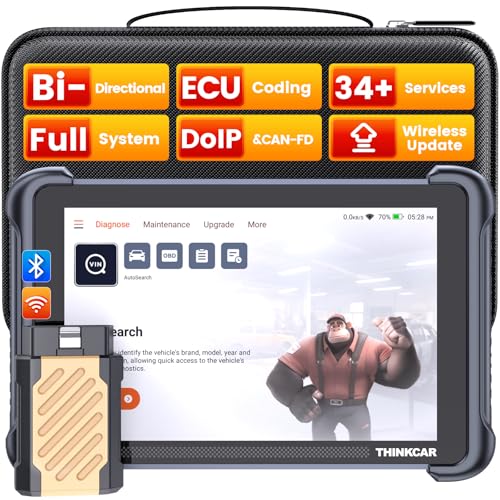
- [Notice] When you receive a used escaner automotriz device, it may be a customer return resold by Amazon without inspection. You can exchange it for a new one through Amazon. As this situation is unavoidable, we sincerely apologize. For any issues, contacting us via Amazon's "Messages" is the best way, and we’ll provide a solution within 24 hours. THINKSCAN 689BT Can Be Used Immediately After It is Turned On, Without Complicated Registration Process, Which is More Convenient & Quick.
- [Good News] THINKSCAN 689BT is the most competitive automotive scan tool to date, offering wireless updates with no subscription fees(valued 500Buc.ks) . With all the features of THINKTOOL PD8,PRO, built on Android 10 platform with 4-core CPU, 4GB RAM
 and 64GB ROM, serving up to 5X faster than older MAX/MINI/PLUS vehicle scanners escaner automotriz, no more slow and delayed feedbacks, it's time to update your garage tool.
 - [Big Money Saver] Premium THINKSCAN 689BT Wireless Diagnostic Scanner Escaner Automotriz, save up to 400USD per year, includes all useful features: Full bi-directional controls, ECU coding, 34+ services, OEM all system diagnostics, Worldwide vehicles coverage, CAN FD & DoIP, FCA AutoAuth(The 689BT only provides a login and purchase portal, and users are required to register for an FCA account and pay a membership fee in order to perform the relevant automotive diagnostics)
- [3000+ Active Tests]Active testing is one of the most useful features in automotive maintenance and greatly improves mechanic efficiency. THINKCAR 689BT bidirectional scanner can send action commends to vehicle sub-systems or components for active test without using vehicle controls. It can perform various tests such as: EVAP Test, Fuel Trim Reset, Injector Buzz Test, Window/ Mirror/ Door Lock Test, Pump and Value Tests, etc. Get functions from "Diagnose>Car Model>System>Active Test".
- [Hot Advanced Features] 689BT bidirectional tool scanner for car newly adds ECU Coding, Power Balance, Flash Hidden Functions, Reset Adaptive Data, Match Replaced Components, Customize OE-Settings. Such as: 1. changing the color of interior lights 2. switching on/off the auto hold, 3. customizing dash kits 4. activating the auto side mirror folding function 5. disables auto start-stop. Note: Coding functions vary by model&year.

- 【15+ Advanced Reset & Calibration Functions】The Thinkdiag scanner provides 15+ professional maintenance functions, including:✔ Oil Reset | ✔ ABS Bleeding | ✔ Injector Coding | ✔ SAS Reset✔ TPMS Reset | ✔ BMS Reset | ✔ Transmission Adaptation | ✔ AFS Reset | ✔ Sunroof Calibration | ✔ Brake Reset | ✔ Suspension Relearn | ✔ Electronic Throttle Relearn | ✔ Seat Calibration | + More reset/relearn/calibrate/adaptive functions under automotive full systems diagnostic menu. Ideal professional OBDII scanner for mechanics and DIY enthusiasts, Thinkdiag delivers professional OE-level diagnostics with adaptive relearn capabilities for precise vehicle servicing.
- 【Full-System Diagnostics OBD2 Scanner Bluetooth】 Thinkdiag OBD2 Scanner supports all Systems diagnostic function, it can read/clear DTCs, read live data, read control module information, actuation tests and maintenance functions for ECM, BCM, SRS, TCM, BMS, TPMS, SAS, A/C system etc... It works with most car models after 1996, cover more than 120+ car brands. All car make and reset software come with 1 year update without any charge, much valuable and powerful than 1000 dollars level scanners in the market.
- 【Potential Feature Activation】 Thinkdiag diagnose obd2 scanner Bluetooth allows you to match the replaced components with ECU, activate potential functions for BMW, for GM, for Benz etc. Adjust some annoying features, adapt vehicle's settings to improve performance. No matter you are private owner or professional technician, Thinkdiag is a powerful and handy scanner in your repair tool list. Potential features are not suitable for every car models, please check with us before purchase. This superior function required newest Android OS device, it performs better on Android cell phone.
- 【Bidirectional Test/Active Test】 Thinkdiag car code reader actuates solenoids and actuators for active testing, send commands to systems/components to test their real-time working status, without using manual vehicle controls which saves much diagnostic time and effort to identify malfunction causes. You can check windows, doors, mirrors, sunroof, fans, fuel pump and other parts working status by actuation test function, thinkdiag supports 10000+ active tests. When you process Automotive full system diagnostic, you can do active test on every supported module.
- 【Intelligent Diagnostic Tool with Auto-VIN】Thinkdiag Bluetooth OBD2 scanner makes your smart phone device become a professional vehicle diagnostic tool, it compatible with Android and iOS system. Auto-VIN function supports the Thinkdiag identifies the most car models automatically, if autovin failed, you can choose car info manually. Full system Vehicle health report will be automatically created after diagnosis, report can be shared. Live Data Stream combined 4-in-1 Graphing+Data Record better for monitoring vehicle performance and analyze the abnormal parameter.
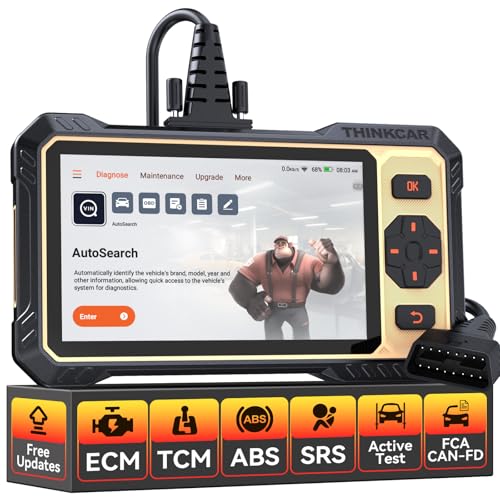
- 【Powerful Bidirectional Control -- Active Test】Good News! The THINKSCAN 662 obd2 scanner has bidirectional control function,which is the most popular feature among mechanics.This function is mainly used to test whether the executing components in the electronic control system can work normally,By requesting information from the vehicle's ECU or sending commands to the ECU module to execute commands and identify maintenance status,quickly locate the cause of the fault.Such as ABS,Fuel Injectors,Adjusting Throttle,Coolant Fans,Radiator Fans,Coolant Pumps,EV.AP Test, Fuel Trim Reset,Injector Buzz Test,Pump/ Value Test,etc. Effectively shorten diagnosis time and reduce diagnosis costs.
- 【Unlock Pro-Level Diagnostics With Half Costs】 THINKSCAN 662 obd2 scanner diagnostic tool Delivers Premium Scanning Power for Half the Price! The OBD2 scanner can handle common issues with ECM,TCM,ABS,SRS. It can easily read and clear fault codes, analyze data streams, and ensure quick identification of problems. THINKSCAN 662 bidirectional scan tool has 12 practical reset functions, including Airbag Reset,ABS Bleeding,BMS,Brake Reset, D.P.F,Throttle Adaptation,Injector Coding,OIL Reset,steering angle Reset,Gearbox,TPMS,and more. The car scanner diagnostic tool very suitable for DIY enthusiasts, car repair technicians, and small and medium-sized repair shops.
- 【Multi Functional Intelligent Car Scanner Diagnostic Tool】 Automatic VIN + Real-time Data + DTC Lookup + Historical Diagnostic Records: This OBD2 scanner features auto serch technology, allowing for car recognition without the need for manual input. The real-time data of the car ECU is read and displayed in the form of text or a 4-in-1 merged waveform chart. You can save, share, print or send the entire inspection report via email for analysis. Historical diagnostic reports help you quickly identify vehicle issues and understand the condition of the vehicle. The built-in 'feedback' module provides customized repair Operation recommendations from our certified professionals.
- 【Upgraded Hardware + Ergonomically Engineered】 THINKSCAN 662 OBD2 scanner has a friendly combination of touch screen and physical buttons with an ergonomic appearance for comfortable use.Experience 2x faster scans and 50% longer lifespan vs standard models.This scanner para autos boast a 4-core 1.8GHz CPU,6.2-inch HD touch screen,2GB RAM + 32GB ROM storage capacity,a long-lasting 4150mAh battery,Android 8 ensures lightning-fast bootup and processing.The scanner is robust with rubberized protection that you can store and use in the trunk or garage.Whether you are engaged in Home car maintenance or road rescue car repair,this car scanner can help you perfectly solve car problems.
- 【Effortless Setup & Scanning - Intuitive for All Skill Levels】No More Complicated Scanners! The User Interface is as User-Friendly as THINKCAR 689BT! Truly Plug-and-Play,The downward sliding setup shortcut portal and drawer function shortcut portal make you use this scan tool as easy as using your own cell phone.The car scanner supports setup screenshot,screen recording,volume adjustment,this scan tool includes product e-manuals,instructional videos,and fault code libraries,users can check the usage guide,perfect for DIY car owners,Maintenance technician.If your father,husband,brother,boyfriend enjoys car repairs,THINKSCAN 662 is a great gift choice, and it has amazing family value.
Last update on 2026-06-23 / Affiliate links / Images from Amazon Product Advertising API
This product presentation was made with AAWP plugin.