
NHTSA ID Number: 10065065
Manufacturer Communication Number: 15-158-12
TSB/Document Date: 2016-05-13
Summary
SUMMARY TO BE PROVIDED ON A FUTURE DATE.
If the PDF is very large, it may not load in the preview below.
Some older TSBs had multiple PDFs — visit the NHTSA Website to view all PDFs.
If the TSB PDF does not show, download or view it on the NHTSA Website.
Click on the (+) Plus Sign
Then Click on Associated Document(s)

- 💝【Questions? We’re Here Anytime】MK808S is a...
- 🔥🔥🔥【2026 NEWLY RELEASED BI-DIRECTIONAL...
- 【28+ MOST POPULAR RESET SERVICE FOR 150 MAKES】Autel...
- 【ALL SYSTEM DIAGNOSTICS, FACTORY-LEVEL SCANNER】The...
- 【AUT0 SCAN & AUT0V1N, 10X FASTER】How much have you spent...


- 💯【Conta.ct us for Support Directly】If you met any...
- 🔥🔥🔥【2026 AUTEL FLAGSHIP MK900BT MK900-BT, NEW...
- 🚗【3000+ ACTIVE TESTS (50➡3000+), SAME AS MS...
- 🚗【40+ HOT SERVICES FOR 150 MAKES (28+➡40+)】Full...
- 🚗【OE ALL SYSTEM DIAGNOSE, AUTO SCAN 2.0: SCAN LICENSE...
This product presentation was made with AAWP plugin.
Search NHTSA Database for Recalls
Search NHTSA Database for Vehicle Investigations
View Latest Vehicle Investigations
Search NHTSA Database for Vehicle Complaints
View Latest Vehicle Complaints
TSB/Document ID: 15-158-12
Replacement Service Bulletin Number:
MFR Communication Date: 2012-10-24
MFR Internal Campaign ID/Software Version:
Communication Type: Service Bulletin/Repair Instructions
NHTSA Components: EQUIPMENT:ELECTRICAL:NAVIGATIONAL SYSTEM(GLOBAL POSITIONING SYSTEM)
MFR Component System:
MFR Component Subsystem:
Previous TSB | Next TSB |
ATTENTION:
GENERAL MANAGER
PARTS MANAGER
CLAIMS PERSONNEL
SERVICE MANAGER
q
q
q
q
IMPORTANT - All
Service Personnel
Should Read and
Initial in the boxes
provided, right.
SERVICE BULLETIN
APPLICABILITY:
NUMBER:
2013MY BRZ
SUBJECT:
Navigation/GPS Antenna Changes
SD Card Exchange Program Information
DATE:
15-158-12
10/24/12
INTRODUCTION
The purpose of this bulletin is to provide installation procedures for changes to the FujitsuTen navigation system’s operating software and GPS antenna / mounting bracket assembly.
Countermeasures have been developed to address customer concerns of GPS signal loss, incorrect
vehicle location or vehicle direction (arrow) display and system “freeze”. The countermeasures
consist of an exchange SD card containing updated operating software to address these customer
concerns in addition to a revised GPS antenna /mounting bracket assembly which repositions the
GPS antenna.
NOTE: The exchange SD card will not update the navigation system’s map data in any way.
If the condition is other than what is described here, this bulletin does not apply and the audio/
navigation unit should be diagnosed using the appropriate Fujitsu Ten Troubleshooting Guide and the
applicable Service Manual.
COUNTERMEASURE IN PRODUCTION
COUNTERMEASURE
STARTING VIN NUMBER
Revised GPS Antenna / Mounting Bracket Assembly
D*603651
Software Change
D*603932
PART INFORMATION
The photo below shows the exchange SD card. It can be identified by the orange paint dot in lower
left corner of the label. Some cards received through the exchange program may
have an additional green dot present. The presence of this green dot is unrelated to
this condition and SD cards with or without it will function similarly.
The part number for the revised GPS antenna / mounting bracket assembly is:
86277CA110. The SD card will be available on an exchange basis
only. Use the revised Fujitsu-Ten Exchange Form which can be found on:
Subarunet > Service > Forms > TomTom/Fujitsu Ten Exchange Request Form.
Continued...
CAUTION: VEHICLE SERVICING PERFORMED BY UNTRAINED PERSONS COULD
RESULT IN SERIOUS INJURY TO THOSE PERSONS OR TO OTHERS.
Subaru Service Bulletins are intended for use by professional technicians ONLY. They
are written to inform those technicians of conditions that may occur in some vehicles, or
to provide information that could assist in the proper servicing of the vehicle. Properly
trained technicians have the equipment, tools, safety instructions, and know-how
to do the job correctly and safely. If a condition is described, DO NOT assume that this
Service Bulletin applies to your vehicle, or that your vehicle will have that condition.
Bulletin Number: 15-158-12; Date: 10/24/12
SUBARU OF AMERICA, INC. IS
“ISO 14001 COMPLIANT”
The international standard for excellence
in Environmental Management Systems.
Please recycle or dispose of automotive
products in a manner that is friendly to our
environment and in accordance with all
local, state and federal laws and regulations.
Page 1
Always download and use the latest form from Subarunet for these requests. Be sure to scrap any
previously printed versions of this form to prevent confusion.
This change identifies this form as the latest version.
TomTom Navi System / AVN SD Card Navi System
Step 1:
Step 2:
Initial Questions:
Did you duplicate customer complaint?
Yes
No
Did you use Troubleshooting Guide?
Yes → Did it help?
Y
No → It is available on STIS
If you have any questions, you may
contact us at 1-800-237-5413
Which system do you need?
TomTom Navigation System
Unit
PND
AVN SD Card Navigation System
Unit with SD card
or
N
Subaru Part Number:
Did you contact Technical Assistance?
Yes
No Case #:
Fax Form to: 1-800-438-5410
SD card Only
May only be used for
conditions outlined in
Subaru TSB 15-155-12
or 15-158-12.
or
Subaru Part Number:
Subaru Part Number:
Note: SD Card is model specific. Please verify if the part # is correct.
Step 3:
When did problem occur? Write in date and time of occurrence, Check all that apply.
(month),
Occur only once
(date),
BLUETOOTH (Phone)
(clock time)
Always occur
Occur
times within the past
Will not pair:
.
Phone Carrier
Where did problem occur? (Ex. Ordinary road, Freeway, Underground parking etc.)
Make
Model
What were the situations?(Ex. High-speed driving, Driving at rough road, Parking)
Can't Hear:
Receiver
Caller
Sounds Garbled
Address book will
not transfer
Other
What did customer operate? (Ex. ACC-ON, Insert disc, Press specific button)
Discription of problem (Please use as much detail as possible):
CD/DVD
Explain:
DISPLAY/TOUCH SCREEN
AM, Sta ion:
FM, Station:
XM, Sta ion:
HD, Station:
No Sound
No/Poor Reception
Noise/Static
Sound cuts in/out
Other
Won't Accept CD
Won't Eject CD
Won't Play
CD Skips
No Sound
Noise
Sound cuts in/out
Shows Error
Other
No Voice Guidance
Guidance volume too low
Inaccurate vehicle position
Won't read Data
Won’t update
Destination/Route problem
Navi screen freezes
Overall Navi operation slow
Other Navi Function
No Display
Display Abnormal
Brightness/Contrast
Discoloration
No Rear Camera
Freezes
Shows Error/Caution
Slow Response
Other Display Function
Explain:
Explain:
List problem:
List problem:
Other (Explain)
Other (Explain)
Other Audio Problem (DVD, USB, iPod, AUX)
Explain:
Step 4:
BLUETOOTH (Audio Stream)
Will not pair:
Device
Won't Play
No Sound
Noise
PND Battery
PND stops charging
PND does not charge
WARRANTY:
YES
NO
Software Version:
Date:
Dealer Name:
Dealer Code:
Dept:
Contact Name:
Mileage:
Date of First Use:
VIN:
Customer Name:
Phone:
Repair Order Number:
Fax:
Response from Fujitsu Ten (F-Ten use only)
Claim Number:
Comment to Dealer:
Continued...
Bulletin Number: 15-158-12; Date: 10/24/12
Page 2
SERVICE PROCEDURE / INFORMATION
IMPORTANT: Be sure to verify the condition(s) as described by the customer is within the context
of this bulletin before performing any repairs. After verification, order the revised GPS antenna
/ mounting bracket assembly through normal parts channels. Request the exchange SD card by
submitting a COMPLETED Fujitsu-Ten Exchange Fax Form. Once you have received BOTH
components, continue with the rest of this procedure as they must be installed at the same time.
NOTES:
• It is not necessary to disconnect the battery terminals before performing this procedure.
•
Check and ensure that the battery has sufficient charge to proceed. NOTE: Battery failure
during programming will result in internal audio head unit damage that cannot be repaired.
•
Because the navigation / audio unit will be removed, the customer’s radio station pre-sets
and navigation system favorites should be recorded then reset once the procedure has been
completed.
Remove the audio unit trim panel using a plastic trim tool. CAUTION: Be extremely careful not to
damage the surrounding dash trim surfaces.
After removing the navigation / audio unit trim panel, confirm there are no retaining clips remaining
in the instrument panel as shown in the photo below left. All 4 clips must be returned to the panel
before reinstallation.
Continued...
Bulletin Number: 15-158-12; Date: 10/24/12
Page 3
Remove the 4 bolts which secure the navigation / audio unit then carefully slide it out to gain access
to the existing GPS antenna / mounting bracket assembly.
NOTE: Take precautions to protect the surrounding lower dash trim pieces against possible damage
from contact with the navigation / audio unit’s lower mounting bracket tabs using tape as shown below.
Once accessible, disconnect the harness connectors from the navigation / audio unit then remove it.
Once the navigation / audio unit is removed, the GPS antenna / mounting bracket assembly can be
seen. Remove the two retaining screws and GPS antenna / mounting bracket assembly. NOTE: Only
one of the original mounting screws will be reused.
Continued...
Bulletin Number: 15-158-12; Date: 10/24/12
Page 4
The photo below shows the revised GPS antenna / mounting bracket assembly along with an antenna
lead extension harness already attached. NOTE: The revised GPS antenna / mounting bracket
assembly you receive may have a longer 1-piece lead instead of a shorter lead with an extension
pigtail as shown in the photo. Either configuration is acceptable to use for this procedure.
Install the revised GPS antenna / mounting bracket assembly. Confirm the white plastic mounting
clip locks into the large oblong hole in the instrument panel support bracket properly before installing
the mounting screw. CAUTION: Do not over-tighten the mounting screw.
Front View of
Mounting Clip
Rear View of
Mounting Clip
Install the antenna lead extension (if applicable) then connect it to the navigation / audio unit.
Connect the other harnesses and confirm their connectors fully lock into place. When installing the
navigation / audio unit, confirm the mounting tabs are fully seated on the alignment pins adjacent to
the lower holes before tightening the bolts. Reinstall the navigation / audio unit trim panel.
Continued...
Bulletin Number: 15-158-12; Date: 10/24/12
Page 5
Next, the Audio / Navigation System Reprogramming Procedure provided on the following pages
MUST be completed.
•
•
Step 1: Confirm the audio / navigation unit is switched off.
•
FOR KEY-TYPE IGNITION SWITCH, Confirm the Ignition switch is “OFF”.
•
FOR PUSH-START IGNITION, confirm the Push Start Switch is “OFF”.
Step 2: Remove the Back-Up fuse from the under-hood Main Fuse Box (M/B) and leave it
out for at least a minute.
Back-Up Fuse
(30 Amp)
•
Step 3: While the fuse is removed, eject the old SD card and replace it with the updated
SD card then, re-install the Back-Up fuse.
Continued...
Bulletin Number: 15-158-12; Date: 10/24/12
Page 6
•
Step 4: FOR KEY-TYPE IGNITION SWITCH, turn the ignition key to the “ACC” position.
FOR PUSH-START IGNITION, turn the push start switch “ON” but DO NOT PRESS THE
BRAKE PEDAL.
IMPORTANT: DO NOT START THE ENGINE!!!
•
CAUTION: Until the programming process is completed, do not turn the ignition key or
push start switch off or attempt to start the engine. Any interruption during the programming
process can damage the unit’s internal navigation data in which case, the audio / navigation
unit will need to be replaced. After turning the ignition key or push-start switch on, the
screen will remain black for about a minute while the reprogramming process is running.
Once the status/loading bars complete and the “Version Up OK” message appears, cycle the
ignition key off then back on to the “ACC” position.
•
Step 5: When the programming process has completed, the system will display the “StartUp” screen.
Continued...
Bulletin Number: 15-158-12; Date: 10/24/12
Page 7
•
Step 6: After the “Start-Up” screen, the “Caution” and “End User License” screens will
appear next. Press “OK” then, press “Accept” as shown below.
•
Step 7: Press the “Audio” button.
Continued...
Bulletin Number: 15-158-12; Date: 10/24/12
Page 8
•
Step 8: Press the “V” (or “down arrow”) button then the “Info” button.
•
Step 9: Press the ”Software Version” button.
Continued...
Bulletin Number: 15-158-12; Date: 10/24/12
Page 9
•
Step 10: Verify the Software Version has been installed.
OLD: 44.1003 or 44.1002
NEW: 44.1004 (Latest Version)
IMPORTANT REMINDERS: Once the reprogramming is complete, be sure to reset the customer’s
radio station presets and navigation system favorites to complete the repair procedure. Re-use
the exchange SD card’s packaging to return the original SD card to Fujitsu Ten. A padded return
shipping envelope has been provided with the exchange part. Include a copy of the Fujitsu Ten
Advance Exchange Fax Form in the return package. We recommend using a track-able freight carrier
for the SD card’s return shipment. Always attach a copy of the Exchange Fax Form and freight
invoice including the tracking number to the repair order for future reference. Failure to return an
exchange SD card within 30 days will result in a significant chargeback. NOTE: Physically damaged
or corrupted SD Cards are not eligible for the exchange program. Return of a physically damaged
or corrupted SD Card as part of an exchange request will result in a significant chargeback. In those
cases, warranty coverage will not apply and a new SD Card must be ordered through normal parts
channels for a customer pay repair.
WARRANTY / CLAIM INFORMATION
LABOR DESCRIPTION
LABOR OPERATION #
FAIL CODE
LABOR TIME
SD Card and GPS Antenna / Mounting
Bracket Assembly R&R
A067-348
ZLO-43
0.4
The warranty/claim information listed is only applicable to BRZ and this Service Bulletin.
Bulletin Number: 15-158-12; Date: 10/24/12
Page 10
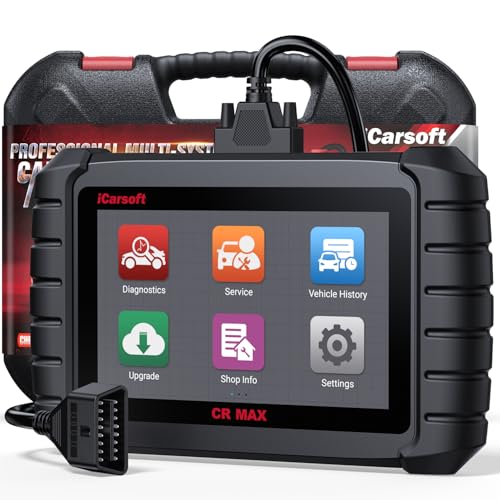
- WHY CHOOSE THE 2025 CR MAX -Upgrade the latest diagnostic capabilities for all vehicles after 1996: upgrade to 49+maintenance services; 46 extra specific functions; real all systems/all control modules diagnose; over 40K+ bidirectional actuation tests for diagnosing all control moduels of cars; Powerful full OBD2 Functions; built-in ECU Coding for BMW
 / Audi/ VW/ RollsRoyce; Fr ee V.A.G Guide Function; Battery retistration for new battery adaptation and more. It covers all vehicle diagnostic services and some special professional vehicle maintenance servces, assists you to do home DIY vehicle maintenance or car repair as a pro technician.
 - NEWEST IN INNOVATION FULL OBD2 SERVICES- iCarsoft auto car diagnostic scanner compatible with CAN-FD, CR MAX can do it all-reads and clears trouble codes, ALL SYSTEM DIAGNOSIS such as engine, transmission, ABS and airbag etc. CR MAX code reader for all cars can perform I/M Readiness, Live Data, Freeze Frame, Vehicle Information, Monitor Test, On-Board Monitor, E vap System Test,O2 Sensor Test,DTC Library Lookup,etc. (Warm Tips: If you car is after 2023,please contact us for compatibility; 3. It comes with 16PIN OBD2 diagnostic adapter, please check your car diagnostic socket if it is 16pin socket, if your car is 14pin diagnostic socket please contact us for the solution.)
- 49 RESET+ 46 SERVICES- Performs: Oil Reset, EPB,SAS,Throttle, D-P - F, Battery, ABS, Injector, TPMS, Suspension, AC, Head Lamp, Body Stablity, Engine, Tramsmission, Airbag, Seat, Door-Win-Roof, Fuel Pump, Door, E-G- R.+21 NEWEST SERVICES( Need update scanner)-AdBlue, Clutch, Crankshaft, High Voltage Battery, Cruise Control, NO xSensor, Rain Sensor, Stop And Start, Turbocharger, Head Up Display, Radar Camera, Vehicle Setup, Cyliner Misfire Check,Speedlimitassist, ControlUnitReset,OxygenSensor, Seatbelt. Extra 46+ extra services based on car brand.(Tips: Quantity of reset/ calibration fucitons are based on car system that your vehicle model has)
- REVOLUTIONARY 40000+BIDIRECTIONAL ACTIVE TESTS: Upgraded CR Max scanner equip with numberous of actuational test items for covering all available vehicle control modules, no longer only do simple light test or window test like other scanners, performs hardware modules test and software control modules test for checking car units or new updated control moduels work well or not after maintenance/ repair/ re-installation/ control system updated (Example for Benz- Roller Sun Blind test; Backup Camera test ;Self-test; EPB test; Transport Mode test;Boost Pressure Positioner test; Fuel Pump test; AND MORE!!).(Warm tip: The available test items are based on control modules your car has)
- ECU CODING+ BATTERY REGISTRATION- Powerful ECU Coding service for BMW/MINI/RollsRoyce / Audi/VW/Seat/Skoda/Bentley/Bugatti/Lamborghini, Improves Engine Power Performance and Optimizes Fuel Efficiency and Match New Hardware Unit to car and Customized a comfortable Driving Modes and Fixes & Updates Original Software Bug. The battery test function for checking car battery health, perform battery reset (BMS ) for replacing a damaged or aging car battery with a new one and register new battery to car ECU

- Scanner POR V2.0 with all obd2 services
- Do the scanning for engine
- Support OBDII/EOBD Ten Modes of Operation

- 【Designed for Most Mercedes-Benz, Sprinter and Smart from 1996-2023】As every car model of Benz has its-owned specific car system and ECUs, not all models are equipped with a complete vehicle ECU, which may cause the scanner to be unable to perform all listed reset services on some models, or even completely incompatible. Like For Sprinter's newer models, it support diagnostic functions only, lacking support for specialized service functions.. So please tell us the car's VIN and required service before purchase for compatibility check. You may also refer to the instructions in the eighth image of the main product photos to perform your inquiry.
- 【Up to 38 Reset Services】MB V3.0 2026 Version diagnostic tool performs Up to 38 maintenance services - Oil Rest , SAS, EPB, ETC, D-P-F, TPMS, ABS, Suspension, Air Conditioner, Head Lamp, Body Stability, Engine Control, Seat, Fuel Pump, Air-Filter, Engine Idle, Door, Im-mo-bilizer, Injector Coding, Transmission Control, Miscellaneous, Adblue, BMS, Cluth, Water Pump, NOxSensor, Rain/Light Sensor, Start/Stop, Radar/Camera, Cylinder Shutoff Test, Speed Limit Assist, Control Unit Reset, Oxygen Sensor, Seat Belt, Cruise Control System, Turbocharger, Crankshaft, Language Setting and etc. (Tips: Please update the software after receiving the product to obtain new service functions)
- 【OE-Level All System OBD2 Scanner】iCarsoft MB V3.0 (2026 Version) diagnostic scanner offers comprehensive OBDII services, allowing you to quickly scan all systems, including the Engine, ABS, SAS, SRS, TPMS, TCM, Fuel Pump System, ESP, EPB, EPS, Suspension, SCM, Adaptive Systems, and more. It supports functions such as reading and erasing codes, checking I/M readiness, viewing freeze frame data, performing O2 sensor tests, conducting on-board monitoring, testing the evap system, auto VIN retrieval, and reading both generic and specific codes, as well as DTCs and battery tests.
- 【Bidirectional Scan Tool】iCarsoft MB V3.0 (2026 Version) Bidirectional scanner supports activate or control a vehicle system or component, allows commanding cars’ modules and receiving info from the ECU to perform active tests on individual components, including EVAP/ABS Motor Pump/Windows/Sunroof and more, to pinpoint fault causes & resolve issues,and allows you to re-learn certain components after making repairs or replacement.
- 【Real Time Record & Graph View】iCarsoft MB V3.0 (2026 Version) can automatically record vehicle text history and identify vehicle information. Preserve real-time data information. View & Graph Live Data. Support Data Review and Print. Multi-language: English, German, Dutch, Spanish, French and so on. We promise to offer Lifetime updates (Lifetime free Update via PC), and confidence in products. We also provide 1 year warranty + extra lifetime hardware free repair if you need it in the future. We prioritize user experience & strive to meet your expectations. Please do feel free to reach out to us if you have any question or problem about the usage, our tech team will service you in time.
This product presentation was made with AAWP plugin.
Last update on 2026-05-13 / Affiliate links / Images from Amazon Product Advertising API