
NHTSA ID Number: 10061028
Manufacturer Communication Number: 92728-1
TSB/Document Date: 2016-03-31
Summary
SUMMARY TO BE PROVIDED ON A FUTURE DATE.
13-AT-011
JANUARY
MAY
FEBRUARY
FEBRUARY
MARCH
MARCH
APRIL
APRI L
MAY
JUNE
JUNE
SHIFT LEVER DIAGNOSIS
GENESIS , GENESIS COUPE, EQUUS SOLENOID OTC
VELOSTER OCT LEARNING PROCEDURE
ACCENT STARTER GRINDING NOISE
AUTOMATI CTRANSAXLE HARSH DELAYED UPSH IFT- GOS ANALYS IS
6AT ATF LEVEL CHECK
STALL TEST PROCEDURE
6AT SOLENOID
AUTOMATIC TRANS HARSH AND/OR DELAYED SHIFT
BH , BK, VI TCM UPDATE
ATF SPECIFICATION
BO- Body
13-BD-001
JU LY
13-BE-001
13-BE-002
JANUARY
FEBRUARY
MARCH
MARCH
FRONT SEATBACK RECLINER RESET
BE - Body Electrical
13-BE-003-1
13-BE-004
13-BE-005
APRI L
MULTI-MEDIA INTERFACE TESTER (M.l.T)
GENESIS STEERING COLUMN TILT & TELESCOPE
BACKUP CAMERA AND CAMERA MODULECOMPATIBILITY
SONATA FAN SPEED LOG IC CHANGE FOR VOICE RECOGNITION
USB MEMORY STICK MAP UPDATE REPL
EE - Engine Electrical
13-EE-001
13-EE-002
8
JANUARY
JUNE
TechNe t Times
STARTER MOTOR LEVER REPLACEMENT
SANTA FE OVERHEAD CONSOLE LAMP
•
FL - Fuel
13-FL-001
APRIL
13-FL-002
13-FL-003
13-FL-004
13-FL-005
APRIL
MAY
JUNE
JUNE
13-Gl-001
APRI L
OTC P0605 AND ACCOMPANYING DTC(S) DIAGNOSTIC PROCEDURE
ECT THROTILE BODY CLEANING
FUEL SENDER INSPECTION PROCEDURE
HEV MU LTl-ECU UPDATE (VERSION-2)
ECM UPDATE- MI L ON OTC P0456/P0461 /P050A
GI - General Information
LABEL REQUIREM ENTS FOR VEH ICLE LOAD ING TO COMPLY WITH FM VSS 110
HA - Heating, Air Conditioning
13-HA-001
13-HA-002
FEBRUARY
13-SS-001
JANUARY
APR IL
AC PRESSURE TRANSDUCER SERVICE PRECAUTION
AC COMPRESSOR REPAIR PROCEDURE (PULLEY, DISC & HUB REPLACEMENT)
SS - Suspension System
ALIGNMENT SPECI FICATIONS-2013MY
Browser Compatibility on TACS
ccasionally, technicians cannot save their progress
in a course taken on TACS. This is likely due to
browser incompatibility. TACS operation requires Internet Explorer 8. You can check your
browser version by opening Internet Explorer and
once it's open, press the Fl key. Your version information and help guide will open in a new window.
O
Launch your browser. Hit the Fl key ...
and if you do not see Internet Explorer 8,
then the web course will not run properly.
• fil https :/Jwww. hyundaitacs.com/GUifTACS.html#
~ Favorites
~#
Getting Started with lntemet Expl
111
m;IUitt·flfdM·"'ttmmtu
(1) F1nd1ng the information }'OU'
~
JJ-1
u-
[11 Tabbed browsing fiequently
[11 Keep1ngtrackofyoui favoutel"
[1) Using lntemet Ei-;ploier ke9boarj
[11 Change you r homepage
[1) Import 01 Ei
lil •
lil •
lil •
WhatsNew1nlnternetExpl1;1rer8
Finding your way around Internet E>
F1nd1ngtheWebpagesYouWant
WorkingWithlnternetExplDferFav
Setting Up Your Home Pages
Using Feeds [RSSJ in lnle1net Expk
Printing and Saving lnfmmation
Understanding Security ,md Privaq
~ ! ~:.~~i-~~-l~f~~~~~i~~-o•~.~r-t~-~~~:l~.r~ ~I
~,
,
I
.. '"BROWSER WARNING MESSAGE"'
2-1
•
{ntroduc1ng Internet Explorer
•
Learn about security and privacy
features in Internet Explorer
•
Helo protect yourself from fraudulent
websites by using SmartScreen Filter
•
Learn bow to browse the web faster
and more easily
•
Find the 1nformat1on you want
1
Ple!lse be a""a'e that the "'eb co•Jrses on the T4(.$ "'ebslte aM onl'I
compatible woth the !ntem"'t Explo rer b•o..,soer. ver"ons 6. 7 S. a, Th«
us"1 of any .... the• browser when a.::cess1n9 web content woll pr&IH&nt the
1ecord;n9 of •1our progress .11nd/or o:ornp16'tion of the course.
f>1Forgo! My Password
Dono
O
Create My Profile
8
1nternet
-'I .
100%
TechNe t Times
9
~ Fix-It-Right
•
ECM UPDATE - P0300, P0456 DTC LOGIC
DESCRIPTION:
This ruticle provides information related to the ECM software update of some 2009-2010MY GENESIS SEDAN
(BH) 4.6L vehicles which experience a malfunction indicator lamp illuminated with the ECM (Electronic Control
Module) system-related DTC P0300 or P0456:
• P0300 Random/Multiple Cylinder Misfire Detected
• P0456: Evaporative Emission System-Leak detected
(very small leak)
APPLICABLE VEHICLES:
• 2009-2010MY GENESIS SEDAN (BH) 4.6L
ECM ROM ID INFORMATION:
NOTE: This article applies if the vehicle ROM ID is listed
in the PREVIOUS column of the ROM ID Table
below. The ROM ID in the NEW column was the latest available ROM ID at the date of this publication,
however, you may select a later event number if one is
shown in the GDS ECM update list, even if it describes
another issue. This would generate a more recent
ROM ID than shown below, but would also include
the update from this article.
09MY
39110-3F270
PREVIOUS
ROMID
NEW
ROMID
GBH-9N6AFS1-Cl 00
GBH-9N6AFS3-Cl 00
GBH-9N6AFS4-Cl 00
GBH-9N6AFS2-Cl 00
39110-3F271
GBH-AN6AFS1-C100 GBH-AN6AFS2-Cl 00
lOMY R/C
39110-3F272
GBH-AU6AFSO-Cl 00
GBH-AU6AFS1-Cl 00
GDS SYSTEM AND ECM UPDATE
PRECAUTIONS:
CAUTION: Please verify the following items before
performing the ECM update:
• Make sure the vehicle's battery has reasonable charge.
If the vehicle has been in storage, run the engine to
ensure an adequate battery charge state for reliable
update results. The ECM Update procedure contains
a check to verify that battery voltage is above 12 volts
to allow the procedure to occur.
• The USB cable must be used for ECM Update between the GDS and VCI. The procedure will not work
in VCI wireless mode.
TechNet Times
• Turn off all lamps (do not leave head lamp switch in
auto mode) and all accessories (including heater, A/C,
blower, radio, seat warmer, defroster, etc.) to prevent
battery discharge during the update.
•
• Perform update with the ignition switch in the ON
position.
• Be careful not to di sconnect any cables connected to
the vehicle or scan tool during the update.
lOMY
10
• Make sure the GDS laptop battery indicator in the lower
right tray icons has 50% or more charge (half bru· on
the battery symbol). Charge the laptop battery with the
AC adaptor cable if the charge is less than 50%.
•
Do not start the engine during update.
• Do not turn off the ignition switch during update
NOTE: Make sure you have performed the most recent GOS and VCI Internet Updates to assure you
have the latest available ECM Update events.
NOTE: If you encounter GOS related problems call
GIT Helpline at 888-437-0308 for assistance.
GDS AUTO MODE ECM UPDATE
PROCEDURE:
1. Turn the vehicle's ignition key to the ON position .
2. Select ECU Upgrade on the initial GDS home page
screen. If you are not at the home page double click at
GDS at top left of the screen to go back to home page.
•
3. GDS will automaticall y determine the vehjcle information based on the VIN it reads from the vehicle 's
ECM, then select Engine Control as system and OK.
4. Select Auto Mode then ENGINE then OK so the
ROM ID wi ll be read :
5. After reading the ROM ID if there is an avai lab le update it wi ll display a screen like that shown belo w
with the available updates for the vehi cle. Select the
Upgrade Event: "210. 09-lOMY BH 4.6 ECM UP-
DATE." or any later (higher) event number that
shows in the GDS list for any other issue.
CAUTION: If voltage is below 12 volts, then select
Cancel and run the engine at idle for at least 10
minutes to ensure an adequate battery charge
state for reliable update results.
7. Updating will occur until 100% is reached on the bar
graph , then the confomation screen will be displayed.
Tum the ignition key OFF for 10 seconds then place
it back in the ON position followed by select OK.
8. Select OK on the final screen, which indicates update
is complete. Check for and erase any DTC fo und in
each system including ENG , A{f, ESC, and other
systems that can occur due to temporary CA com munication loss during the ECM update.
9. Start the engine to confirm proper operation of the
vehi cle.
GDS MANUAL MODE ECM UPDATE
PROCEDURE:
NOTE: This screen is example only. The GDS will show
your verucle, its cunent ROM ID and latest ROM ID
for update based on the event that you select. Select
the most recent available (highest) event number in
the list, even if it describes a different issue as it will
ensure the vehicle receives the latest available updates.
NOTE: Manual Mode ECM Update is intended to be
used only if Auto Mode ECM Update had failed
after the progress bar began during the update.
IMPORTANT: You must reset the ECM by disconnecting the ECM connectors for 10 minutes and
then reconnecting them before trying the Manual
Mode ECM Update.
1. Tum the vehicle's ignition key to the ON position .
Mode
- Cumt.n! ROMID
U w 1i ROMID
4
System
;....
f=
_ ,..,
_ 1_A - - - - - - - -
fijSOiM(tF
11$@118WiHQ p £ +iii$i} hg¥ 5W&ihMM
2. Within the ECU Upgrade screen, select ENGINE,
Manual Mode, and then select the Upgrade Event:
"210. 09-lOMY BH 4.6 ECM UPDATE." or any
later (higher) event number that shows in the
GDS list for any other issue.
l. R......,.llM ......,.,,_,.,.,.,,1 ...i TSB r.- ....wt1~n·"ov---.1.
....,...r,... t1w • d.>t:•...,...U...,,., ...... ..,•• L
c..w1< u... u,.,.u .....,._ ........, 1:cu.....,~.
J. S"1~" "'P~
J..
Example screen
•j
NOTE: An error message may appear if the ECM Update
had already been completed or is not avai lable for
your vehicle.
6. After selecting the Upgrade button the vehicle battery voltage is checked to make sure it is at least 12
volts, which is required to ens ure reliab le update results. Select OK if the results indicate voltage is
above 12 volts.
3. Select the appropriate control unit part number with
reference to the ROM ID Information Table and then
perform Upgrade.
4. Enter the Event password from the table below and
then select OK.
MENU
PASSWORD
BH 4.6 09MY: 39110-3F270
3270
BH 4.6 lDMY: 39 110-3F271
3271
BH 4.6 1OMV R/ C : 39110-3F272
3272
5. Remaining steps are identical to steps 6-9 of the
above Auto Mode procedure
WARRANTY CLAIM INFORMATION:
OP CODE
39 11 OF4E
I
OP NAME
ECM Upgrade
I
OP TIME
0.3 M/ H
I
CAUSAL P/N
09MY: 39 110-3F270
1OMY: 39 110-3F271
11 MY: 39110-3F272
I
NATURE
I
N69
TechNet T imes
CAUSE
C40
11
Calling Techline?
continued from page
1
at HyundaiTechlnfo.co m) lists your HTSS case number
as the primary piece of reference data you need before
making a call. Techline Agents will rev iew HTSS cases
linked to the particular VIN that you are calling about.
We have other plans in the works to make HTSS even
more powerful. In the meantime, using our Symptoms
links, which are access·1ble from the GDS VIN Search
page, can help you when an active DTC is not present on
the vehicle. Using HTSS regularly now, will build yo ur
familiarity with what HTSS offers. Logging in when it
pops up on your GDS will set you up to take full advantage of what comes next.
Keep in mind that HTSS requires and active internet
connection. If the functionality of your shop internet is
limited or is hampered by firewalls, make sure you alert
your Service Manager of the situation. You could be missing out on the powerful assistance that HTSS provides.
•
TechN
Powersteering Fluid Interchangeability:
Topping off or adding up to 50% PSF-4 (blue/green) to a PSF-3 (red)
system is acceptable.
• PSF-4 to PS F-3
Note: Donot add more than 50% of the total system volume of PSF-4 to PSF-3.
The PSF-3 fluid should be drained and replaced with PSF-4 power steering fluid.
•
PSF-3 to P SF-4
Not compatible. (Do not add PSF-3 to a PSF-4 system.)
Caution
•
Always repl aceTMU with
a brand new part.
• Never swap TMU between
vehicles.
•
• Never swap TMU for
testing purposes.
TechNet Times
I
TECHNET TIDBIT
Volume 23 Issue 6
August 2013
TechNet Times is publi shed monthl y by Hyundai
Motor America's Nationa l Service Training &
Support Department for Hyundai Dealership
Technicians. The subjects covered in this publication are often one of a kind items, but they may help
you to solve similar incidents. In all cases, the diagnostic procedures recommended in the Shop
Manuals should always be perfom1ed first.
Please address all correspondence to:
Did You Know?
Back issues ofTec hNet Times are available at HyundaiTechlnfo.com
under the Technical Training Tab listed as "TechNet". You can then
browse issues by volume and issue number. The "Detail Search" function on the website will deliver the issues containing keywords that
you type into your search.
Edi tor-TechNet Times
National Service Training
& Support Department
Hyundai Motor America
P.O. Box 20850
10550 Talbert Avenue
Fountain Valley, CA 92728-0850
© 2013 Hyundai Motor America
•

- 💯【Conta.ct us for Support Directly】If you met any...
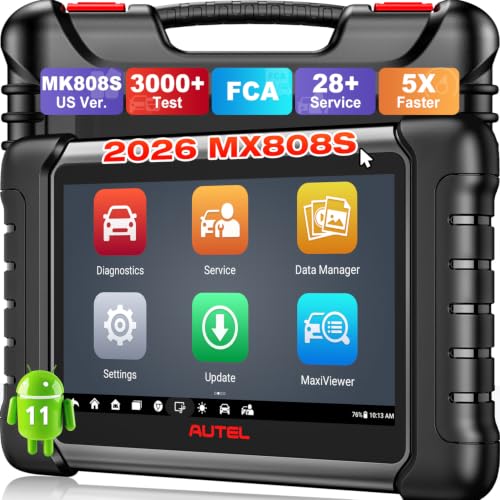
- 🔥🔥🔥【2026 AUTEL FLAGSHIP MK900BT MK900-BT, NEW...
- 🚗【3000+ ACTIVE TESTS (50➡3000+), SAME AS MS...
- 🚗【40+ HOT SERVICES FOR 150 MAKES (28+➡40+)】Full...
- 🚗【OE ALL SYSTEM DIAGNOSE, AUTO SCAN 2.0: SCAN LICENSE...

- 📌【We are Here for You】Dear valued customer, please be...
- 🚀【5X Faster Next-Level Hardware, Same as MK900/ MX...
- 🔥【3000+ Active Tests = MK900/MK900BT but...
- 📢【2026 U.S. Version, All-in-One as MK808S/ MK808Z...
- 🔥【28+ Hot Services for 150+ Brands】Same as MaxiCOM...
If the PDF is very large, it may not load in the preview below.
Some older TSBs had multiple PDFs — visit the NHTSA Website to view all PDFs.
If the TSB PDF does not show, download or view it on the NHTSA Website.
Click on the (+) Plus Sign
Then Click on Associated Document(s)
Search NHTSA Database for Recalls
Search NHTSA Database for Vehicle Investigations
View Latest Vehicle Investigations
Search NHTSA Database for Vehicle Complaints
View Latest Vehicle Complaints
TSB/Document ID: 92728-1
Replacement Service Bulletin Number:
MFR Communication Date: 2013-08-01
MFR Internal Campaign ID/Software Version:
Communication Type: Service Bulletin/Repair Instructions
NHTSA Components: EQUIPMENT:OTHER:OWNERS/SERVICE/OTHER MANUAL
MFR Component System:
MFR Component Subsystem:
Previous TSB | Next TSB |

- [Notice] When you receive a used device, it may be a customer return resold by Amazon without inspection. You can exchange it for a new one through Amazon. As this situation is unavoidable, we sincerely apologize. For any issues, contacting us via Amazon's "Messages" is the best way. THINKSCAN 689BT Bidirectional Scan Tool Can Be Used Immediately After It is Turned On, Without Complicated Registration Process, Which is More Convenient & Quick.
- Full Bi-Directional Control & 3000+ Active Tests: Take control and test components like actuators, fuel injectors, relays, and cooling fans in real time. You’ll quickly see if the problem is in the part itself or the control module — saving you hours of guesswork and frustrating trial-and-error.
- Advanced ECU Coding Capabilities: Handle module matching and hidden feature activation with confidence. When you replace an ECU or want to customize settings, this obd2 scanner diagnostic bi directional tool gives you the professional-level capabilities you need without the dealership price tag.
- 34+ Useful Reset and Maintenance Functions: Complete everyday service tasks smoothly with a wide range of helpful reset and maintenance functions. Whether you’re keeping up with regular upkeep or tackling a specific job, this scanner makes maintenance simpler and less stressful for both DIYers and pros.
- Comprehensive Full System Diagnostics: Diagnose every major system — Engine, Transmission
 , ABS, SRS, TPMS, and more — all in one place. Finally stop wondering if you’re missing something important; get the full picture and clear codes with ease.

- Top Reasons to Choose the D7S OBD2 Scanner: XTOOL D7S car scan tool, an upgrade of XTOOL D7, offers comprehensive features for automotive technicians, workshops, and DIY enthusiasts 1. Upgraded Hardware: 2+64GB memory, rear camera, intuitive interface, foldable bracket 2. Complete Diagnostics: FCA Autoauth, OE-level all system scan, 39+ maintenance services, 4K+ bidirectional, CANFD/DoIP protocol 3. Advanced Capabilities: ECU coding, PMI functions 4. Wide Compatibility: Support 10,000+ models, covering 99% vehicle brands 5. Multi-language: Available in 22+ languages, No IP Restrictions 6. 3-Year Updates: Save 300 bucks on software updates for the latest features and optimizations
- 2026 Upgraded D7S Car Scanner Features: The newly 2026 D7S V2.0 scanner for car brings exciting features for advanced vehicle diagnostics and enhanced user experience 1. FCA AutoAuth: Now supports FCA SGW module for Chrysler, for Jeep, for Dodge (2018+), for Fiat (2017+), enabling faster vehicle communication without gateway restrictions 2. PMI (Offline ECU Programming): Allows for Ford, for Lincoln, and for Mazda ECU programming for new modules 3. Optimized Diagnostic Report 2.0: Personalized reports with logos and customer info for auto shops. Note: Compatibility varies by cars, please check before order
- Cost-effective ECU Coding Scan Tool for Specific Brands: Enhance your vehicle's performance with XTOOL D7S! This obd2 scanner all systems bidirectional offers advanced capabilities at an affordable price, supports online for BMW, for Benz and offline for BENZ, for MIT, along with PMI functions for Ford, for Mazda, and for Lincoln. Ideal for technicians and DIY enthusiasts, this automotive scanner diagnostic tool optimizes vehicle performance and enhances the driving experience. Note: Not for all cars and modules, please send car VIN to check the compatibility before purchase
- OE All System Diagnostic & 8 Pids Graphing: XTOOL D7S is a comprehensive all system bi directional obd2 scanner that delivers dealer-level diagnostics, completely controlling over your vehicle’s performance and health. This automotive scan tool can read and clear DTCs, view live data and ECU information, retrieve freeze frames, and perform active tests and full obd2 functions. This bi-directional scan tool can can identify your vehicle's make, model, and year information with just one click and show up to 8 PIDs live data with options for CSV viewing, playback, and recording for in-depth analysis. It is easy-to-use for both professionals and beginners, helping pinpoint issues efficiently
- 3 Years Software Update, Value for Money: With 3 years of software updates and 22+ languages(no IP restrictions), XTOOL D7S auto scanner code scanner ensures ongoing compatibility for the latest car models and improved diagnostic functions. This all system vehicle diagnostic scanner comes with a 30-day return policy and a 24-month repair for dependable performance. XTOOL are dedicated to your satisfaction, so enjoy seamless support and lifetime expert assistance. Should you encounter any issues or concerns, don’t hesitate to reach out XTOOL. D7S with newest update with 22 languages freely transfer without authorization, check details from setting-language or from XTOOL

- 【✅Compared to BOSSCOMM IF742, IF745 Offers Full-System Diagnostics】The BOSSCOMM IF745 car diagnostic scanner is an upgraded model of IF742. In addition to supporting all OBD2 Code Reader functions and 6 reset options (ABS/EPB/SAS/BMS/Oil/Throttle), it expands diagnostics from 4 systems (Check Engine/ABS/SRS/Transmission) to vehicle All systems, including Steering, Suspension, and Body Electronics. This provides deeper, more comprehensive diagnostic capabilities.
- 【✨6 Essential Resets: ABS Bleeding, Oil, EPB, SAS, Throttle, BMS】The BOSSCOMM IF745 obd2 scanner diagnostic tool swiftly purges air from brake lines to restore braking sensitivity, fine-tunes maintenance cycles to eliminate false alerts, resolves parking brake issues with one-click control, recalibrates steering sensors for stability, optimizes engine idling/acceleration for smoother performance, and deeply resets battery systems to extend lifespan and range via precise parameter adjustments.❗NOTE: Does NOT support bidirectional control, coding, or programming.
- 【✨Deep Diagnostics for All Vehicle System Modules】Beyond code reading/clearing and ECU information retrieval, our all-in-one data stream feature lets you inspect all current fault codes and their locations across the vehicle’s systems. This vehicle code reader helps you turn off dashboard warning lights and perform a comprehensive self-check of your car at home—no more back-and-forth trips to the repair shop or hefty inspection fees.
- 【✨10 OBD2 Functions】The BOSSCOMM IF745 scan tool’s DTC Lookup instantly translates fault codes into user-friendly explanations, its I/M Readiness feature streamlines emissions testing with a single tap, and Freeze Frame lets you pinpoint the exact moment of a fault for in-depth root-cause diagnosis. Combined with a live data dashboard and advanced diagnostics (O2S, OBMon, EVAP), it delivers comprehensive insights for confident troubleshooting.
- 【✨10,000+ Car Models, AutoVIN, 13 Languages】The BOSSCOMM IF745 vehicle scanner diagnostic tool covers 73+ global car brands and offers support in 13 languages, making it perfect for DIYers, auto mechanics, or as a thoughtful gift. With a single-click AutoVIN feature, it instantly retrieves vehicle serial numbers, streamlining diagnostics for users globally. This adaptable tool balances user-friendliness with precision, catering to both personal and professional requirements.✅Unsure about compatibility? Compatibility will vary on vehicles' model and year, pls reach us via 📧 [email protected] 📧 before purchase.
This product presentation was made with AAWP plugin.