
NHTSA ID Number: 10060564
Manufacturer Communication Number: 12-01-049
TSB/Document Date: 2016-03-31
Summary
SUMMARY TO BE PROVIDED ON A FUTURE DATE.
HVU nDR 11~~~~~~~~~~TIES.
Technical Service Bulletin
SUBJECT:
GROUP
NUMBER
,____c_A_M_P_A_IG_N_--+-_ _
12_-0_1_-0_4_9_---1
DATE
MODEL
DECEMBER 2012
SANTA FE (AN)
CLUSTER SOFTWARE UPDATE (SERVICE CAMPAIGN TN6)
*IMPORTANT
*** DEALER STOCK ONLY***
Dealers must perform this Campaign on all affected vehicles prior to customer retail delivery.
When a vehicle arrives at the Service Department, access Hyundai Motor America's "Warranty
Vehicle Information" screen via WEBDCS to identify open Campaigns.
Description: This bulletin provides the service procedure to update the instrument cluster software.
Applicable Vehicles: 2013 MY SANTA FE (AN) vehicles produced from SOP to December 4, 2012.
GOS Information:
EVENT#
293 (or later compatible event)*
DESCRIPTION
OMA CLUSTER UPDATE
(*the latest event that appears in the Engine Auto Mode event list for the particular vehicle/engine)
Warranty Information:
Op Code
Operation
Op Time
20CG05RO
ECM UPDATE
0.3 M/H
*NOTE:
In event of AUTO MODE update failure:
• You must attempt MANUAL MODE. Use the ECM P/N from the vehicle's ECM label if it is
not clear from the ROM ID Table as to the correct ECM P/N to use for your vehicle.
• Replacing an ECM or an instrument cluster without carefully documenting that a MANUAL
MODE update attempt was made, will result in a claim charge back.
Circulate To: Service Manager, Warranty Manager, Service Advisors, Technicians, Fleet Repair
SUBJECT:
CLUSTER SOFTWARE UPDATE (SERVICE CAMPAIGN TN6)
ROM ID INFORMATION TABLE:
Verif the ECM ROM ID before updating the vehicle's software. Refer to the table below.
Model
.
..:.
r: · f'" -~·.
ROMID
·
Type
Cluster P/N
Previous
New
SANTA FE
w/ Super Vision
Cluster
94011-4ZOOO
94011-4Z010
94011-4Z020
BOAD
SANTA FE
w/ Conventional
Cluster
94001-4ZOOO
94001-4Z010
94001-4Z020
78A2
GENERAL PRECAUTIONS:
•
•
Connect the USB cable between the GOS and
the VCI.
Connect the 16-pin DLC connector from the VCI
into the DLC located under the driver's side dash .
*NOTE
Make sure the battery icon at the bottom right of the GOS laptop shows at least 50%; if not,
charge the GOS or attach a battery charger.
•
Turn off all lights (Do not leave the headlight switch in auto mode) and all accessories (including
heater/air conditioner/fan, audio, heated seats, rear defroster, etc) to ensure the battery will not
be discharged during the update.
•
Perform the update with the ignition key in the ON position. (Turn the ignition key to ON position
or press the Start-Stop Button two times without depressing the brake pedal).
•
Do not disconnect any cables connected to the vehicle or the GOS during the update.
•
Do not start the engine or turn the ignition switch OFF during the update.
TSB #: 12-01-049
Page 2 of 4
SUBJECT: CLUSTER SOFTWARE UPDATE (SERVICE CAMPAIGN TN6)
*NOTE
Confirm your GOS has the most recent version. If not, connect the GOS to an Internet port,
open the GOS home page and select "Update". Refer to instructions on hmaservice.com if
necessary.
If you encounter GOS related problems, call the GIT Helpline at 888-437-0308.
SERVICE PROCEDURE:
GOS AUTO MODE ECM UPDATE PROCEDURE
1. From the GOS home page, select ECU Upgrade. If necessary, select the VIN.
2. Select BCM (Cluster Module) as the system and then select OK.
3. Select Auto Mode and then select Next.
4. From the System tab, select BCM and then select OK. The GOS will read the ROM ID. Confirm
the ROM is applicable as shown on Page 2, "ROM ID Information".
GOS
5. Select update event as listed on the GOS Event list of page-1. Select Upgrade.
Repa ir
(
F
l__ ~~!
EvtntGrovp
• Mode
•System
u.
j(
I 11 ...-w ..........1....o ...1. ~1.a ....i I SH ror···lu• l••f'J>' ftl;I ""'.....''
:.s..1..0 .... ,... IP---.lf'"'_.r,- c,.v•d•l;. .. ,..,..a.i-........ . i.. .-.. .
.l. '11•i.t...d- H ."U .,u,.d•.
Example screen
-
l s.A
1 -
; tl~-'tM
-
DlC
-
-
-
c..-. ... o. AC ~':°" l llaM~Ofll
P..
~
o...... ~
s.-;.-::;'"
=
-
o
~
6 . If the screen indicates "Voltage is OK" (voltage > 12volts), select OK. If not, select CANCEL
and charge the vehicle battery by running the engine for 10 minutes.
7. Updating will continue until 100% is reached on the bar graph . At the prompt, turn the ignition
OFF for 10 seconds , then turn it ON and select OK.
TSB # : 12-01-049
Page 3 of 4
SUBJECT: CLUSTER SOFTWARE UPDATE (SERVICE CAMPAIGN TN6)
8. The GOS will confirm that BCM reprogramming had successfully finished . Select OK.
9. If the BCM update was not successful, go to GOS MANUAL MODE ECM UPDATE
PROCEDURE.
10. Check for OTC in all systems and Erase All OTC that stored due to loss of CAN communication
during the ECM Update.
11. Turn ignition OFF for 10 seconds then turn back ON before starting the engine .
12. Start the engine to confirm proper operation of the instrument cluster.
13. Clear OTC in the Bluelink system per instructions of TSB 12-BE-005-2.
GOS MANUAL MODE ECM UPDATE PROCEDURE
*NOTE
•
•
•
•
GOS Manual Mode is intended for recovery of an ECM Update should it
begin but then later fail in process in the Auto Mode.
The ECM connectors must be disconnected for 15 minutes to reset its
contents then perform this Manual Mode Update.
Do not force Manual Mode if you get an error in Auto Mode that the
vehicle's current ROM ID did not apply.
It is critical to identify the correct ECM Part Number in the PASSWORD
table or the ECM may be permanently damaged. It is recommended to
remove ECM and read the part number from the label to confirm.
1. From the GOS home page, select ECU Upgrade . If necessary, select the VIN .
2. Select BCM (Cluster Module) as the system and then select OK.
3. Select Manual Mode and then select Next.
4. From the System tab, select BCM and then select OK.
5. Select update event as per the GOS Event List of page-1, then select Upgrade.
6. Make sure to enter the correct password from the table below and select OK. See the NOTE
above.
7. The remaining steps are the same as Steps 6-13 of the Auto Procedure.
MENU
OMA CLUSTER (SUPER VISION) : 94011-4Z000/10/20
OMA CLUSTER (CONVENTIONAL) : 94001-4Z000/10/20
TSB #: 12-01-049
PASSWORD
4020
4021
Page 4 of 4

- 💯【Conta.ct us for Support Directly】If you met any...
- 🔥🔥🔥【2026 AUTEL FLAGSHIP MK900BT MK900-BT, NEW...
- 🚗【3000+ ACTIVE TESTS (50➡3000+), SAME AS MS...
- 🚗【40+ HOT SERVICES FOR 150 MAKES (28+➡40+)】Full...
- 🚗【OE ALL SYSTEM DIAGNOSE, AUTO SCAN 2.0: SCAN LICENSE...


- 【TURN OFF CEL】 This AL319 car scanner diagnostic tool...
- 【EXTENSIVE APPLICATION】 Autel AL319 Compatible with...
- 【FOR END USER & DIYERS】 This error code reader AL319 is...
- 【USER-FRIENDLY DESIGN】 This OBD2 scanner and check...
- 【HIGH-QUALITY SERVICES】 12 months war.ranty from the...
Last update on 2026-06-23 / Affiliate links / Images from Amazon Product Advertising API
If the PDF is very large, it may not load in the preview below.
Some older TSBs had multiple PDFs — visit the NHTSA Website to view all PDFs.
If the TSB PDF does not show, download or view it on the NHTSA Website.
Click on the (+) Plus Sign
Then Click on Associated Document(s)
Search NHTSA Database for Recalls
Search NHTSA Database for Vehicle Investigations
View Latest Vehicle Investigations
Search NHTSA Database for Vehicle Complaints
View Latest Vehicle Complaints
TSB/Document ID: 12-01-049
Replacement Service Bulletin Number:
MFR Communication Date: 2012-12-01
MFR Internal Campaign ID/Software Version:
Communication Type: Service Bulletin/Repair Instructions
NHTSA Components: ELECTRICAL SYSTEM:SOFTWARE
MFR Component System:
MFR Component Subsystem:
Previous TSB | Next TSB |

- 【OE-Level Full System Diagnostics-Lifetime F*REE Software Updates】The VDIAGTOOL D200 OBD2 Scanner for cars is a all system bidirectional scan tool that enjoy lifetime f*ree software updates, delivers complete system coverage. reading/clearing codes across engine, transmission, ABS, SAS, EPB, TPMS plus full access to body, chassis, powertrain and all control modules. This D200 Bidirectional car scanner works with most 1996+ OBD2 gasoline and hybrid
 cars and light trucks. It does NOT support pure electric and heavy-duty trucks. PLEASE CHECK COMPATIBILITY BEFORE ORDERING or Contact us with VIN to confirm compatibility.
 - 【Supports OBD2 Full Functions-ZERO Subscription Fees】D200 Bidirectional OBD2 Scanner is a upgarde of universal car code reader. It supports OBD2 full functions to help you turn off the annoying instrument fault indicator, such as read/clear codes, O2 sensor test, I/M readiness, on-board monitor test, datastream, freeze frame, E-VAP system test, and retrieve vehicle information. This professional obd2 scanner diagnostic tool can full access to diagnostics, reset tools and maintenance features with a single payment. NOTE: The fault code can only be cleared after the vehicle's malfunction has been repaired; please ensure the vehicle issue is fixed before clearing the code.
- 【D200 Hidden 2 Advantages: 1. $169 Expandable 49+ Advanced Resets. 2. $199 Get J2534 P*a*s*s-Thru Programming】Your core car diagnostics and 26 reset remain lifetime f*ree for everyday maintenance. When you need deeper repair capability, upgrade with 3-year access for $169 in Store on VDIAGTOOL App, gaining 49+ advanced resets. D200 configured with J2534 hardware, upgrade only when you need without replacing the entire device. You also can Lifetime Unlock for $199 in Store one-time, perform module programming, software re~flashing and ECU data updates directly. Supports 17+ major brands, including for BMW, for Audi, for GM, for Ford and more. Note:D200 does‘t provide any OE software.
- 【Full Bidirectional Control / Active Tests】The D200 car scanner diagnostic tool is a true bidirectional scan tool that lets you send commands directly to the vehicle’s ECU for active tests. Quickly test fuel pumps, relays, solenoids, injectors, cooling fans, windows, sunroofs and more to verify operation instantly. Get dealership-level diagnostic control at a fraction of the cost (ofter $100-200$ per diagnostic visit), reduce guessworkand confirm repairs faster, avoid unnecessary parts replacement, towing fees and wait times.
- 【26 F*ree Essential Reset & Relearn Functions – Everyday Maintenance Made Easy】Handle common maintenance and repair jobs without visiting the shop. The D200 code readers & scan tools includes 26 f*ree high-demand reset functions, including Oil Reset, EPB Service, SAS Calibration, ABS Brake Bleeding, Throttle Relearn, Injector Coding, Headlight Adjustment, Tire Size Reset and more. Perfect for home car owners, mechanics and DIYers – just plug and diagnose anytime, anywhere! Note: Service functions vary by vehicle model—please confirm compatibility.

- 【A MUST-HAVE TOOL FOR DIYERS】 - VDIAGTOOL VD10 car code reader is an incredibly useful obd scanner for each car owner or hobbyist, even for those with little to no experience when it comes to vehicle mechanics! Similar to a fixd car diagnostic tool, using this car diagnostic scanner is extremely easy. All you have to do is attach it to your car OBDII port and you can diagnose car problems in seconds! Read Codes (DTCs); Clear Codes; Live Data; View Freeze Frame; I/M Readiness; Vehicle Information.
- 【KEEP ENGINE IN GOOD STATUS】 - VDIAGTOOL check engine code reader brings a fast access to scan, read the car fault code, show its definition on the screen instantly, troubleshooting to find the root causes of problems, erase the engine fault code and turn off the MIL (Malfunction Indicator Light). Similar to a fixd car diagnostic tool, this car code reader helps ensure your engine stays in top condition.
- 【READ/CLEAR CODES & DTC LOOKUP】- No search online & saving your time, this vehicle car code reader retrieves generic (P0, P2, P3, and U0), manufacturer specific (P1, P3, and U1) codes, pending codes and displays DTC definitions based on the built-in database(more than 3000 codes) on the TFT screen, find out the root causes and clear the codes after fixed.
- 【LIVE DATA & RETRIEVE FREEZE FRAME】 - This diagnostic scan tool for accurate diagnosis enables you to retrieve data from vehicle sensors, such as Engine RPM, Intake air temperature, Short/Long term fuel, Misfire data and etc. The freeze frame is stored in the PCM together with the diagnostic trouble code (DTC) related to the fault. Comparable to a fixd car diagnostic tool, the VD10 car code reader car scanner can be a valuable & practical diagnostic aid and also greatly help when diagnosing intermittent problems.
- 【I/M READINESS for THE S-nn-0-g CHECK】- OBDII vehicle may not pass the annual inspection unless the required monitors since reset are complete. So you should at least read the readiness monitors and make sure they are ready. This car obd2 scanner diagnostic tool is equipped with I/M readiness function to check the operations of the e-m-issi0n system on OBD2 compliant vehicles, run I/M monitor readiness test, checking if the pass vehicle s-m-0-g inspection.
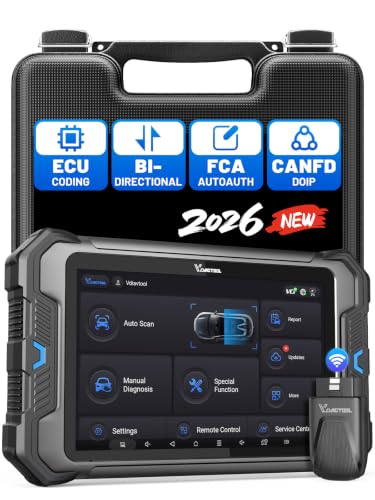
- 【Professional Diagnostics】 The VD80 BT Lite bidirectional obd2 scanner is a professional OBD2 scanner diagnostic tool, delivering vehicle diagnostics right in your own garage. It supports 4,000+ active diagnostic tests, 28+ maintenance service functions, ECU coding, PMI calibration, brake service reset, and OEM-grade full-system vehicle scanning—perfect for DIYers and pros looking for powerful automotive tools. The available function tests vary by model—please to confirm compatibility.
- 【ADVANCED ECU CODE, CUSTOMIZE OE-SETTINGS】As a complete car code reader and reset tool, the VD80 BT Lite bidirectional obd2 scanner supports ECU coding for VW, for Audi, for BMW, for Benz, for Mitsubishi and more. PMI function for Ford/for Lincoln/for Mazda, supports copy data into new module. Step-by-step Guided Diagnostics makes complex jobs easier—making this one of the most reliable code readers & scan tools on the market.
- 【100000+ Vehicles Compatibility – CAN FD/DOIP】 VD80 BT Lite Auto Scanner Compatible with 100,000+ vehicles worldwide, this bidirectiona car scanner works with all OBD2-compliant vehicles manufactured after 1996, covering more than 100 brands worldwide. It also supports CAN FD, DOIP and FCA Secure Gateway protocols, boost 2X faster data transfer, covers 99% of U.S., EU and Asian cars. With 22 languages and 2 years of f*ree updates—future-proofing your car reader diagnostic for all cars.
- 【28+ Maintenance Services & Calibration Functions】VD80 BT Lite scanner for car Supports 28 maintenance services, including resetting oil and service lights after routine maintenance, registering new batteries for proper system operation, and clear clogged filters and restore performance. Additionally, it calibrates TPMS sensors after tire rotations, resets brake systems after pad replacements, relearns steering angle sensors after alignments, and more. These functions help your vehicle quickly and accurately return to peak performance—without the costly dealer visits.
- 【True Bidirectional Control – Diagnose with Confidence】Standing out with full-system coverage and extensive active test capabilities, the VD80 BT Lite bidirectional scan tool retrieves data from electronic control units and performs a wide range of active tests. You can real-time control over modules like fuel pumps, windows, A/C clutches, and relays. Perform 100+ advanced functions including throttle adaptation, injector coding, VIN write, idle relearn, and ABS bleed—helping you fix it right the first time with this all-in-one car diagnostic scanner.
Last update on 2026-06-23 / Affiliate links / Images from Amazon Product Advertising API
This product presentation was made with AAWP plugin.