
NHTSA ID Number: 10057672
Manufacturer Communication Number: PIP4841M
TSB/Document Date: 2015-06-18
Summary
GENERAL MOTORS 2011-2016 CHEVROLET VOLT, CADILLAC ELR. SERVICE BULLETIN INFORMATION REGARDING THE HIGH VOLTAGE DRIVE MOTOR BATTERY REPAIR AND EXCHANGE PROCESS. *LJ
SB-10057672-9635
File in Section:
Service Bulletin
Bulletin No.:
Date:
PIP4841M
March, 2015
PRELIMINARY INFORMATION
Subject:
High Voltage Drive Motor Battery Repair and Exchange Process
Models:
2011-2015 Chevrolet Volt
2014-2016 Cadillac ELR
This PI was superseded to update Recommendation/Instructions and Labor Information.
Please discard PIP4841L.
The following diagnosis might be helpful if the vehicle exhibits the symptom(s) described in this PI.
Condition/Concern
As part of our ongoing quality improvement process, effective February 1st, 2015 the High Voltage Drive Motor
Battery and Battery Sections are being placed on restriction through the GM Technical Assistance Center (TAC).
Note: Please review all of the information provided below prior to contacting the Technical Assistance Center (TAC)
@ 877-446-8227 (U.S.) or in Canada 1-800-263-7740 (English) or 1-800-263-7960 (French) to review case details.
Note: Whenever performing battery repairs it is imperative that fasteners are torqued properly and SI procedures
followed.
Do not remove any Drive Motor Battery assembly covers unless instructed to do so by TAC. The Drive Motor Battery
may also be referred to as the Lithium Ion High Voltage Battery. If the failure is due to one of the non-serviceable
components the battery will be exchanged. The Exchanged Drive Motor Batteries will be refurbished and tested to
provide a capacity greater than or equal to the replaced battery.
Prior to calling TAC, please make sure to complete the "Battery Exchange" required Information and diagnosis
provided in the recommendations portion of this PI. Performing the diagnosis and obtaining the required information
will minimize the time spent on the telephone and avoid the need for multiple calls to TAC. Guidelines for honoring
this exchange program are being strictly enforced. To obtain a replacement drive motor battery, the servicing volt
technician must provide customer complaint, conditions, diagnostic trouble codes (DTCS) and other useful
information as outlined below.
IMPORTANT
Danger: Always perform the High Voltage Disabling procedure prior to servicing any High Voltage
component or connection. Personal Protection Equipment (PPE) and proper procedures must be followed.
The High Voltage Disabling procedure will perform the following tasks:
1. Identify how to disable high voltage.
2. Identify how to test for the presence of high voltage.
3. Identify condition under which high voltage is always present and personal protection equipment (PPE) and
proper procedures must be followed
Before working on any high voltage system, be sure to wear the following Personal Protection Equipment:
1. Safety glasses with appropriate side shields when within 50 feet of the vehicle, either indoors or outdoors.
2. Certified and up-to-date Class "0" Insulation gloves rated at 1000V with leather protective gloves.
3. Visually and functionally inspect the gloves before use.
4. Wear the Insulation gloves at all times when working with the Drive Motor Battery assembly, whether the system
is energized or not.
Failure to follow the procedures exactly as written may result in serious injury or death
Recommendation/Instructions
Please have a certified Volt/ELR technician follow the diagnostic procedures below prior to contacting TAC.
1. If DTCs are present and procedure gives direction to remove internal components; stop, capture GDS2 Session
Log stored data, and test drive vehicle with GDS and MDI, and capture a snap shot of the Hybrid Powertrain
Control Module 2 (VICM) and BECM data when condition occurs. See Latest version of PIP4902 for correct
Session Logs data collection. TAC may request that you e-mail the Session Logs to them. Do not clear codes
prior to capturing data and calling TAC
2. If DTCs are not present, refer to " Symptoms - Hybrid Controls " in SI.
3. If any diagnostic procedure gives direction to remove internal components, stop and call TAC. If TAC has
identified the repairs as being part of the allowable internal battery repairs, instructions will be provided to the
dealer. It is imperative that the technician has completed all available training including hands-on training as well
as have all the required dealer equipment, and all personal protection equipment (PPE) is up to date.
4. Upon review of the diagnosis, TAC will establish a case reference number and make arrangements for providing
instructions to replace allowable components or ordering an exchange battery assembly unit to your dealership
if necessary. Follow procedure for disabling high voltage systems in SI
5. After verifying that the high voltage systems are disabled remove battery assembly per SI procedures
Note: The Battery pack has 2 ground straps that are attached to the battery. ONLY remove the ground straps on the
vehicle side. The new battery will come with the 2 ground straps already attached.
6. Prior to contacting TAC, check with your parts personnel for the parts department hours of operation (including
Saturdays if open) and the name of the parts contact that will be handling the battery pack. This information
along with the battery identification number and the 4 digit battery capacity number will need to be supplied to
the TAC consultant prior to ordering the battery.
6.1 The battery pack 4 digit capacity code is located in the HPCM 2 under the voltage data list. You need to
make sure that you have the latest version of GDS 2 to see this 4 digit code.
6.2 The battery has two battery identification tags that are located on the front of the battery above the coolant
inlet and outlet pipes and an identical tag that is located on the right side of the battery. Locate one of the tags
and record the 16 digit battery identification number (BIN). The BIN is the bottom most number on the label and
it starts with a "T" indicator (See Photo Below). If the battery is not out of the vehicle yet, you can find the BIN by
installing the MDI and using GDS 2. Access the Battery Energy Control Module and look under the identification
information section and the sixteen digit number will be listed under the parameter: Hybrid/EV Battery Pack
Identification Number
You will need to record the BIN and supply it to TAC when ordering a battery or battery section.
2540847
Note: The exchange unit will be shipped without coolant. Follow SI procedure for proper coolant and fill procedures.
Low coolant or wrong coolant could result in internal battery damage. For additional information on how to properly
bleed the battery cooling system, please see the latest version of PI: PIP4859. For information on the proper battery
coolant, please see the latest version of PI: PIP4910
7. Perform K16 Drive Motor Generator Battery Control Module (BECM) reprogramming when replacing the new
battery pack or battery section and also update the K114B Hybrid Powertrain Control Module 2.
8. Next reset the Hybrid / EV battery pack data . This can be found in GDS 2 under: Hybrid Powertrain Control
Module 2 and selecting Configuration/Reset Functions.
9. As a final step, perform the Hybrid / EV Pack Capacity Learn. This can be found in GDS 2 under: Hybrid
Powertrain Control Module 2 and selecting Configuration/Reset Functions.
10. After SPS programming the BECM, you will have to drive the vehicle in Mountain Mode with the vehicle in Low
Gear for approximately 5 miles (8 km). This will pack the most energy in the battery during charging and
regeneration and exercises the coolant valves and pumps. When performing the 5 mile (8 km) drive cycle, drive
vehicle in slalom (side to side motion) to purge any air from battery pack cooling plates. After the drive cycle,
check for codes and top off the coolant system.
11. Fully charge HV battery before delivering the vehicle to the customer
After the Battery has been removed from the vehicle (see service manual procedure), and before placement into the
shipping cocoon, prepare the battery for return by performing the following:
1. Install Coolant plugs (2) in coolant lines. Coolant plugs can be removed from the new service battery assembly
and installed in the returned battery. Additional coolant plugs (GM P/N 22770854) can be ordered if they are
needed.
Note: As part of the battery removal process, all coolant should be drained from the drive motor battery
2. Install the Manual Service Disconnect (MSD) Cover. The MSD cover can be removed from the new service
battery assembly and installed in the returned battery. Additional MSD covers (GM P/N 22770856) can be
ordered if they are needed.
Note: The MSD lever should remain with the vehicle and not be returned with the battery assembly.
3. Install the High Voltage Connector Cover. The high voltage connector cover can be removed from the service
battery and installed on the returned battery. If the service battery assembly did not come with a high voltage
connector cover, additional covers can be ordered by calling 1-800 GM TOOLS. Reference tool # EL-50209
when placing your order.
In order to properly prepare the used battery for shipping and to insure safe shipment, all of the above steps must be
followed.
Note: The used battery must be removed and returned with a battery assembly lifting fixture (GM Special Tool
EL-49976.) This lifting fixture will be attached to the used battery and placed in the shipping cocoon. Each new
service battery will come with a battery assembly lifting fixture for use during installation. You will keep this fixture for
servicing future battery removals.
Caution: When removing the battery it is important that the cradle is raised up to the vehicle and battery and cradle
alignment pin engaged. Under no circumstances should a vehicle be lowered on to the cradle that is placed on a
fixed table. This could create a situation where the battery is not aligned to the cradle resulting in cradle or battery
damage.
Danger: The high voltage (HV) battery must be protected when outside of the vehicle. This is why the battery
must be immediately placed in the original shipping container (cocoon).
Storage Guidelines:
1. Store the Drive Motor Battery flat.
2. Store the Drive Motor Battery in an environmentally protected area.
3. Maintain the Drive Motor Battery at room temperature.
4. Protect the Drive Motor Battery from exposure to liquids.
5. Protect the Drive Motor Battery from physical damage.
6. Store the Drive Motor Battery in a limited-access area.
Danger: Failure to follow these guidelines may result in serious injury or death
PARTS RETENTION AND RETURNS UNITED STATES SERVICE AGENTS Only
All batteries and battery sections need to be returned for possible refurbishment. If the batteries are not returned
within 30 days the dealer will be charged to value of a replacement battery. These charges are substantial. You will
be advised within three days after repair where the battery or battery section will be returned to. There are two
different area's the battery or battery section could be returned to.
1. Priority 2 Root Cause/Refurbishment: CCA Contact will advise where to ship the batteries and or sections back
for possible refurbishment. It is expected that the majority of batteries will go thru this process.
2. Parts Return Request (WPC): A Special Parts Return Request will be faxed to you with proper shipping
instructions. Do NOT wait for the warranty claim to be paid before returning the failed used battery
WPC guidelines below:
1. Do NOT send a battery back without a Special Parts Return Request.
2. Do NOT send the battery back to the ESC.
3. Do NOT send battery back to the WPC.
Do NOT return battery in any other container than the container (cocoon) that the new/refurbished battery was
delivered in. The removed unit must be returned complete in the original exchange shipping container
The Special Parts Request will provide a request number. This request number must be placed in the outside
shipping envelope along with the TAC Case number. Dealers need to place a new envelope inside the battery
cocoon with completed Volt Battery Exchange information including the TAC Case #, along with a copy of the Job
Card (RO) including the technician’s comments, DTCs, and diagnostics. It is recommended that this be taped to the
battery inside the cocoon. Failure to place this information both outside and inside the battery shipping container
may delay the processing of your return. Do not ship a battery back without an official WPC Request.
Note: Failure to return the battery or battery section by the due date will result in the dealership being debited the
entire warranty claim (parts and labor) as well as assessment of an environmental fee for the value of the failed
pack. This fee is substantial ($10,000) and will only be assessed if a battery pack is not returned in the designated
time frame.
Note: If you do not receive a direction of where to ship the battery or battery section back, verify that you do not
have an existing open WPC Request. If you don’t have a WPC Request, contact Keith Lock @ 810 606 2576 or by
E-mail ( [email protected] ) for shipping instructions and the proper paper work in order to return the failed Drive
Motor Battery or battery section.
Shipping Preparation for Priority 2 Root Cause:
Note: Never ship a damaged or compromised battery without prior approval. All hazardous materials must be
shipped in accordance with all local, state, and federal laws.
1. Disable the high voltage at the drive motor generator battery. Refer to High Voltage Disabling.
2. Remove the Drive Motor Battery from the vehicle as outlined in Drive Motor Generator Battery Replacement
in SI.
3. Tighten any fasteners that were loosened or removed during Drive Motor Battery removal to the original torque
specification.
4. Remove any plastic shipping plugs or covers from the new unit and install them on the Drive Motor Battery to be
returned
5. Write the TAC case reference number on the drive motor battery assembly in a visible location
6. Write the TAC case reference number on the repair order.
7. Place the Drive Motor Battery on the cradle into the shipping container and attach the completed return shipping
tag to the Drive Motor Battery.
WPC Shipping Instructions:
1. Place a copy of the Special Parts Return Request, repair order with technician comments, and the completed
"Volt Battery Product Feedback Form” and place into the plastic envelope. The bill of lading and customs papers
(for cross border shipments) should also be inserted into the plastic envelope. Remove the original shipping
label and attach the plastic envelope with the return shipping label on it to the container.
2. Label the outside of the shipping container with the Part Return request number and the TAC case reference
number. Refer to Corporate Bulletin Number 99-00-89-019F for detailed shipping information.
3. Contact UPS Freight 1-800-333-7400 for pick-up of removed battery. If lift gate service is necessary, please
request it at the time of arranging pick-up service.
4. Have the driver sign the bill of lading. Retain a copy of the signed bill of lading and attach your copy to the
original repair order. This will be your proof of returning the Drive Motor Battery
5. Ship the Volt battery Third Party Prepaid Freight Collect with appropriate paperwork to address provided.
Parts Information
No Part Number should be entered on warranty claim . Applicable miscellaneous items such as coolant should be
added to the part allowance amount and claimed in the Parts Cost column and not included in the Net Amount
(DMN) column of the warranty claim.
CANADIAN SERVICE AGENTS ONLY
All Volt batteries must be returned to the appropriate core return center with completed documentation including
battery return worksheets with TAC Case Number and VIN.
Note: Failure to return the battery will result in the dealership being debited the entire warranty claim (parts and
labor) as well as assessment of an environmental fee for the value of the failed pack. This environmental fee is
substantial ($10,000) and will only be assessed if the battery is not returned.
For dealers in Canada, the return of failed batteries will be handled through the existing core return process. (Type 4
return)
Shipping Preparation:
1. Disable the high voltage at the drive motor generator battery. Refer to High Voltage Disabling
2. Remove the Drive Motor Battery from the vehicle as outlined in Drive Motor Generator Battery Replacement
in SI.
3. Tighten any fasteners that were loosened or removed during Drive Motor Battery removal to the original torque
specification.
4. Remove any plastic shipping plugs or covers from the new unit and install them on the Drive Motor Battery to be
returned
5. Write the TAC case reference number on the drive motor battery assembly in a visible location.
6. Write the TAC case reference number on the repair order.
7. Place the Drive Motor Battery on the cradle into the shipping container
8. Place the completed “BATTERY PRODUCT FEEDBACK FORM” (which was included in the container
containing the new battery) inside the cocoon with the failed battery. Dealers need to place a new envelope
inside the battery cocoon with completed Volt Battery Exchange information including the TAC Case #, along
with a copy of the Job Card (RO) including the technician’s comments, DTCs, and diagnostics. It is
recommended that this be taped to the battery inside the cocoon.
Canadian Shipping Instructions:
Canadian Dealers should follow the steps below to return a failed battery:
1. Submit a type 4 core return for the battery. A core return tag along with a core return application will be
generated at your servicing PDC and sent to you.
2. Place the core return tag on the outside of the battery container (cocoon).
3. Complete the required return hazardous goods shipping paperwork (302C form)
4. Leave the labeled container (cocoon) along with the necessary shipping documents in the area within your
dealership which you would normally use for your material/core returns. The DDS carrier will pick up this battery
core along with your normal returns. If your dealership is not serviced by a DDS carrier you will need to return
this battery via LTL (similar to how you would return other parts).
5. Canadian Dealers do NOT return batteries to the ESC or to the WPC.
Warranty Information
For vehicles repaired under warranty use:
Labor Operation
Description
Labor Time
Part Allowance
5031030
Drive Motor Generator Battery
Replacement
Use Published Labor
Operation Time
$400.00
5030290
Drive Motor Generator Battery
Section Replacement
Use Published Labor
Operation Time
$250.00
Add
Administrative Allowance
0.2 hr
Add
Road test – Data snapshot
0.3 hr
Add
Additional time to balance
section
1.0 hr
Please follow this diagnostic or repair process thoroughly and complete each step. If the condition exhibited is
resolved without completing every step, the remaining steps do not need to be performed.
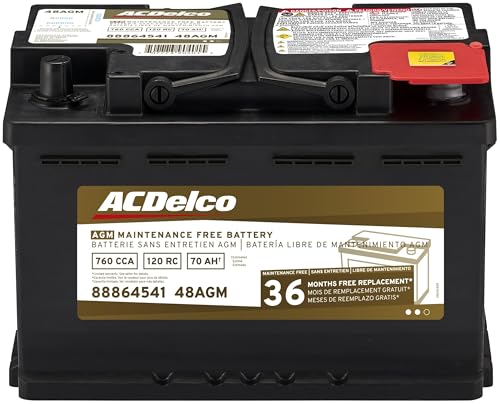
- High density negative paste, improves performance and...
- Enhanced life alloy or Silver Calcium stamped alloy...
- Calcium lead positive grid, maximizes conductivity and...
- Robust envelope separator with puncture resistant back...
- Vent cap design that resists acid leakage

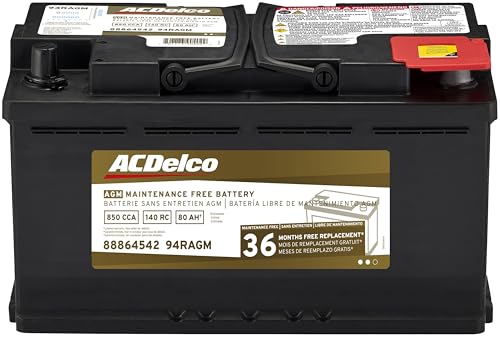
- High density negative paste, improves performance and...
- Enhanced life alloy or Silver Calcium stamped alloy...
- Calcium Lead positive grid, maximizes conductivity and...
- Robust Envelope Separator with puncture-resistant back...
- Vent cap design that resists acid leakage
Last update on 2026-06-29 / Affiliate links / Images from Amazon Product Advertising API
If the PDF is very large, it may not load in the preview below.
Some older TSBs had multiple PDFs — visit the NHTSA Website to view all PDFs.
If the TSB PDF does not show, download or view it on the NHTSA Website.
Click on the (+) Plus Sign
Then Click on Associated Document(s)
Search NHTSA Database for Recalls
Search NHTSA Database for Vehicle Investigations
View Latest Vehicle Investigations
Search NHTSA Database for Vehicle Complaints
View Latest Vehicle Complaints
TSB/Document ID: PIP4841M
Replacement Service Bulletin Number:
MFR Communication Date: 2015-03-01
MFR Internal Campaign ID/Software Version:
Communication Type: Service Bulletin/Repair Instructions
NHTSA Components: ELECTRICAL SYSTEM:12V/24V/48V BATTERY
MFR Component System:
MFR Component Subsystem:
Previous TSB | Next TSB |

- [Notice] When you receive a used device, it may be a customer return resold by Amazon without inspection. You can exchange it for a new one through Amazon. As this situation is unavoidable, we sincerely apologize. For any issues, contacting us via Amazon's "Messages" is the best way. THINKSCAN 689BT Bidirectional Scan Tool Can Be Used Immediately After It is Turned On, Without Complicated Registration Process, Which is More Convenient & Quick.
- Full Bi-Directional Control & 3000+ Active Tests: Take control and test components like actuators, fuel injectors, relays, and cooling fans in real time. You’ll quickly see if the problem is in the part itself or the control module — saving you hours of guesswork and frustrating trial-and-error.
- Advanced ECU Coding Capabilities: Handle module matching and hidden feature activation with confidence. When you replace an ECU or want to customize settings, this obd2 scanner diagnostic bi directional tool gives you the professional-level capabilities you need without the dealership price tag.
- 34+ Useful Reset and Maintenance Functions: Complete everyday service tasks smoothly with a wide range of helpful reset and maintenance functions. Whether you’re keeping up with regular upkeep or tackling a specific job, this scanner makes maintenance simpler and less stressful for both DIYers and pros.
- Comprehensive Full System Diagnostics: Diagnose every major system — Engine, Transmission, ABS, SRS, TPMS, and more — all in one place. Finally stop wondering if you’re missing something important; get the full picture and clear codes with ease.
Last update on 2026-07-02 / Affiliate links / Images from Amazon Product Advertising API

- Top Reasons to Choose the D7S OBD2 Scanner: XTOOL D7S car scan tool, an upgrade of XTOOL D7, offers comprehensive features for automotive technicians, workshops, and DIY enthusiasts 1. Upgraded Hardware: 2+64GB memory, rear camera, intuitive interface, foldable bracket 2. Complete Diagnostics: FCA
 Autoauth, OE-level all system scan, 39+ maintenance services, 4K+ bidirectional, CANFD/DoIP protocol 3. Advanced Capabilities: ECU c0ding, PMI functions 4. Wide Compatibility: Support 10,000+ models, covering 99% vehicle brands 5. Multi-language: Available in 22+ languages, No IP Restrictions 6. 3-Year Updates: Save 300 bucks on software updates for the latest features and optimizations
 - 2026 Upgraded D7S Car Scanner Features: The newly 2026 D7S V2.0 scanner for car brings exciting features for advanced vehicle diagnostics and enhanced user experience 1. FCA AutoAuth: Now supports FCA SGW module for Chrysler, for Jeep, for Dodge (2018+), for Fiat (2017+), enabling faster vehicle communication without gateway restrictions 2. PMI (Offline ECU Pr0gramming): Allows for Ford, for Lincoln, and for Mazda ECU pr0gramming for new modules 3. Optimized Diagnostic Report 2.0: Personalized reports with logos and customer info for auto shops. Note: Compatibility varies by cars, please check before order
- 39+ Services/Resets/Adaptations/Relearns/Calibrations: XTOOL D7S full system car scanner diagnostic tool tackles 99% of common car issues through its 36+ special functions, including Oil Reset, EPB, SAS, BMS, Throttle Reset, Injector C0ding, ABS Bleed, TPMS Reset, Power Balance, etc and also covers specific-vehicle functions like Crank Sensor Relearn, ABS Initialization, Cylinder Power Balance, Fuel Trim Reset, Idle Relearn etc. This car diagnostic scanner enhances efficiency, making repairs and maintenance hassle-free. Tip: DO NOT for All vehicles, please check compatibility first
- Cost-effective ECU C0ding Scan Tool for Specific Brands: Enhance your vehicle's performance with XTOOL D7S! This obd2 scanner all systems bidirectional offers advanced capabilities at an affordable price, supports online for BMW, for Benz and offline for BENZ, for MIT, along with PMI functions for Ford, for Mazda, and for Lincoln. Ideal for technicians and DIY enthusiasts, this automotive scanner diagnostic tool optimizes vehicle performance and enhances the driving experience. Note: Not for all cars and modules, please send car VIN to check the compatibility before purchase
- OE All System Diagnostic & 8 Pids Graphing: XTOOL D7S is a comprehensive all system bi directional obd2 scanner that delivers dealer-level diagnostics, completely controlling over your vehicle’s performance and health. This automotive scan tool can read and clear DTCs, view live data and ECU information, retrieve freeze frames, and perform active tests and full obd2 functions. This bi-directional scan tool can can identify your vehicle's make, model, and year information with just one click and show up to 8 PIDs live data with options for CSV viewing, playback, and recording for in-depth analysis. It is easy-to-use for both professionals and beginners, helping pinpoint issues efficiently
Last update on 2026-06-30 / Affiliate links / Images from Amazon Product Advertising API

- 【✅Compared to BOSSCOMM IF742, IF745 Offers Full-System Diagnostics】The BOSSCOMM IF745 car diagnostic scanner is an upgraded model of IF742. In addition to supporting all OBD2 Code Reader functions and 6 reset options (ABS/EPB/SAS/BMS/Oil/Throttle), it expands diagnostics from 4 systems (Check Engine/ABS/SRS/Transmission) to vehicle All systems, including Steering, Suspension, and Body Electronics. This provides deeper, more comprehensive diagnostic capabilities.
- 【✨10 OBD2 Functions】The BOSSCOMM IF745 scan tool’s DTC Lookup instantly translates fault codes into user-friendly explanations, its I/M Readiness feature streamlines emissions testing with a single tap, and Freeze Frame lets you pinpoint the exact moment of a fault for in-depth root-cause diagnosis. Combined with a live data dashboard and advanced diagnostics (O2S, OBMon, EVAP), it delivers comprehensive insights for confident troubleshooting.
- 【✨Deep Diagnostics for All Vehicle System Modules】Beyond code reading/clearing and ECU information retrieval, our all-in-one data stream feature lets you inspect all current fault codes and their locations across the vehicle’s systems. This vehicle code reader helps you turn off dashboard warning lights and perform a comprehensive self-check of your car at home—no more back-and-forth trips to the repair shop or hefty inspection fees.
- 【✨6 Essential Resets: ABS Bleeding, Oil, EPB, SAS, Throttle, BMS】The BOSSCOMM IF745 obd2 scanner diagnostic tool swiftly purges air from brake lines to restore braking sensitivity, fine-tunes maintenance cycles to eliminate false alerts, resolves parking brake issues with one-click control, recalibrates steering sensors for stability, optimizes engine idling/acceleration for smoother performance, and deeply resets battery systems to extend lifespan and range via precise parameter adjustments.❗NOTE: Does NOT support bidirectional control, coding, or programming.
- 【✨10,000+ Car Models, AutoVIN, 13 Languages】The BOSSCOMM IF745 vehicle scanner diagnostic tool covers 73+ global car brands and offers support in 13 languages, making it perfect for DIYers, auto mechanics, or as a thoughtful gift. With a single-click AutoVIN feature, it instantly retrieves vehicle serial numbers, streamlining diagnostics for users globally. This adaptable tool balances user-friendliness with precision, catering to both personal and professional requirements.✅Unsure about compatibility? Compatibility will vary on vehicles' model and year, pls reach us via 📧 [email protected] 📧 before purchase.
Last update on 2026-07-02 / Affiliate links / Images from Amazon Product Advertising API
This product presentation was made with AAWP plugin.