
NHTSA ID Number: 10054899
Manufacturer Communication Number: TP-1425
TSB/Document Date: 2014-03-11
Summary
MERITOR : PROCEDURAL INFORMATION REGARDING THE INSPECTION FOR WHEEL ENDS ABS. *PE
TP-1425
Issued 01-17-14
SB-10054899-7959
Technical Bulletin
Hazard Alert Messages
Read and observe all Warning and Caution hazard alert messages in
this publication. They provide information that can help prevent
serious personal injury, damage to components, or both.
WARNING
To prevent serious eye injury, always wear safe eye protection
when you perform vehicle maintenance or service.
Park the vehicle on a level surface. Block the wheels to
prevent the vehicle from moving. Support the vehicle with
safety stands. Do not work under a vehicle supported only by
jacks. Jacks can slip and fall over. Serious personal injury and
damage to components can result.
How to Obtain Additional Maintenance,
Service and Product Information
Refer to Maintenance Manual 14, Trailer Axles; Maintenance
Manual 33, Easy-Stop™ Trailer ABS; Maintenance Manual
MM-0180, Enhanced Easy-Stop™ Trailer ABS with PLC;
Maintenance Manual 14P, Meritor Tire Inflation Systems (MTIS) by
P.S.I.™; technical publication TP-0173, Easy-Stop™ and Enhanced
Easy-Stop™ with PLC Trailer ABS Blink Code Diagnostics Guide;
and technical publication TP-89159, Axle Wheel Bearing Installation
Specifications. To obtain these publications, visit Literature on
Demand at meritor.com.
Inspection Procedures for Wheel
Ends on RMTI4613MTIS and
RMTI4613ABSMTIS Axles
Issued
1TP-1425
Technical
01-17-14
Bulletin
Meritor Tire Inflation System (MTIS)
Component Removal and Installation
WARNING
The tire inflation system uses compressed air. Turn the system
OFF and drain the system at the petcock before maintenance
or service to avoid serious personal injury and damage to
components.
Before you perform service on an MTIS-equipped wheel end, turn
the system OFF and drain the system at the petcock. Refer to
Maintenance Manual 14P for instructions.
Record the results of the inspections on the sheet at the end of this
bulletin. Once the inspections are complete, report your findings and
send invoices to Liam Codd via email at Liam.Codd@meritor.com or
phone at (317)-839-9525, Ext. 132.
Non-ABS Wheel End Inspection (Rear Axle)
1.
Wear safe eye protection. Park the vehicle on a level surface.
Block the wheels to prevent the vehicle from moving.
2.
Remove the hub cap.
3.
Verify the hole in the lock washer is aligned with the adjusting
nut pin. Figure 1.
Figure 1
Inspecting Non-ABS and ABS Wheel
Ends
ALIGNMENT
PIN
This technical bulletin provides procedures for inspecting the wheel
ends on RMTI4613MTIS and RMTI4613ABSMTIS axles. Each trailer
has one ABS axle and one non-ABS axle. Follow the appropriate
procedure (ABS or non-ABS) for the type of axle you are inspecting.
ADJUSTING
NUT
4003269a
Figure 1
4.
앫 If the end play is not within specifications: Adjust as
necessary to obtain the correct end play. If the correct end
play cannot be obtained, call the Meritor OnTrac™
Customer Call Center at 866-668-7221 for further
instructions.
Check the outer jam nut torque according to the information in
technical publication TP-89159. The recommended torque is
300-400 lb-ft (408-544 N폷m) with a target torque of 325 lb-ft
(440 N폷m).
앫 If the outer jam nut torque is below specification:
Tighten the nut to 325 lb-ft (440 N폷m). @
5.
앫 If the outer jam nut torque is above specification: Call
the Meritor OnTrac™ Customer Call Center at
866-668-7221 for further instructions.
5.
Check the end play according to the instructions in
Maintenance Manual 14. Correct end play must measure
0.001-0.005-inch (0.025-0.127 mm).
ABS Sensor Fault Repair Procedure
1.
앫 If the end play is not within specifications: Adjust as
necessary according to the instructions in Maintenance
Manual 14 to obtain the correct end play. If the correct end
play cannot be obtained, call the Meritor OnTrac™
Customer Call Center at 866-668-7221 for further
instructions.
6.
Ensure all inspection and repair information is recorded on the
sheet at the end of this bulletin. Once all inspections are
complete, call the Meritor OnTrac™ Customer Call Center at
866-668-7221 to report your findings.
Ensure all inspection and repair information is recorded on the
sheet at the end of this bulletin. Continue on to the ABS Wheel
End Inspection. Once all inspections are complete, you must
contact Liam Codd via email at Liam.Codd@meritor.com or
phone at (317)-839-9525, Ext. 132.
Use the following steps if the diagnostics history showed ABS
faults that require repairs.
A.
Back off the slack adjuster and remove the wheel, tire and
drum according the instructions in Maintenance Manual
14.
B.
Hold the sensor, not the cable, and use a twisting motion
to pull the sensor out of its mounting block.
C.
Remove the spring clip from the mounting block.
D.
Using the supplied bracket location fixture, confirm the
mounting block location is correct. Figure 2.
앫 If the bracket location is correct: Perform the
following.
ABS Wheel-End Inspection (Front Axle)
1.
A.
Apply a mineral oil-based grease that contains
molydisulfide to the sensor spring clip and to the
body of the sensor. The grease must be
anti-corrosive and contain adhesive properties
that will continuously endure temperatures from
–40° to 300°F (–40° to 150°C).
B.
Push the spring clip into the sensor holder from
the inboard side, until the spring clip tabs are
against the sensor holder. Push the sensor into
the spring clip as far as possible.
Perform the ABS system diagnostic test according to the
instructions in Maintenance Manual MM-0180.
앫 If no sensor faults are found: Continue to Step 2.
앫 If sensor faults are found: Proceed to the ABS Sensor
Fault Repair Procedure.
2.
Verify the hole in the lock washer is aligned with the adjusting
nut pin. Figure 1.
3.
Check the outer jam nut torque according to the information in
technical publication TP-89159. The recommended torque is
300-400 lb-ft (408-544 N폷m) with a target torque of 325 lb-ft
(440 N폷m).
앫 If the bracket location is not correct: Repair the
bracket using the ABS Bracket Repair Procedure in
this bulletin.
Figure 2
앫 If the outer jam nut torque is below specification:
Tighten the nut to 325 lb-ft (440 N폷m). @
앫 If the outer jam nut torque is above specification: Call
the Meritor OnTrac™ Customer Call Center at
866-668-7221 for further instructions.
4.
Check the end play according to the instructions in
Maintenance Manual 14. Correct end play must measure
0.001-0.005-inch (0.025-0.127 mm).
4011162a
Figure 2
TP-1425
Issued 01-17-14
Page 2
Copyright Meritor, Inc., 2014
(16579)
Printed in USA
2.
3.
Discard the current wheel and install a new wheel hub
according the instructions in Maintenance Manual 14 and
technical publication TP-89159. Carefully install the new wheel
so that the tooth wheel pushes against the sensor as you
adjust the wheel bearings. After installation, there should be no
gap between the sensor and the tooth wheel. During normal
operation, a gap of 0.04-inch (10.16 mm) is allowable.
Table A: AWS Classifications and Specifications
Perform the sensor output voltage test as follows. Use a volt/
ohm meter to check the AC output of the sensor while rotating
the wheel at approximately one-half revolution per second.
Minimum output must be greater than 0.2 volts AC.
Gas Metal Arc
ER70S-X
A5.18
Gas Tungsten Arc
ER70S-X
A5.18
Flux Cored Arc
E70T-X
A5.20
앫 If the voltage is within specification: Return to Step 2 of
the ABS Wheel End Inspection.
앫 If minimum output is less than 0.2 volts AC: Push the
sensor toward the tooth wheel. Recheck sensor output.
앫 If the voltage is still out of specification: Call the Meritor
OnTrac™ Customer Call Center at 866-668-7221 for
further instructions.
ABS Bracket Repair Procedure
Follow this procedure if the inspection reveals a damaged ABS
bracket.
Tools Required
앫 Oxygen acetylene torch set with a No. 2 tip and gauges set, or a
plasma torch of at least 40 amps
앫 4-inch or 5-inch grinder
Method for Welding
Carbon and Low Alloy
Steels
AWS Electrode
Classification
AWS
Specification
Shielded Metal Arc
E70XX
A5.1
A5.5
WARNING
Wear safe clothing and eye protection when you use welding
equipment. Welding equipment can burn you and cause
serious personal injury. Follow the operating instructions and
safety procedures recommended by the welding equipment
manufacturers.
Axle weld locations and welding procedures must adhere to
Meritor standards. Welding at locations other than those
authorized by Meritor will void the warranty and can reduce
axle beam fatigue life. Serious personal injury and damage to
components can result.
The high temperature caused by the open flame from the
cutting torch can ignite the oil in the axle housing and can
cause serious personal injury.
Prepare the Axle for Welding
앫 Die grinder
1.
Ensure that the axle tube and brackets are 70°F (21°C) or
warmer before you weld onto the axle. Do not weld onto a cold
axle, which can adversely affect the weld material and the axle
during operation. If the temperature is below this specification,
store components in a heated room, until they reach a
temperature of 70°F (21°C) or more.
2.
Verify that the area to be welded is free of paint, grease, dirt,
rust, slag and other contaminants that can affect weld quality.
Methods and Requirements
앫 You can use four methods to weld hardware to trailer axles.
Refer to the following table for the American Welding Society
(AWS) methods, classifications and specifications.
앫 If you use the Shielded Metal Arc method, electrodes must be
clean, dry and come from stock that has been stored according
to AWS specifications.
앫 The AWS requires that weld tensile strength must be 70,000 psi
(4826.33 bar). Weld tensile strengths that are either higher or
lower than this rating are not acceptable.
앫 The best fusion and strength will be obtained using the voltage,
current and shielding medium recommended by the electrode
manufacturer.
(16579)
Printed in USA
CAUTION
When you ground welding equipment to an axle, only locate
the cable connection at components welded to the axle. Do not
locate a cable connection at a suspension spring, U-bolt or
hub. These locations will place the wheel bearing between the
ground cable connection and weld area, and can cause
electric arcing that will damage the wheel bearing.
Copyright Meritor, Inc., 2014
TP-1425
Issued 01-17-14
Page 3
3.
Ground welding equipment to the axle through a clean, tight
cable connection. Locate the connection at components that
are welded to the axle, such as the camshaft bracket, air
chamber bracket or brake spider. Do not locate a cable
connection at a suspension spring, U-bolt or hub. Damage to
the wheel bearing can occur from electric arcing. Figure 3.
Figure 4
Figure 3
NOT HERE
HERE
4011163a
4003152b
Figure 4
Figure 3
4.
Axles are more likely to crack at the end of the bracket
attachment welds. Avoid welding conditions such as craters,
undercuts and poor fusion at these locations by following these
guidelines.
A.
Use correct welding parameters.
B.
Start and stop the arc a short distance away from the
ends of the weld pass.
C.
2.
Disconnect the power connector from the ECU before welding
according to the instructions in Maintenance Manual
MM-0180. Reconnect the power connector once welding is
complete.
3.
Fully weld the sensor bracket to the axle. Refer to the
specifications shown in Figure 5.
Figure 5
Maintain correct arc position and length.
Remove ABS Sensor Bracket
1.
Apply an anti-splatter compound on the axle. If you do not have
an anti-splatter compound, cover the axle with nonflammable
cloth.
2.
Use a plasma arc or cutting wheel to separate the bracket from
the axle. Do not cut or grind into the trailer axle.
3.
Remove the remaining sensor bracket weld material with arc
gouging or rough grinding.
4.
Use a disc grinder to lightly grind the weld areas flat to the axle
and remove weld residue, ridges and ripples from the axle
surface. Do not gouge the trailer axle or leave sharp edges on
the axle surface.
0.19
0.63
4011164a
Figure 5
4.
Inspect and remove all slag from the completed weld.
5.
Paint the repair area appropriately.
6.
Once all repairs are complete, return to Step 2 of the ABS
Sensor Fault Repair Procedure.
Use the bracket location fixture to position the new sensor
bracket. Locate the fixture sensor bracket in the nine o’clock
position. Refer to Maintenance Manual 14 for additional
location information. Figure 4.
TP-1425
Issued 01-17-14
Page 4
Copyright Meritor, Inc., 2014
(16579)
Printed in USA
Figure 6
INSPECTION SHEET
Trailer Information
Trac’s Titian Chassis Number:
______________________________________________________
Vehicle Identification Number:
______________________________________________________
Repair Information
Wheel Location: _________________________________________
Lock Washer Condition (OK / NOT OK): _______________________
End Play Reading: ________________________________________
Outer Jam Nut Torque: ____________________________________
Wheel Location:__________________________________________
Lock Washer Condition (OK / NOT OK): ________________________
End Play Reading: ________________________________________
Outer Jam Nut Torque: ____________________________________
Wheel Location:__________________________________________
Lock Washer Condition (OK / NOT OK): ________________________
End Play Reading: ________________________________________
Outer Jam Nut Torque: ____________________________________
Wheel Location:__________________________________________
Lock Washer Condition (OK / NOT OK): ________________________
End Play Reading: ________________________________________
Outer Jam Nut Torque: ____________________________________
4011158a
Meritor Heavy Vehicle Systems, LLC
2135 West Maple Road
Troy, MI 48084 USA
866-OnTrac1 (668-7221)
meritor.com
Information contained in this publication was in effect at the time the publication was approved for printing and is subject to
change without notice or liability. Meritor Heavy Vehicle Systems, LLC, reserves the right to revise the information presented or
to discontinue the production of parts described at any time.
Copyright 2014
Meritor, Inc.
All Rights Reserved
Printed in USA
TP-1425
Issued 01-17-14
(16579)

- 💯【Conta.ct us for Support Directly】If you met any...
- 🔥🔥🔥【2026 AUTEL FLAGSHIP MK900BT MK900-BT, NEW...
- 🚗【3000+ ACTIVE TESTS (50➡3000+), SAME AS MS...
- 🚗【40+ HOT SERVICES FOR 150 MAKES (28+➡40+)】Full...
- 🚗【OE ALL SYSTEM DIAGNOSE, AUTO SCAN 2.0: SCAN LICENSE...


- 【TURN OFF CEL】 This AL319 car scanner diagnostic tool...
- 【EXTENSIVE APPLICATION】 Autel AL319 Compatible with...
- 【FOR END USER & DIYERS】 This error code reader AL319 is...
- 【USER-FRIENDLY DESIGN】 This OBD2 scanner and check...
- 【HIGH-QUALITY SERVICES】 12 months war.ranty from the...
Last update on 2026-06-21 / Affiliate links / Images from Amazon Product Advertising API
If the PDF is very large, it may not load in the preview below.
Some older TSBs had multiple PDFs — visit the NHTSA Website to view all PDFs.
If the TSB PDF does not show, download or view it on the NHTSA Website.
Click on the (+) Plus Sign
Then Click on Associated Document(s)
Search NHTSA Database for Recalls
Search NHTSA Database for Vehicle Investigations
View Latest Vehicle Investigations
Search NHTSA Database for Vehicle Complaints
View Latest Vehicle Complaints
TSB/Document ID: TP-1425
Replacement Service Bulletin Number:
MFR Communication Date: 2014-01-17
MFR Internal Campaign ID/Software Version:
Communication Type: Service Bulletin/Repair Instructions
NHTSA Components: SERVICE BRAKES, HYDRAULIC:ANTILOCK/TRACTION CONTROL/ELECTRONIC LIMITED SLIP
MFR Component System:
MFR Component Subsystem:
Previous TSB | Next TSB |

- Stay Updated with Lifetime Access: This obd2 scanner includes lifetime free software updates for all app service functions. With a single payment, enjoy full access to diagnostics, reset tools, and maintenance features — zero subscription fees. A budget-friendly choice for weekend mechanics, home car owners, and DIYers, supporting vehicles from 1996 onward. Come to us with your VIN to check compatibility.
- Full Bidirectional Control/Active Tests & Stable Wireless Connectivity: This car code reader features full bidirectional control, allowing you to send commands to the vehicle's ECU for active tests on components such as fuel pumps, injectors, A/C clutches, windows, sunroofs, and more. This car scanner diagnostic tool helps DIYers quickly diagnose and test vehicle parts, cutting down troubleshooting and repair time. With BT 4.0 wireless connectivity, you can enjoy cable-free diagnostics up to 33 feet. Stand in your garage and test windows, wipers, or even engine components—all without needing to move around your car.
- Portable Car Scanner with 26 Special Functions: Scheduled vehicle maintenance with the A30M car diagnostic scanner can keep your vehicle in peak condition and save you big on dealership trips. The XTOOL A30M obd2 scanner diagnostic tool features essential reset and relearn functions, such as Oil Reset, EPB Reset (Electronic Parking Brake Release), SAS, ABS Brake Bleeding, Throttle Body Relearn, Injector Coding, Crank Sensor Relearn, Headlight Adjustment, and Tire Size Reset. Note: Service functions may vary by vehicle model – check compatibility beforehand!
- Wide Compatibility CAN FD & FCA
 Autoauth: This obd2 scanner diagnostic tool is compatible with over 85+ car brands from the U.S., Europe, and Asia, providing extensive coverage through a BT connection with your smartphone or iPad. Now upgraded to support the latest protocols, it includes FCA AutoAuth access for Chrysler, Jeep, Dodge, and Fiat (2018+), and supports CAN FD for GM (2020+) models, giving you greater access to newer vehicles and systems. Note: The FCA AutoAuth account is not included with the device. Users must register and pay separately through the official FCA AutoAuth website to access diagnostic functions for vehicles that require it.
 - Up to 8 Live Data Streams Graphing – Real-Time Graphing for Deeper Insight: This car scanner supports up to 8 live data streams simultaneously with intuitive, real-time graphing. Gain comprehensive insights into your vehicle’s performance, making it easier to spot issues, detect trends, and make informed diagnostic decisions with confidence.
- Comprehensive OBD2 Scanner with 16 Resets: The XTOOL D5S car code reader and vehicle reset tool provides an advanced diagnostic solution with 16 commonly needed reset functions, including Electronic Parking Brake Reset (EPB Reset), SAS, BMS Reset (Battery Test), Throttle Body Relearn, TPMS Reset, ABS Bleeding, Injector Coding, Gearbox Match, Suspension Adjustment, Headlight, Window Initialization, Crank Sensor Relearn and more. Equipped with CAN FD Protocol and FAC AutoAuth, the D5S obd2 scanner diagnostic tool ensures compatibility with a broad range of modern vehicles, allowing users to address common maintenance needs quickly. NOTE: Please Check the Compatibility before ordering.
- 4 Main System Car Scanner & Full OBD2 Diagnostics: The XTOOL D5S car code reader is ideal for home mechanics, DIYers, and professionals, providing access to Transmission/Engine/ABS/SRS systems to read DTCs, Live data can be displayed in text or up to 4 PID data graphs, along with full OBD2 diagnostics to check the engine light on, other obd2 issues and routine maintenance. This car diagnostic scanner ensures you can keep your vehicles in top condition, avoiding costly repairs or unexpected breakdowns. NOTE: Some vehicles display three systems after connection because the transmission and engine of some vehicles are integrated into one.
- Check Engine Code Reader & Real-Time Engine Monitoring: Whether you're a car owner, a DIYer, or run a repair shop, the XTOOL D5S obd2 scanner diagnostic tool makes engine diagnostics fast and frustration-free, reading and explaining trouble codes in seconds—no confusion. Check live data like fuel trim, 02 sensor voltage, RPM, and coolant temp to pinpoint mis~fires, rough idle, or sensor issues. After repairs, simply use the D5S check engine code reader and reset tool to turn off the check engine light and confirm the problem’s fixed—saving time, money, and unnecessary shop visits. - Note: If the check engine light comes back on, it indicates the original problem still exists.
- Portable Car Scanner for ABS and SRS: XTOOL D5S gives you peace of mind when ABS or airbag warning lights come on. It reads and clears ABS codes to help you fix brake sensor, traction control, or wheel speed issues, and supports ABS bleeding after repairs like caliper or master cylinder replacement. For airbag systems, it scans and clears SRS codes related to airbags, seatbelt tensioners, and crash sensors. Whether you're doing repairs at home or running a small shop, the D5S is a cost-effective solution for safety diagnostics. Note: If a fault code returns after clearing, it usually means the issue hasn’t been fully resolved. Please check the compatibility before ordering.
- Transmission Warning Light ON? Here’s the Transmission Diagnostic and Reset Tool You Need: The XTOOL D5S is more than just a basic car scanner—it’s an easy-to-use transmission diagnostic tool. From rough shifts to slipping gears, the D5S lets you read and clear transmission trouble codes, monitor real-time TCM data, and perform transmission resets after fluid changes or repairs. Whether you’re a hands-on car owner or a pro running a busy shop, this OBD2 scanner with transmission functions helps you catch problems early—saving you time, money, and future headaches.. Note: Clearing fault codes is equivalent to a reset on some vehicles, but not all. For help, contact XTOOL Tech Support.
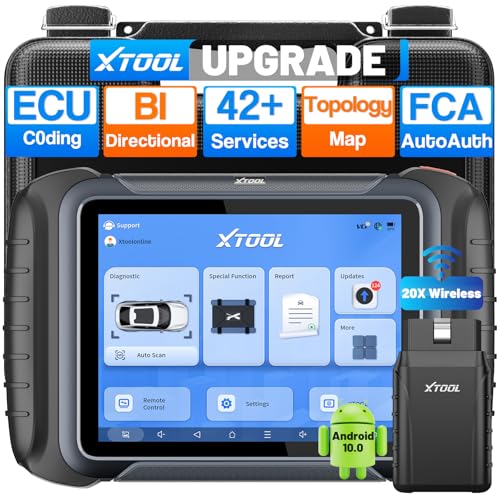
- AI-Assisted Wireless Car Diagnostic Scanner Puts $2,000 Scan Tools to Rest: Upgrade Ver. of D8BT/D7W, wireless ver. of D8S, XTOOL D8W obd2 scanner diagnostic tool targeted for professional US mechanics/workshops/family garage, with 64 GB high-end hardware, 20X faster Built-in WIFI connection, More Stable than BT, packs high-level comprehensive, easy to use AI Assistance features: Topology Mapping, ECU C0ding, PMI Function, 4K+ Active Tests, All System Diagnosis, 42+ Maintenance and more, FCA/CAN FD/DoIP, Pre/Post Scan, Diagnostic Report V2.0, etc. offers the “dealership” diagnosis, isn’t it a Top Pick Scan Tool in this budget
- Super Powerful WI-FI Communication, Extraordinary Built-in Wireless Connectivity: The WI-FI connection, the advanced version of BT, enables the D8W car scanner diagnostic tool to connect directly to vehicles more quickly, easily by simply plugging in the VCI, with the built-in Wi-Fi inside. No additional WiFi signal is required. Its Max high-speed 64 Mbps transmission speed, 33 ft-66 ft or further diagnostic distance, and stable connectivity, makes this obd 2 scanner the winner surpasses traditional BT scanners, more stable, faster, supports longer distance, convenient, and easy to plug and play
- Topology Mapping/AI-Assisted OE-Level Full Systems Diagnostics/Bi Directional Scan Tool/4000+ Active Test: D8W topology scan tool can scan, display all modules with a color topology structure, and view faults at a glance, comparable to other $1,200 to $2,000 obd scanners in the market. Its AI-powered system instantly analyzes fault codes and diagnostic reports for faster and precise repair solution. It also features full-featured bidirectional ability such as Compression Test, Mirror/Sunroof Test, and more active tests, save costs from "dearlership", covers more vehicles for Chrysler 2018+. Please check compatibility with XTOOL before purchase, AI is just for reference
- Advance ECU Configuration/PMI: XTOOL D8W advanced automotive scanner diagnostic tool has the abilities for BENZ/for BMW/for Mitsubishi are designed to unleash the hidden function like turn off the seat belt buzzer and improve car performance. New launched PMI function provided by XTOOL D8W car code scanner for Ford, for Lincoln, for Mazda supports restore full ECU operation into new modules to finish replacement. Note: Please check compatibility with VIN, and Modules
- 42+ Services/Calibration/Initialization/Matching/Relearn Functions: D8W wireless bidirectional obd2 scanner performs more than 42 comprehensive service functions for 10,000+ vehicles including Oil reset, EPB, SAS, Throttle, BMS reset, ABS Bleed, injector c0ding, Fuel Trim Reset, Cylinder Power Balance, Cam Crank Sensors Relearn, VIN Writing, Fuel Injector Balance, Language Change, Auto Stop/Start Reset, A/F Reset, PMI function, etc. Note: Special Functions do NOT work on all cars
Last update on 2026-06-21 / Affiliate links / Images from Amazon Product Advertising API
This product presentation was made with AAWP plugin.