
NHTSA ID Number: 10045092
Manufacturer Communication Number: TP-1268
TSB/Document Date: 2012-08-18
Summary
MERITOR : INFORMATION REGARDING THE OIL LUBRICATED CONVENTIONAL BEARING WHEEL ENDS REPLACED GREASE LUBRICATED CONVENTIONAL BEARING WHEEL ENDS FOR TRAILER AXLES. *PE
8.
Install a new inner bearing cone on the spindle and push it tight
against the seal journal. While holding the bearing cone tight
against the seal journal, ensure the bearing cone touches the
seal journal all 360 degrees around. Figure 18.
Figure 20
AIR SIDE
TOWARDS
TOOL
앫 If the bearing cone cannot be evenly seated: Pull off the
bearing cone. Inspect the collar and spindle for debris and
excessive wear.
앫 If the spindle and collar cannot be adequately cleaned
for the bearing cone to seat correctly: Replace the axle.
4009024a
Figure 18
NEW BEARING
FIT
Figure 20
SEAL
JOURNAL
B.
Align the seal and tool with the hub seal bore and drive
the seal until it bottoms out in the hub seal bore.
Figure 21.
Figure 21
SEAL
4009918b
SEAL
DRIVER
BEARING
CONE
Figure 18
BEARING
CUP
Install the Conventional Wheel End
1.
If the axle is equipped with ABS, check the condition of the
sensor and pull it fully forward on its mounting block.
2.
Apply a light coat of approved oil to the spindle bearing journal
and outside diameter of the seal journal. Figure 19.
The seal must bottom
4009919a
out all around.
Figure 21
C.
Rotate the tool and apply several light blows to ensure the
seal is correctly seated. The seal should be square to the
hub all around.
D.
Check the inner bearing to verify it rotates freely.
E.
Check the inner seal surface rotates freely after
installation in the hub.
Figure 19
OUTSIDE
DIAMETER OF
SEAL JOURNAL
SPINDLE BEARING
JOURNAL
4.
Apply a light coat of oil the seal’s inner bore.
4009304a
Figure 19
3.
Oil and install the new inner bearing cone and the new hub
seal in the hub. Use the following steps to install the seal.
A.
Lubricate the seal according to the following
recommendations, then place the seal with the “AIR SIDE”
towards the installation tool, Stemco® tool number
551-5412. Figure 20.
TP-1268
Issued 05-12
Page 6
Copyright Meritor, Inc., 2012
(16579)
Printed in USA
WARNING
Figure 23
ADJUSTMENT
INDICATOR
MARKING
Take care when using lifting devices during service and
maintenance procedures to avoid serious personal injury and
damage to components. Inspect a lifting strap to ensure that it
is not damaged. Do not subject the lifting straps to shocks or
drop-loading.
CAUTION
When you tighten the spindle nuts, the hub will seat to the
correct position. Do not try to completely seat the hub by hand.
Damage to components can result.
4008976b
Figure 23
5.
Support the hub using an appropriate method. Align and install
the hub onto the spindle. The hub must be supported correctly
or damage to the spindle threads or seal can occur. Figure 22.
B.
Install the hub retaining nut and tighten until the nut is
fully engaged on the spindle thread. Figure 24.
Figure 24
Figure 22
SPINDLE
HUB
Figure 24
Figure 22
6.
4008977a
4009141a
Align the hub bore with the spindle and push the hub assembly
into position until the seal is started on the oil seal collar.
C.
CAUTION
Correctly support the hub before you install the outer bearing.
Ensure the hub remains supported during the bearing
installation to prevent damage to components.
7.
With the hub correctly supported, install an oiled outer bearing
cone. This will help maintain alignment of the components.
8.
Adjust the bearings as follows. Do not allow the hub to become
unsupported prior to the installation of the outer bearing.
A.
Install the retaining washer into the hub. Ensure the
adjustment indicator markings are facing outwards.
Figure 23.
(16579)
Printed in USA
While rotating the hub, use a 4-3/8″ eight-sided socket to
tighten the nut to 200 lb-ft (272 N폷m). The hub MUST be
rotated three revolutions while the end nut torque is
continuously applied. @
CAUTION
Do not rotate the hub assembly with the retaining nut loose.
The bearings can become unseated and damage to
components can result.
D.
Back off the nut two to four flats of the socket,
approximately 1/4-1/2 turn, counterclockwise. Do NOT
rotate the hub assembly with the retaining nut loose or the
bearings can become unseated.
E.
Retighten the nut to 50 lb-ft (68 N폷m) while rotating the
hub assembly a minimum of three times. @
F.
Back off the nut one flat of the socket, approximately 1/8
turn, counterclockwise. Do NOT rotate the hub assembly
with the retaining nut loose or the bearings can become
unseated.
Copyright Meritor, Inc., 2012
TP-1268
Issued 05-12
Page 7
G.
Rotate the nut in a CLOCKWISE direction, in the
’tightening’ direction, until the corners of the nut align
with the NEXT nearest mark on the face of the retaining
washer. Figure 25.
Figure 27
앫 If the corners of the nut already line up EXACTLY
with an index mark: Do not further rotate the nut.
Figure 25
4008979a
Figure 27
9.
Check for free rotation of the hub assembly and inspect the
wheel bearing end play as follows.
A.
4008978a
Attach the magnetic base of a dial indicator to the spindle.
Touch the dial indicator stem to the hubcap gasket face.
Figure 28.
Figure 25
Figure 28
H.
Mark the washer and nut to ensure correct alignment.
Figure 26.
DIAL
INDICATOR
STEM
Figure 26
ALIGNMENT
MARKS
NUT
MAGNETIC
BASE
4001742a
Figure 28
4009193a
B.
Figure 26
NOTE: The button-head screws include a nylon thread locking
patch. The locking properties of this patch are only effective three
times during initial assembly and adjustment. Discard these screws
once they have been used three times and replace them with new
screws.
I.
Install the two new button-head screws into the hub
retaining nut and tighten evenly until both the heads are
flush with the face of the nut. Ensure the marked nut and
washer are aligned prior to installing the retaining screws.
Ensure the screws correctly engage in the holes in the
lock washer.
J.
Use a 5 mm Allen-head socket and torque wrench to
tighten the two button-head screws to 11-15 lb-ft
(15-20 N폷m). Ensure the button-head screws are fully
seated flush with the nut face. Figure 27. @
TP-1268
Issued 05-12
Page 8
Slightly rotate the wheel end in both directions while
pushing inward until the dial indicator does not change.
Set the dial indicator to ZERO. Figure 29.
Figure 29
PUSH
4001743a
Figure 29
Copyright Meritor, Inc., 2012
(16579)
Printed in USA
C.
Slightly rotate the wheel end in both directions while
pulling outward until the dial indicator does not change.
Figure 30.
Figure 31
HUBCAP
Figure 30
CAPSCREW
PULL
4009142a
Figure 31
11. Install the MTIS thru-tee into the hubcap, if equipped.
4001744a
WARNING
Figure 30
WARNING
You must adjust wheel bearing end play to within
0.001-0.005-inch (0.025-0.127 mm). An adjustment that is too
loose will reduce wheel-end bearing life, increase spindle
wear and cause seal leakage. An adjustment that is too tight
can affect wheel-end bearing performance. Loss of wheel-end
components, serious personal injury and damage to
components can result.
D.
Only add lubricant to the hubcap full line. Do not overfill the
wheel-end cavity. Wipe away any excess oil, because it can
contaminate the brake linings and affect brake performance.
Serious personal injury and damage to components can result.
12. Fill the wheel end with oil as follows.
End play is the difference between the two readings.
Ensure the bearing end play is 0.001-0.005-inch
(0.025-0.127 mm).
앫 If end play is excessive (over 0.005-inch [0.127 mm]):
Back off the two screws and retaining nut and restart the
procedure at Step 8C.
A.
Fill the wheel end with an approved oil to the hubcap full
line. Figure 32 and Figure 33.
B.
Install the hubcap fill plug and tighten to 15-20 lb-ft
(20-27 N폷m). @
C.
Rotate the hub to help distribute the oil. The oil must be
given sufficient time to settle prior to a final check of the
oil level. This is especially important in cold conditions.
Figure 32
NON-MTIS
HUBCAP
앫 If end play is too tight (under 0.001-inch [0.025 mm])
or the hub assembly does not rotate freely: Back off the
two screws and back the retaining nut off
(counterclockwise) by ONE washer tick mark. Reinstall the
two screws. Ensure the hub is rotating freely and recheck
the end play.
HUBCAP
FULL LINE
10. Once end play is within specifications, install the hubcap using
a new black hubcap gasket. Install the capscrews and tighten
them in a crisscross pattern to 15-30 lb-ft (20-41 N폷m).
Figure 31. @
Shading indicates
correct amount
of oil.
4010194a
Figure 32
(16579)
Printed in USA
Copyright Meritor, Inc., 2012
TP-1268
Issued 05-12
Page 9
Figure 33
MTIS
HUBCAP
HUBCAP
FULL LINE
Shading indicates
correct amount
of oil.
4010210a
Figure 33
Approved Gear Oil Specification
API GL-5 SAE 80W/90
API GL-5 SAE 75W/90
API GL-5 SAE 75W/140
13. If equipped with ABS, ensure the wheel sensor is pushed
outward to the hub’s ABS ring.
14. Reinstall the tire and wheel assembly. Refer to the wheel
manufacturer’s service information for correct procedures.
15. With the vehicle lowered on level ground, recheck the oil level
in each hub’s sight glass.
16. Inspect the wheel-end oil level at least every 1,000 miles
(1600 km). To check, verify that the vehicle is on level ground,
then clean the hubcap window and observe the oil level. Add
lubricant if the oil level is below the full line.
Meritor Heavy Vehicle Systems, LLC
2135 West Maple Road
Troy, MI 48084 USA
866-OnTrac1 (668-7221)
meritor.com
Information contained in this publication was in effect at the time the publication was approved for printing and is subject to
change without notice or liability. Meritor Heavy Vehicle Systems, LLC, reserves the right to revise the information presented or
to discontinue the production of parts described at any time.
Copyright 2012
Meritor, Inc.
All Rights Reserved
Printed in USA
TP-1268
Issued 05-12
(16579)
- Formulated for engines with 75,000 miles or more, Valvoline...
- Delivers 20% better wear protection and 15% better sludge...
- Extra detergents safeguard against friction, corrosion and...
- Advanced friction-fighting additives help maximize...
- Provides performance benefits for high mileage, new and...

- Designed for vehicles with 75,000 miles or more, Valvoline...
- Formulated with seal conditioners to help prevent oil leaks...
- Delivers 50% stronger wear protection than industry...
- Provides 20% stronger sludge defense than industry standards...
- Offers 2.5X better heat protection than industry standards...
Last update on 2026-06-21 / Affiliate links / Images from Amazon Product Advertising API
If the PDF is very large, it may not load in the preview below.
Some older TSBs had multiple PDFs — visit the NHTSA Website to view all PDFs.
If the TSB PDF does not show, download or view it on the NHTSA Website.
Click on the (+) Plus Sign
Then Click on Associated Document(s)
Search NHTSA Database for Recalls
Search NHTSA Database for Vehicle Investigations
View Latest Vehicle Investigations
Search NHTSA Database for Vehicle Complaints
View Latest Vehicle Complaints
TSB/Document ID: TP-1268
Replacement Service Bulletin Number:
MFR Communication Date: 2012-05-01
MFR Internal Campaign ID/Software Version:
Communication Type: Service Bulletin/Repair Instructions
NHTSA Components: EQUIPMENT
MFR Component System:
MFR Component Subsystem:
Previous TSB | Next TSB |

- Obd2 Bluetooth Scanner Lifetime Update: Ediag Elite offers revolutionary Advantage Lifetime Updates with unlimited access to the superior 15 reset service, bidirectional testing and full system diagnostics.The Ediag Elite is an excellent Bluetooth obd2 scanner diagnostic tool ideal for diy's and private car owners
- Bidirectional Control for Quickly Locating Problems: The Bidirectional Scan tool allows you to send commands directly from your smartphone to your vehicle for active testing. This feature helps to quickly narrow down problems such as air conditioning clutches, windows, doors, sunroofs, etc., reducing diagnostic time for mechanics and helping Diy users locate faults more easily. In addition, Ediag Elite provides fault analysis and repair guidance to help you solve problems efficiently.
- 15 Maintenance Resets: The current version introduces 15 popular special features: Oil Reset, Headlight Matching, Bleeding Reset, TPMS Reset, BMS Reset, Gear Box Relearn, Throttle Learning, Injector Coding, SAS Reset and more special functions in system diagnose menu. These functions make it easy for owners to carry out the necessary maintenance and servicing, ensuring that your vehicle stays in top condition, prolonging its service life and preventing common problems and breakdowns. Note: The Special function vary by model& year, Reach us check compatibility.
- Wide Compatibility CANFD & FCA
 Autoauth: Compatible with GM, Ford, Toyota, Chrysler, Honda, Mazda, Nissan, Mitsubishi, Hyundai, KIA with standard OBD2 port from 1996 to newer. More car brands and features will be released gradually. Newest Ediag Elite scanner supports CANFD Protocol and FCA cars. Note: Coverage may vary on different vehicle by model& year ,Please contact us to confirm compatibility before purchase.
 - Perfect for Monitoring The Health of Your Vehicle: Ediag Elite is designed to make vehicle maintenance simple and efficient. With intelligent AutoVIN quick recognition, it is easy to connect to your car without the need for manual input. Real-time data is visualized in a variety of formats, including graphs, numeric, meter displays and clear 4-in-1 data charts, allowing you to effortlessly monitor real-time data. Data logging/reporting is available for playback and further analysis.
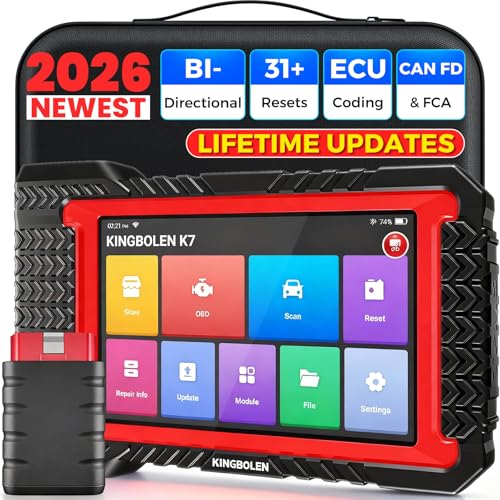
- No Annual Fees & 2026 Upgraded CAN FD: Why pay $199/year or more for updates? The 2026 newest Kingbolen K7 obd2 scanner features have been upgraded to Lifetime Updates without subscription fees, saving you significant costs in the long run. K7 scan tool also adds the CAN FD protocol for the latest GM models (2019+), enabling faster data transfer, reducing the risk of undetected errors
- 2026 Newest Top-tier Car Scanner: Kingbolen K7 diagnostic scan tool is equipped with most capabilities for daily repair/maintenance: Wireless diagnosis via Bluetooth, Bidirectional Test, ECU Online/Offline Code, 31+ Resets, PMI for Ford, Lincoln, Mazda, Global version for 100+ brand vehicles and 17 languages, no area limit, FCA AutoAuth
- OE-Level Full Systems Scan Tool: K7 professional diagnostic scanner with Auto Vin can do one-click to scan ECUs on most of vehicles, like pcm, ecm, eps, bcm, tpms, sas, a/c system... to read/clear code, view live data, freeze frame, read ecu info. 4-in-1 data stream graphics can make data viewing more intuitive. Detailed diagnostic reports will help you easily master the car situation as it can be shared by bluetooth or email! Adding workshop information can help your customers to know more
- Bidirectional Test/Active Test & ECU Code: Stop guessing and start fixing. Bidirectional scan tool Kingbolen K7 can perform real active test that can send commands to the vehicle's ECU to drive the actuators to work, like window, rear mirrors, sunroof, door, solenoids, wipers, headlamp, etc, helping you quickly find out bad parts and pinpoint faulty issues. K7 bidirectional scanner will be a good choice to save money and time on car repairs when performing complex maintenance and repair
- 31 Reset Functions: Avoid expensive dealership visits for simple services. Experience tells us that just a small repair service may cost a lot of money. Kingbolen K7 is a professional diagnostic scanner with 31 common maintenance services like Oil /SAS/EPB/TPMS Reset, Battery Matching, ABS Bleeding, Injector Code, etc. It effectively handles most of the car reset and relearning jobs, perfect for experienced DIYers and mechanics. Note: Functions in the menu vary across vehicles. Kindly check the compatibility before purchase
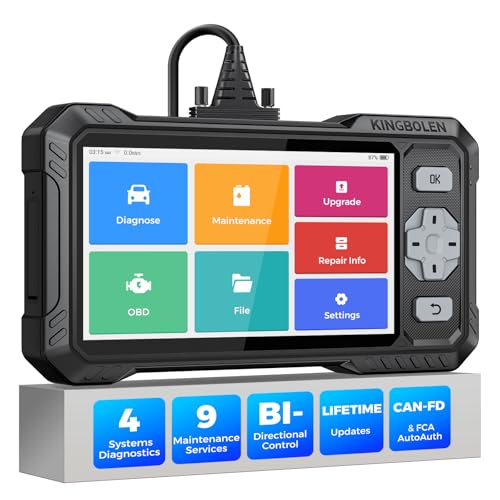
- WHY S608 STANDS OUT:2026 Kingbolen S608 is the only scanner <200 bucks that offers powerful active tests on Engine, ABS, SRS, and Transmission systems. Offers 9 resets,Covers 110+ global brands with a 6.2'' larger touchscreen
- KINGBOLEN'S NEW BIDIRECTIONAL SCAN TOOL: As the 2026 upgraded version of S600, our Newest S608 obd2 scanner has the powerful Bi-directional Control on Engine, ABS, SRS, and Transmission systems. It can send commands to the ECUs of actuators for functional tests and work status checks, such as ABS, fuel injectors, adjusting throttle, coolant pumps, EVAP test, fuel trim reset, etc. No more Guesswork. Quickly identify problem components without teardown, get fuss-free results in seconds.
- 【9 HOT RESET SERVICES CAR SCANNER】Tired of costly mechanic trips for common resets? The Kingbolen S608 obd2 scanner lets you do it yourself, even for beginners—quickly and effortlessly! It offers 9 hot reset functions: Oil/EPB Reset, ABS Bleeding, SAS Calibration, DPF Regeneration, Injector Coding, BMS Matching, Throttle Adaptation, Gear Learning. Stop paying mechanics for 5-minute jobs. Save hundreds per year! 🚗*Function vary from vehicle models. reach us to check compatibility firstly!
- 【4 SYSTEM DIAGNOSTIC TOOL + FULL OBDII FUNCTIONS】Kingbolen S608 is an OBDII scanner and 4 systems diagnostic tool made for home mechanics, DIYers, and professionals. You can access Engine, ABS, SRS, Transmission fault codes, track live data in graphs, and onboard DTC library lookup to find the right troubleshooting procedure, and diagnose with full 10 OBD2 test modes to fix most of emission issues. Give your aging cars routine maintenance to avoid costly repairs, a breakdown, or even a crash.
- 【NEW CAN FD, FCA/RENAULT SGW, 140+ BRANDS】Kingbolen S608 scanner for car supports 140+ vehicle brands, 100,000+ models, 28 languages and can be used worldwide. S608 stays up-to-date with modern vehicles, allows secure access to 2017+ FCA cars and 2015+ Renault cars (📢*Need to purchase an AutoAuth/Renault account by yourself), and supports the latest CAN-FD protocol for 2019+ GM/Chrysler, enabling 2X faster data transfer and more precise diagnostics. 🚗*Check compatibility before purchase.
Last update on 2026-06-21 / Affiliate links / Images from Amazon Product Advertising API
This product presentation was made with AAWP plugin.