
NHTSA ID Number: 10000401
Manufacturer Communication Number: 99063C
TSB/Document Date: 2003-02-26
Summary
ENGINE WILL NOT START. NISSAN VEHICLE IMMOBILIZER SYSTEM / NISSAN ANTI-THEFT SYSTEM (NVIS/NATS) DESCRIPTION KEY REGISTRATION. *TT UPDATE. *TT
#
- ff
ii, sO NISSAN NORTH AMERICA, INC.
Copyright @)
@ SERVICE BULLETIN
Clazsttication: Gate:
EL99-020¢ | NTBSo-063c November 20, 2002
ENGINE WILL NOT START
NVIS/NATS SYSTEM DESCRIPTION
KEY REGISTRATION
This bulletin amends NTBS8-063b updated Applied Vehicie information.
Please discard all paper coples of that bulletin.
APPLIED VEHICLE(S): 2000 - 2001 Altima (L30}
2000 - 2003 Maxima {A33)
1999 Maxima {A32}
1999.5 — 2003 Pathfinder (A50)
2000 - 2003 Sentra (815)
APPLIED VINS: All
APPLIED DATES: Start of production
SERVICE INFORMATION
¢ = This bulletin covers two versions of the Nissan Vehicle immobilizer SystenvNissan Anti-
Theft System (NVIS/NATS}. One of these systems, referred to as either “NATS V 2.0"
of “NATS V 5.0”, is standard equipment on the Applied Vehicles Ilsted above.
« NATS uses advanced anti-theft functions and requires CONSULT-II or CONSULT
(where applicable) for service. This helps prevent “unauthorized access” into the NATS
registration procedure.
e When the NATS ignition key, IMM (Immobilizer control unit), or EGM (ECCS control
unit} are replaced, C/U initialization is necessary. It is also necessary when registering
keys and as part of many NATS Services Manual diagnostic procedures.
IMPORTANT: The NATS “C/U Initialization and Key Registration” Procedures in
this bulletin are only for the Applied Vehicles listed above. Do not use these
procedures on any other NATS-equipped vehicles,
» NATS V2.0 and NATS Y 5.0 are very similar except for the “C/U Initialization and
Key Registration” Procedure. Each Version uses a different Procedure.
Ve
Special Service Notes:
Key Registration Required
e NATS will net allow the engine to start without the use of a registered ignition key.
Nissan models with NATS have a “transponder chip” in the ignition key head.
« Ifa vehicle will not start and the Dash Security lamp Is ON solld, It is pessible that the
ignition keys were not properly registered into the vehicle's Immobilizer contro! unit
(IMMU}.
e When the NATS ignition key or IMMU are replaced, ¢/U Initialization and Key
Registration MUST BE PERFORMED or THE VEHICLE WILL NOT START. This same
procedure ls also needed when registenng new keys. It is part of many NATS Service
Manual diagnostic procedures.
« If any ignition keys need to be ackded or if any ignition key needs to be re-registered,
ALL other ignition keys must be i 6 Same time or ill no longer
start the vehicle.
Other Important Infomation
« The NATS key code is pennanently encoded to the NATS key ID chip at the time of its
manufacture and cannot be changed. Recommend only using Nissan service parts
(key blanks}.
® NATS does not activate the vehicle theft waming system.
* A maximum of five ignition keys can be registered to the NATS.
NOTE: The Owner's Manual far the vehicle you are working on can tell you how many
keys came with the vehicle. This number varies from vehicle to vehicle.
Transponders
« HaNATS-equipped vehicle experiences an Intermittent no start incident, interfarance )
from another transponder could also be the cause. .
e Other vehicle ignition keys that have transponders or ~—n |
transponders such as the Mobil Speedpass® (see right) Zz
may be 4 source of interference. They may be too clase
(3/4 to 1 inch) to the registered key being used to start the
vehicle.
« Inthese cases, there will ba a "DIFFERENCE OF KEY" coda stored in the Engine
Control Module (ECM). The MIL will not tum "ON" for this.
« Once the vehicle is started, transponder interference will not cause the engine to stall.
« To avold transponder interference occurrences, advise the customer to keep all
other transponders on separate key rings.
ae
System Componenits
© © NATS ignition key (with transponder chip).
e NATS antanna amplifier located around the ignition key cylinder.
e NATS Immobilizer control unit (works directly with ECM).
« Security Indicator (Light Emitting Diode, or LED), located on the dash.
NATS Secusity indicator (LED)
Anon Ap.
NATS IMR ECM
TPSaca11
System Operation
« The NATS uses a digital radio frequency (AF) to transmit a key code between the NATS
key ID chip (which is "embedded" in tha NATS ignition key) and the IMMU. Whena
registered NATS key transmits a valid code, the ECM will allow the engine to start.
« = If the corract code Is not received, the IMML will not transmit a valid code to the ECM.
In which case the ECM will not let the engine start.
CONSULT-II NATS Program Card / NATS-E880U CONSULT Program Card usages:
* For CONSULT-II use the NATS Program Card. CONSULT-il is fully compatible with
earty and later vehicles. This is the preferred tool for this procedure.
¢ CONSULT is not compatible with some later vehicles. If CONSULT can and Is to be
used, tha NATS-ES80U CONSULT program card must be loaded into CONSULT and
initialized. The card must remain in CONSULT while servicing and diagnosing the NV1S
or registering keys.
SERVICE PROCEDURE
Precautions prior to registration:
« Collect all existing ignition keys from the customer.
Note: ANY KEYS THAT ARE NOT REGISTERED AT THIS TIME WILL NO LONGER
START THE VEHICLE.
e Separate all NATS ignition keys and other transponders away from each other (take
them off the key ring). Keep them separate during the whole key registration process.
e Do not "crank" the engine/operate the starter during the Key Registration Procedure.
e PF In initialization and registation ma NATS DOTC's stored in
THE DTG’s BY PRESS
NAG ISTIC RESULTS DISPLAY OF CONSULT (stap 7 in Key Confirmation, betow).
* Kis recommended that you read through the antira service procedure before doing it
for the first time.
NATS C/U Initialization and Key Hegistration Procedures:
This is sections divided into two procedures, NATS V 2.0 and NATS ¥V 5.0.
Use the descriptions below to find which procedure applies to the vehicle being serviced.
Procedure 1: NATS V 2.0
For 2000 Altima (except CA-spec A/T vehicles built after VIN 1N4DL01D7¥C245260),
1999 Maxima,
1999.5 — 2000 Pathfinder.
Procedure 2; NATS V 5.0
For 2000 Altima CA-spac A/T vehicles bullt after VIN 1N4DL01D7YC245260,
2001 Altima,
2000 - 2009 Maxima,
2000 - 2003 Sentra,
2001-2006 Pathfinder.
Procedure 1; NATS V 2.0
For 2000 Altima (except CA-spec A/T vehicles bullt after VIN 1N4DL01D7¥C245260),
1999 Maxima, 1999.5 ~- 2000 Pathfinder,
Registration:
1. Verify NATS software card is installed into sottware sioct of the CONSULT-II unit. If
CONSULT can andis being used, load and use the E980U (purple) card.
2. Geonnect CONSULT or CONSULT-II fo the data link connector under the dash.
3. Ingert the ignition kay and tum it to the "ON" position. Do not start the engine.
CONSULT or CONSULT-II will load the NATS software automatically. Wait for the
START box to appear on CONSULT or CONSULT-II before proceeding.
4. Press the START box.
5, Select NATS V 2.0 if using CONSULT-IL. If you are using CONSULT proceed to step 6.
Select C/U INTIALIZATION.
4 &
Prass the START box on CONSULT or CONSULT-II.
8. When C/U Initialization Is completed for IMMU, tum key (1st key) to “OFF/LOCK"
position and pullit out. Keep this first key separate from ALL the other keys for
right new. It will be used later in step 12 below. WAIT AT LEAST 5 SECONDS, then
go to step 9.
NOTE:
* The key that was just used is automatically registered at this stage.
» During this process do not mix up the "registered" keys and tha “unregistered” keys.
Keep them in different piles during this process. Accidentally inserting a key at this
point that is already "registered" will drop the system out of the registration mode. li
that happens you will have to start all over again and go back to step 3 above.
9. Insert the next key to be registered Into the ignition anc tum the key to the "ON"
position. Do net start the engine.
10.Walt at least 5 seconds {for example, until the Air Bag light goes out), turn the key to
"OFF/LOCK’ and remove it
11.Repeat staps 9 and 10 for all remaining "unregistered" keys needing to be registered
inte the system. Aemember, a maximum of five keys can be registered.
12. After registering and removing the last kay, re-insert the first key registered and turn it to
the "ON" position. This will take the system out of the key registration mode.
13. Tum the key to "OFF" and remove the key.
Procedure 1; NATS V 2.0 (cont.)
For 2000 Altima (except CA-apec A/T vehicles bullt after VIN 1IN4DL01D7YC245260),
1999 Maxima, 1999.5 — 2000 Pathfinder.
14. Wait for the Security Lamp to start to blink (approximately 5 seconds). This will indicate
that the system has reset. Proceed to Key Confirmation.
15. If INITIALIZATION STOPPED or FAILED is displayed on CONSULT or CONSULT-!I
during the above procadure:
a. Perform NATS SELF DIAGNOSIS. Aepair any codes indicated.
b. Once NO SELF DIAGNOSIS FAILURE INDICATED is displayed, retum to step 3
above. -
Key Confirmation:
1. Confirm that the NATS security indicator is blinking. This verifies the cornpletion of the
Key ID Registration sequence.
2. Insert each kay that was initialized during the Key Reglstration process and confirm that
ALL the keys will successfully start the vehicle. Wait for the system to resat In
between each key check (see NOTE, below}. Watch for the Security Lamp to begin
blinking (approximately 5 seconds) between each confirmation of key operation,
indicating the system has reset.
NOTE: You must walt for the system to reset between each key check or kay
operation will not be confined.
3. Prass BAGK on the CONSULT or CONSULT-II screen.
4, Press BACK on the CONSULT or CONSULT-II screen again.
5. Put any registered kay Into the ignition and tum it to the "ON" position.
6. Select SELF-DIAGNOSIS RESULTS to check for DTC's.
7. Press the ERASE box in SELF DIAG RESULTS to clear any DTC's set prior to repairs.
8. Tum ignition kay to "OFF/LOCK" and remove it.
9. Tum off the CONSULT or CONSULT-II, disconnect the Data Link Connector and
remove CONSULT or GONSULT-I from the vehicle.
>See
Procedure 2; NATS V 5.0
For 2000 Altima CA-spec A/T vehicles bullt after VIN 1N4DL01D7YC245260, 2001
Altima, 2000 - 2003 Maxima, 2000 - 2003 Sentra, 2001-2003 Pathfinder.
Registration:
1. Verify NATS software card is installed Into software slot of thea CONSULT-II unit.
2. Connect CONSULT-II to the data link connector under the dash.
3. Insert the ignition key and tum it te the "ON" position. Do not start the angine.
CONSULT-II will load the NATS software automatically. Wait for the START box to
appear on GONSULT-I| before proceeding.
Press the START box.
Select NATS V 5.0.
a mm -F
Select C/U INTIALIZATION.
7. Input Password (PIN Code}: 5523 {for North America)
&. Press the START box on CONSULT-I.
9. When C/U Inifialization is completed for IMMU, tum kay to "OFF/LOCK" position and
pull it out. WAIT AT LEAST 5 SECONDS, then go to step 10.
NOTE: The key that was just used is NOT yet registered at this stage.
10. Insert the first key to be registered into the ignition and tum the key to the "ON" position.
Do not start the engine.
11, Wait at least 5 seconds (for example, until the Air Bag light goas out), turn the key to
"OFF/LOCK" and ramove it. Keep thig first key separate from ALL the other keys for
right now. It will be used later in step 13 below.
NOTE: During this process do not mix up the "registered" keys and the “unregistered”
keys. Keep them in different piles during this process. Accidentally inserting a key at
this polnt that is already "reglstered" will drop the system out of the registration mode. If
that happens you will have to start all over again and go back to step 3 above.
12. Repeat steps 10 and 17 for all remaining "unragistered* keys needing to be registered
into the system. Remember, a maximum of five kays can be registered.
13. After registering and removing the last key, re-insert the first key registered and tum the
key to the "ON" position. This wil take the system out of tne key registration mode.
14. Tum the key to "OFF" and remove the key.
15. Wart for the Security Lamp to start to blink (approximately 5 seconds). This will indicate
that the system has reset. Proceed to Key Confirmation.
THB,
7.
Procedure 2; NATS V 5.0 (cont)
For 2000 Altima CA-spac A/T vehicles built after VIN 1N4DL01D7Y¥C245260, 2001
Altima, 2000 - 2003 Maxima, 2000 - 2003 Sentra, 2001-2003 Pathfinder.
16. If INITIALIZATION STOPPED or FAILED ts displayed on GONSULT-II during the above
procedure:
a. Perform NATS SELF DIAGNOSIS. Repair any codes indicated.
b. Once NO SELF DIAGNOSIS FAILURE INDICATED is displayed, retum to step 3
above.
Key Confirmation:
1.
hb 6
MA
Confirm that the NATS security indicator ts bilnking. This variflas the complation of the
Key ID Registration sequence.
Insert each key that was Initiallzed during the Key Registration process and confirm that
ALL the keys will successfully start the vehicle. Walt for the system to reset In
between each key check (see NOTE, helow}. Watch for the Security Lamp to begin
blinking (approximately 5 seconds) between each confirmation of key operation,
indicating the system has reset.
NOTE: You must wait for the system to reset between each key check or key
operation will not be confirmed.
Press BACK on the CONSULT-II screen.
Press BACK on the CONSULT-II screen again.
Put any registered key into the ignition and turn it to the "ON" position.
Select SELF-DIAGNOSIS RESULTS to check for DTC's.
In rare cases "CHAIN OF ECM-IMMU?" is stored during the Key Registration process.
Press the ERASE box ff It appears in SELF DIAG RESULTS to clear this code or any
DTC's set prior to repairs.
Tum ignition key to "OFF/LOCK" and remove It
Tum off the GONSULT-II, disconnect the Data Link Connector and remove CONSULT-II
from the vehicle,

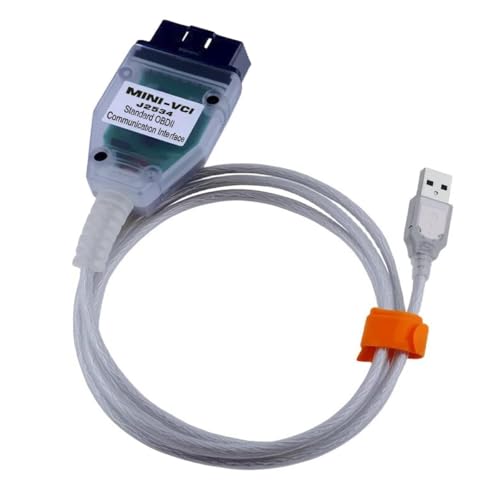
- Advanced VCI Box, Industry-leading J2534 Pass-Thru...
- High-Speed OEM-Level Diagnostics & Programming: Unlock true...
- Coverage for 17 Car Brands & Ultra Reliability: Works...
- User-Friendly RLink Platform & Expert Support: TOPDON’s...
- 6.6 ft USB-C Cable & Portable Storage Case: The RLink J...
Last update on 2026-06-12 / Affiliate links / Images from Amazon Product Advertising API
If the PDF is very large, it may not load in the preview below.
Some older TSBs had multiple PDFs — visit the NHTSA Website to view all PDFs.
If the TSB PDF does not show, download or view it on the NHTSA Website.
Click on the (+) Plus Sign
Then Click on Associated Document(s)
Search NHTSA Database for Recalls
Search NHTSA Database for Vehicle Investigations
View Latest Vehicle Investigations
Search NHTSA Database for Vehicle Complaints
View Latest Vehicle Complaints
TSB/Document ID: 99063C
Replacement Service Bulletin Number: 99063D
MFR Communication Date: 2005-05-17
MFR Internal Campaign ID/Software Version:
Communication Type: Service Bulletin/Repair Instructions
NHTSA Components: ENGINE AND ENGINE COOLING:ENGINE
MFR Component System:
MFR Component Subsystem:
Previous TSB | Next TSB |
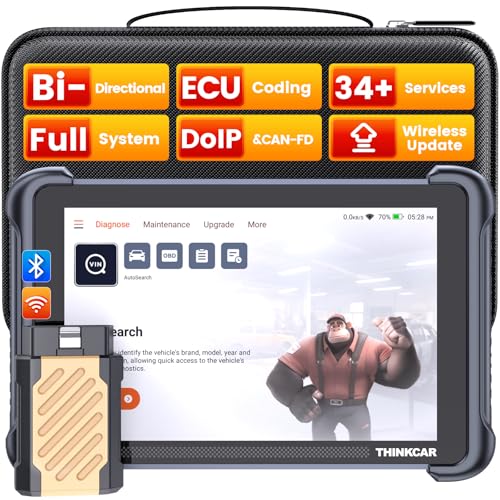
- [Notice] When you receive a used escaner automotriz device, it may be a customer return resold by Amazon without inspection. You can exchange it for a new one through Amazon. As this situation is unavoidable, we sincerely apologize. For any issues, contacting us via Amazon's "Messages" is the best way, and we’ll provide a solution within 24 hours. THINKSCAN 689BT Can Be Used Immediately After It is Turned On, Without Complicated Registration Process, Which is More Convenient & Quick.
- [Good News] THINKSCAN 689BT is the most competitive automotive scan tool to date, offering wireless updates with no subscription fees(valued 500Buc.ks) . With all the features of THINKTOOL PD8,PRO, built on Android 10 platform with 4-core CPU, 4GB RAM
 and 64GB ROM, serving up to 5X faster than older MAX/MINI/PLUS vehicle scanners escaner automotriz, no more slow and delayed feedbacks, it's time to update your garage tool.
 - [Big Money Saver] Premium THINKSCAN 689BT Wireless Diagnostic Scanner Escaner Automotriz, save up to 400USD per year, includes all useful features: Full bi-directional controls, ECU coding, 34+ services, OEM all system diagnostics, Worldwide vehicles coverage, CAN FD & DoIP, FCA AutoAuth(The 689BT only provides a login and purchase portal, and users are required to register for an FCA account and pay a membership fee in order to perform the relevant automotive diagnostics)
- [3000+ Active Tests]Active testing is one of the most useful features in automotive maintenance and greatly improves mechanic efficiency. THINKCAR 689BT bidirectional scanner can send action commends to vehicle sub-systems or components for active test without using vehicle controls. It can perform various tests such as: EVAP Test, Fuel Trim Reset, Injector Buzz Test, Window/ Mirror/ Door Lock Test, Pump and Value Tests, etc. Get functions from "Diagnose>Car Model>System>Active Test".
- [Hot Advanced Features] 689BT bidirectional tool newly adds ECU Coding, Power Balance, Flash Hidden Functions, Reset Adaptive Data, Match Replaced Components, Customize OE-Settings. Such as: 1. changing the color of interior lights 2. switching on/off the auto hold, 3. customizing dash kits 4. activating the auto side mirror folding function 5. disables auto start-stop. Note: Coding functions vary by model&year.

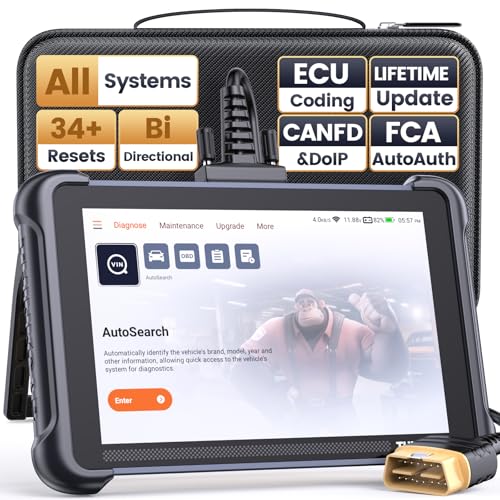
- 【Warm Tips】Wired THINKSCAN 689 is connected through a detachable OBDII cable, and we also have added OBD2 Extension Cable (about 60 cm/2 feet) as g ift, enabling customers handling vehicle repairs with ease. Just click "Bundles Item" above to get it. Note: FCA AutoAuth is a third-party service, additional cost may be required.
- 【Professional Car Diagnostic Tool】Tired of renew fees? Thinkscan 689 scanner provides dealer-level advanced functions without annual fees for auto mechanics and repair shops. 34+ Services, 3000+ Active Test, ECU Coding, 140+ Brands Coverage, FCA AutoAuth, CANFD&DOIP Protocol, Component Matching, Power Balance, V.A.G Guided, Compatible with Google Chrome integration, etc. With strong hardware backing, 64G Memory, Android 10, 4-core processors, and 4150mAh battery. Thinkscan 689 brings you the best as your daily business helper and never lets you drop the ball!
- 【Over 34 Reset Service, Adaptation + Relearn + Calibration + Initialization + Matching】Made for workshops, Thinkscan 689 scanner provides 34+ services for worldwide vehicles: such as Gear/SAS/EPB/TPMS/D.P.F/I.M.M.O/BMS/ETS/Oil/Brake/AFS/GEARBOX/SUNROOF/SUS Reset, ABS Bleed, Injector coding, etc. Warm tips: Compatibility may vary on vehicles' model and year, please contact seller before purchase to make sure it works well on your cars.
- 【Real Active Test】Thinkscan 689 scan tool features over 3000+ full bi-directional control ability, to send commands to vehicle’s systems/components, to verify system input/output without using the vehicle's controls, e.g. turn on the radiator fan, modulate the throttle, open/close windows, operate mirrors, Injector Buz Test, turn on interior&exterior lights, sound horn, test door lock actuators, turn on/off front/rear side ACM Solenoid, Vehicle level position calibration, Wheel Speed Sensor Supply.
- 【Comprehensive Solutions with Advanced Features】Take your vehicle customization to the next level with the Thinkscan 689's advanced ECU coding capabilities. This scan tool provides power balance, PMI, unlock more new features and enhance performance by activating dormant functions, customizing OE settings, matching replaced components, and reprogramming adaptive data to elevate your driving experience. Note: Compatibility varies by car models, please check before order.

- 【Cost-effective OBD2 scanner】 Thinkcar Thinkdiag2 is the most powerful wireless diagnostic tool for it's price! Equipped with multi-functions of Newly added CAN-FD protocol, BiDirectional control(Active Test), 15 Maintenance resets, All Systems diagnosis, Auto VIN, FCA AutoAuth, Unlock the protected FCA vehicle SGW module on Chrysler, Dodge, Jeep, Alfa Romeo, and Fiat vehicles manufactured after 2019.120+ Car brands coverage, No IP limited, etc. Good for workshops & DIYers. Kindly send us VIN to check compatibility before purchase
- 【OE-Level Full Systems Car Scanner with Added CAN FD Protocol】 Upgrade of Thinkdiag, Thinkdiag2 is a bluetooth diagnostic tool can diagnose Full System such as ECM, ABS, SRS, TCM, EPB, TPMS, SAS, A/C, BMS, etc. Thinkdiag2 can read/clear fault codes, read real-time data, read control module information,etc. As the only diagnostic scanner in this price range that supports the CAN-FD protocol, it suits for the latest GM(2019-) , saving $100 to buy a CAN FD adapter, reducing the risk of undetected errors to enhancing the user experience
- 【Bidirectional Test】This bidirectional scan tool Thinkdiag2 allows you to send commands from your smartphone directly to the vehicle's ECU for active testing, quickly locate problem areas, such as A/C clutch, windows, doors, sunroof, etc., reducing the diagnostic time and money. (Note: kindly send us VIN to check compatibility before order.)
- 【15+ Maintenance Functions】Thinkdiag2 OBDII code scanner is designed for individual car owners, DIYers, and small repair shops, which has a separate menu of 15 common special functions, such as Oil reset, EPB reset, SAS calibration, ABS bleeding, injector code, TPMS reset, etc. Enter from the all-system diagnostic menu to unlock more system special functions, and effectively handle the reset and relearn of most cars. Note: The Maintenance functions that each car can do may be different
- 【120+ car brands & FCA Autoauth+10 languages】Thinkcar thinkdiag2 helps you to troubleshoot the problems fast for 100 + US, European, Asian vehicle brands after 1996 that use the OBDII protocol. Only support 12V cars, including gasoline cars and diesel cars. Supporting Autoauth allows you to unlock the protected FCA vehicle SGW module on Chrysler, Dodge, Jeep, Alfa Romeo, Fiat vehicles, etc. (Note: Only provide AutoAuth login portal, and need purchase the registration number on the AutoAuth website by yourself.) Multilingual function allows workshop mechanics to avoid language barriers and use it around the world Without restriction
Last update on 2026-06-12 / Affiliate links / Images from Amazon Product Advertising API
This product presentation was made with AAWP plugin.